OpenDeck plugin for Windows and Mac
Show your ping on OpenDeck and see where lag starts
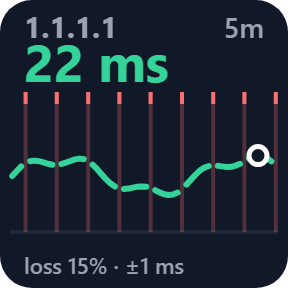
Ping Graph shows the live ms to your router, 1.1.1.1, 8.8.8.8 or your game server on a key of your Ajazz or Mirabox deck in OpenDeck, with a graph, packet loss and jitter.
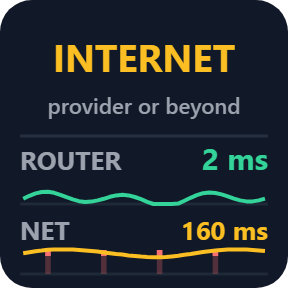
Lag Check pings your router and the internet together and points to where lag starts: at home (Wi-Fi, router) or past it (your provider or beyond), so you know where to look.
- Live ms and graph
- Packet loss and jitter
- Home or internet lag
- Any address or game server
- Five looks
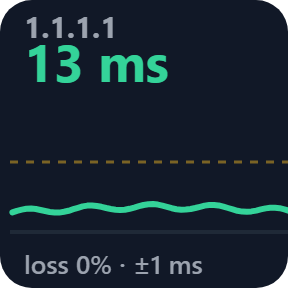
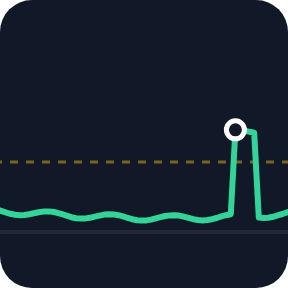
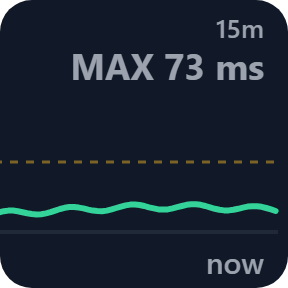
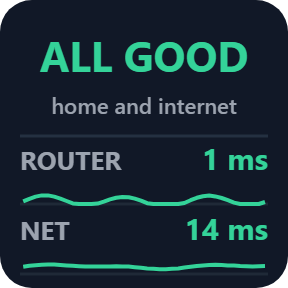
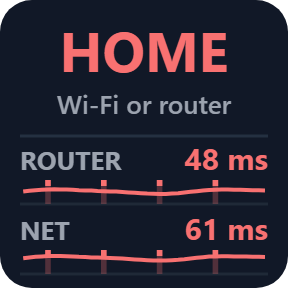
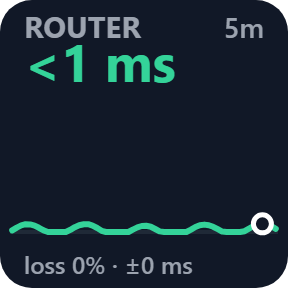
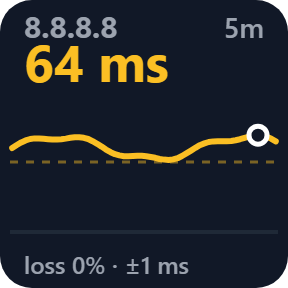
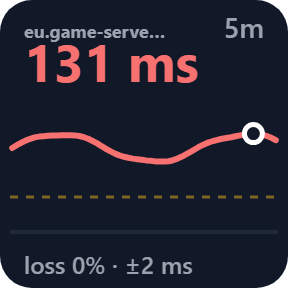
What the keys do
Ping Graph
The ms right now, packet loss and jitter, over a graph of 1, 5, 15 or 60 minutes. A red mark on the graph is a lost ping.
Lag Check
Pings your router and the internet together and compares the last 30 seconds. HOME means Wi-Fi, cable or router. INTERNET means your provider or beyond. ALL GOOD means the internet is fine.
One long graph
Put Ping Graph keys side by side in one row with the same address, period, look and colors, and they become one long graph.
Numbers on a press
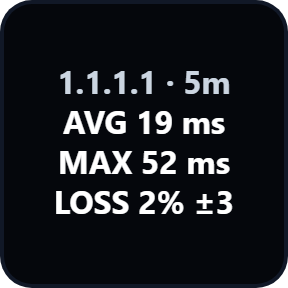
Press Ping Graph for the average, max, loss and jitter of the period for 4 seconds. Hold it for half a second and release for the next period. Press Lag Check for the numbers of the last 30 seconds.
Your router or your game server
Your router is found automatically. Pick 1.1.1.1 or 8.8.8.8, or type any IP address or host name, and give the key a name such as EU server.
Colors you choose
The ping turns yellow and red at the ms you choose, so you can tell at a glance. Pinging goes on for 60 minutes after you switch to another page, so the graph shows that time when you come back.
Install in OpenDeck
In OpenDeck, open the Plugins tab, install the .streamDeckPlugin file you downloaded, then enter your license key once in a key's settings.
Requirements
- Windows 10 or later, or macOS 13 or later (Apple silicon or Intel)
- No extra software, no account and no administrator rights
- OpenDeck 2.14 or later
Questions
How do I show my ping on an Ajazz or Mirabox deck with OpenDeck?
Add Ping Graph to a key in OpenDeck. It shows the ms to 1.1.1.1 right away. Pick your router, 8.8.8.8 or your game server in the key's settings.
Is my lag from Wi-Fi or my internet?
Add Lag Check. HOME means Wi-Fi, cable or router. INTERNET means your provider or beyond. ALL GOOD means the internet is fine.
Does it work on Mac?
Yes. It works on macOS 13 or later, on Apple silicon and Intel Macs, with the same keys, looks and settings as on Windows. It uses the Mac's own ping, so there is nothing else to install, and your router is found automatically there too.
Purchase details, refunds and seller
- Price
- ¥980, paid once. Tax for your country is added at checkout.
- Payment
- Handled by Stripe through Link, Stripe's checkout service. Link appears as the seller on your receipt and card statement, and your card number never reaches GRAMSHIFT.
- Delivery
- Your license key and download link appear right after payment, and the receipt arrives by email.
- Countries
- The direct checkout is not offered in Ascension Island, China, Cuba, Iran, Kosovo, North Korea, Russia, Syria or Tristan da Cunha.
- Seller
- GRAMSHIFT, Tokyo, Japan. Contact: contact@gramshift.com
- Refunds
- If the plugin fails to run on your PC, email contact@gramshift.com within 14 days of purchase for a full refund. The license key stops working after a refund.
- License
- One key for your own use on up to 3 PCs.
Limits
- IPv4 addresses and names only. Servers that ignore pings read NO REPLY. If your router ignores them or there is none, Lag Check judges the internet side only.
- The graph history is kept in memory, so it starts fresh when the plugin restarts.
- The direct version checks its license key with our server when you activate it, at each plugin start and about once a day. If the server cannot be reached, it keeps running for up to 44 days after the last successful check.