OpenDeck plugin for Windows and Mac
Live F1 25 telemetry on your OpenDeck keys
Race Deck for F1 25 shows ERS, fuel, tyre wear and temperatures, position, gaps, DRS or the 2026 Overtake Mode, flags and the safety car on the keys of your Ajazz or Mirabox deck in OpenDeck while you race, at a glance instead of in the MFD.
Press a key to send a game key such as the pit limiter or the MFD, and your deck becomes a sim racing button box with a live dashboard. It works with F1 24 too, and with the F1 25 2026 Season Pack.
- ERS and fuel
- Tyres
- Gaps
- DRS
- Safety car
What the keys do
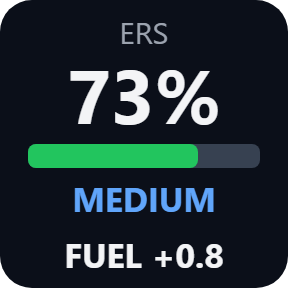
ERS & Fuel
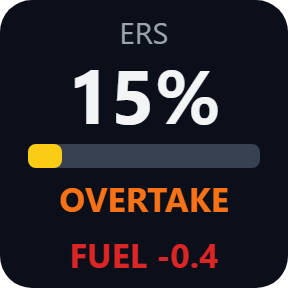
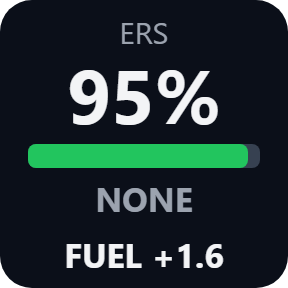
ERS store in percent with a bar, the deployment mode (NONE, MEDIUM, HOTLAP or OVERTAKE) and fuel laps to spare as the MFD gives them, in red when you are short.
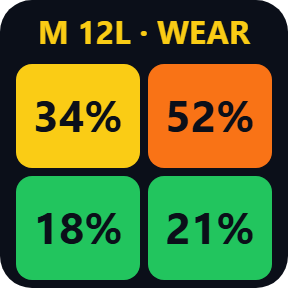
Tyres
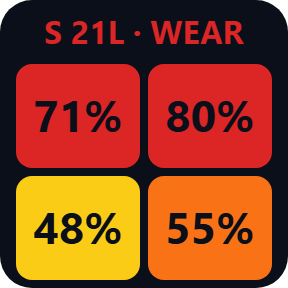
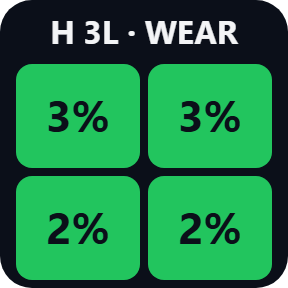
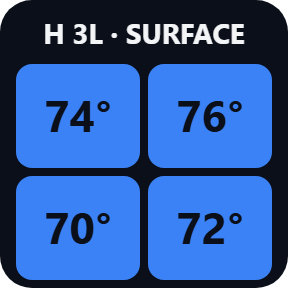
All four tyres as colored cells laid out like the car, front on top, showing wear, plus the compound and how many laps the set has done.
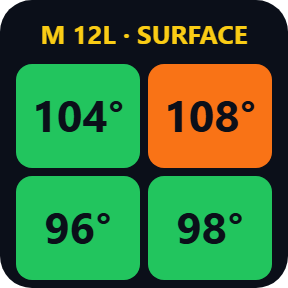
Tyre temperatures
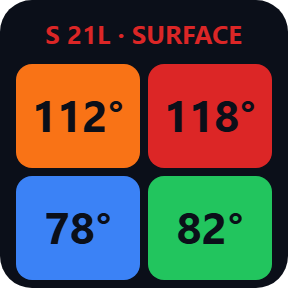
The same Tyres key can show surface or inner temperature instead of wear. You choose it in the key's settings.
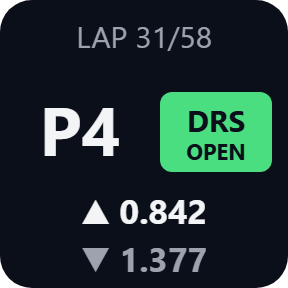
Race Status
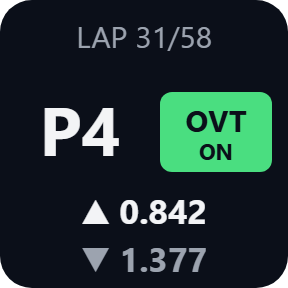
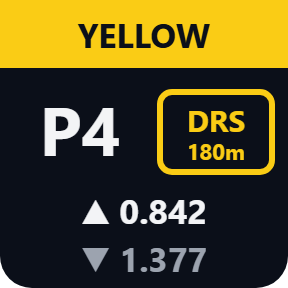
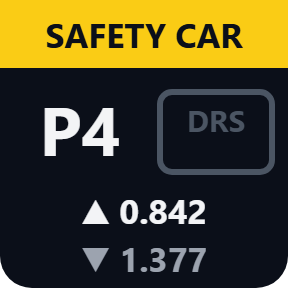
Position, gaps to the cars ahead and behind, lap and DRS: grey when not allowed, a yellow frame with the distance when it is close, green when available, OPEN when in use. In practice, qualifying and time trial the gaps show --, as the game does not send them.
Flags and safety car
Yellow and blue flags, safety car and VSC appear as a band across the top of Race Status.
2026 Season Pack
For cars on the 2026 rules, the DRS place shows Overtake Mode with the metres until it is available, then green when available and ON while in use. Positions and gaps cover the full 24-car grid.
Install in OpenDeck
In OpenDeck, open the Plugins tab, install the .streamDeckPlugin file you downloaded, then enter your license key once in a key's settings.
Requirements
- Windows 10 or later, or macOS 12 or later
- F1 25 or F1 24
- OpenDeck 2.14 or later
Questions
How do I see F1 25 ERS, fuel and tyre wear on an Ajazz or Mirabox deck with OpenDeck?
Turn UDP Telemetry on in the game's Telemetry Settings (IP 127.0.0.1, port 20777), then place the ERS & Fuel, Tyres or Race Status keys in OpenDeck. As soon as you are on track, the keys show your car.
Can a key press send a game key, like a button box?
Yes. Pick a key such as F13 or Ctrl+Shift+E in a key's settings and assign the same key in the game's controls. Keys the game does not otherwise use, such as F13 to F24, avoid clashes. By default it sends only while the game is the active window.
Does it work with F1 24 and the F1 25 2026 Season Pack?
Yes. It reads UDP Format 2024, 2025 and 2026. With the 2026 Season Pack, choose 2026 to see Overtake Mode on Race Status.
Purchase details, refunds and seller
- Price
- ¥780, paid once. Tax for your country is added at checkout.
- Payment
- Handled by Stripe through Link, Stripe's checkout service. Link appears as the seller on your receipt and card statement, and your card number never reaches GRAMSHIFT.
- Delivery
- Your license key and download link appear right after payment, and the receipt arrives by email.
- Countries
- The direct checkout is not offered in Ascension Island, China, Cuba, Iran, Kosovo, North Korea, Russia, Syria or Tristan da Cunha.
- Seller
- GRAMSHIFT, Tokyo, Japan. Contact: contact@gramshift.com
- Refunds
- If the plugin fails to run on your PC, email contact@gramshift.com within 14 days of purchase for a full refund. The license key stops working after a refund.
- License
- One key for your own use on up to 3 PCs.
Limits
- Game keys are sent only to a game on this Windows PC. With a console, another PC or a Mac, the keys show telemetry only: set the game's UDP IP Address to this PC's address and choose Receive from: This PC and the network in each key's settings.
- Sent keys do not reach a game running as administrator, and anti-cheat software may ignore them. The display keys are not affected.
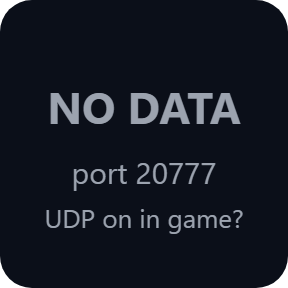
- Reads UDP Format 2026, 2025 and 2024. Another format shows UNSUPPORTED, and NO DATA appears when nothing arrives for 3 seconds. One port serves one program: if another telemetry app uses it, the keys show PORT BUSY.
- The direct version checks its license key with our server when you activate it, at each plugin start and about once a day. If the server cannot be reached, it keeps running for up to 44 days after the last successful check.