OpenDeck plugin for Windows
Live RaceRoom telemetry on your OpenDeck keys
See your fuel, tyres, lap delta and position on the keys of your Ajazz or Mirabox deck in OpenDeck while you drive RaceRoom Racing Experience on PC: fuel and laps left, tyres, brakes, delta to your best lap, position and gaps, flags, and pit and stint.
In a race the Fuel key works as a fuel calculator: it checks the laps your fuel lasts against the laps to the flag and shows a red SHORT before you run dry. Keys can also send a game key you pick, so one deck is both your RaceRoom dashboard and a button box.
- Fuel calculator
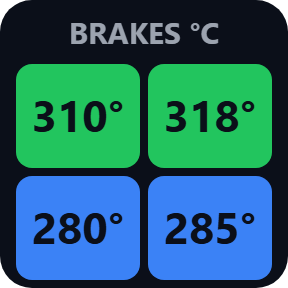
- Tyres and brakes
- Lap delta
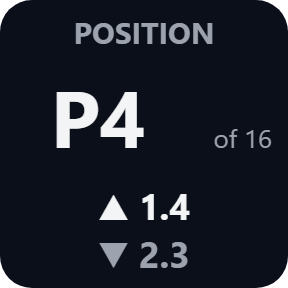
- Position and gaps
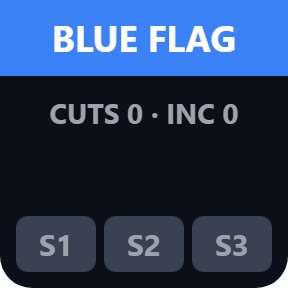
- Flags
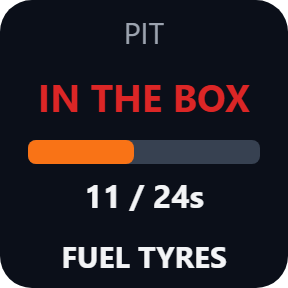
- Pit and stint
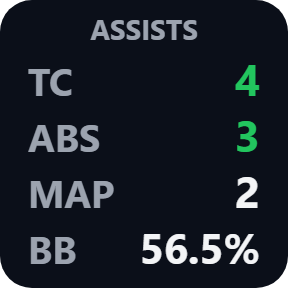
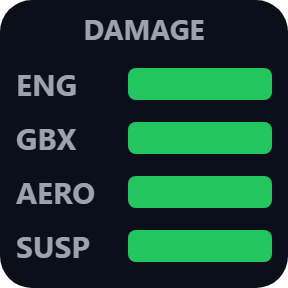
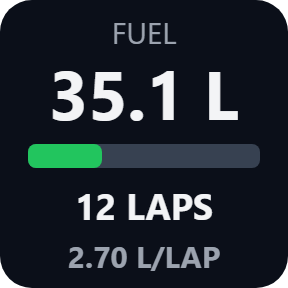
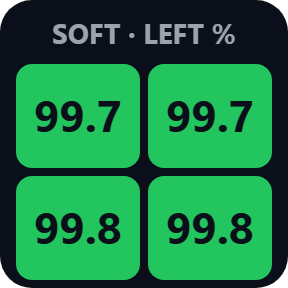
What the keys do
Fuel
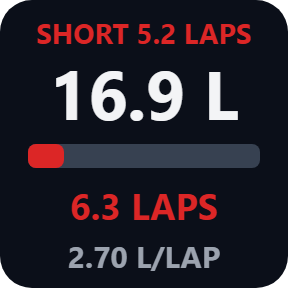
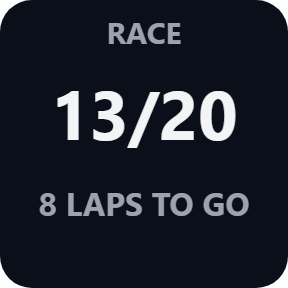
Litres or US gallons with a tank bar, the laps it lasts and the fuel use per lap the game works out. In a race it compares with the laps to the flag: a red SHORT 5.2 LAPS if it will not reach.
Tyres
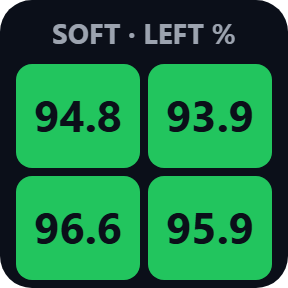
Four corners in colour with the compound: tyre life left in percent, tread temperature against the tyre's own window, or pressure in psi, kPa or bar.
Brakes
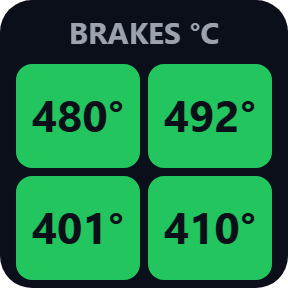
The four brake temperatures as colours against the brakes' own window, in C or F, so you see cold or cooking brakes at a glance.
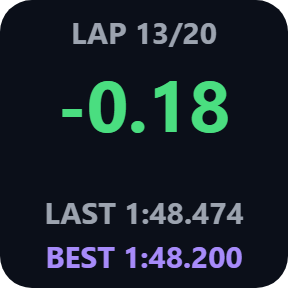
Lap Times
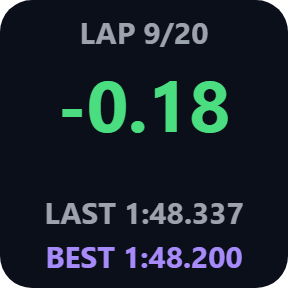
A running comparison with your best lap, coloured green or red, or the time of the lap in progress instead. Your last and best lap times appear too, and an invalid lap is marked.
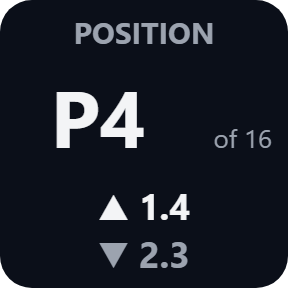
Position
Your place overall or in your class and the number of cars, with the gaps ahead and behind in seconds. A penalty to serve shows here too.
Pit & Stint
Pit lane, pit box and LIMITER, the stop and its work, stint laps and time, a penalty to serve, and the pit window.
Install in OpenDeck
In OpenDeck, open the Plugins tab, install the .streamDeckPlugin file you downloaded, then enter your license key once in a key's settings.
Requirements
- Windows 10 or later
- RaceRoom Racing Experience on PC, on the same PC as the deck app
- OpenDeck 2.14 or later
Questions
How do I see RaceRoom fuel, tyres and lap delta on an Ajazz or Mirabox deck with OpenDeck?
Place the Fuel, Tyres or Lap Times keys in OpenDeck, then start RaceRoom and drive. The keys show your car. There is no setting to change in the game.
Is there a fuel calculator for RaceRoom on a deck?
Yes. The Fuel key shows the laps your fuel lasts at the game's own fuel use per lap. In a race it compares them with the laps to the flag and shows a red SHORT with the laps missing, so you know how much to add at the stop.
Can a key press send a game key, like a button box?
Yes. Put a shortcut such as F13 or Ctrl+Shift+P in the key's settings and give the same shortcut to a function in RaceRoom's controls. Keys F13 through F24 are rarely used elsewhere, so they do not collide. The plugin sends only while RaceRoom is the front window unless you change that.
Purchase details, refunds and seller
- Price
- ¥980, paid once. Tax for your country is added at checkout.
- Payment
- Handled by Stripe through Link, Stripe's checkout service. Link appears as the seller on your receipt and card statement, and your card number never reaches GRAMSHIFT.
- Delivery
- Your license key and download link appear right after payment, and the receipt arrives by email.
- Countries
- Checkout is not offered in Ascension Island, China, Cuba, Iran, Kosovo, North Korea, Russia, Syria or Tristan da Cunha.
- Seller
- GRAMSHIFT, Tokyo, Japan. Contact: contact@gramshift.com
- Refunds
- If the plugin fails to run on your PC, email contact@gramshift.com within 14 days of purchase for a full refund. The license key stops working after a refund.
- License
- One key for your own use on up to 3 PCs.
Limits
- Windows only, with RaceRoom and the deck app on the same PC. Needs the PC version of RaceRoom Racing Experience. Reads RaceRoom only.
- Fuel per lap and the delta come from the game itself, so they appear after your first full lap and your first best lap. NO GAME means RaceRoom is not running, NO SESSION means you are in the menus, and STALE means the data stopped changing for 3 seconds.
- A RaceRoom started as administrator ignores the keys the plugin sends, so start it with normal rights. Showing the data on the keys carries on regardless.
- The direct version checks its license key with our server when you activate it, at each plugin start and about once a day. If the server cannot be reached, it keeps running for up to 44 days after the last successful check.