Stream Deck plugin for RaceRoom on Windows
Live RaceRoom telemetry on your Stream Deck keys
Race Deck: RaceRoom is a Stream Deck plugin for RaceRoom Racing Experience on PC that turns your keys into a live telemetry dashboard: fuel and laps left, tyres, brakes, delta to your best lap, position and gaps, flags, and pit and stint.
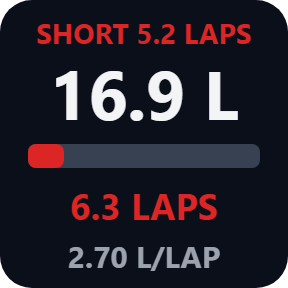
In a race the Fuel key works as a fuel calculator: it checks the laps your fuel lasts against the laps to the flag and shows a red SHORT before you run dry. Press any key to send the game key you choose, and your Stream Deck becomes a button box with a dashboard.
- Fuel calculator
- Tyres and brakes
- Lap delta
- Position and gaps
- Flags
- Pit and stint
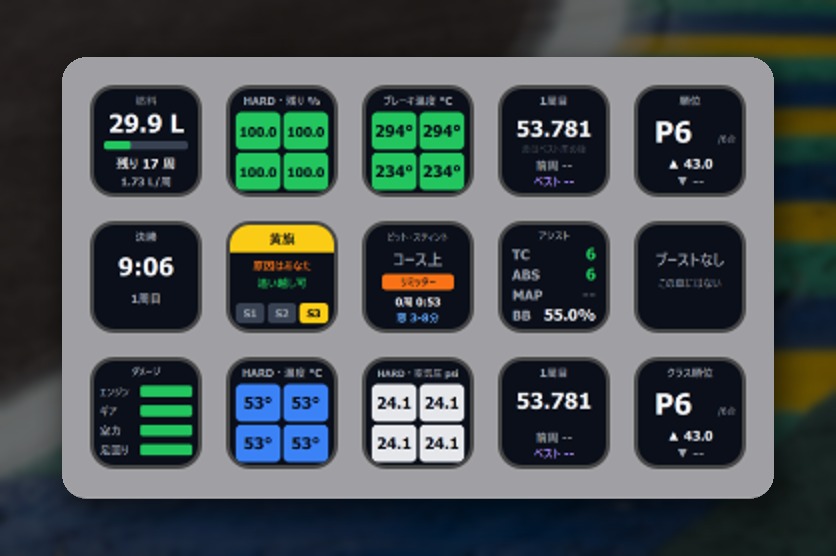
What the keys show
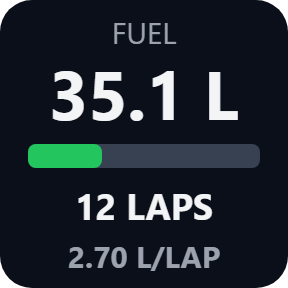
Fuel
Litres or US gallons with a tank bar, the laps it lasts and the fuel use per lap the game works out. In a race it compares with the laps to the flag: a red SHORT 5.2 LAPS if it will not reach.
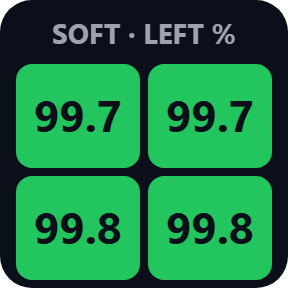
Tyres
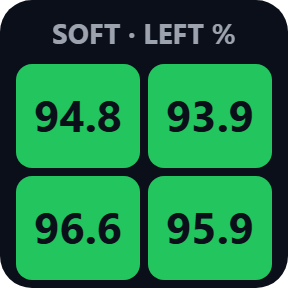
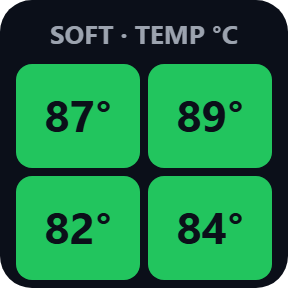
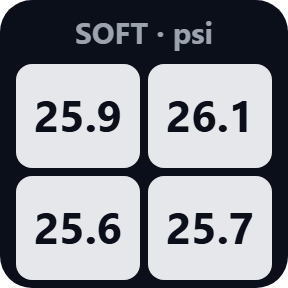
Four corners in colour with the compound: tyre life left in percent, tread temperature against the tyre's own window, or pressure in psi, kPa or bar.
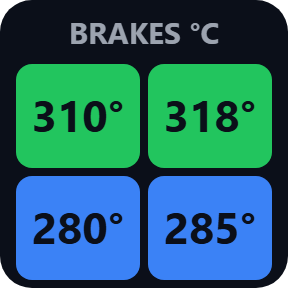
Brakes
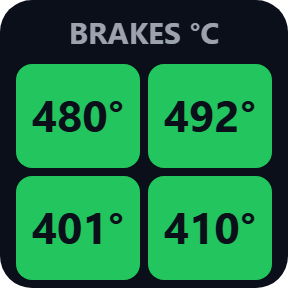
The four brake temperatures as colours against the brakes' own window, in C or F, so you see cold or cooking brakes at a glance.
Lap Times
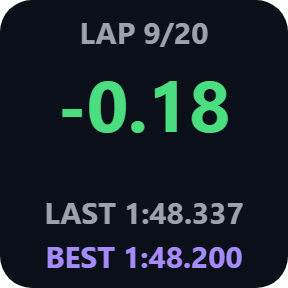
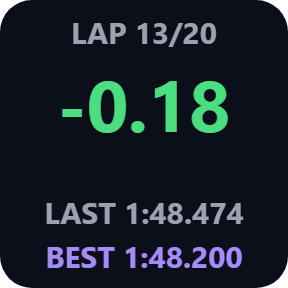
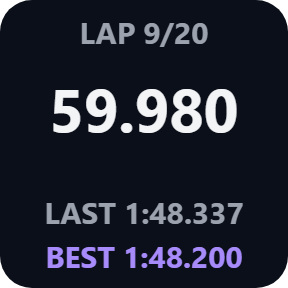
Live delta to your best lap in green or red, or the current lap time, with your last and best laps. An invalid lap is marked.
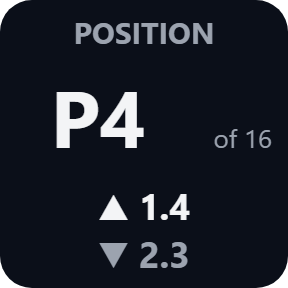
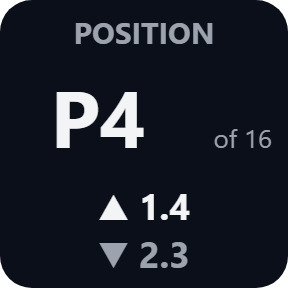
Position
Your place overall or in your class and the number of cars, with the gaps ahead and behind in seconds. A penalty to serve shows here too.
Flags
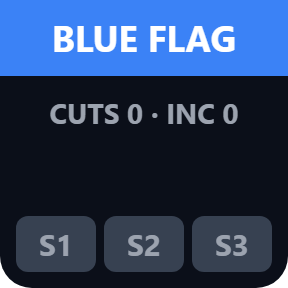
The flag shown to you: yellow with how far ahead and whether you may overtake, blue, black, white, chequered, plus sectors under yellow, track-limit warnings and incidents.
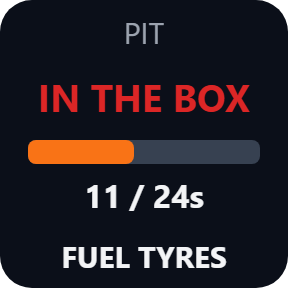
Pit & Stint
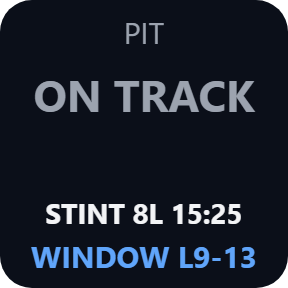
Pit lane, pit box and LIMITER, the stop and its work, stint laps and time, a penalty to serve, and the pit window.
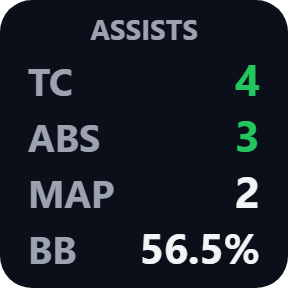
TC / ABS / Map / Bias
Traction control and ABS levels, marked while they work, the engine map, and brake bias in percent to the front.
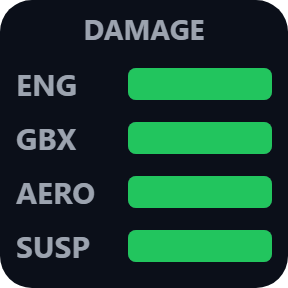
Damage
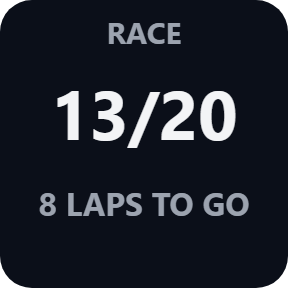
Engine, gearbox, aero and suspension as bars. Session keys show time or laps left and the start lights, and a Push to Pass / DRS key shows when your boost is ready.
Choose what each key shows
Pick these in each key's settings: tyre life, tread temperature or pressure on the Tyres key, and the delta or the current lap time on the Lap Times key.
A button box with a live dashboard
Every key can also send the game key you choose, for example F13 or Ctrl+Shift+P, once you bind the same key in the game's controls. By default it sends only while the game is the active window, so presses stay out of your other windows.
No game setting, tells you when it is not live
Nothing to set up in the game: the keys read the live data RaceRoom provides for dashboards on your PC while you drive. Nothing is written to the game.
NO GAME, NO SESSION, PAUSED and STALE tell you when the data is not live, so you can tell a stopped number from a live one.
The race data stays on your PC. The only thing that goes online is the license key check.
Set up in 3 steps
- Open the plugin file you download after buying. The Stream Deck app installs it.
- In the Stream Deck app, drag the keys you want onto your Stream Deck and enter your license key once in a key's settings.
- Start RaceRoom and drive. The keys show your car within about a second, with no setting to change in the game.
Requirements
- Windows 10 or later
- Stream Deck app 6.9 or later
- RaceRoom Racing Experience on PC
Questions
How do I see RaceRoom fuel, tyres and lap delta on Stream Deck?
Install Race Deck: RaceRoom, drag the Fuel, Tyres or Lap Times keys onto your Stream Deck and enter your license key once. Start RaceRoom and drive: the keys show your car. There is no setting to change in the game.
Is there a fuel calculator for RaceRoom on Stream Deck?
Yes. The Fuel key shows the laps your fuel lasts at the game's own fuel use per lap. In a race it compares them with the laps to the flag and shows a red SHORT with the laps missing, so you know how much to add at the stop.
Can a key press send a game key, like a button box?
Yes. Enter a key such as F13 or Ctrl+Shift+P in a key's settings and bind the same key in the game's controls. F13 to F24 avoid clashes. By default it sends only while the game is the active window.
Why do the keys say NO GAME?
RaceRoom is not running yet, so its live data is not there. Start the game and a session; the keys find it within about a second.
How many PCs can I use with one license key?
Up to 3 of your own PCs. If you replace a PC, write to us and we free up a place for the new one.
How do I get new versions?
Download the latest version from your thank-you page or the license key page you received. Your license key keeps working. If you cannot open your license key page, email us as the "Recover your license key" page explains.
What if I lose my license key?
Email contact@gramshift.com from the address you paid with, and include your order number, or the date and amount you paid. We check the purchase and reply with a link to your license key page.
Can I get a refund?
Yes. If the plugin does not work on your PC or with your game, email us within 14 days of purchase and we refund the full amount. The license key stops working after the refund.
Direct purchase: details, refunds and seller
- Price
- ¥980, paid once. Any tax for your country is shown at checkout.
- Payment
- Handled by Stripe through Link, Stripe's checkout service. Link appears as the seller on your receipt and card statement, and your card number never reaches GRAMSHIFT.
- Delivery
- Your license key and download link appear right after payment, and the receipt arrives by email.
- Refunds
- If the plugin does not work on your PC or with your game, email us within 14 days of purchase for a full refund. You can also ask Link support. The license key stops working after a refund.
- License
- One key for your own use on up to 3 PCs.
- Countries
- Checkout is not offered in Ascension Island, China, Cuba, Iran, Kosovo, North Korea, Russia, Syria or Tristan da Cunha.
- Seller
- GRAMSHIFT, Tokyo, Japan. Contact: contact@gramshift.com
Limits
- Windows only, with RaceRoom and your Stream Deck on the same PC. Needs the PC version of RaceRoom Racing Experience. Stream Deck keys only: the actions do not go on dials.
- Reads RaceRoom only. If a game update changes its live data, the keys show UNSUPPORTED and no numbers until a plugin update.
- Tried in a live RaceRoom race on Windows 11 (the 64-bit game, RRRE64.exe): every key showed live data from the race (the Boost key showed that this car has none), and a key press sent from the deck switched the game's pit limiter on and off. Not tried yet: Push to Pass and hybrid energy in a car that has them, the gap to a car behind (we ran last), fuel use while really driving and the red SHORT warning, and the older 32-bit game (RRRE.exe). If something looks wrong on your setup, write to us, or ask for a refund within 14 days.
- NO GAME: RaceRoom is not running. NO SESSION: menus. REPLAY: a replay is playing, and the keys show no values. VIEWING: another car is in view; once the plugin has seen you drive, the last values of your car stay on the keys, dimmed. PAUSED: the game is paused. STALE: the data stopped changing for 3 seconds.
- The gaps in seconds are the ones the game gives to the cars just ahead and behind you overall, also when the big number shows your place in class.
- Fuel per lap and the delta come from the game itself, so they appear after your first full lap and your first best lap. STINT -- shows until your first pit exit (in a race, the stint counts from the green light).
- Sent keys do not reach a game running as administrator: start it normally. The display keys still work.
- If a press is not sent (the game was not in front, or anti-cheat hid the name of the program in front), the Status line in the key's settings says why: set Game program, or turn off the active-window check.
- This version checks its license key with our server when you activate it, each time the plugin starts, and about once a day while it runs. If it cannot reach the server, it keeps working for up to 44 days after the last successful check.
- If something does not work, email contact@gramshift.com and we will help.