OpenDeck plugin for Windows and Mac
Live EA SPORTS WRC and DiRT Rally 2.0 telemetry on your OpenDeck keys
Race Deck for WRC & DiRT Rally shows your stage time, the distance to the finish, your gear with ten shift lights and the four brake temperatures on the keys of your Ajazz or Mirabox deck in OpenDeck while you drive a rally stage.
In EA SPORTS WRC it also shows punctures and each split against your best run.
One press in a key's settings turns on the game's telemetry for you instead of editing its settings files by hand, and any key can send the game key you use for headlights, reset vehicle or change view.
- Stage time and distance
- Gear and shift lights
- Brake temperatures
- Punctures and splits
- One-press setup
- Button box

What the keys do
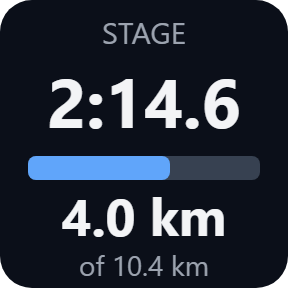
Stage
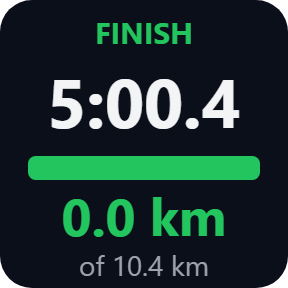
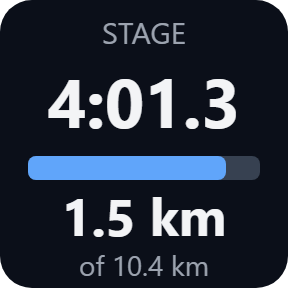
Time on the stage, the distance to the finish and a progress bar, with FINISH in green once you cross the line. In DiRT Rally 2.0 rallycross it shows the current lap.
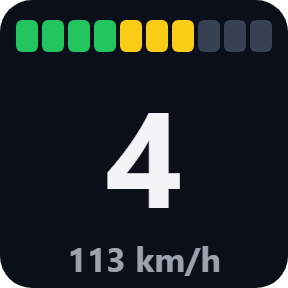
Gear & Shift Lights
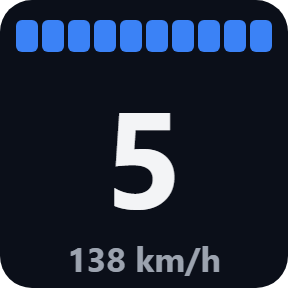
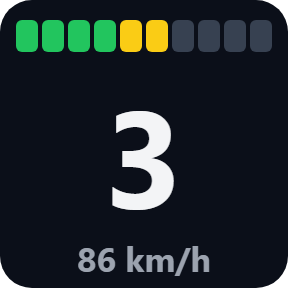
A big gear number, ten shift lights and your speed. In EA SPORTS WRC the lights follow the game's own shift lights, and all blue means shift now.
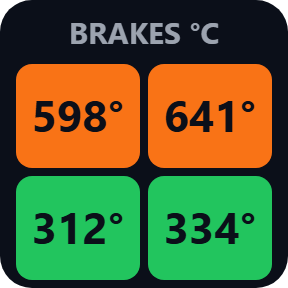
Brakes
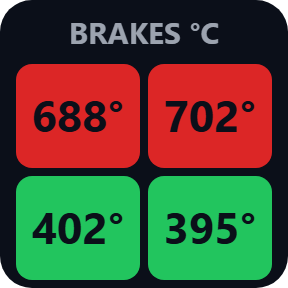
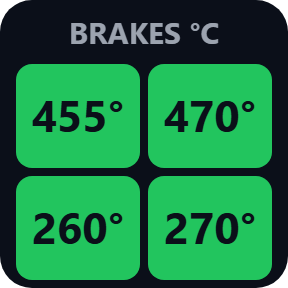
The four brake temperatures as colors laid out like the car, from blue (cold) through green to orange and red. You set the "hot" temperature (650 °C by default).
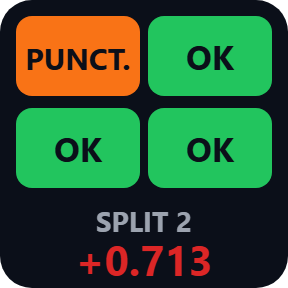
Car & Split (EA SPORTS WRC)
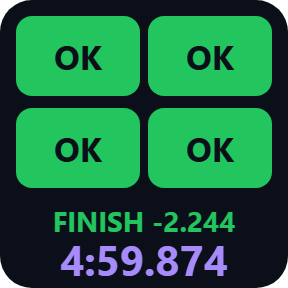
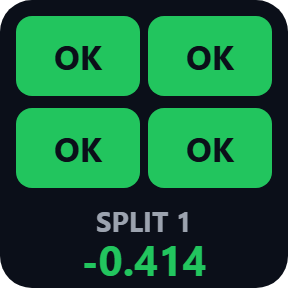
OK, PUNCT. or BURST for each tyre, and each split against your best run on that stage and car class: green when you are faster, red when slower.
Finish time (EA SPORTS WRC)
Your finish time, in purple for a new best. Best runs are kept on your PC; clear one stage or all of them in the key's settings.
Game Control
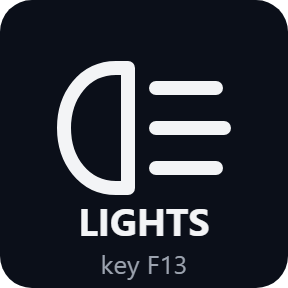
Headlights, reset vehicle, change view, pause or a control you name yourself. A press sends the key you assigned in the game.
Install in OpenDeck
In OpenDeck, open the Plugins tab, install the .streamDeckPlugin file you downloaded, then enter your license key once in a key's settings.
Requirements
- Windows 10 or later, or macOS 12 or later
- EA SPORTS WRC or DiRT Rally 2.0 on a Windows PC (EA app or Steam)
- OpenDeck 2.14 or later
Questions
How do I show EA SPORTS WRC telemetry on an Ajazz or Mirabox deck with OpenDeck?
Start EA SPORTS WRC once, go past its first screen and close it. Place a Stage, Gear, Brakes or Car & Split key in OpenDeck, press "Set up EA SPORTS WRC" in its settings, then start the game again and drive a stage. The keys show your car as soon as the stage starts.
Do I have to edit the game's telemetry settings files by hand?
No. One press of the set-up button in a key's settings finds the game's settings in your Documents folder (OneDrive too), turns the telemetry on and keeps a copy of the original file. To undo, put back the copy whose name ends in .bak.
Does it work with DiRT Rally 2.0?
Yes. Press "Set up DiRT Rally 2.0" with the game closed, and Stage, Gear and Brakes show your car while you drive; in rallycross the Stage key shows the current lap. Car & Split needs EA SPORTS WRC, because DiRT Rally 2.0 sends no tyre states or splits.
Purchase details, refunds and seller
- Price
- ¥980, paid once. Tax for your country is added at checkout.
- Payment
- Handled by Stripe through Link, Stripe's checkout service. Link appears as the seller on your receipt and card statement, and your card number never reaches GRAMSHIFT.
- Delivery
- Your license key and download link appear right after payment, and the receipt arrives by email.
- Countries
- The direct checkout is not offered in Ascension Island, China, Cuba, Iran, Kosovo, North Korea, Russia, Syria or Tristan da Cunha.
- Seller
- GRAMSHIFT, Tokyo, Japan. Contact: contact@gramshift.com
- Refunds
- If the plugin fails to run on your PC, email contact@gramshift.com within 14 days of purchase for a full refund. The license key stops working after a refund.
- License
- One key for your own use on up to 3 PCs.
Limits
- PC versions of the games only. Car & Split needs EA SPORTS WRC. DiRT Rally 2.0 sends no shift point either, so there the shift lights run from 75 to 96 percent of maximum RPM.
- With OpenDeck on a Mac or a second PC, choose This PC and the network in Receive from, then add the telemetry line by hand on the Windows PC that runs the game. The one-press setup, Car & Split and sending game keys need the game on the same Windows PC.
- Keys show NO DATA in menus, pauses and between stages, as the games send telemetry only while you drive. DiRT Rally 2.0 sends to one port only, so run one telemetry app at a time. Sent keys do not reach a game running as administrator.
- The direct version checks its license key with our server when you activate it, at each plugin start and about once a day. If the server cannot be reached, it keeps running for up to 44 days after the last successful check.