OpenDeck plugin for Windows
Windows Restart Pending Check on OpenDeck
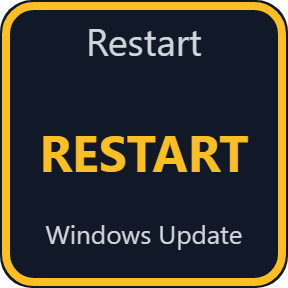
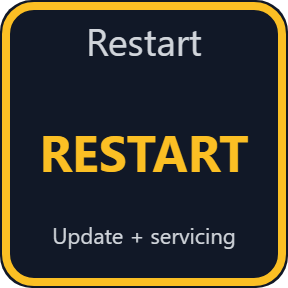
On an Ajazz or Mirabox deck with OpenDeck, one key tells you whether Windows is waiting for a restart: it shows OK, or RESTART with the reason, Windows Update or component servicing.
Press it to open Windows Update.
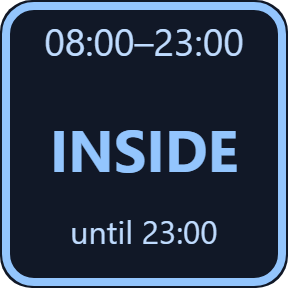
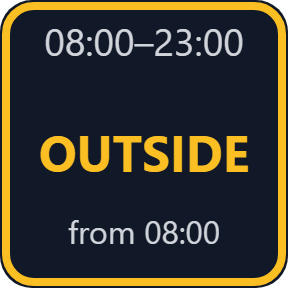
Two more keys show your active hours as INSIDE or OUTSIDE now, and how long the PC has been up. The keys only read, so updates and settings stay as they are.
- RESTART with the reason
- Inside or outside active hours
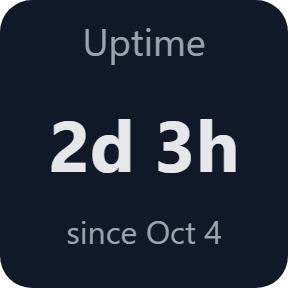
- Time since Windows started
- Press to open Windows Update
- Reads every 2 seconds
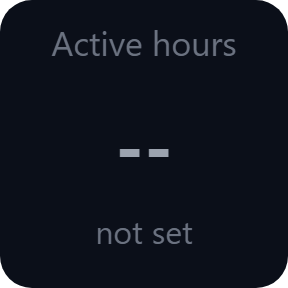
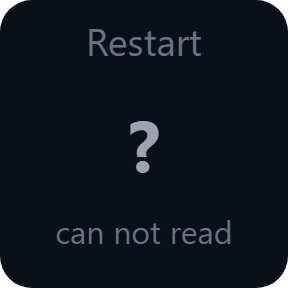
What the keys do
Restart Pending
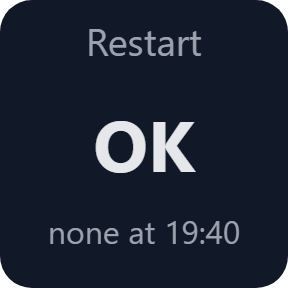
Shows OK when Windows has no pending restart, or RESTART with the reason: Windows Update or component servicing. A press opens Windows Update so you can decide there.
Check before you go live
OK comes with the time it was read, so one look before a stream or a shutdown tells you no restart was waiting at that moment.
Active Hours
Shows the hours Windows holds, such as 08:00 to 23:00, and INSIDE or OUTSIDE now. A press opens that Settings page.
Uptime
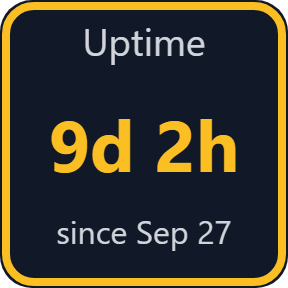
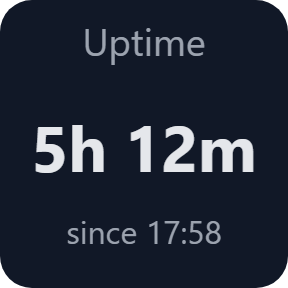
Shows the time since Windows started. Choose a number of days from 1 to 30 and the key changes color after that. Its settings also show whether Fast Startup is on.
? instead of OK
A mark that cannot be read shows ?, never OK. Files that installers leave waiting to be replaced are listed in the settings but kept out of the count.
Always current
While a key is on screen it reads again every 2 seconds. When both Windows Update and component servicing are waiting, the key shows both.
Install in OpenDeck
In OpenDeck, open the Plugins tab, install the .streamDeckPlugin file you downloaded, then enter your license key once in a key's settings.
Requirements
- Windows 10 or later
- OpenDeck 2.14 or later
Questions
How do I know if Windows Update is waiting to restart my PC with an Ajazz or Mirabox deck and OpenDeck?
Place the Restart Pending key in OpenDeck. It shows RESTART with the reason (Windows Update, component servicing or both) when Windows has marked a pending restart, or OK with the time it was read. A press opens Windows Update.
Can the key stop or delay a Windows restart?
No. The key shows the mark Windows set, so you can decide in time. A press opens Settings > Windows Update, where you can restart when you choose or pause updates.
Why does Uptime show days although I shut down every night?
With Fast Startup on, Shut down and power on may keep the counter running. Restart always resets it. The Status line in the Uptime settings shows whether Fast Startup is on.
Purchase details, refunds and seller
- Price
- ¥780, paid once. Tax for your country is added at checkout.
- Payment
- Handled by Stripe through Link, Stripe's checkout service. Link appears as the seller on your receipt and card statement, and your card number never reaches GRAMSHIFT.
- Delivery
- Your license key and download link appear right after payment, and the receipt arrives by email.
- Countries
- The direct checkout is not offered in Ascension Island, China, Cuba, Iran, Kosovo, North Korea, Russia, Syria or Tristan da Cunha.
- Seller
- GRAMSHIFT, Tokyo, Japan. Contact: contact@gramshift.com
- Refunds
- If the plugin fails to run on your PC, email contact@gramshift.com within 14 days of purchase for a full refund. The license key stops working after a refund.
- License
- One key for your own use on up to 3 PCs.
Limits
- It cannot stop or delay a restart, or tell when Windows will restart. OK means no mark at the time shown; Windows can add one later.
- Active hours are not a lock: Restart now, or another program, still restarts the PC. Automatic active hours may differ from Settings.
- With Fast Startup on, Shut down may not reset Uptime; Restart does.
- The direct version checks its license key with our server when you activate it, at each plugin start and about once a day. If the server cannot be reached, it keeps running for up to 44 days after the last successful check.