OpenDeck plugin for Windows and Mac
Approve Claude Code Prompts with OpenDeck
With an Ajazz or Mirabox deck running OpenDeck, Allow, Always and Deny keys answer Claude Code permission prompts without switching windows, and Answer keys pick the options when Claude asks you a question.
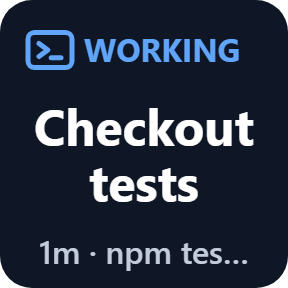
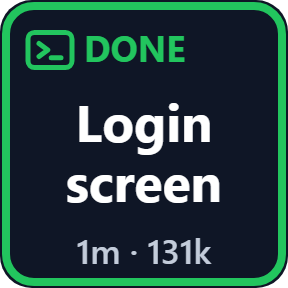
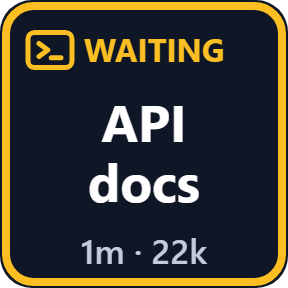
Each Claude Code session gets its own Session key that shows whether it is working, needs you, waits for input or is done. One press jumps to that session's VS Code or terminal window.
- A key per session
- Allow, Always, Deny
- Answer questions 1 to 4
- Jump to the window
- VS Code or terminal

What the keys do
Session
One key per Claude Code session, filled in the order the sessions start. It shows the state, the time, the context size and the folder, and blinks while a request waits. A press jumps to that session's VS Code or terminal window.
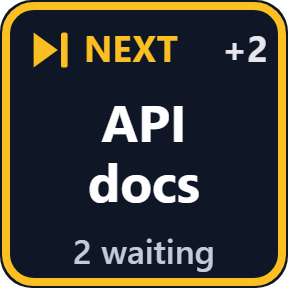
Next
Jumps to the session that has waited longest, or to a finished one when nothing waits. The key shows where it goes and how many sessions wait.
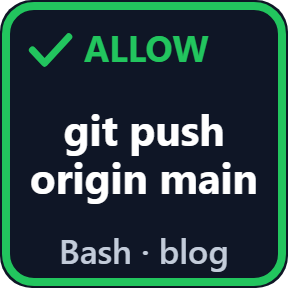
Allow
Shows the command or file Claude Code asks to use, and how many more requests wait. Press to allow it once.
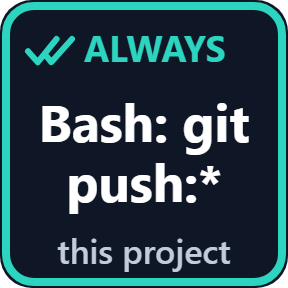
Always
Shows the rule Claude Code offers for the request, such as Bash: git push for this project, and adds it like "Yes, and don't ask again".
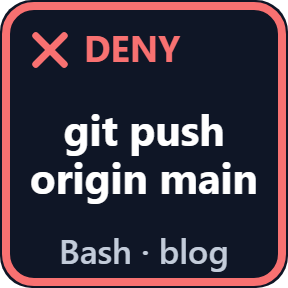
Deny
Refuses the request and tells Claude why in your own words, so it can try another way. Set it to Deny and stop to make Claude wait for you.
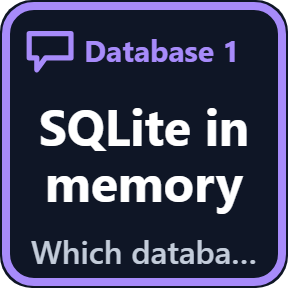
Answer
When Claude asks you a question, up to 4 Answer keys show its options. Press one to pick it.
Install in OpenDeck
In OpenDeck, open the Plugins tab, install the .streamDeckPlugin file you downloaded, then enter your license key once in a key's settings.
Requirements
- Windows 10 or later, or macOS 13 or later (Apple silicon or Intel)
- Claude Code, in VS Code or a terminal (Claude Code is not included)
- On Windows, Windows PowerShell (part of Windows)
- OpenDeck 2.14 or later
Questions
How do I approve Claude Code permission prompts from an Ajazz or Mirabox deck with OpenDeck?
Place an Allow key in OpenDeck and press Connect in its settings. When Claude Code asks for permission, the key shows the command or file; press it to allow once. Always adds the rule Claude Code offers, and Deny refuses and tells Claude why.
Can I see all my Claude Code sessions at once on the deck?
Yes. Add as many Session keys as you like. Each one shows a session's state (working, needs you, waiting for input or done), the time, the context size and the folder. Press a key to jump to that session's window.
Can I still answer in Claude Code itself?
Yes, side by side. Claude Code shows its prompts as usual, and a key press only acts on what the key shows. If the request changed just before the press, nothing is sent and the key shows a warning.
Purchase details, refunds and seller
- Price
- ¥700, paid once. Tax for your country is added at checkout.
- Payment
- Handled by Stripe through Link, Stripe's checkout service. Link appears as the seller on your receipt and card statement, and your card number never reaches GRAMSHIFT.
- Delivery
- Your license key and download link appear right after payment, and the receipt arrives by email.
- Countries
- The direct checkout is not offered in Ascension Island, China, Cuba, Iran, Kosovo, North Korea, Russia, Syria or Tristan da Cunha.
- Seller
- GRAMSHIFT, Tokyo, Japan. Contact: contact@gramshift.com
- Refunds
- If the plugin fails to run on your PC, email contact@gramshift.com within 14 days of purchase for a full refund. The license key stops working after a refund.
- License
- One key for your own use on up to 3 PCs.
Limits
- Questions that take several answers are answered in Claude Code. Runs of claude -p and the Agent SDK are not shown, and the context size is the token count of the session, not your plan's usage limits.
- Connect adds the hooks to Claude Code's settings and keeps a copy of the file first. Press Disconnect before you remove the plugin; sessions already open when you press Connect appear after you restart them.
- On a Mac, allow the app that runs the plugin once in System Settings > Privacy & Security > Accessibility to jump to windows. On Windows it needs Windows PowerShell, which some managed computers block.
- The direct version checks its license key with our server when you activate it, at each plugin start and about once a day. If the server cannot be reached, it keeps running for up to 44 days after the last successful check.