OpenDeck plugin for Windows
Windows Startup Apps on OpenDeck Keys
On an Ajazz or Mirabox deck with OpenDeck, one key shows how many Windows startup apps are on, out of how many, and a press on a Startup Toggle key turns the app you chose off; the next press turns it on again.
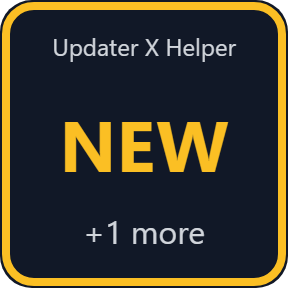
Another key shows NEW and the program's name when something adds itself to startup, so you notice it the same day. Only the same on/off mark that Windows Settings writes is changed, and the entry itself stays as it is.
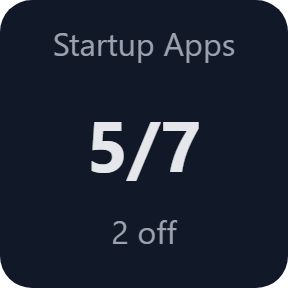
- On count at a glance (5/7)
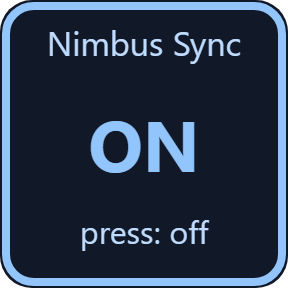
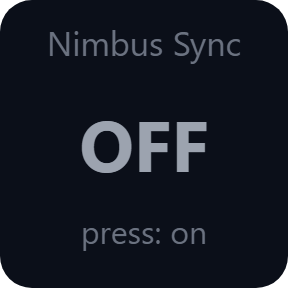
- One press: off, again: on
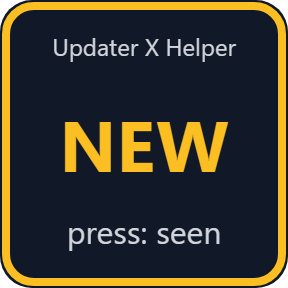
- NEW when a program adds itself
- Opens Startup in Settings
- Entries stay as they are
What the keys do
Startup Apps
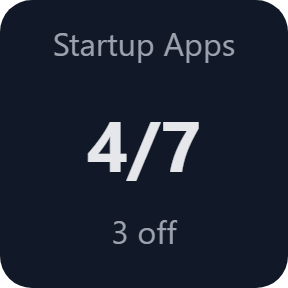
Shows how many startup apps are on, of how many (5/7), and how many are off. A press opens the Startup page of Windows Settings.
Startup Toggle
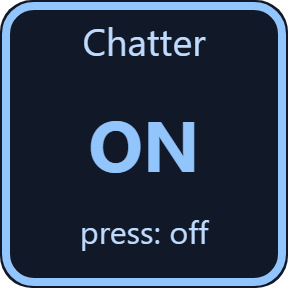
For one startup app you choose: its name with ON or OFF. Press for off, press again for on. It takes effect the next time you sign in.
New Startup App
Shows NEW and the name when a program has added itself to startup since your last press, with the number of any others. A press marks them as seen.
Stops when something changed
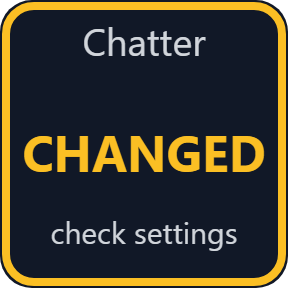
If the startup app you chose now starts a different program, the key shows CHANGED and does nothing until you accept it in the key's settings.
Entries for all users are shown
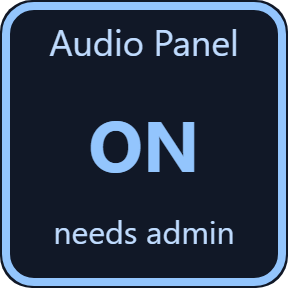
Startup apps registered for all users are shown as needs admin and left as they are. Your own startup apps are switched with normal user rights.
Knows when an app is gone
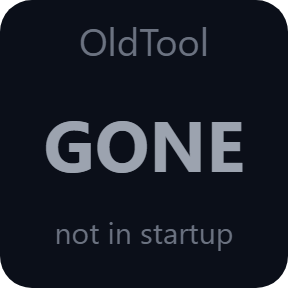
When the program is uninstalled and its startup entry disappears, the key shows GONE and changes nothing.
Install in OpenDeck
In OpenDeck, open the Plugins tab, install the .streamDeckPlugin file you downloaded, then enter your license key once in a key's settings.
Requirements
- Windows 10 or later
- OpenDeck 2.14 or later
Questions
How do I turn a startup program off from an Ajazz or Mirabox deck with OpenDeck?
Place a Startup Toggle key in OpenDeck and choose the startup app in its settings. The key shows its name with ON or OFF; press for off, press again for on. It takes effect the next time you sign in.
Can a deck key tell me when a program adds itself to Windows startup?
Yes. The New Startup App key shows NEW and the program's name when something has added itself to startup since your last press. Press the key to mark it as seen.
Does the key remove startup entries?
No. It writes only the on/off mark that Windows Settings writes, for the one startup app you chose. Nothing is removed or added.
Purchase details, refunds and seller
- Price
- ¥780, paid once. Tax for your country is added at checkout.
- Payment
- Handled by Stripe through Link, Stripe's checkout service. Link appears as the seller on your receipt and card statement, and your card number never reaches GRAMSHIFT.
- Delivery
- Your license key and download link appear right after payment, and the receipt arrives by email.
- Countries
- The direct checkout is not offered in Ascension Island, China, Cuba, Iran, Kosovo, North Korea, Russia, Syria or Tristan da Cunha.
- Seller
- GRAMSHIFT, Tokyo, Japan. Contact: contact@gramshift.com
- Refunds
- If the plugin fails to run on your PC, email contact@gramshift.com within 14 days of purchase for a full refund. The license key stops working after a refund.
- License
- One key for your own use on up to 3 PCs.
Limits
- Startup apps registered for all users are shown only and not changed, because that needs administrator rights, which the plugin does not ask for.
- Microsoft Store app startup tasks, services and scheduled tasks are not read. Off and on take effect from the next sign-in and do not stop programs that are already running.
- Not security software, and it does not promise a faster start. Windows itself may mark startup entries whose program file is missing as off when you open Settings > Startup.
- The direct version checks its license key with our server when you activate it, at each plugin start and about once a day. If the server cannot be reached, it keeps running for up to 44 days after the last successful check.