OpenDeck plugin for Windows and Mac
Todoist Tasks on Ajazz and Mirabox with OpenDeck
Todoist on your Ajazz or Mirabox deck: with OpenDeck, a key shows your next Todoist task with its priority color and due date, and holding the key for 0.6 seconds completes it.
Other keys count your tasks and add a task with one press.
Use any Todoist filter, such as today | overdue, p1 or #Work. The keys refresh every minute and right after you complete or add a task, and a 5-second Undo brings a task back.
- Next task
- Hold to complete
- Overdue count
- Quick add
- Daily goal
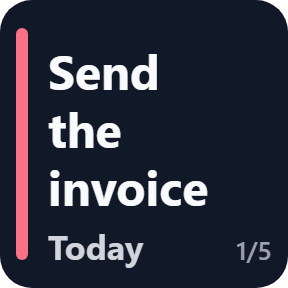
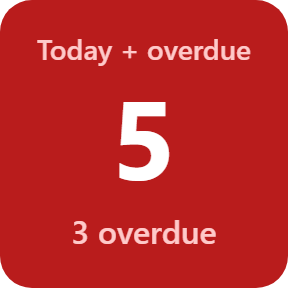

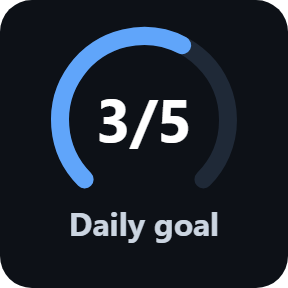
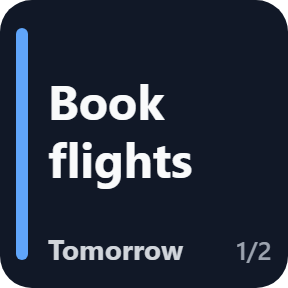


What the keys do
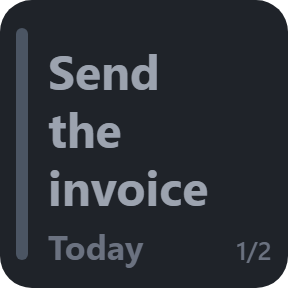
Next Task
The first task of your filter with its priority color band and due date: orange when a timed task is less than an hour away, red when it is late. Press for the next task.
Hold to complete
Hold the key for 0.6 seconds to complete the task. Undo shows for 5 seconds: a press brings the task back, and a recurring task returns to its date.
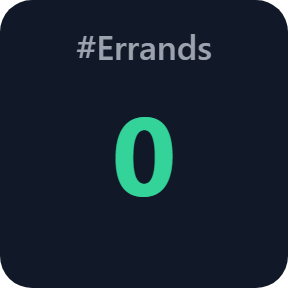
Task Count
How many tasks your filter has, red when one is overdue and green when the list is empty. A press opens the filter in Todoist.
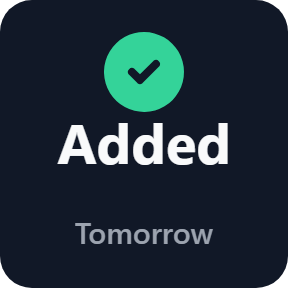
Add Task
Adds a task you set with Todoist's quick add, so dates in words, p1 to p4, @label and #Project all work. The key shows a tick and the date the task got.
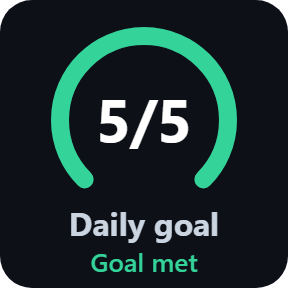
Daily Goal
Tasks completed today in a ring toward your Todoist daily goal. The ring turns green when the goal is met.
Clear when offline
When the connection drops, the key keeps your last list in gray. If Todoist refuses the token, the key says Check token.
Install in OpenDeck
In OpenDeck, open the Plugins tab, install the .streamDeckPlugin file you downloaded, then enter your license key once in a key's settings.
Requirements
- Windows 10 or later, or macOS 13 or later (Apple silicon or Intel)
- A Todoist account and its API token (Settings, Integrations, Developer)
- OpenDeck 2.14 or later
Questions
How do I see my next Todoist task on an Ajazz or Mirabox deck with OpenDeck?
Place the Next Task key in OpenDeck, paste your Todoist API token in the settings and choose a filter such as today | overdue. The key shows the first task with its due date, and a press moves to the next task.
Can I complete a Todoist task from a deck key?
Yes. Hold the Next Task key for 0.6 seconds. Undo shows for 5 seconds and a press brings the task back; a recurring task returns to its date.
Is my Todoist token safe?
The token is saved only on your computer, kept out of exported profiles, and sent only to Todoist over an encrypted connection. Tasks are completed or added only when you press a key, and the plugin never deletes anything.
Purchase details, refunds and seller
- Price
- ¥1,200, paid once. Tax for your country is added at checkout.
- Payment
- Handled by Stripe through Link, Stripe's checkout service. Link appears as the seller on your receipt and card statement, and your card number never reaches GRAMSHIFT.
- Delivery
- Your license key and download link appear right after payment, and the receipt arrives by email.
- Countries
- Checkout is not offered in Ascension Island, China, Cuba, Iran, Kosovo, North Korea, Russia, Syria or Tristan da Cunha.
- Seller
- GRAMSHIFT, Tokyo, Japan. Contact: contact@gramshift.com
- Refunds
- If the plugin fails to run on your PC, email contact@gramshift.com within 14 days of purchase for a full refund. The license key stops working after a refund.
- License
- One key for your own use on up to 3 PCs.
Limits
- You paste your Todoist API token into the settings; there is no login button. All keys share one token.
- The date in Add Task is read in your Todoist language setting. In a Japanese Todoist, write the word for tomorrow in Japanese instead of tomorrow.
- The direct version checks its license key with our server when you activate it, at each plugin start and about once a day. If the server cannot be reached, it keeps running for up to 44 days after the last successful check.