OpenDeck plugin for Windows
Temp and Cache Cleaner Keys for OpenDeck
C: drive filling up?
On an Ajazz or Mirabox deck with OpenDeck, a key shows how much space your Temp folder, browser caches, thumbnail cache, crash dumps and DirectX and GPU shader caches take right now. Hold it for 1 second to clean them.
Clean everything at once, or give the Temp folder or one browser its own key. Only files older than 24 hours go by default, and in a browser only its cache is cleaned: passwords, history, cookies and bookmarks stay.
- Temp, browser and shader cache
- Hold 1 second to clean
- Shows the space freed
- Open browsers left alone
- Five looks
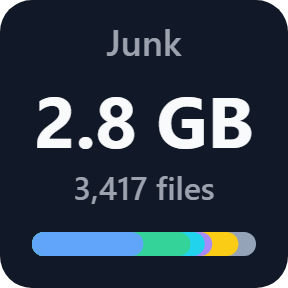
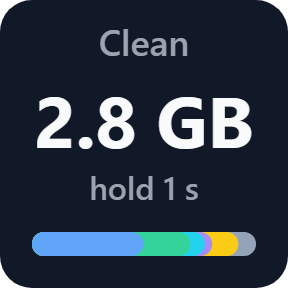
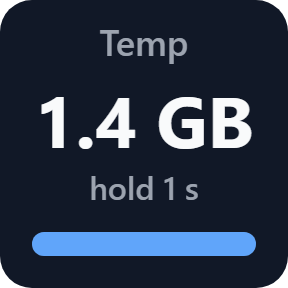
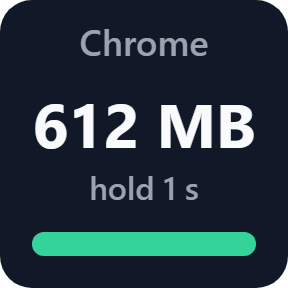
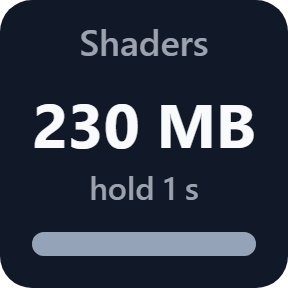
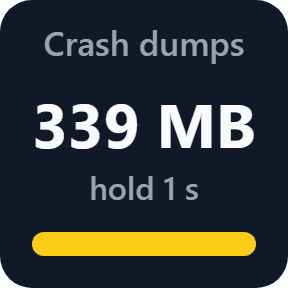

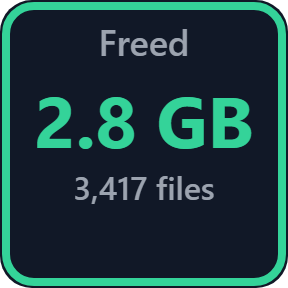
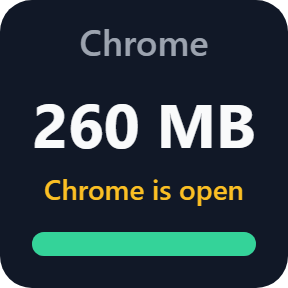
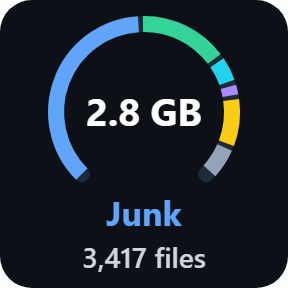
What the keys do
Junk Size
The space you can free right now and the number of files, with a color bar per category. Press it to count again and page through the categories. This key never deletes anything.
Clean All: hold 1 second
Hold the key for 1 second to clean every category you tick. A short press only counts again, and hold-to-clean can be switched off so a key only shows the size.
One category per key
Give the Temp folder, the Chrome, Edge, Firefox or Brave cache, the thumbnail cache, crash dumps and error reports, or the DirectX and GPU shader cache its own key.
See what you got back
After a clean, the key shows the space freed and the number of files. It counts again about every minute while the key is on screen, and after every press.
Open browsers left alone
A browser's cache is kept while the browser runs, also in the background, and the key says to close the browser first. Files Windows reports as in use stay too.
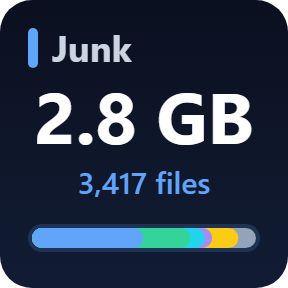
Five looks
Classic, Neon, Ring, Bars or Solid, chosen per key in its settings and mixed freely on one deck.
Install in OpenDeck
In OpenDeck, open the Plugins tab, install the .streamDeckPlugin file you downloaded, then enter your license key once in a key's settings.
Requirements
- Windows 10 or later
- OpenDeck 2.14 or later
Questions
How do I delete Temp files and browser cache from an Ajazz or Mirabox deck with OpenDeck?
Place the Clean All key in OpenDeck, tick the categories and hold the key for 1 second. It cleans them and shows the space freed and the number of files.
Will the key delete my browser passwords or history?
No. In a browser only its cache is cleaned; passwords, history, cookies and bookmarks stay. A browser that is running is left alone.
Can a short press delete files by accident?
No. A short press never deletes anything, and only a 1 second hold cleans. Hold-to-clean can also be switched off so a key only shows the size.
Purchase details, refunds and seller
- Price
- ¥680, paid once. Tax for your country is added at checkout.
- Payment
- Handled by Stripe through Link, Stripe's checkout service. Link appears as the seller on your receipt and card statement, and your card number never reaches GRAMSHIFT.
- Delivery
- Your license key and download link appear right after payment, and the receipt arrives by email.
- Countries
- The direct checkout is not offered in Ascension Island, China, Cuba, Iran, Kosovo, North Korea, Russia, Syria or Tristan da Cunha.
- Seller
- GRAMSHIFT, Tokyo, Japan. Contact: contact@gramshift.com
- Refunds
- If the plugin fails to run on your PC, email contact@gramshift.com within 14 days of purchase for a full refund. The license key stops working after a refund.
- License
- One key for your own use on up to 3 PCs.
Limits
- Cleaned files are deleted for good and cannot be restored.
- It cleans only the junk folders of your own user. Folders that need administrator rights (Windows Update, Prefetch and the Windows Temp folder) are not cleaned.
- Files a program has open stay until you close it, and a browser running in the background keeps its cache until it is fully closed. After cleaning the shader cache, the first start of a game can be a little slower.
- The direct version checks its license key with our server when you activate it, at each plugin start and about once a day. If the server cannot be reached, it keeps running for up to 44 days after the last successful check.