OpenDeck plugin for Windows and Mac
Unpushed Git Changes Alert on OpenDeck
Before you shut down, one key on your Ajazz or Mirabox deck with OpenDeck tells you whether any Git repository still has uncommitted changes or commits you have not pushed.
It turns red with the number of repositories with work left, and green with 0 / all pushed when there is none.
Pick the folders that hold your repositories and the plugin finds them, worktrees made by AI coding agents included. Press the key to see which repository it is and why.
- Red when work is left
- Green: all pushed
- Which repo and why
- Worktrees checked
- One repo per key
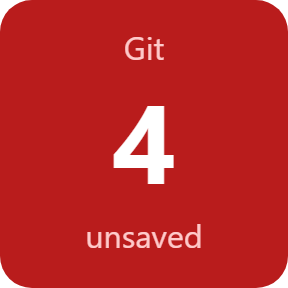
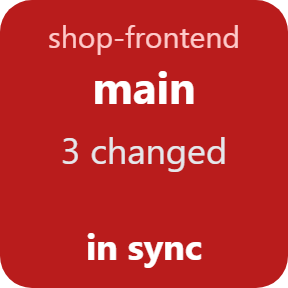
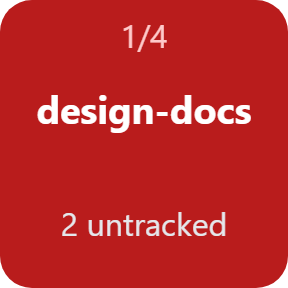
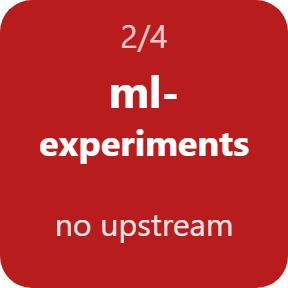
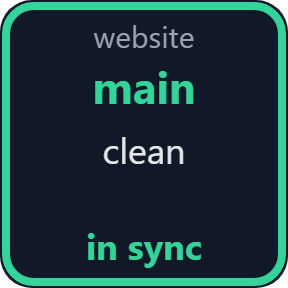
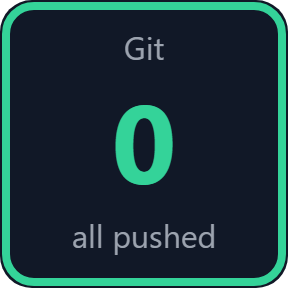
What the keys do
Unsaved Work
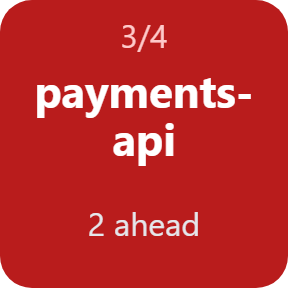
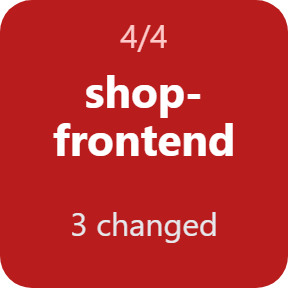
Pick the folders that hold your repositories and a depth of 1 to 3 levels. The key counts the repositories whose checked-out branch has changed or untracked files, commits not pushed to its upstream, or no upstream, and turns red when there is one.
Press to see which and why
Each press steps to the next repository with work left and shows why, such as 3 changed, 2 ahead or no upstream.
Worktrees and new branches
The worktrees of the repositories found are checked too, wherever they are on disk, including those AI coding agents create. Branches never pushed count as well; you can turn that off, and untracked files too.
Repository
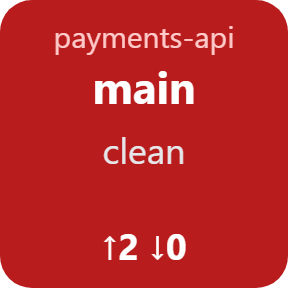
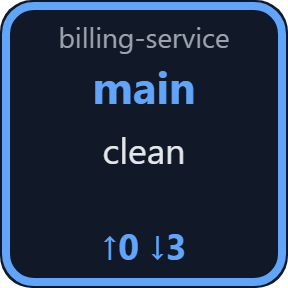
One repository on one key: its branch, the number of changed files, and commits ahead of or behind its upstream. Press to check again.
Ahead and behind
Ahead and behind are counted against the upstream as of your last fetch or pull. The plugin never fetches, so it never changes what your computer knows.
Green when all is pushed
When no repository has work left, the key turns green and shows 0 / all pushed, so you can switch off your computer without a doubt.
Install in OpenDeck
In OpenDeck, open the Plugins tab, install the .streamDeckPlugin file you downloaded, then enter your license key once in a key's settings.
Requirements
- Windows 10 or later, or macOS 13 or later (Apple silicon or Intel)
- On Windows, Git for Windows 2.15 or later; on a Mac, Git from Apple's command line developer tools or Homebrew
- OpenDeck 2.14 or later
Questions
How do I see unpushed Git commits on an Ajazz or Mirabox deck with OpenDeck?
Place the Unsaved Work key in OpenDeck and pick the folders that hold your repositories. The key turns red with the number of repositories that have changed files, unpushed commits or no upstream, and a press shows which one and why.
Does it find work in worktrees made by AI coding agents?
Yes. The worktrees of the repositories it finds are checked too, wherever they are on disk, including those AI coding agents create.
Does the plugin change my repositories?
No. It never fetches, so it never changes what your computer knows. Ahead and behind are counted against your last fetch or pull.
Purchase details, refunds and seller
- Price
- ¥1,100, paid once. Tax for your country is added at checkout.
- Payment
- Handled by Stripe through Link, Stripe's checkout service. Link appears as the seller on your receipt and card statement, and your card number never reaches GRAMSHIFT.
- Delivery
- Your license key and download link appear right after payment, and the receipt arrives by email.
- Countries
- The direct checkout is not offered in Ascension Island, China, Cuba, Iran, Kosovo, North Korea, Russia, Syria or Tristan da Cunha.
- Seller
- GRAMSHIFT, Tokyo, Japan. Contact: contact@gramshift.com
- Refunds
- If the plugin fails to run on your PC, email contact@gramshift.com within 14 days of purchase for a full refund. The license key stops working after a refund.
- License
- One key for your own use on up to 3 PCs.
Limits
- Only the checked-out branch is compared with its upstream. Stashes, other local branches, commits inside submodules and a detached HEAD are outside what it compares.
- Ahead and behind are as of your last fetch: the plugin never fetches.
- On a Mac, ~/Library and the Trash are skipped, so a scan of your home folder asks for no extra macOS permissions.
- The direct version checks its license key with our server when you activate it, at each plugin start and about once a day. If the server cannot be reached, it keeps running for up to 44 days after the last successful check.