Stream Deck plugin for Windows
See unpushed git work on a Stream Deck key
Unpushed Changes for Git checks the local git repositories in the folders you choose once a minute.
The key shows how many have uncommitted changes, unpushed commits or no upstream, and turns red when one has. Press it to see each one and why.
Made for developers who work across many repositories, alone or with AI coding agents such as Claude Code: their worktrees are checked too. It only reads: nothing is fetched, committed or pushed.
- Many repositories, one key
- Uncommitted and unpushed
- Worktrees included
- Press to see which and why
- Read-only git
- English and Japanese
What the keys do
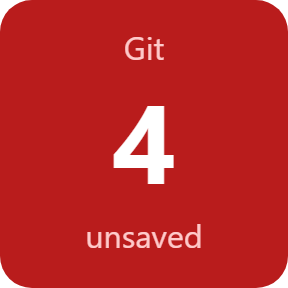
Unsaved Work
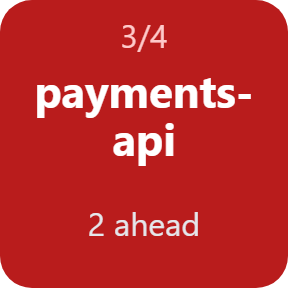
Pick the folders that hold your repositories and a depth of 1 to 3 levels. The key counts the repositories whose checked-out branch has changed or untracked files, commits not pushed to its upstream, or no upstream, and turns red when there is one.
Press to see which and why
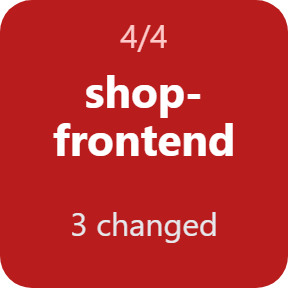
Each press steps to the next repository with work left and shows why, such as "3 changed", "2 ahead" or "no upstream".
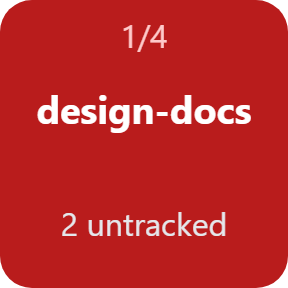
Worktrees and new branches
The worktrees of the repositories found are checked too, wherever they are on disk, including those AI coding agents create. Branches never pushed count as well; you can turn that off, and untracked files too.
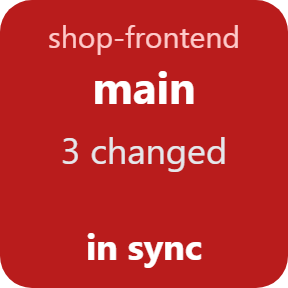
Repository
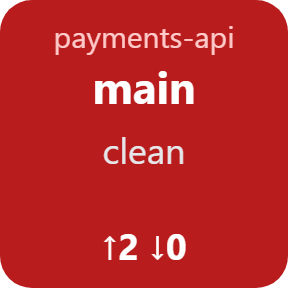
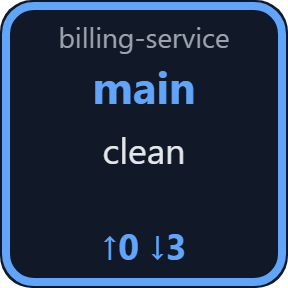
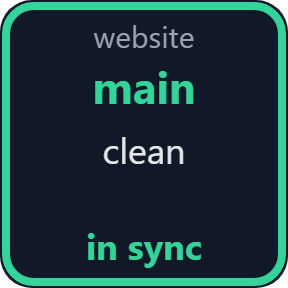
One repository on one key: its branch, the number of changed files, and commits ahead of or behind its upstream. Press to check again.
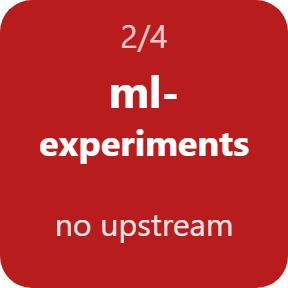
Ahead and behind
Ahead and behind are counted against the upstream as of your last fetch or pull. The plugin never fetches, so it never changes what your PC knows.
Green when all is pushed
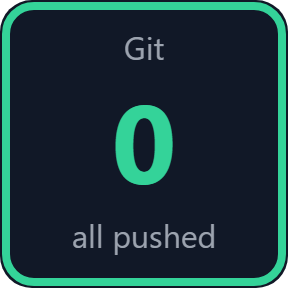
When no repository has work left, the key turns green and shows 0 / all pushed, so you can switch off your PC without a doubt.
Read it at a glance
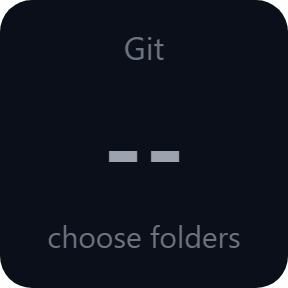
The key shows how things stand: everything pushed, work left in some repositories, or folders still to choose.
It only reads
It runs only read-only git commands (status and worktree list). Nothing is fetched, committed, pushed or stashed, and no git credentials are used.
git runs once a minute, and only while a key of this plugin is on your Stream Deck.
Your folders and repositories stay on your PC. The only thing that goes online is the license key check.
Set up in 3 steps
- Install Git for Windows 2.15 or later if it is not there yet, then open the plugin file you download after buying. The Stream Deck app installs it.
- In the Stream Deck app, drag Unsaved Work onto your Stream Deck and enter your license key once in its settings.
- Type the folders that hold your repositories, one per line, and pick a depth. The key shows how many repositories have work left.
Two places to buy
| Elgato Marketplace | Direct from GRAMSHIFT | |
|---|---|---|
| Amount | Same amount | Same amount, tax added at checkout |
| Checkout | Elgato Marketplace | Stripe (card) |
| New versions | Installed through the Stream Deck app | Download from your license key page |
| Use on | Your Elgato account | Up to 3 PCs per license key |
| Keys and settings | English and Japanese | English and Japanese |
Requirements
- Windows 10 or later
- Stream Deck app 6.9 or later
- Git for Windows 2.15 or later
- Any Stream Deck with keys
Questions
How do I see which git repositories have uncommitted changes or unpushed commits?
Put an Unsaved Work key of Unpushed Changes for Git on your Stream Deck and type the folders that hold your repositories. The key checks them once a minute, shows how many need a commit or push, and turns red. Press it to see each one and why.
Does it check the worktrees AI coding agents create?
Yes. The worktrees of the repositories it finds are checked wherever they are on disk, including those created by AI coding agents such as Claude Code, and each is shown by its folder name.
Does it change my repositories or push anything?
No. It runs only read-only git commands (status and worktree list). It never fetches, commits, pushes or stashes, and uses no credentials.
Why does the behind count differ from the server?
The plugin does not fetch. Ahead and behind are counted against the upstream as your PC last saw it, at your last fetch or pull.
Does it slow my PC down?
It runs git status once a minute, and only while a key of this plugin is on screen.
How many PCs can I use with one license key?
Up to 3 of your own PCs. If you replace a PC, write to us and we free up a place for the new one.
How do I get new versions if I buy direct?
Download the latest version from your thank-you page or the license key page you received. Your license key keeps working. If you cannot open your license key page, email us as the "Recover your license key" page explains.
What if I lose my license key?
Email contact@gramshift.com from the address you paid with, and include your order number, or the date and amount you paid. We check the purchase and reply with a link to your license key page.
Can I get a refund?
Yes, for a direct purchase. If the plugin does not work on your PC, email us within 14 days of purchase and we refund the full amount. The license key stops working after the refund.
Direct purchase: details, refunds and seller
- Price
- ¥1,100, the same amount as on the Elgato Marketplace. Tax for your country is added at checkout.
- Payment
- Handled by Stripe through Link, Stripe's checkout service. Link appears as the seller on your receipt and card statement, and your card number never reaches GRAMSHIFT.
- Delivery
- Your license key and download link appear right after payment, and the receipt arrives by email.
- Refunds
- If the plugin does not work on your PC, email us within 14 days of purchase for a full refund. You can also ask Link support. The license key stops working after a refund.
- License
- One key for your own use on up to 3 PCs.
- Countries
- The direct checkout is not offered in Ascension Island, China, Cuba, Iran, Kosovo, North Korea, Russia, Syria or Tristan da Cunha.
- Seller
- GRAMSHIFT, Tokyo, Japan. Contact: contact@gramshift.com
Limits
- Windows only, with Git for Windows 2.15 or later.
- Only the checked-out branch is compared with its upstream. Stashes, other local branches, commits inside submodules and a detached HEAD are outside what it compares.
- Ahead and behind are as of your last fetch: the plugin never fetches.
- The direct version checks its license key with our server when you activate it, each time the plugin starts, and about once a day while it runs. If it cannot reach the server, it keeps working for up to 44 days after the last successful check.
- If something does not work, email contact@gramshift.com and we will help.