OpenDeck plugin for Windows and Mac
USB Device Disconnect Alert on OpenDeck
Is your USB mic, webcam or capture card dropping out?
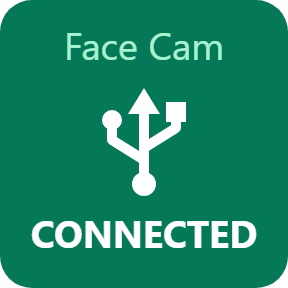
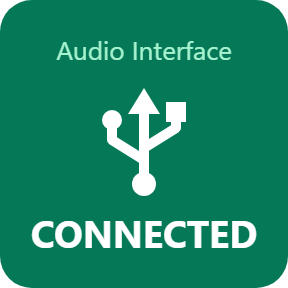
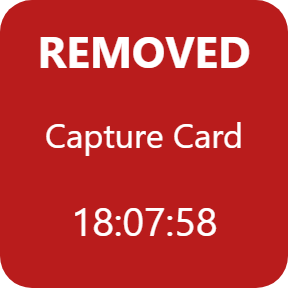
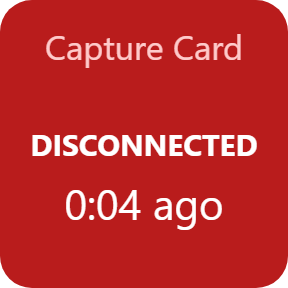
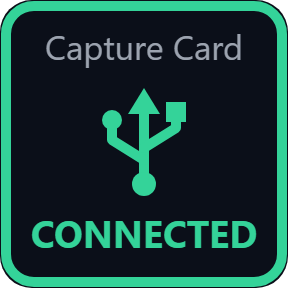
On an Ajazz or Mirabox deck with OpenDeck, a key shows green CONNECTED while the device is plugged in and turns red with the time since it disconnected.
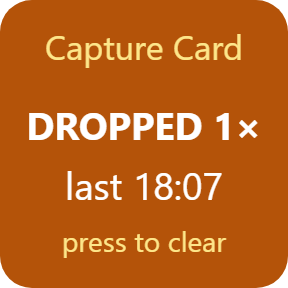
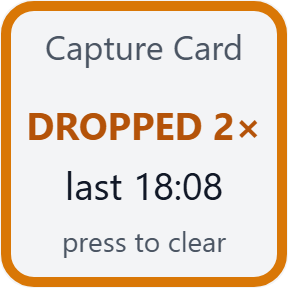
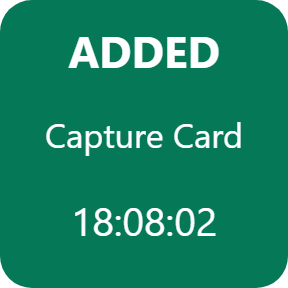
When it comes back, the key turns amber with the number of dropouts and the time of the last one, so you can tell a bad cable or port from a software problem. It works with a mic, camera, capture card, audio interface, controller or wireless receiver.
- CONNECTED or red
- Dropout count
- Sound on disconnect
- Last USB change
- Works on any USB port

What the keys do
Device Watch
Pick any connected device from a list: a USB mic, camera, capture card, audio interface, controller or wireless receiver. The key is green and shows CONNECTED while it is plugged in.
Red when it disconnects
When the device disconnects, the key turns red and shows how long ago it went. Turn on a sound for the drop in the key's settings: the Windows warning sound or the Mac alert sound, or a short beep.
Dropout count
Once the device is back, the key turns amber with the number of drops and the time of the last one. Dropouts are counted with a check every 2 seconds, and on Windows also from its plug and unplug events. Press the key to clear the count.
NOT WORKING with the code
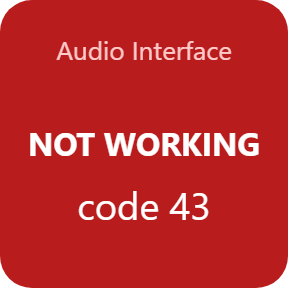
On Windows: when the device is still connected but Windows shows a problem for it, for example Code 43 or a disabled device, the key turns red and shows NOT WORKING with the code.
Last USB Change
Shows the last USB device plugged in or removed, with the time. Press for older changes (up to 10), hold for the latest.
Any USB port
A device with a serial number is found on any USB port, so moving a webcam to another port keeps the key working. Give the key your own label, such as Mic.
Install in OpenDeck
In OpenDeck, open the Plugins tab, install the .streamDeckPlugin file you downloaded, then enter your license key once in a key's settings.
Requirements
- Windows 10 or later, or macOS 13 or later
- On Windows: Windows PowerShell (part of Windows)
- A USB device to watch: a mic, webcam, capture card, audio interface, controller or wireless receiver
- OpenDeck 2.14 or later
Questions
How do I get an alert when a USB device disconnects on an Ajazz or Mirabox deck with OpenDeck?
Place the Device Watch key in OpenDeck and pick your device from the list. The key shows CONNECTED in green, turns red when it disconnects and can play a sound for the drop.
Can the key count how often my USB mic drops out?
Yes. When the device is back, the key turns amber with the number of drops and the time of the last one. Press the key to clear the count.
Does it show a device that Windows reports as broken?
Yes, on Windows. If the device is connected but Windows shows a problem, for example Code 43 or a disabled device, the key turns red and shows NOT WORKING with the code.
Purchase details, refunds and seller
- Price
- ¥780, paid once. Tax for your country is added at checkout.
- Payment
- Handled by Stripe through Link, Stripe's checkout service. Link appears as the seller on your receipt and card statement, and your card number never reaches GRAMSHIFT.
- Delivery
- Your license key and download link appear right after payment, and the receipt arrives by email.
- Countries
- The direct checkout is not offered in Ascension Island, China, Cuba, Iran, Kosovo, North Korea, Russia, Syria or Tristan da Cunha.
- Seller
- GRAMSHIFT, Tokyo, Japan. Contact: contact@gramshift.com
- Refunds
- If the plugin fails to run on your PC, email contact@gramshift.com within 14 days of purchase for a full refund. The license key stops working after a refund.
- License
- One key for your own use on up to 3 PCs.
Limits
- It watches the USB link, not the sound: a connected mic that goes silent stays green.
- Bluetooth devices are not covered; USB wireless receivers are. Counts and the change history reset when OpenDeck or the plugin restarts.
- On a Mac, a dropout shorter than 2 seconds is not counted, and NOT WORKING is a Windows state. A device without a serial number is found by its USB port. On Windows, it needs Windows PowerShell, which is part of Windows; some managed computers block it.
- The direct version checks its license key with our server when you activate it, at each plugin start and about once a day. If the server cannot be reached, it keeps running for up to 44 days after the last successful check.