Stream Deck plugin for Windows
See your USB mic, webcam and capture card on a Stream Deck key
Watch a USB microphone, webcam, capture card or audio interface on a Stream Deck key.
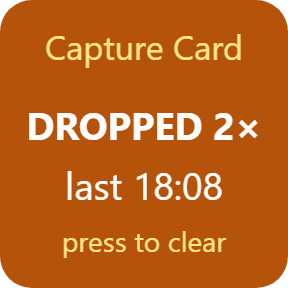
It is green while connected, red when the device disconnects, and amber with a count of USB dropouts once it returns.
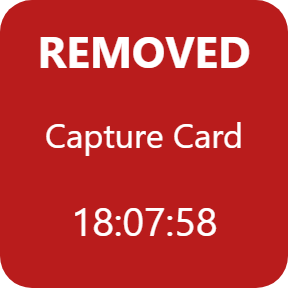
A second key shows the last USB device plugged in or removed, so a disconnect mid-stream is easy to spot. Heard the Windows USB sound? Last USB Change names the device.
- USB mic · webcam
- Capture card · audio interface
- Green, red, amber
- Dropout count
- Last USB Change
- Settings in English and Japanese
What the keys do
Device Watch
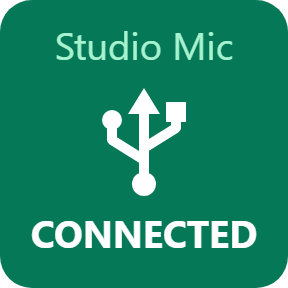
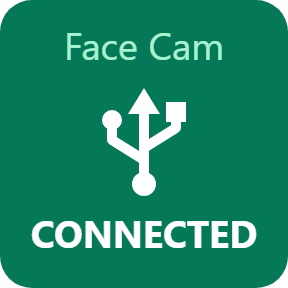
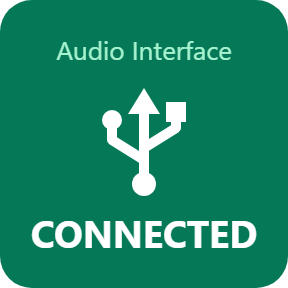
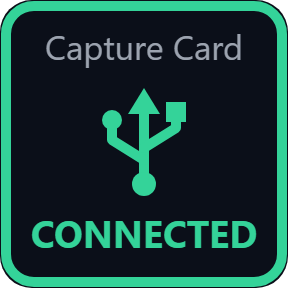
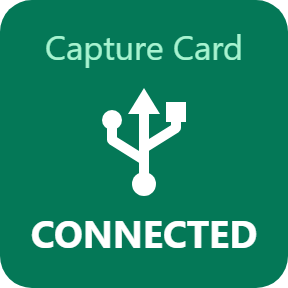
Pick any connected device from a list: a USB mic, camera, capture card, audio interface, controller or wireless receiver. The key is green and shows CONNECTED while it is plugged in.
Red when it disconnects
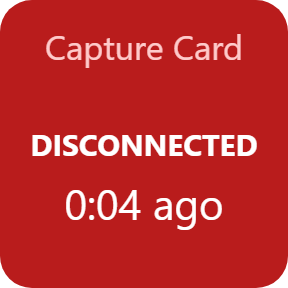
When the device disconnects, the key turns red and shows how long ago it went. Turn on a sound for the drop in the key's settings: the Windows warning sound or a short beep.
Dropout count
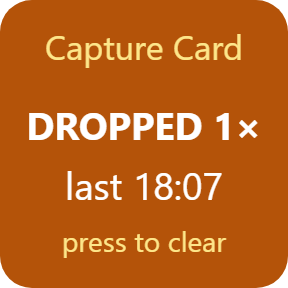
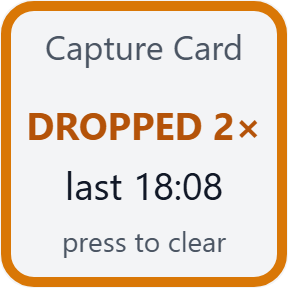
Once the device is back, the key turns amber with the number of drops and the time of the last one. Dropouts are counted from Windows plug and unplug events and a check every 2 seconds. Press the key to clear the count.
NOT WORKING with the code
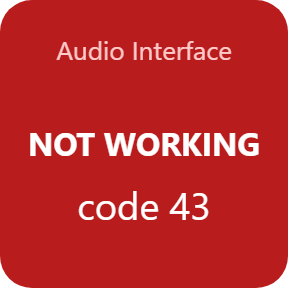
When the device is still connected but Windows shows a problem for it, for example Code 43 or a disabled device, the key turns red and shows NOT WORKING with the code.
Last USB Change
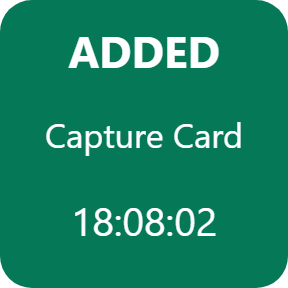
Shows the last USB device plugged in or removed, with the time. Press for older changes (up to 10), hold for the latest.
Any USB port
A device with a serial number is found on any USB port, so moving a webcam to another port keeps the key working. Give the key your own label, such as Mic.
Three looks, chosen per key
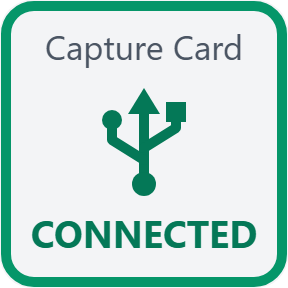
Solid color, Dark and Light. Choose a look for each key in its settings.
Read it at a glance
The key shows where your device is: connected, disconnected, or back after a dropout.
Your devices stay yours
Read-only. The keys read the list of USB devices on this PC and change no device settings. No admin rights needed.
Device names, serial numbers and the change history stay on your PC.
The only thing that goes online is the license key check.
Set up in 3 steps
- Open the plugin file you download after buying. The Stream Deck app installs it.
- In the Stream Deck app, drag Device Watch or Last USB Change onto your Stream Deck and enter your license key once in its settings.
- Pick your USB device from the list in the key's settings. The key turns green while it is connected.
Two places to buy
| Elgato Marketplace | Direct from GRAMSHIFT | |
|---|---|---|
| Amount | Same amount | Same amount, tax added at checkout |
| Checkout | Elgato Marketplace | Stripe (card) |
| New versions | Installed through the Stream Deck app | Download from your license key page |
| Use on | Your Elgato account | Up to 3 PCs per license key |
| Settings | English and Japanese | English and Japanese |
Requirements
- Windows 10 or later
- Stream Deck app 6.9 or later
- Windows PowerShell (part of Windows)
- A USB device to watch: a mic, webcam, capture card, audio interface, controller or wireless receiver
Questions
How do I see on a Stream Deck key when my USB mic or capture card disconnects?
Add a Device Watch key of USB Device Watch for Windows and pick the device from the list in its settings. The key is green while it is connected, turns red when it disconnects, and turns amber with a count of drops once it returns.
Which devices can it watch?
Any USB device that is connected when you open the list: a USB mic, webcam, capture card, audio interface, game controller or wireless receiver. A device with a serial number is found on any USB port.
I heard the Windows USB disconnect sound. Which device was it?
The Last USB Change key shows the last USB device plugged in or removed, with the time. Press it for older changes (up to 10), hold it for the latest.
Does it catch short USB dropouts?
Yes. Dropouts are counted from Windows plug and unplug events and a check every 2 seconds. When the device is back, the key turns amber with the number of drops and the time of the last one. Press the key to clear the count.
Does it change my device settings or need admin rights?
No. It only reads the list of USB devices on this PC and needs no admin rights. Device names stay on your PC. The only thing that goes online is the license key check.
How many PCs can I use with one license key?
Up to 3 of your own PCs. If you replace a PC, write to us and we free up a place for the new one.
How do I get new versions if I buy direct?
Download the latest version from your thank-you page or the license key page you received. Your license key keeps working. If you cannot open your license key page, email us as the "Recover your license key" page explains.
What if I lose my license key?
Email contact@gramshift.com from the address you paid with, and include your order number, or the date and amount you paid. We check the purchase and reply with a link to your license key page.
Can I get a refund?
Yes, for a direct purchase. If the plugin does not work on your PC, email us within 14 days of purchase and we refund the full amount. The license key stops working after the refund.
Direct purchase: details, refunds and seller
- Price
- ¥780, the same amount as on the Elgato Marketplace. Tax for your country is added at checkout.
- Payment
- Handled by Stripe through Link, Stripe's checkout service. Link appears as the seller on your receipt and card statement, and your card number never reaches GRAMSHIFT.
- Delivery
- Your license key and download link appear right after payment, and the receipt arrives by email.
- Refunds
- If the plugin does not work on your PC, email us within 14 days of purchase for a full refund. You can also ask Link support. The license key stops working after a refund.
- License
- One key for your own use on up to 3 PCs.
- Countries
- The direct checkout is not offered in Ascension Island, China, Cuba, Iran, Kosovo, North Korea, Russia, Syria or Tristan da Cunha.
- Seller
- GRAMSHIFT, Tokyo, Japan. Contact: contact@gramshift.com
Limits
- Windows only.
- It watches the USB link, not the sound: a connected mic that goes silent stays green.
- Bluetooth devices are not covered; USB wireless receivers are.
- The name on the key is what the device reports; a label renames the key.
- Counts and the change history reset when Stream Deck or the plugin restarts.
- Keys only, not dials or Multi Actions.
- Needs Windows PowerShell, which is part of Windows; some managed PCs block it.
- The direct version checks its license key with our server when you activate it, each time the plugin starts, and about once a day while it runs. If it cannot reach the server, it keeps working for up to 44 days after the last successful check.
- If something does not work, email contact@gramshift.com and we will help.