Stream Deck plugin for X-Plane 12
Keys that show your aircraft's real state
Live Cockpit for X-Plane 12 turns your Stream Deck into a cockpit panel whose keys change with your aircraft: radios, engine gauges, electrical and anti-ice switches, warning lights, gear, flaps, autopilot, lights and the transponder.
Unlike hotkey profiles that only send key presses, each key switches the aircraft with X-Plane's own command and shows the result. Nothing to install in X-Plane, no files to edit.
- Radios
- Engine gauges
- Gear
- Autopilot
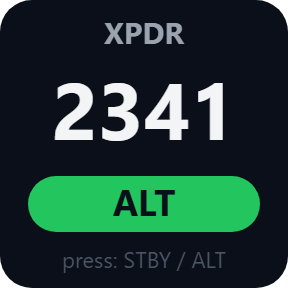
- Transponder
What the keys show
Radios
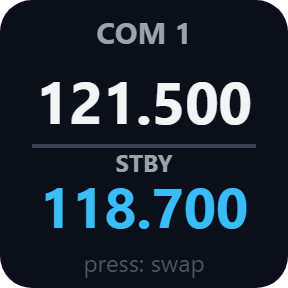
COM 1, COM 2 and NAV 1 with the active and standby frequency. Press to swap, or step the standby frequency. On Stream Deck +, turn the dial to tune (push and turn: 1 MHz), push or tap the strip to swap. 25 kHz or 8.33 kHz channels for COM.
Engine gauges
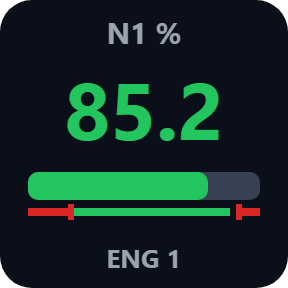
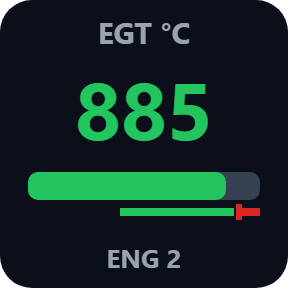
RPM, N1, EGT, oil temperature and oil pressure per engine, as a number with a bar colored by the aircraft's own green and yellow arcs and red lines.
Switches, lights and warnings
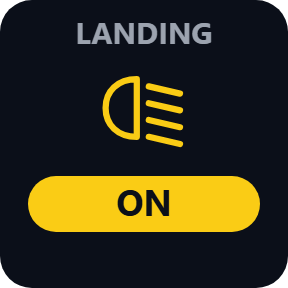
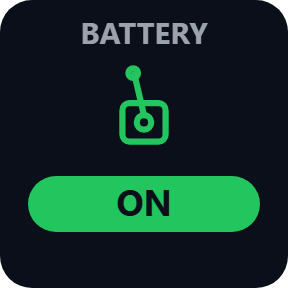
Battery, avionics, pitot and window heat, and per engine the generator, fuel pump, inlet and propeller heat, ON or OFF; press to switch, and a fuel pump on AUTO shows AUTO. Landing, taxi, strobe, beacon and nav lights. Master caution and master warning (press to clear), low voltage, low vacuum, low fuel, ice, stall and more.
Gear, flaps and brakes
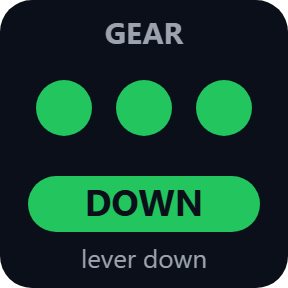
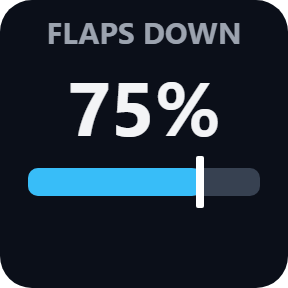
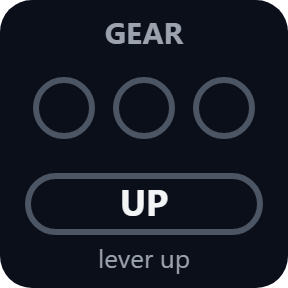
A lamp per gear leg (up to three), green when down and red while moving, plus the lever; press to raise or lower the gear. The flap position with a bar, and keys for flaps down or up a notch. Speed brake and parking brake, press to toggle.
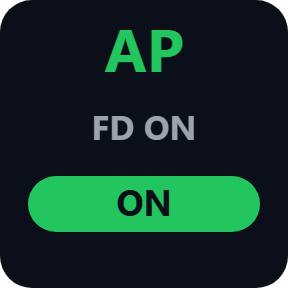
Autopilot and transponder
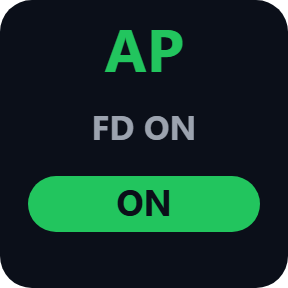
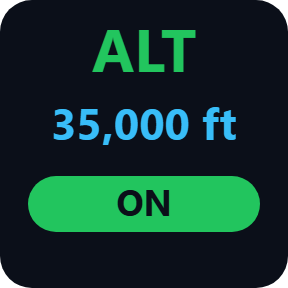
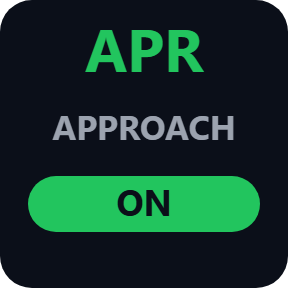
AP, HDG, ALT, NAV, APR and V/S, green when the mode holds and white when armed, with the selected value; press for that mode. The squawk code and mode; press for standby or ALT, IDENT or the next mode; 7500, 7600 and 7700 turn red.
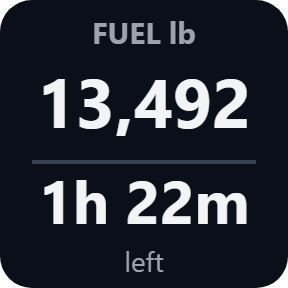
Flight data
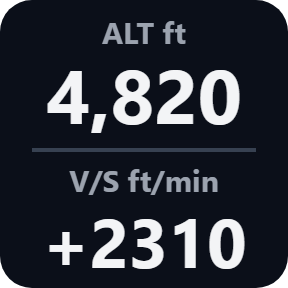
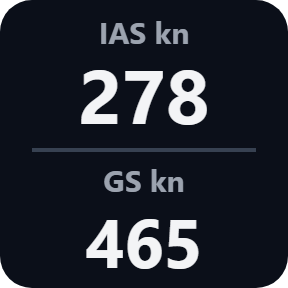
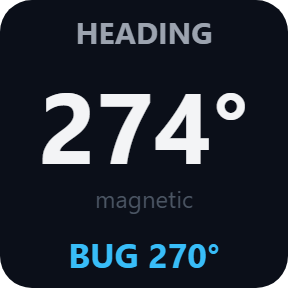
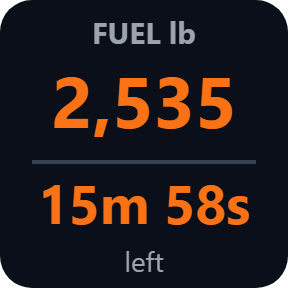
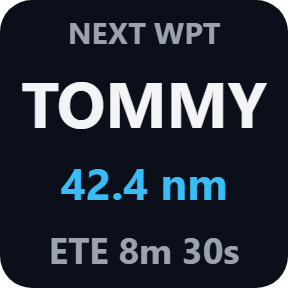
Airspeed and ground speed, altitude and vertical speed, heading with the bug, fuel and the time it lasts (orange, then red at the warning time you choose), and the next waypoint with distance and time to go. A Custom Key sends any X-Plane command and shows any dataref.
Keys that follow X-Plane
The keys change when X-Plane changes, also when you flip a switch with the mouse. A short white frame shows X-Plane took your press. Pick the radio, gauge, switch or light in each key's settings; knots, km/h or mph, feet or meters, pounds or kilograms.
Light and local
It talks to X-Plane 12 on the same computer and switches the aircraft with X-Plane's own commands. Nothing is added to X-Plane.
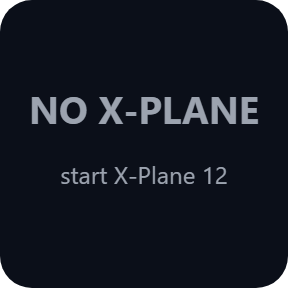
Keys say NO X-PLANE instead of old values when X-Plane is not running, and the Status line in a key's settings shows the X-Plane version and the aircraft loaded.
Nothing about your flight leaves your computer. The only thing the direct version sends online is its license key check.
Set up in 3 steps
- Open the plugin file you download after buying. The Stream Deck app installs it.
- In the Stream Deck app, drag the keys you want onto your Stream Deck and enter your license key once in a key's settings.
- Start X-Plane 12 and load a flight. The keys connect by themselves; pick the radio, gauge, switch or light in a key's settings.
Two places to buy
| Elgato Marketplace | Direct from GRAMSHIFT | |
|---|---|---|
| Amount | Same amount | Same amount, tax added at checkout |
| Checkout | Elgato Marketplace | Stripe (card) |
| New versions | Installed through the Stream Deck app | Download from your key page |
| Use on | Your Elgato account | Up to 3 computers per license key |
| Plugin display | English and Japanese | English and Japanese |
Requirements
- X-Plane 12.1.4 or later
- Stream Deck app 6.9 or later
- Windows 10 or later, or macOS 12 or later, on the same computer as X-Plane
Questions
How do I get Stream Deck keys that show my aircraft's state in X-Plane 12?
Install the plugin, drag the Live Cockpit keys you want onto your Stream Deck, then start X-Plane 12 and load a flight. Each key reads the aircraft's real state, such as gear, radios or autopilot modes, and switches it with X-Plane's own command, so there is no profile of hotkeys to build. The direct version asks for your license key once first.
Do I need to install anything in X-Plane?
No. It works with X-Plane 12.1.4 or later as it is. If "Disable Incoming Traffic" is chosen in X-Plane's Network settings, the keys say API BLOCKED: turn that option off.
Does it work with add-on aircraft?
The keys use X-Plane's standard controls. Aircraft with their own systems, such as some add-on airliners, may not follow them; use the Custom Key with the aircraft's own commands and datarefs.
How many computers can I use with one license key?
Up to 3 of your own computers, Windows or Mac. If you replace a computer, write to us and we free up a place for the new one.
How do I get new versions if I buy direct?
Download the latest version from your thank-you page or the key page you received. Your license key keeps working. If you cannot open your key page, email us as the "Recover a lost key" page explains.
What if I lose my license key?
Email contact@gramshift.com from the address you paid with, and include your order number, or the date and amount you paid. We check the purchase and reply with a link to your key page.
Can I get a refund?
Yes, for a direct purchase. If the plugin does not work on your computer, email us within 14 days of purchase and we refund the full amount. The license key stops working after the refund.
Does it work with X-Plane 11?
No. It needs X-Plane 12.1.4 or later on the same computer as the Stream Deck app.
Direct purchase: details, refunds and seller
- Price
- ¥1,800, the same amount as on the Elgato Marketplace. Tax for your country is added at checkout.
- Payment
- Handled by Stripe through Link, Stripe's checkout service. Link appears as the seller on your receipt and card statement, and your card number never reaches GRAMSHIFT.
- Delivery
- Your license key and download link appear right after payment, and the receipt arrives by email.
- Refunds
- If the plugin does not work on your computer, email us within 14 days of purchase for a full refund. You can also ask Link support. The license key stops working after a refund.
- License
- One key for your own use on up to 3 computers.
- Countries
- The direct checkout is not offered in Ascension Island, China, Cuba, Iran, Kosovo, North Korea, Russia, Syria or Tristan da Cunha.
- Seller
- GRAMSHIFT, Tokyo, Japan. Contact: contact@gramshift.com
Limits
- The keys use X-Plane's standard controls. Aircraft with their own systems (some add-on airliners) may not follow them; use the Custom Key with the aircraft's own commands.
- Temperatures show °C or °F as the aircraft reports them. A gauge the aircraft sets no range for shows the number only.
- Avionics switches the avionics master. In an aircraft without one (such as X-Plane's 737-800) the key shows avionics power only.
- If "Disable Incoming Traffic" is chosen in X-Plane's Network settings, the keys say API BLOCKED.
- The Parking Brake key also shows SET while you hold the brakes with X-Plane's hold-brakes key.
- The direct version checks its license key with our server when you activate it, each time the plugin starts, and about once a day while it runs. If it cannot reach the server, it keeps working for up to 44 days after the last successful check.