GRAMSHIFTSTORE
  • ReachFit - reach your own face with your hands in VR (1/4)
  • ReachFit - reach your own face with your hands in VR (2/4)
  • ReachFit - reach your own face with your hands in VR (3/4)
  • ReachFit - reach your own face with your hands in VR (4/4)
  1. Home
  2. Avatar tools

ReachFit - reach your own face with your hands in VR

Released Nov 20, 2026 · latest version 1.0.4

  • Updates in VCC and ALCOM
  • Free trial

Full version

¥450

You pay when you confirm the order. Refunds: the full amount within 14 days of purchase if a tool does not work in your setup. Legal notice (Japan)

Free trial

Free
Add to VCC for free

Check it on your own avatar before you buy.

Not in the trial: If an older trial (unitypackage) is in your Assets, delete Assets/GRAMSHIFT/ReachFit first, then add this one.

This tool uses Modular Avatar (free, the standard tool for avatar edits). If Modular Avatar is not in your VCC yet, press the button below first. You only do this once; after that, VCC installs it together with the tool.

Add Modular Avatar to VCC (free)

For ALCOM or manual setup: https://vpm.nadena.dev/vpm.json

URL for ALCOM or manual setup
https://gramshift.com/vpm-shop/free/index.json

Prices include Japanese tax. In some countries, local tax may be added at checkout; you see the total before you pay. Right after payment you get an "Add to VCC" button and a zip download. Add it to VCC (the free official app from VRChat) or ALCOM (a free app that does the same), and new versions install with one click.

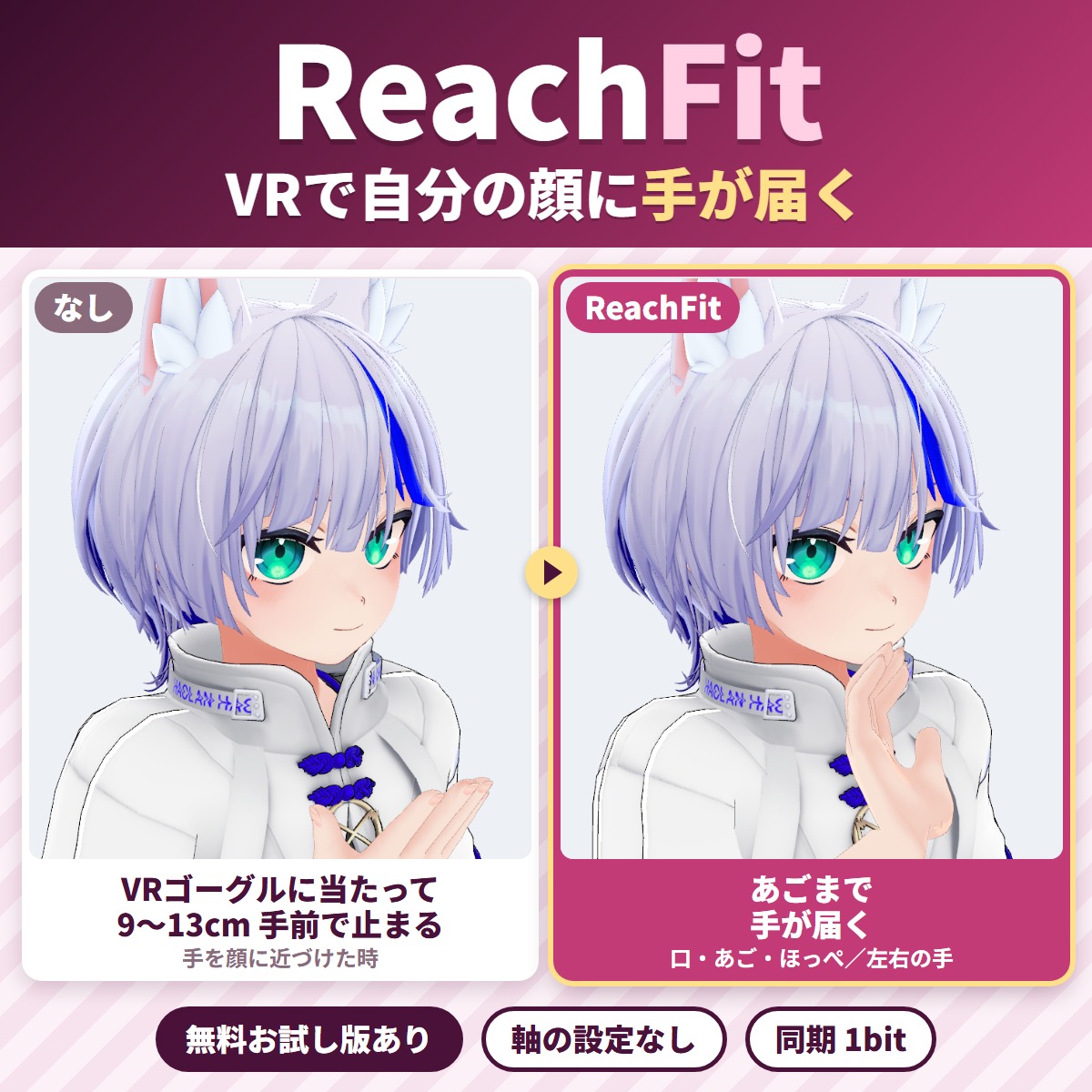
With ReachFit, your hand reaches your own mouth, chin and cheeks in VR.

With ReachFit, your hand reaches your own mouth, chin and cheeks in VR. When you bring your hand to your face in VR, it hits the headset and stops 9-13 cm in front of your face; ReachFit bends a visible arm only while your hand is in front of your face and brings the hand to your face.
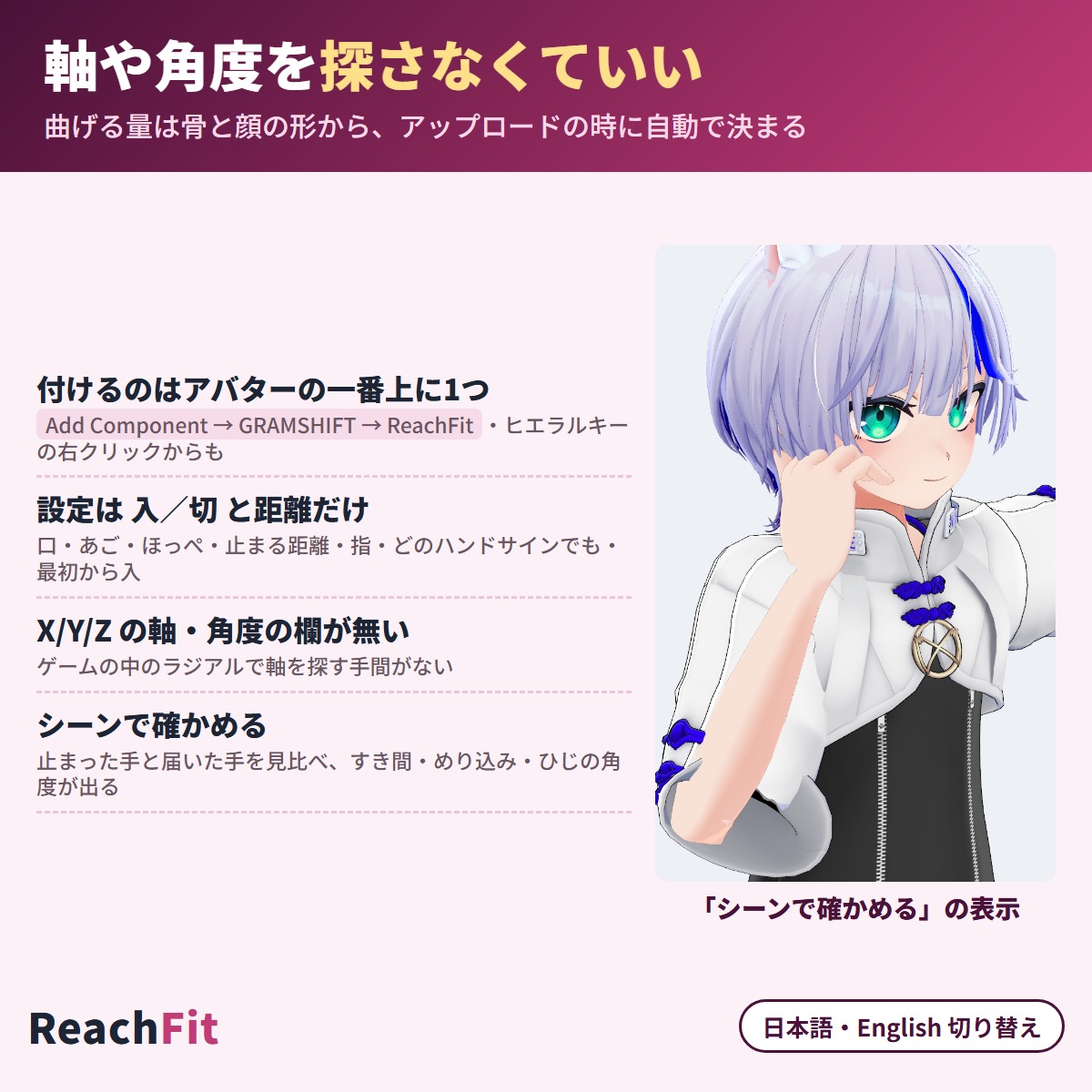
The bend is worked out automatically from your avatar's bones and face shape, so there are no axes or angles to tune. It adds only 1 synced bit and your avatar's original files stay as they are (a Unity editor extension that runs on Modular Avatar / NDMF, non-destructive). Check how it reaches on your own avatar first with the free trial.

Try the free trial first

  • Trial (free): compare the stopped hand (headset) and the reaching hand (ReachFit) in the scene, with the gap to the skin, sink-in and elbow angle
  • Full version (450 JPY): also adds the reaching arm and an Expressions menu toggle to your uploaded avatar. When you add the full version in VCC, the trial is removed automatically. Parts you set up with the trial keep working

Features

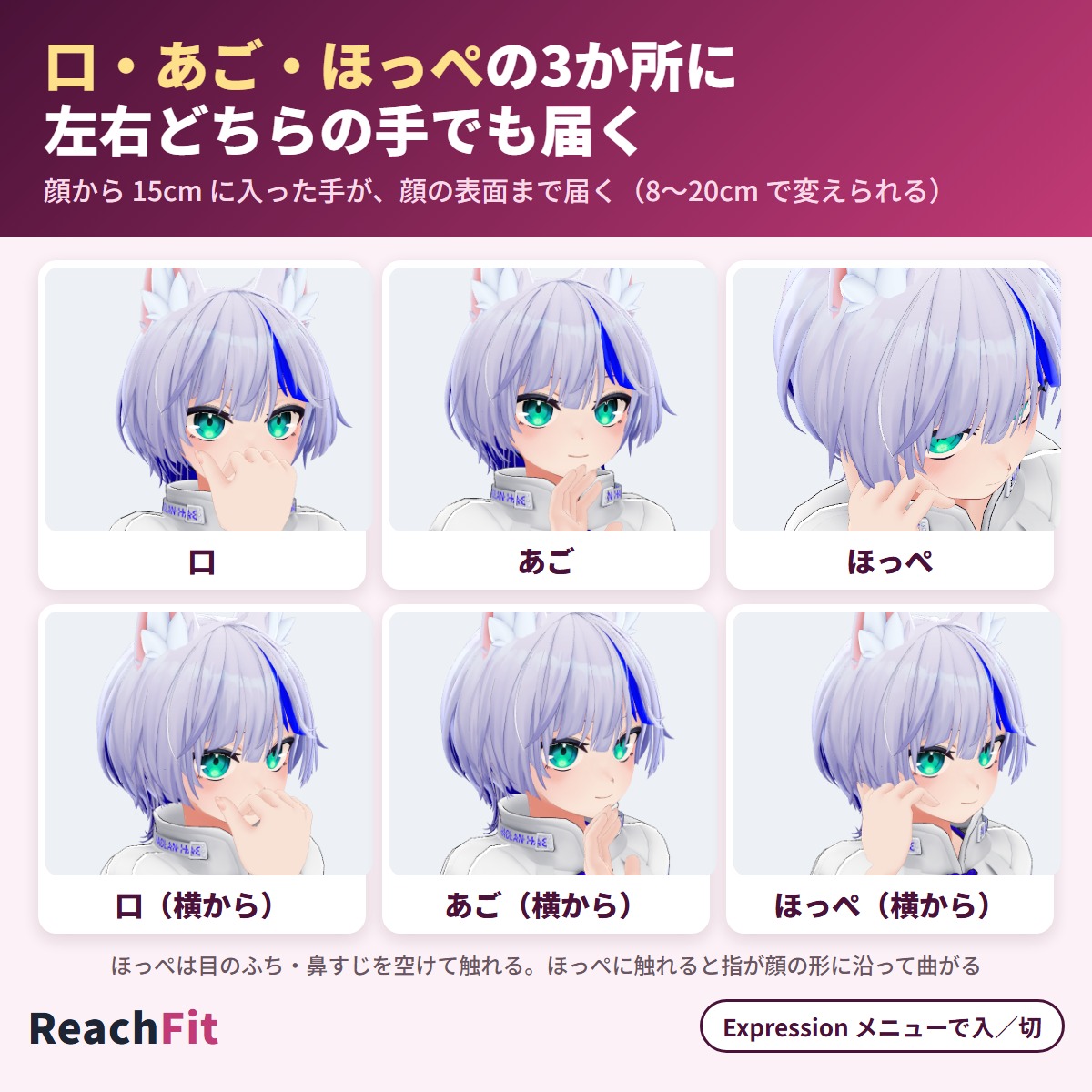
  • Three targets: mouth, chin and cheeks (right hand right, left hand left). Use only the ones you want
  • Acts only while your hand is in front of your face (15 cm by default, adjustable from 8 to 20 cm) and returns to your normal arm when you move away
  • Acts only while your hand is open (no hand sign). With fist, peace, point, thumbs-up and other signs your arm stays normal, so you can drink from a cup held in a fist ("Act with any hand gesture" turns it on for every sign)
  • Elbow, shoulder and wrist twist come from your avatar's bones and face shape; the cheek hand avoids the eyes and nose
  • "Curl fingers along the face" curls the fingers on your cheek along the face
  • Only the visible arm bends; your real hand bones stay as they are, and clothing keeps its shape and moves with the arm (except the sleeve hem below)
  • Wide short sleeves whose hem sits near the elbow have the hem leaned toward the forearm (sleeve bones are found by shape and position, not by name; long sleeves and clothing without sleeve bones are left as they are; it leans even with "Reach face" off)
  • Reacts only to your own hands
  • "Reach face" toggle in the Expressions menu (untick "On right after upload" to upload it off)
  • "Check in the scene" compares the stopped and reaching hands before upload (on an unsaved copy)
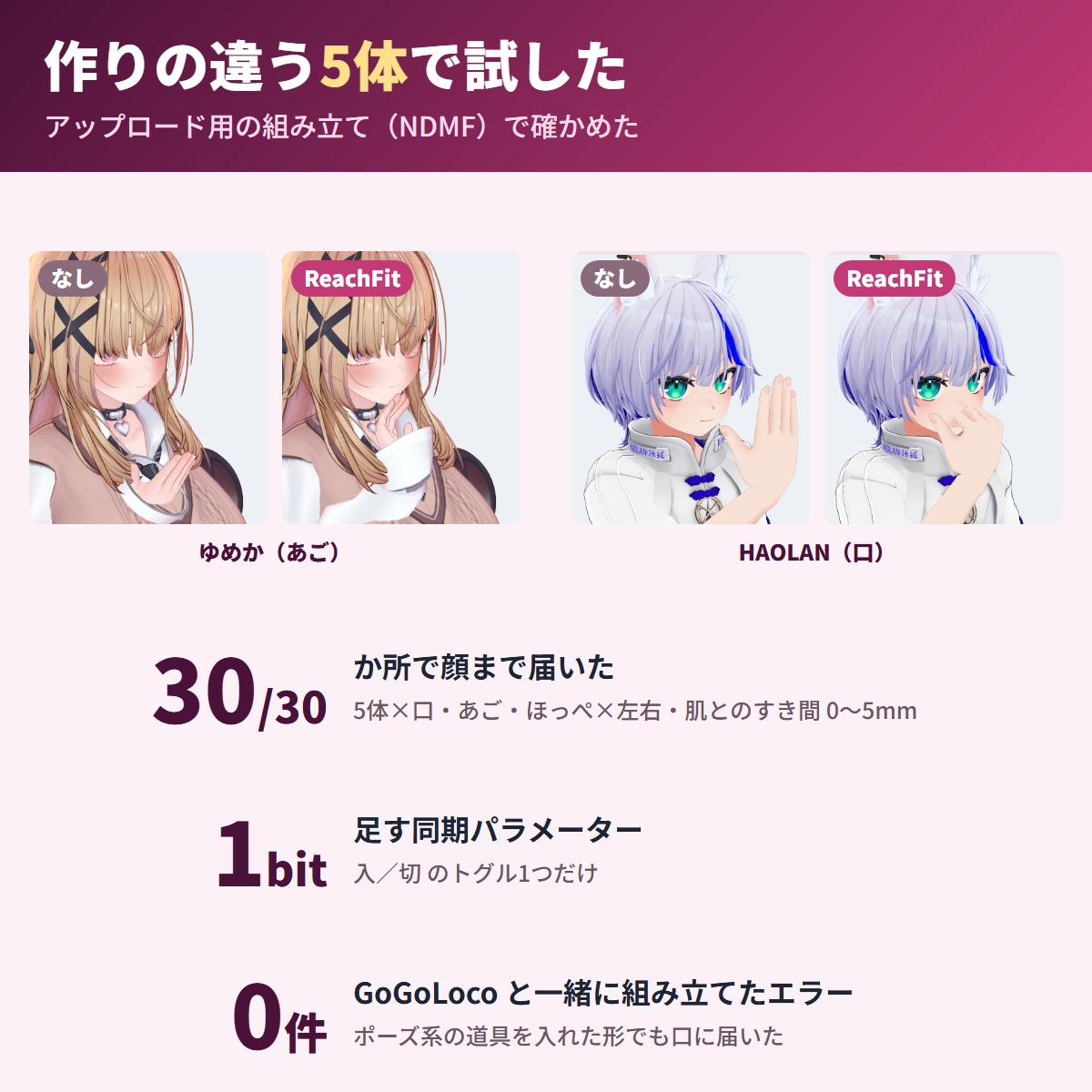
  • Built together with GoGoLoco: 0 errors, and the hand reaches the mouth
  • Japanese / English inspector

Test results

Five avatars with different setups, built the same way as at upload (NDMF):

  • All 30 spots (5 avatars × mouth, chin, cheek × left and right): the hand reaches the face surface (gap to the skin 0-5 mm, sink-in 0-3 mm) and stays clear of the eyes
  • Of 15 movements near the face (holding a camera, drinking with a fist, waving, etc.), only "drinking with an open hand" moved the arm

Before you buy

  • Check that your avatar's terms allow modifications that add a visible arm, animations and menus
  • For humanoid avatars with arm and finger bones and the face mesh set in the VRC Avatar Descriptor's lip sync (you can check with the free trial first)

How to use

1. Add this tool in VCC (or ALCOM) (Modular Avatar and NDMF are added with it)
2. Add Component → GRAMSHIFT → ReachFit on the avatar root (with VRC Avatar Descriptor), or right-click in the Hierarchy → GRAMSHIFT → ReachFit
3. Choose "Where your hands reach", then compare the stopped and reaching hands in "Check in the scene"
4. Upload as usual and use the "Reach face" toggle in the Expressions menu

Performance (Performance Rank)

  • ReachFit adds: 8-16 contacts (mouth only 8, all three 16), 36-38 constraints, 0 PhysBones, 2 animator layers and 1 synced bit
  • The five avatars tested kept the same overall rank on PC and Quest. A light avatar ranked by contacts or constraints can drop (16 contacts = PC Good / Quest Poor by VRChat's limits)

FAQ

Q. Do I have to find axes or angles in game?
A. No. It is worked out at build time, and there are no axis or angle fields.

Q. How many synced parameters does it use?
A. 1 bit (one on/off Bool).

Limitations

  • An open hand brought to the mouth (e.g. drinking with an open hand) moves 1.9-3.6 cm toward the mouth, as it looks the same as touching the face. Hold the cup with another hand sign, or switch it off in the menu
  • The hand that reaches the mouth passes in front of the nose (not the eyes)
  • An open hand beside or diagonally in front of the face can look sunk in by 6-19 mm in some spots
  • With long sleeves, the cuff can look slightly sunk into the face at the mouth (less at the chin and cheeks)
  • At the chin, the wrist or forearm can overlap a high or jacket collar by up to 8 mm (not the neck or chest skin)
  • When the elbow bends deeply, a wide sleeve can overlap the forearm a little (most visible on the cheek touch)
  • Depending on how the sleeve bones are built, the hem moves in its original shape without leaning (pick the sleeve bones by hand in the Sleeve bones field in the inspector to lean it)
  • There is no feature for touching faces with other people
  • Chibi-style avatars with a big head and short arms are out of scope
  • Outside Modular Avatar 1.18-1.x it does not run and shows a notice in the Console
  • The trial only shows the scene preview and adds nothing to your uploaded avatar

If something does not work, feel free to contact the shop (your avatar name and any message shown). The most-requested features go into the next version.

Partly AI-assisted

Requirements

Unity
2022.3
VRChat SDK - Avatars
3.10.5 or later
NDMF
1.14.0 or later
Modular Avatar
1.18.0 or later, below 2.0.0

Update history

  1. Version 1.0.4Free trial

    First release

  2. Version 1.0.4Full version

    First release

Reviews

No reviews yet.

Only people who bought this item here can review it (from the Library after buying).

Questions and answers

No published questions yet.

Ask a question about this item

When GRAMSHIFT answers, the question and answer appear on this page (no email is sent, so check back here). We do not ask for your name or email. Your text is published with the answer, so do not include contact details. URLs are not allowed.

Payment, refunds and contact

Payment
Handled by Stripe through Link, Stripe's checkout service. Link is the name shown on your receipt and card statement, and your card number never reaches GRAMSHIFT.
Delivery
Right after payment, the page shows your download (Unity tools also get a link to add to VCC and ALCOM). The receipt arrives by email.
Refunds
If something does not work, just email contact@gramshift.com. As these are digital items, we do not accept returns for a change of mind, but if a tool does not work in your setup and you contact us within 14 days of purchase, we refund the full amount. After a refund, the item can no longer be downloaded.
Countries
Checkout is not offered in Ascension Island, China, Cuba, Iran, Kosovo, North Korea, Russia, Syria or Tristan da Cunha.
Provided by
GRAMSHIFT, Tokyo, Japan. Contact: contact@gramshift.com

For how to use this item, ask GRAMSHIFT in "Questions and answers" above.

For help with payment or downloads, just email contact@gramshift.com. You can also ask GRAMSHIFT from "Questions and answers" on each item page.

Report this item (not as described, does not work, etc.)

More items

See all items

Avatar tools

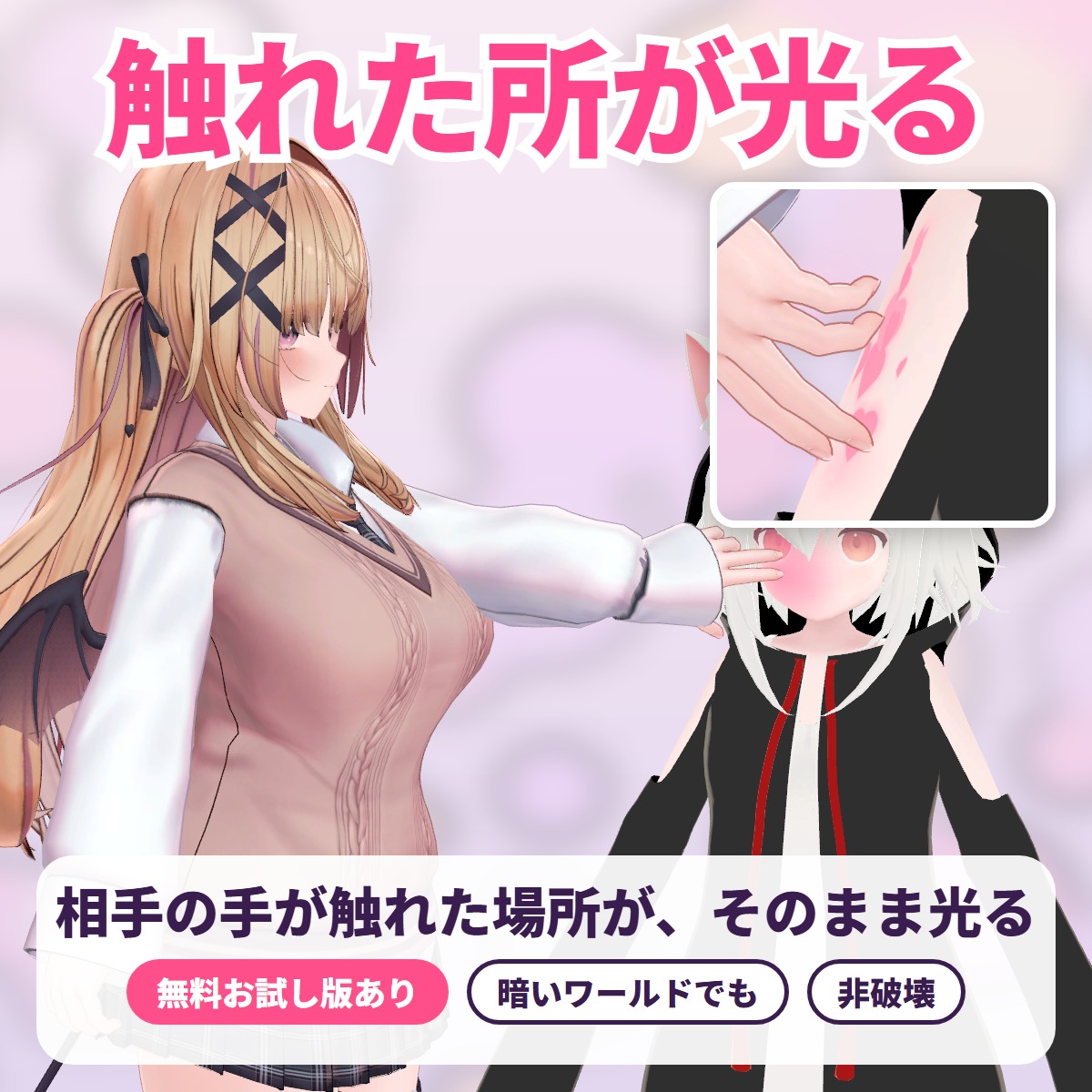
TouchGlow - the spot that is touched glows

The exact spot another player's hand or finger touches lights up with a soft color glow, ripples or hearts: a tool for VRChat avatars.

¥450Free trialUpdates in VCC

Avatar tools

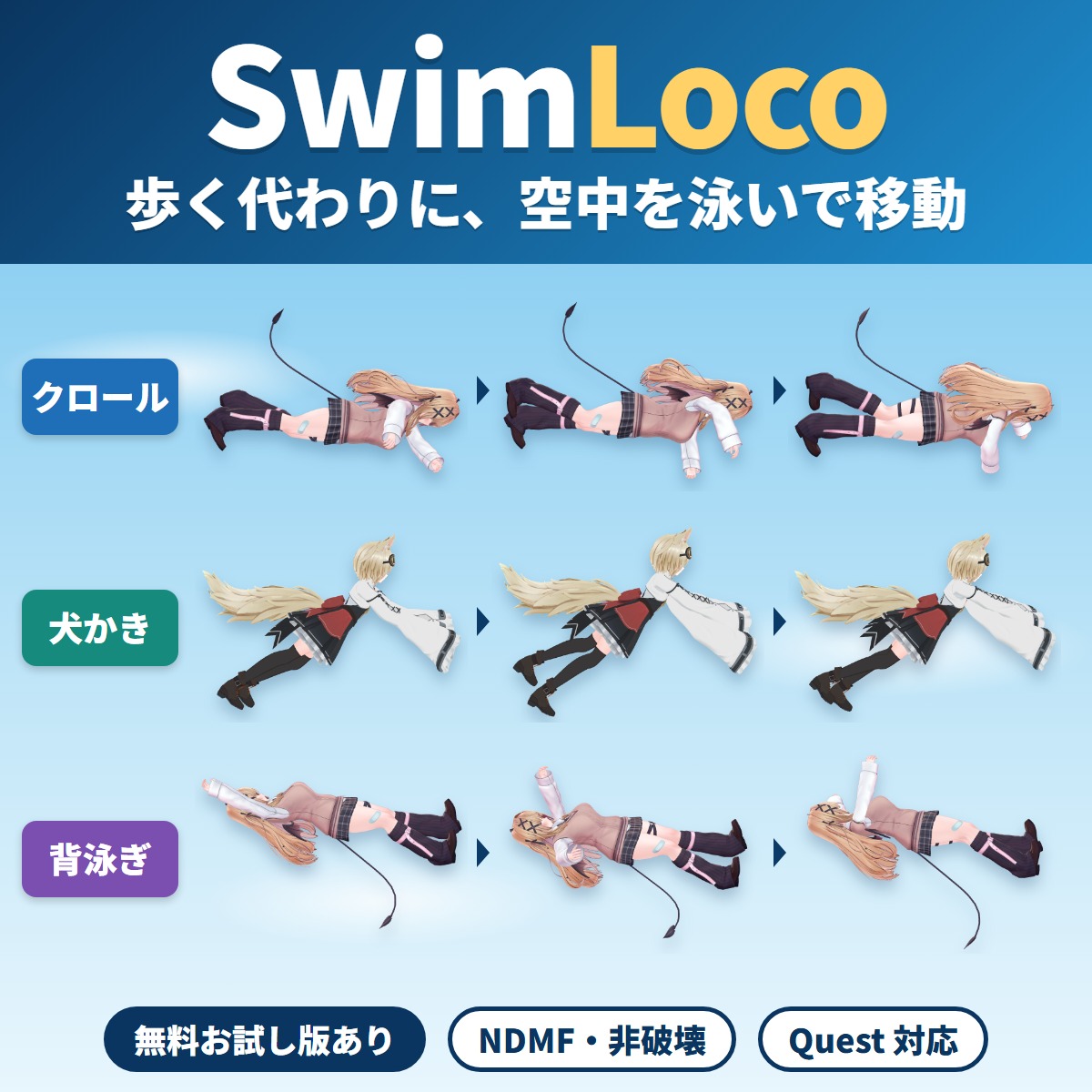
SwimLoco - swim through the air instead of walking

Your VRChat avatar swims through the air anywhere instead of walking or running: a swim locomotion gimmick you add with Modular Avatar by attaching one compone.

¥600Free trialUpdates in VCC