GRAMSHIFTSTORE
  • ShrinkPat - shrink when headpatted (1/4)
  • ShrinkPat - shrink when headpatted (2/4)
  • ShrinkPat - shrink when headpatted (3/4)
  • ShrinkPat - shrink when headpatted (4/4)
  1. Home
  2. Avatar tools

ShrinkPat - shrink when headpatted

Released Nov 20, 2026 · latest version 1.0.1

  • Updates in VCC and ALCOM
  • Free trial

Full version

¥450

You pay when you confirm the order. Refunds: the full amount within 14 days of purchase if a tool does not work in your setup. Legal notice (Japan)

Free trial

Free
Add to VCC for free

Check it on your own avatar before you buy.

Not in the trial: If an older trial (unitypackage) is in your Assets, delete Assets/GRAMSHIFT/ShrinkPat first, then add this one.

This tool uses Modular Avatar (free, the standard tool for avatar edits). If Modular Avatar is not in your VCC yet, press the button below first. You only do this once; after that, VCC installs it together with the tool.

Add Modular Avatar to VCC (free)

For ALCOM or manual setup: https://vpm.nadena.dev/vpm.json

URL for ALCOM or manual setup
https://gramshift.com/vpm-shop/free/index.json

Prices include Japanese tax. In some countries, local tax may be added at checkout; you see the total before you pay. Right after payment you get an "Add to VCC" button and a zip download. Add it to VCC (the free official app from VRChat) or ALCOM (a free app that does the same), and new versions install with one click.

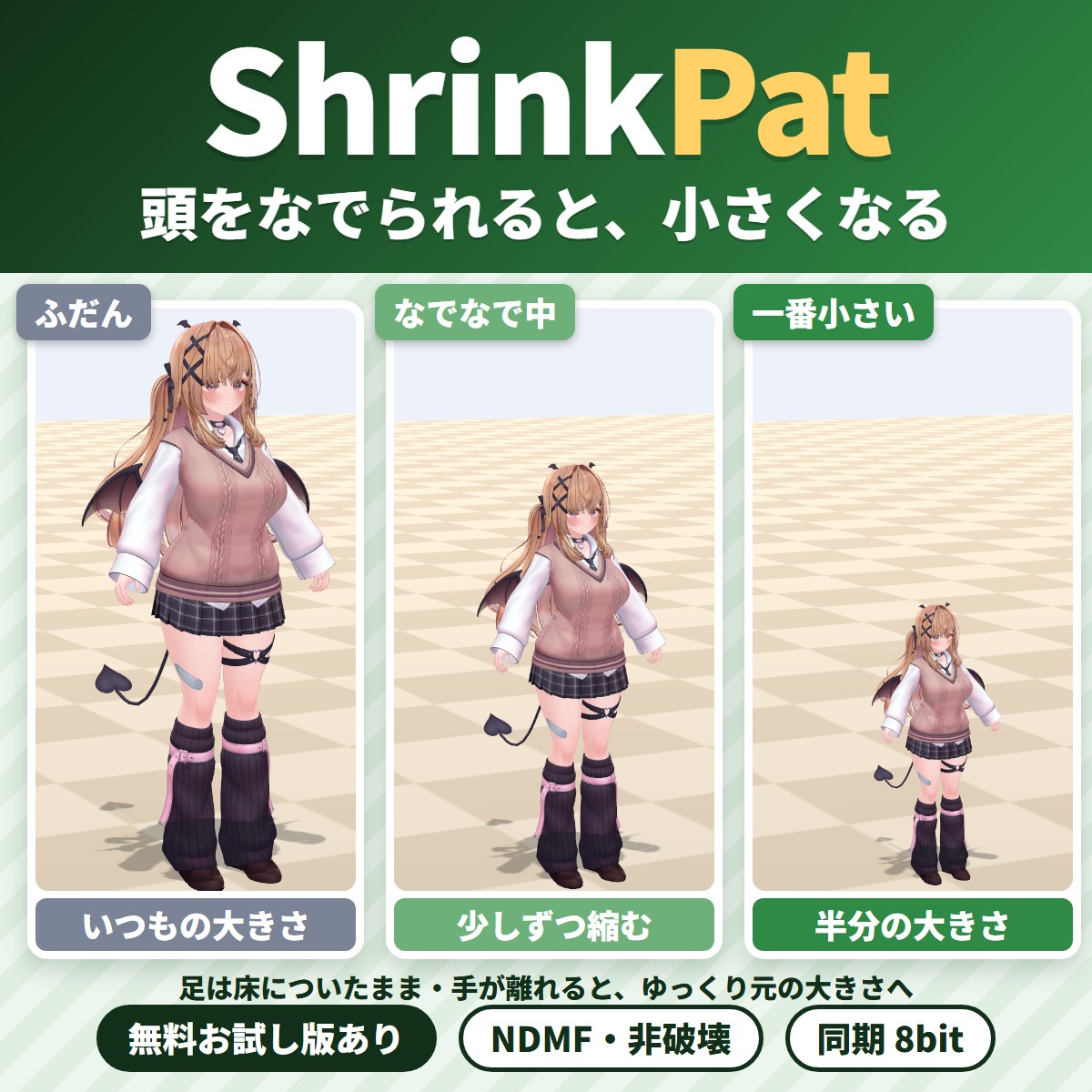
Make a headpat reaction: when someone pats your VRChat avatar's head, it shrinks down little by little with its feet on the floor.

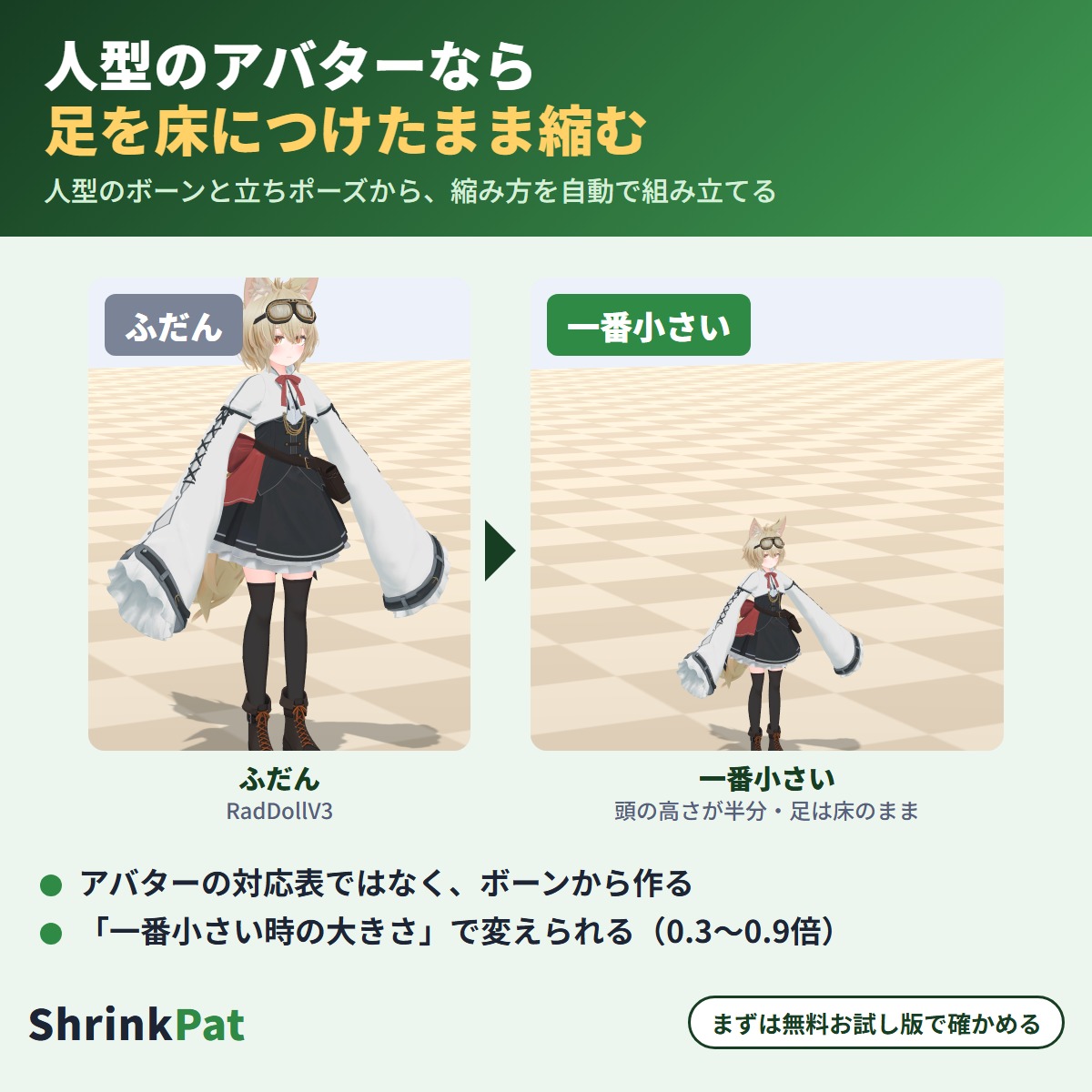
Make a headpat reaction: when someone pats your VRChat avatar's head, it shrinks down little by little with its feet on the floor, and slowly grows back when the hand leaves. It is built from the Humanoid bones, so your avatar does not need to be on a list of avatar names. Check the shrunk pose in the scene with the free trial before you buy.
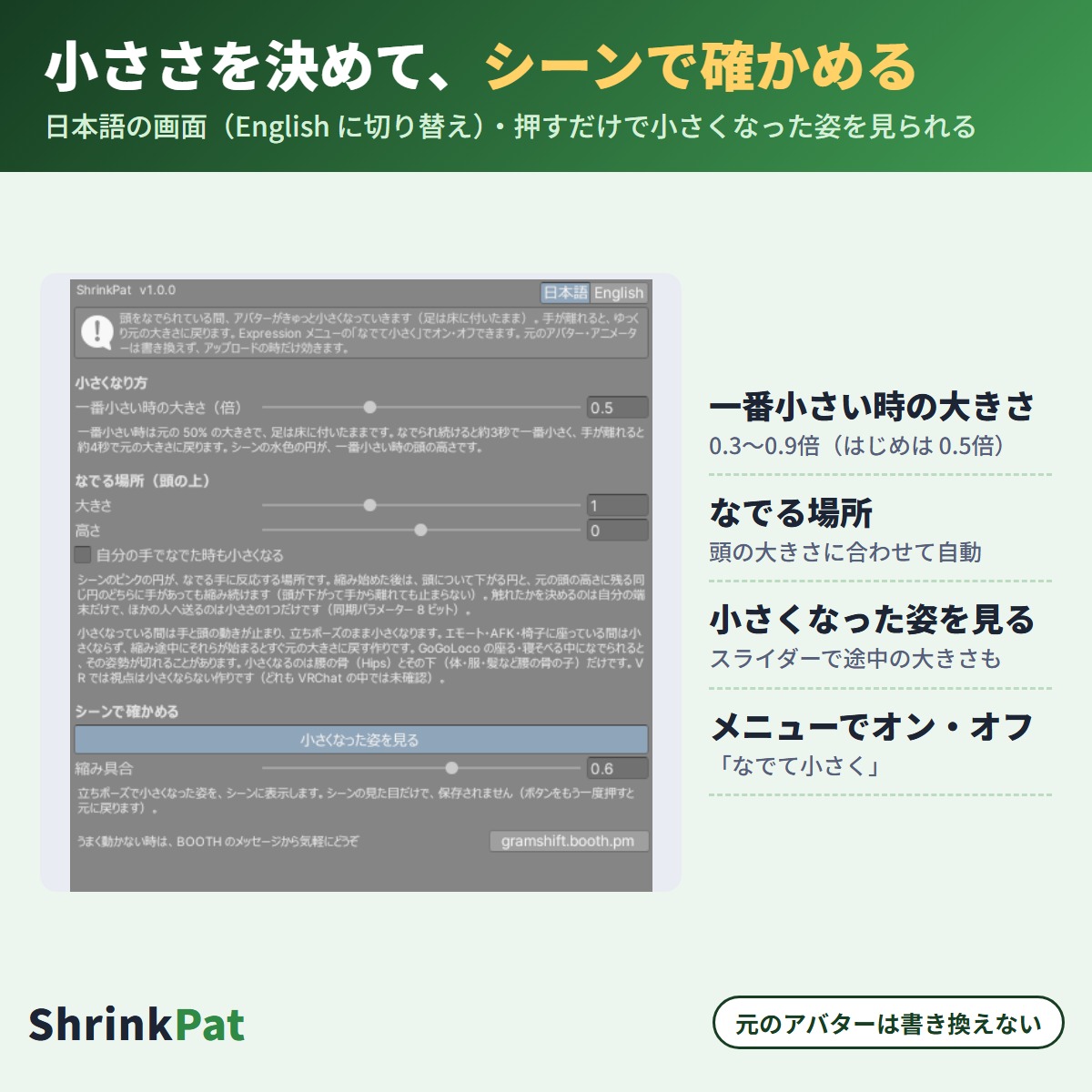
In the full version, "Pat to shrink" in the Expressions menu turns it on or off. You can change the smallest size (0.5x by default) and the size and height of the pat area. Your original avatar files are not changed (Modular Avatar / NDMF, non-destructive).

Try it on your avatar with the free trial first

  • Trial (free): see the pat area and the shrunk pose in the scene (for checking)
  • Full version (450 yen): also adds the shrinking and "Pat to shrink" to the avatar you upload. When you add the full version in VCC, the trial is removed automatically. Parts you set up with the trial keep working

What it does

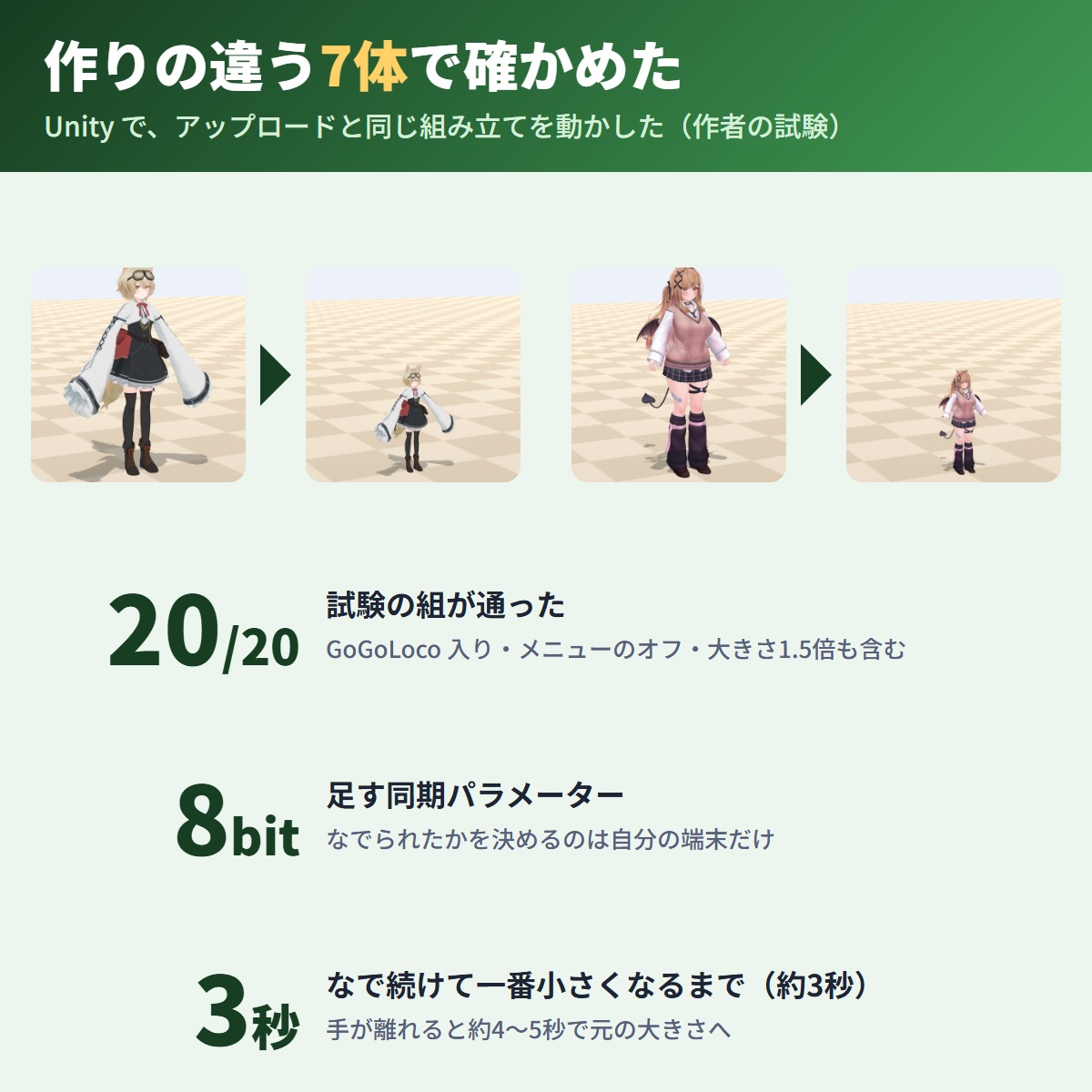
  • While your head is patted (headpat), your body shrinks down little by little. Keep patting and it is at its smallest in about 3 seconds; after the hand leaves it is back to full size in about 4-5 seconds (varies a little with the frame rate)
  • Your feet stay on the floor while shrinking and growing back (built not to float or sink into the floor)
  • If the hand leaves halfway, it starts growing back from there; pat again and it shrinks again
  • "Smallest size (times)" sets how small you get (0.3-0.9x, default 0.5x)
  • Built per avatar from the Humanoid bones and the VRChat SDK standing pose; on the 7 differently built avatars tested and on one scaled 1.5x, it shrank by the size set
  • The pat area on top of the head is set automatically to fit your head; adjust its size and height with "Pat area (top of the head)"
  • Once it has started, a hand on the lowered head or at the original head height keeps it shrinking
  • Reacts to other people's hands; turn on "Also shrink with your own hands" to react to yours too
  • "Check in the scene" > "Preview the shrunk pose" shows the shrunk pose before you upload (not saved). The pink circle is the pat area
  • Japanese / English UI (menu names use the language set at upload)

Test results

Tested on 7 avatars built in different ways:

  • No build errors on all 7. At the smallest, the head height was 0.50x and the soles were -0.8 to +1.4 cm from the floor (half of the normal -1.6 to +2.8 cm), so the feet stay on the floor. While shrinking and growing back, the feet moved by 0.3 cm or less
  • After the hand left, it went back to full size and head and hand motion came back
  • "Smallest size" 0.3x gave a 0.30x head. At 0.9x, on an avatar scaled 1.5x, and with the size changed to 1.5x and 0.6x after the build (close to VRChat's avatar scaling), the feet also stayed on the floor
  • With the menu off, it goes back to full size even while patted
  • On other people's side it shrinks by the synced amount
  • No build errors on 2 avatars with GoGoLoco, or on 1 avatar with NadeFace added (both were added)
  • During an emote, AFK or a chair it did not shrink; when one started while shrinking, it went back to full size, and head and finger motion came back afterwards
  • With FloatPat (float) and SinkPat (sink) from the same shop on the same avatar (2 avatars), all three moved together and sinking won partway through; after the hand left it went back to the original height and size

Before you use it

  • Check that your avatar's terms allow modifications that add animations and menus
  • For Humanoid avatars

How to use

1. Add this tool in VCC (or ALCOM) (Modular Avatar and NDMF are added with it)
2. Add Component → GRAMSHIFT → ShrinkPat on the top of your avatar (the object with VRC Avatar Descriptor), or right-click it in the Hierarchy → GRAMSHIFT → ShrinkPat
3. Use "Check in the scene" > "Preview the shrunk pose" to see how small you get (change "Smallest size" if needed)
4. Upload as usual, and have someone pat your head in VRChat

FAQ

Q. Does it work on an avatar that no gimmick pack supports?
A. Yes, if it is a Humanoid avatar; it is built from the Humanoid bones, not a list of names. Check the shrunk pose with the trial first.

Q. Can I use it together with FloatPat or SinkPat?
A. We recommend one of them per avatar. With all three on, they move together when patted and sinking wins partway through.

Q. Does my view shrink too in VR?
A. Judging from how it is built, your view height stays the same and only the body shrinks.

Limitations

  • While shrunk, hand and head tracking stop and the avatar shrinks in a standing pose; it goes back to normal once it is back to full size
  • If you are patted while sitting or lying with GoGoLoco, that pose may be cut
  • Your view height stays the same (by design)
  • This is separate from VRChat's avatar scaling. After scaling, it shrinks from that size (the author's tests confirmed this at 1.5x and 0.6x)
  • Only the hip bone (Hips) and everything under it (body, clothes, hair parented to it) shrink. Objects not under the hip bone (such as props placed directly on the top of the avatar) do not shrink
  • Walking while shrunk is built to slide in the standing pose
  • The shrinking and returning speeds are fixed
  • Judging from how it is built, others may see it slightly delayed (synced)
  • Does not work on non-Humanoid avatars
  • Does not run with Modular Avatar before 1.18 or 2.0 and later; a notice appears in the Console (uploads are not stopped)
  • The trial only changes the scene; it is not added to the uploaded avatar

If something does not work, feel free to contact the shop (your avatar name and any message shown). The most-requested features go into the next version.

Partly AI-assisted

Requirements

Unity
2022.3
VRChat SDK - Avatars
3.10.5 or later
NDMF
1.14.0 or later
Modular Avatar
1.18.0 or later, below 2.0.0

Update history

  1. Version 1.0.1Full version

    First release

  2. Version 1.0.1Free trial

    First release

Reviews

No reviews yet.

Only people who bought this item here can review it (from the Library after buying).

Questions and answers

No published questions yet.

Ask a question about this item

When GRAMSHIFT answers, the question and answer appear on this page (no email is sent, so check back here). We do not ask for your name or email. Your text is published with the answer, so do not include contact details. URLs are not allowed.

Payment, refunds and contact

Payment
Handled by Stripe through Link, Stripe's checkout service. Link is the name shown on your receipt and card statement, and your card number never reaches GRAMSHIFT.
Delivery
Right after payment, the page shows your download (Unity tools also get a link to add to VCC and ALCOM). The receipt arrives by email.
Refunds
If something does not work, just email contact@gramshift.com. As these are digital items, we do not accept returns for a change of mind, but if a tool does not work in your setup and you contact us within 14 days of purchase, we refund the full amount. After a refund, the item can no longer be downloaded.
Countries
Checkout is not offered in Ascension Island, China, Cuba, Iran, Kosovo, North Korea, Russia, Syria or Tristan da Cunha.
Provided by
GRAMSHIFT, Tokyo, Japan. Contact: contact@gramshift.com

For how to use this item, ask GRAMSHIFT in "Questions and answers" above.

For help with payment or downloads, just email contact@gramshift.com. You can also ask GRAMSHIFT from "Questions and answers" on each item page.

Report this item (not as described, does not work, etc.)

More items

See all items

Avatar tools

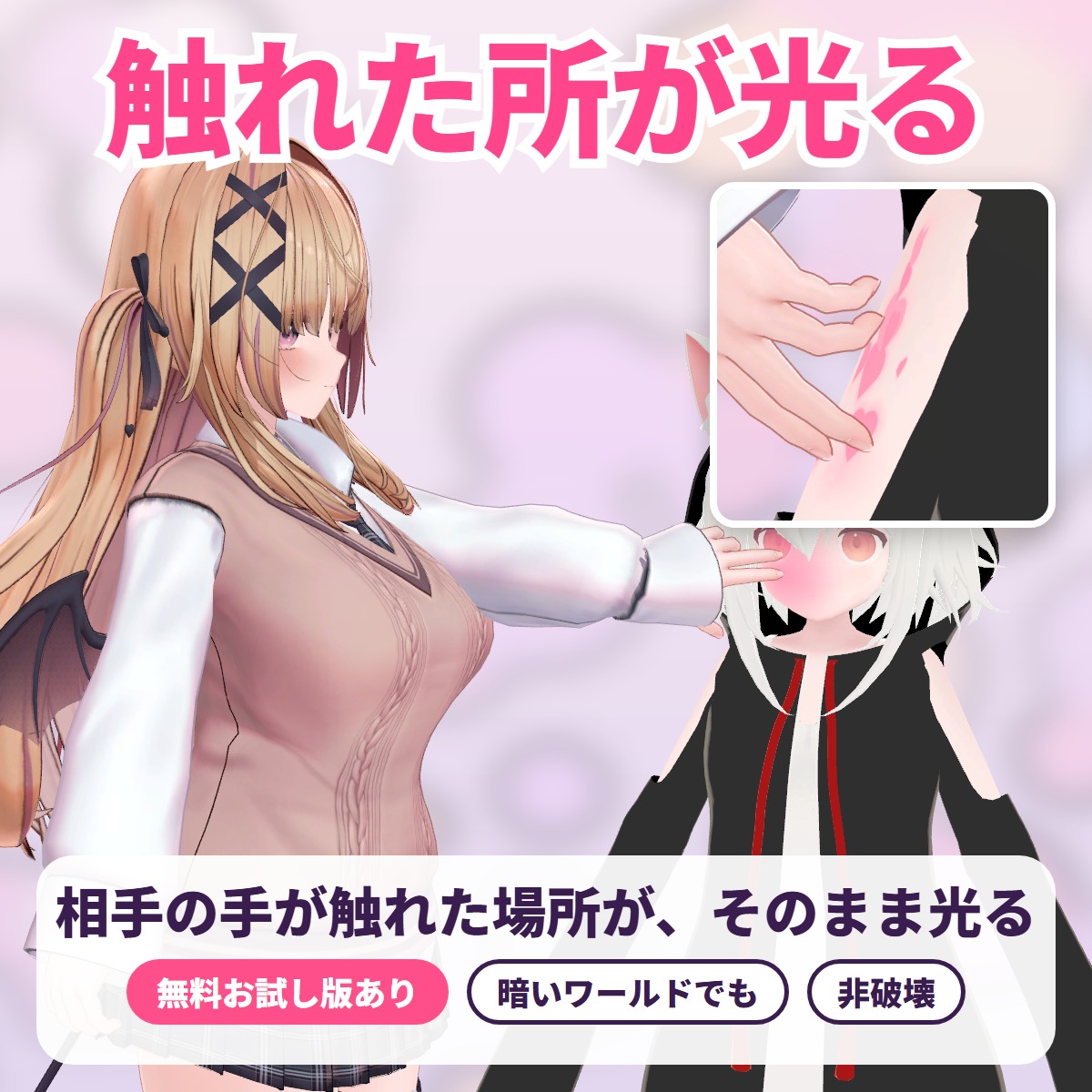
TouchGlow - the spot that is touched glows

The exact spot another player's hand or finger touches lights up with a soft color glow, ripples or hearts: a tool for VRChat avatars.

¥450Free trialUpdates in VCC

Avatar tools

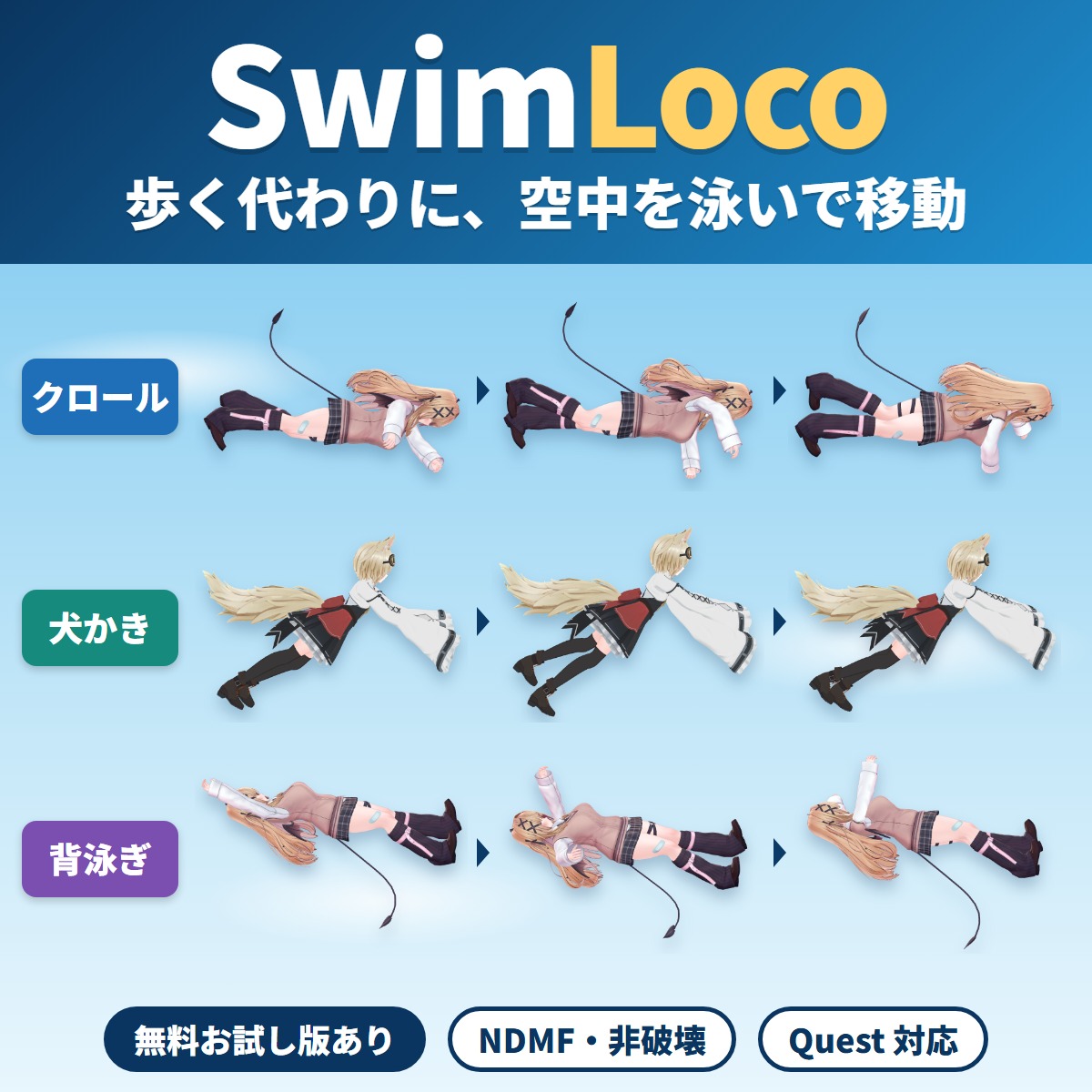
SwimLoco - swim through the air instead of walking

Your VRChat avatar swims through the air anywhere instead of walking or running: a swim locomotion gimmick you add with Modular Avatar by attaching one compone.

¥600Free trialUpdates in VCC