GRAMSHIFTGet it
Drive Deck for BeamNG.drive icon
Drive Deck for BeamNG.driveStream Deck plugin for Windows

A live BeamNG.drive dashboard and button box on your Stream Deck

BeamNG.drive gear, shift lights, rpm, fuel, temperatures and dash lights on Stream Deck keys, plus recover and reset.

One-time purchase on the Elgato Marketplace, shown there in your own currency.

Drive Deck for BeamNG.drive: A live BeamNG.drive dashboard and button box on your Stream Deck

Overview

What Drive Deck for BeamNG.drive does

To see your gear, rpm, speed, fuel and shift lights from BeamNG.drive on a Stream Deck, add Drive Deck for BeamNG.drive, turn on OutGauge UDP protocol once in the game's Options > Other > Protocols (IP 127.0.0.1, port 4444) and drag its keys onto your Stream Deck.

Drive and the keys follow your car live, while Light and Game Control keys press the game's default keys for high beam, signals, parking brake, recover, reset, camera and more.

Features

What you can do

01

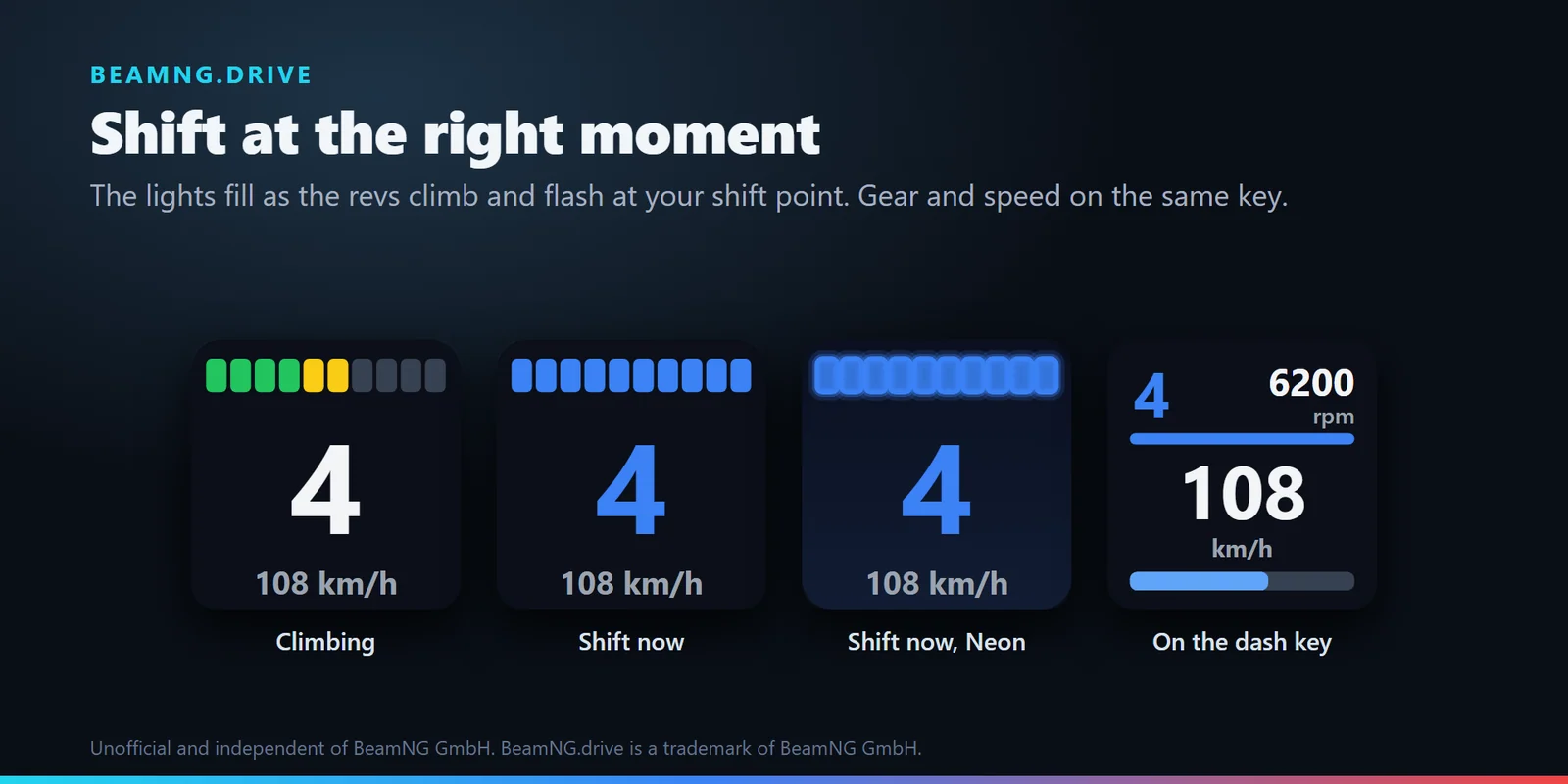
Shift at the right moment

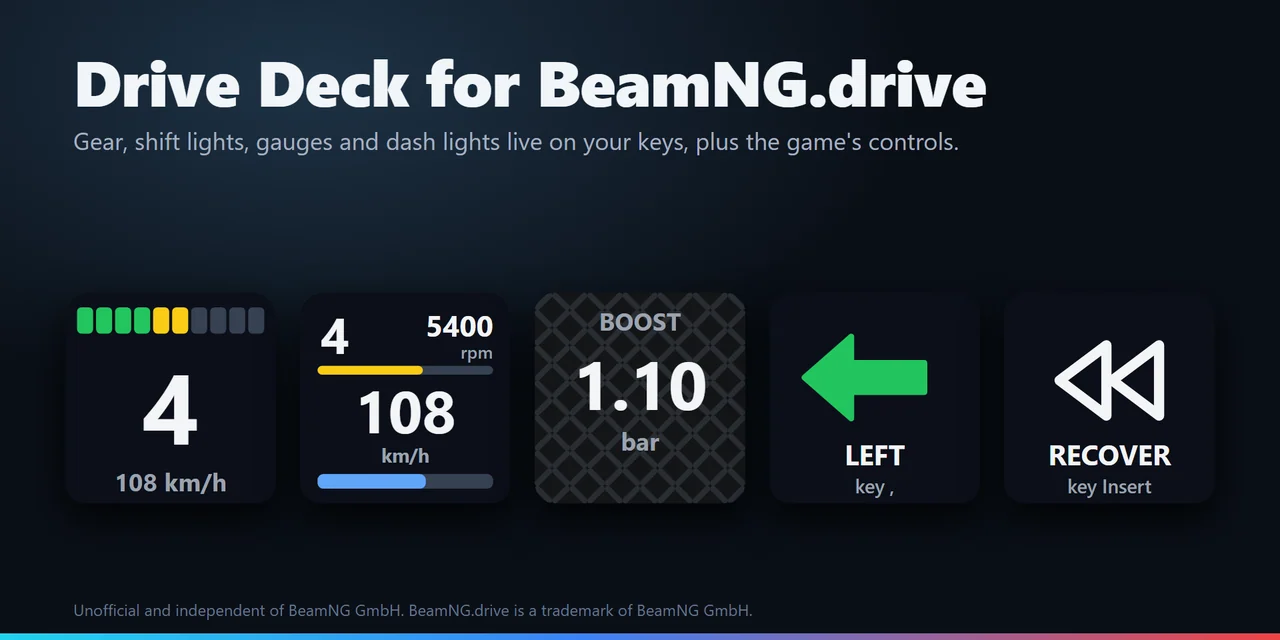
The Gear key fills a row of shift lights as the revs climb and flashes blue at the shift point, with the gear and a number you choose below it. The shift point is the car's own shift light, learned from the highest revs you reach, or the rpm you type.

Shift at the right moment: The Gear key fills a row of shift lights as the revs climb and flashes blue at the shift point, with the gear and a number you choose below it. The shift point is the car's own shift light, learned from the highest revs you reach, or the rpm you type.
02

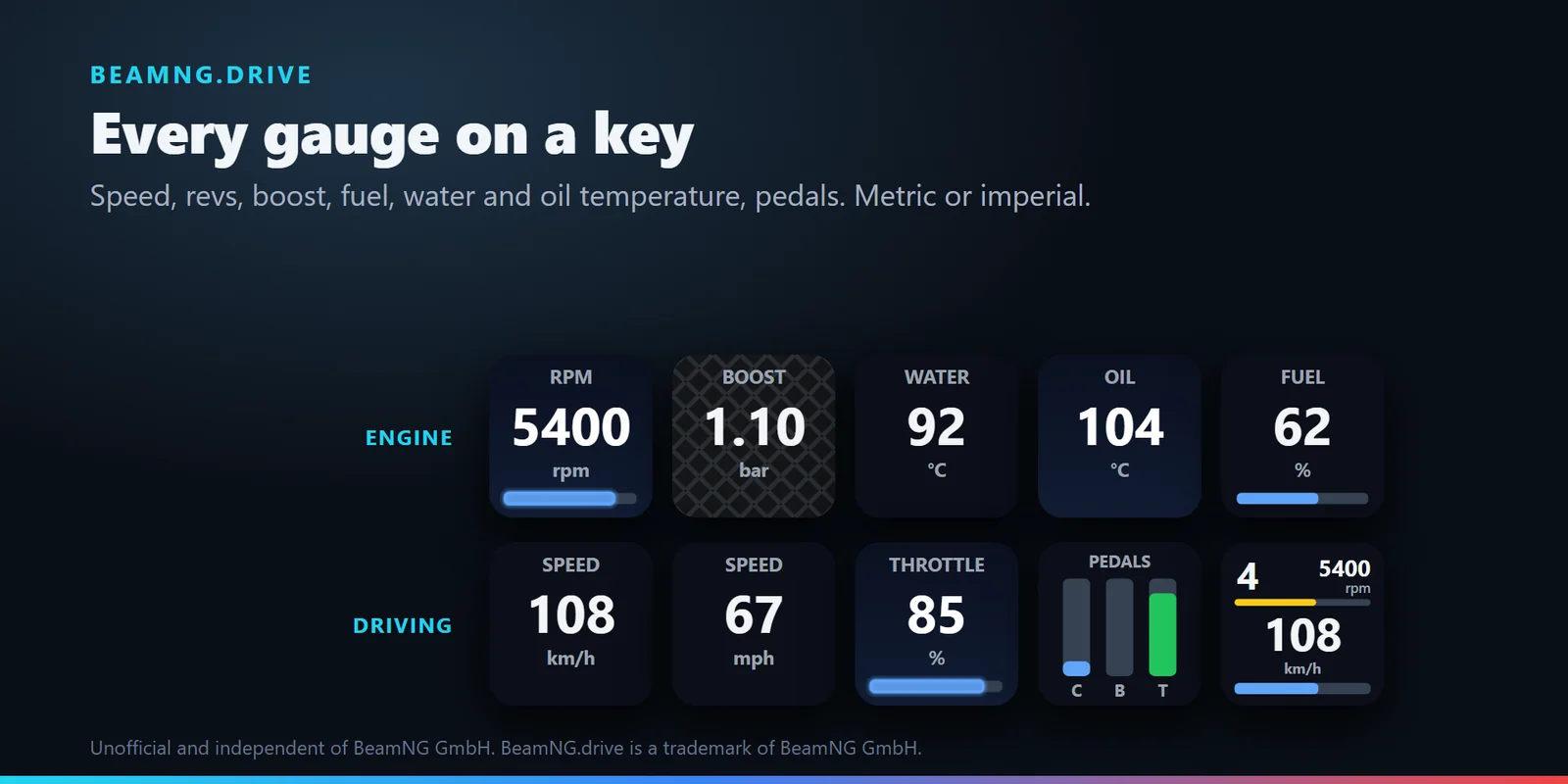
Every gauge on a key

Speed, rpm, fuel, water and oil temperature, boost, throttle, brake, clutch or all three pedals as bars, in km/h, °C and bar or mph, °F and psi. The Dash key puts gear, rpm, speed and fuel on one key.

Every gauge on a key: Speed, rpm, fuel, water and oil temperature, boost, throttle, brake, clutch or all three pedals as bars, in km/h, °C and bar or mph, °F and psi. The Dash key puts gear, rpm, speed and fuel on one key.
03

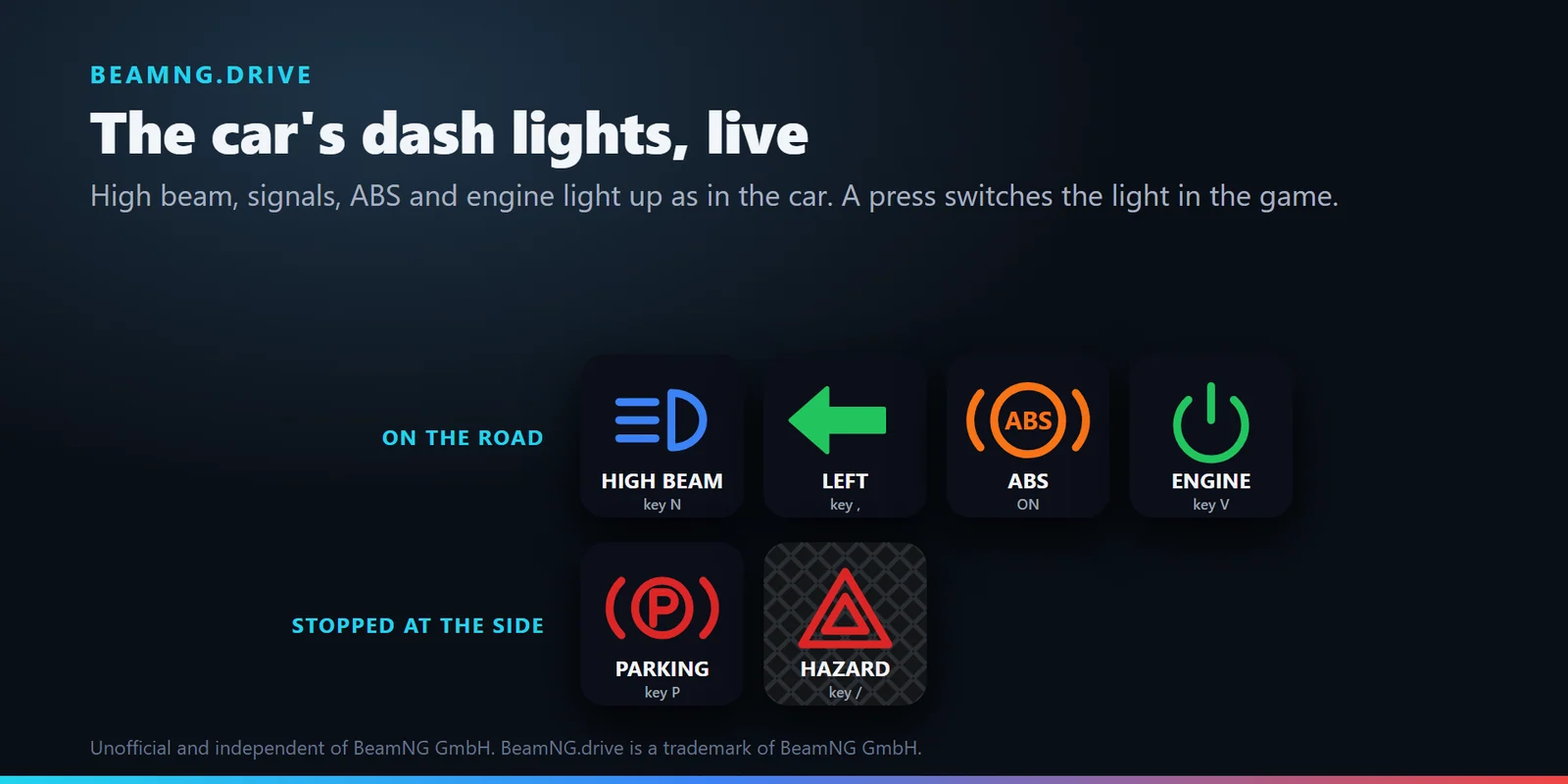
The car's dash lights, live

High beam, left and right signals, hazards, parking brake, engine, ABS, ESC / traction control, oil warning and shift light light up as the car shows them, and a press switches parking brake, high beam, signals, hazards and engine.

The car's dash lights, live: High beam, left and right signals, hazards, parking brake, engine, ABS, ESC / traction control, oil warning and shift light light up as the car shows them, and a press switches parking brake, high beam, signals, hazards and engine.
04

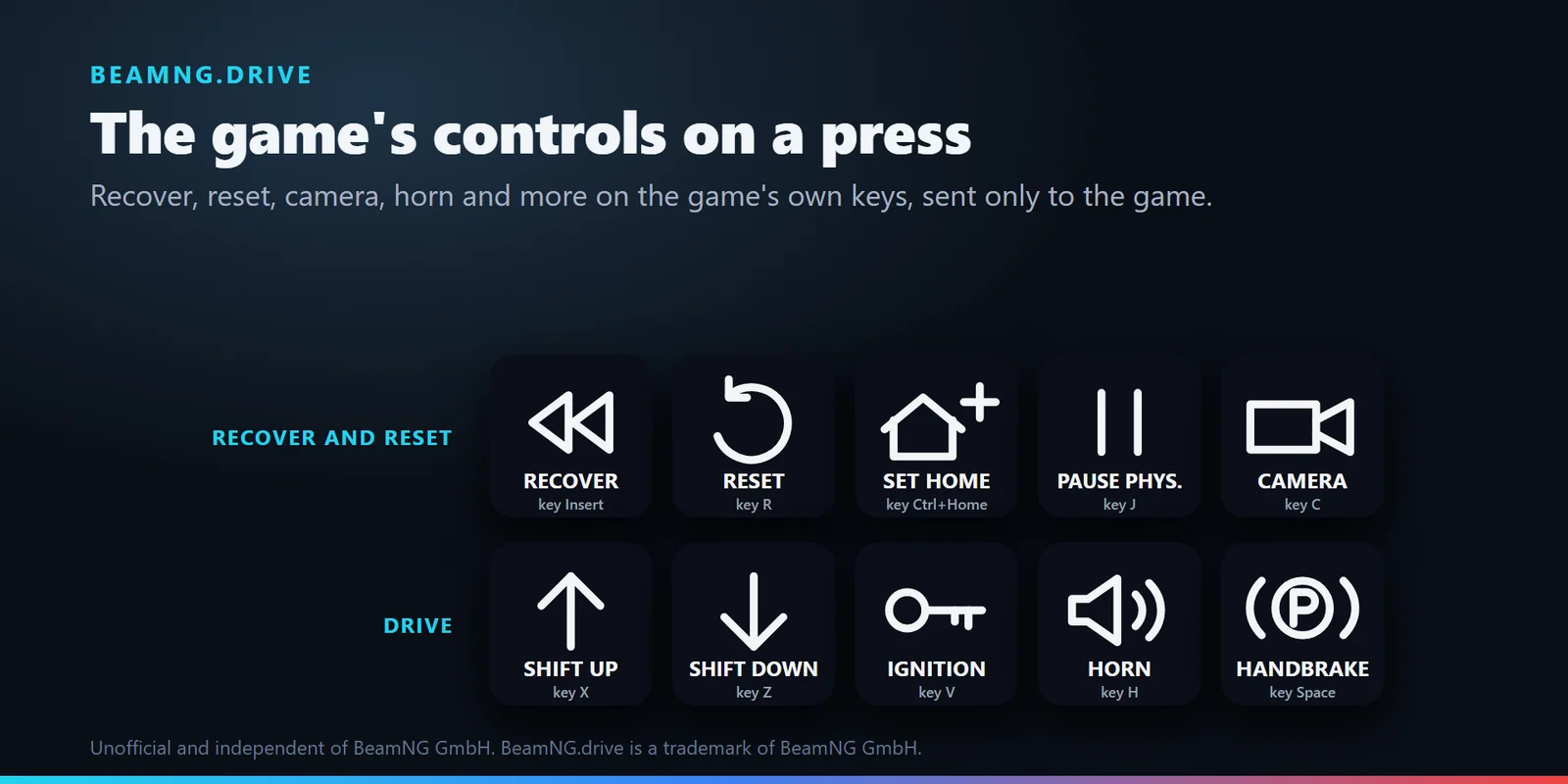
The game's controls on a press

Recover, reset, set or load home, next camera, horn, ignition, shift up and down, gearbox mode, fog lights, lightbar, enter or exit and pause physics, each on the game's default key, or your own key and name.

The game's controls on a press: Recover, reset, set or load home, next camera, horn, ignition, shift up and down, gearbox mode, fog lights, lightbar, enter or exit and pause physics, each on the game's default key, or your own key and name.
05

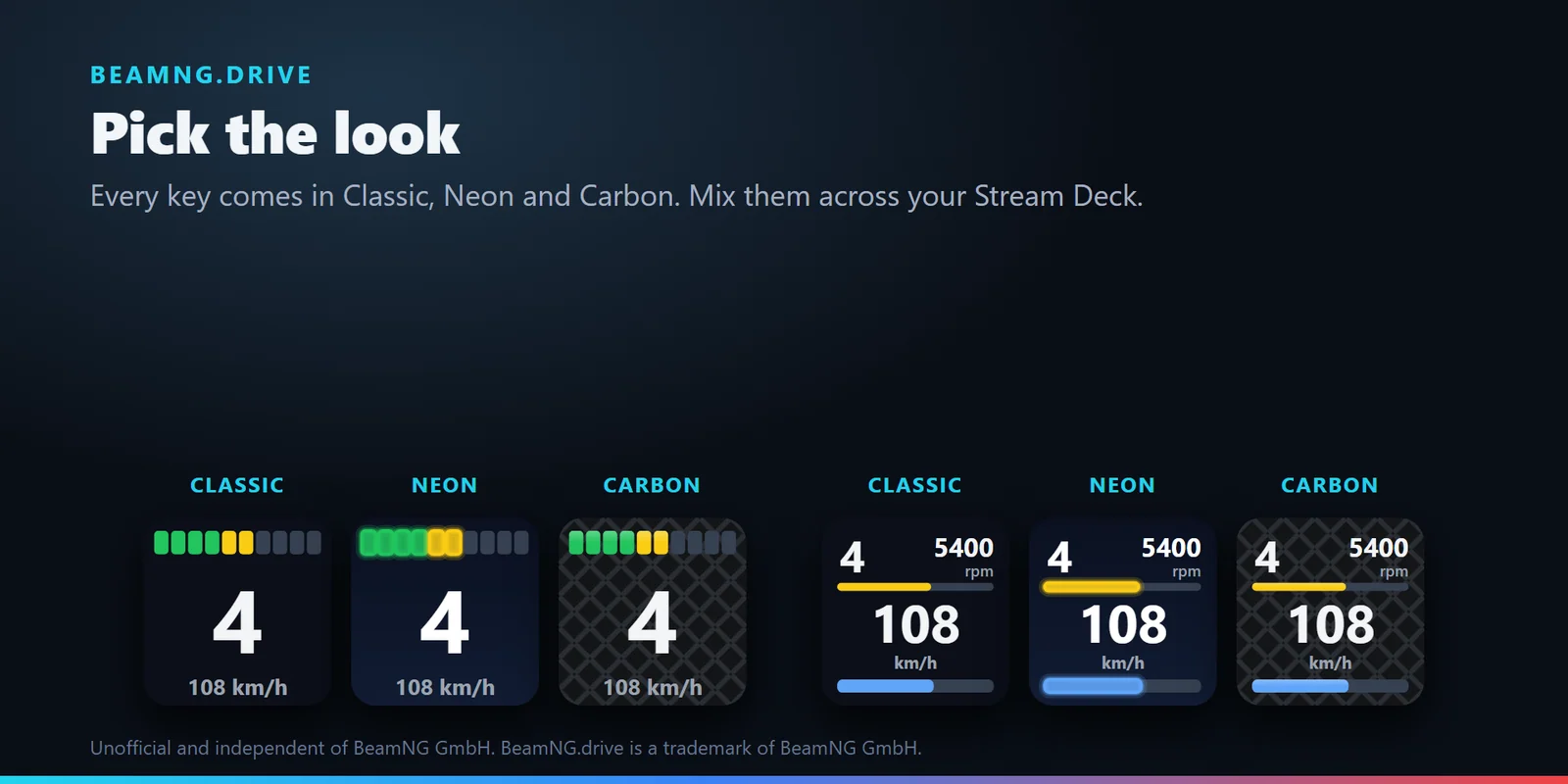
Pick the look

Every key comes in Classic, Neon or Carbon, and you can mix them across your Stream Deck.

Pick the look: Every key comes in Classic, Neon or Carbon, and you can mix them across your Stream Deck.

Also built in

  • Turn a Stream Deck + dial

    The Gear key on a dial changes its number as you turn and sends your key on a push.

  • Set up in a minute

    Until data arrives, the key and its settings page say what to turn on in the game, and the Status line says what the plugin receives and what happened to the last press.

  • Safe presses

    Keys go to BeamNG.drive only while it is the active window, held keys are always let go, and the plugin only listens for the game's data on your PC. In English or Japanese.

Set up

How it works

  1. Install the plugin from the Elgato Marketplace.
  2. In BeamNG.drive, open Options > Other > Protocols and turn on OutGauge UDP protocol with IP 127.0.0.1 and port 4444.
  3. Drag a Gear, Readout, Dash, Light or Game Control key onto your Stream Deck.
  4. Sit in a vehicle and drive. The keys follow your car, and a press sends the game's key while BeamNG.drive is in front.

Good to knowThe game sends its data only while you drive. If you changed a binding in the game's Options > Controls, type your key in the key's settings.

Get Drive Deck for BeamNG.drive

FAQ

Questions

Short answers to what people ask before they add it.

Something not working?

Email contact@gramshift.com and we will help you get it going. You can also use the support page.

How do I show my gear, rpm and shift lights from BeamNG.drive on a Stream Deck?

Install Drive Deck for BeamNG.drive, then in the game turn on Options > Other > Protocols > OutGauge UDP protocol with IP 127.0.0.1 and port 4444. Drag the Gear key onto your Stream Deck: it shows the gear, a number such as speed, and shift lights that flash at the shift point while you drive.

Can a Stream Deck show fuel, water temperature, oil temperature and boost in BeamNG.drive?

Yes. The Readout key shows speed, rpm, fuel, water or oil temperature, boost, throttle, brake, clutch or all three pedals, and the Dash key puts gear, rpm, speed and fuel on one key, in metric or imperial units.

Can I recover, reset or change the camera in BeamNG.drive from a Stream Deck button?

Yes. The Game Control key presses the game's default key for recover, reset, set or load home, camera, horn, ignition, shifting and more while BeamNG.drive is the active window. If you changed a binding in the game, type your key in the key's settings.

Why does my BeamNG.drive Stream Deck key say NO DATA?

The key waits for OutGauge data from the game. Turn on OutGauge UDP protocol in the game's Options > Other > Protocols with IP 127.0.0.1 and the same port as the key (4444), then sit in a vehicle and drive: the key and its settings page say what is missing.

Do the dash light keys show high beam, turn signals and the parking brake in BeamNG.drive?

Yes. Light keys light up with the car's high beam, left and right signals, hazards, parking brake, engine, ABS, ESC / traction control, oil warning and shift light, and a press switches parking brake, high beam, signals, hazards and engine with the game's default keys.
Requirements

Before you buy

Works with

Works on Windows 11 with the Stream Deck app 6.9 or later and BeamNG.drive on the same PC or, with Receive from set to the network, on a second PC.

A Stream Deck plugin sold on the Elgato Marketplace.

Limits

  • Windows 11, with BeamNG.drive on the same PC as your Stream Deck, or on a second PC when you set Receive from to the network.
  • Presses reach BeamNG.drive while it is the active window and not run as administrator, with its default keys on a US keyboard layout or the keys you type.
  • ABS, ESC, oil and shift light keys only show the light, because the game has no key for them.
  • On a car without its own shift light, the shift point is learned per car from the revs you reach, or you type the rpm.
  • Something not working as you expect? Email contact@gramshift.com in English or Japanese, with the Status line from the key's settings, and we will help.

Get Drive Deck for BeamNG.drive

Works on Windows 11 with the Stream Deck app 6.9 or later and BeamNG.drive on the same PC or, with Receive from set to the network, on a second PC.

Get it on the Elgato Marketplace

One-time purchase on the Elgato Marketplace, shown there in your own currency.