01
Watch the speed limit
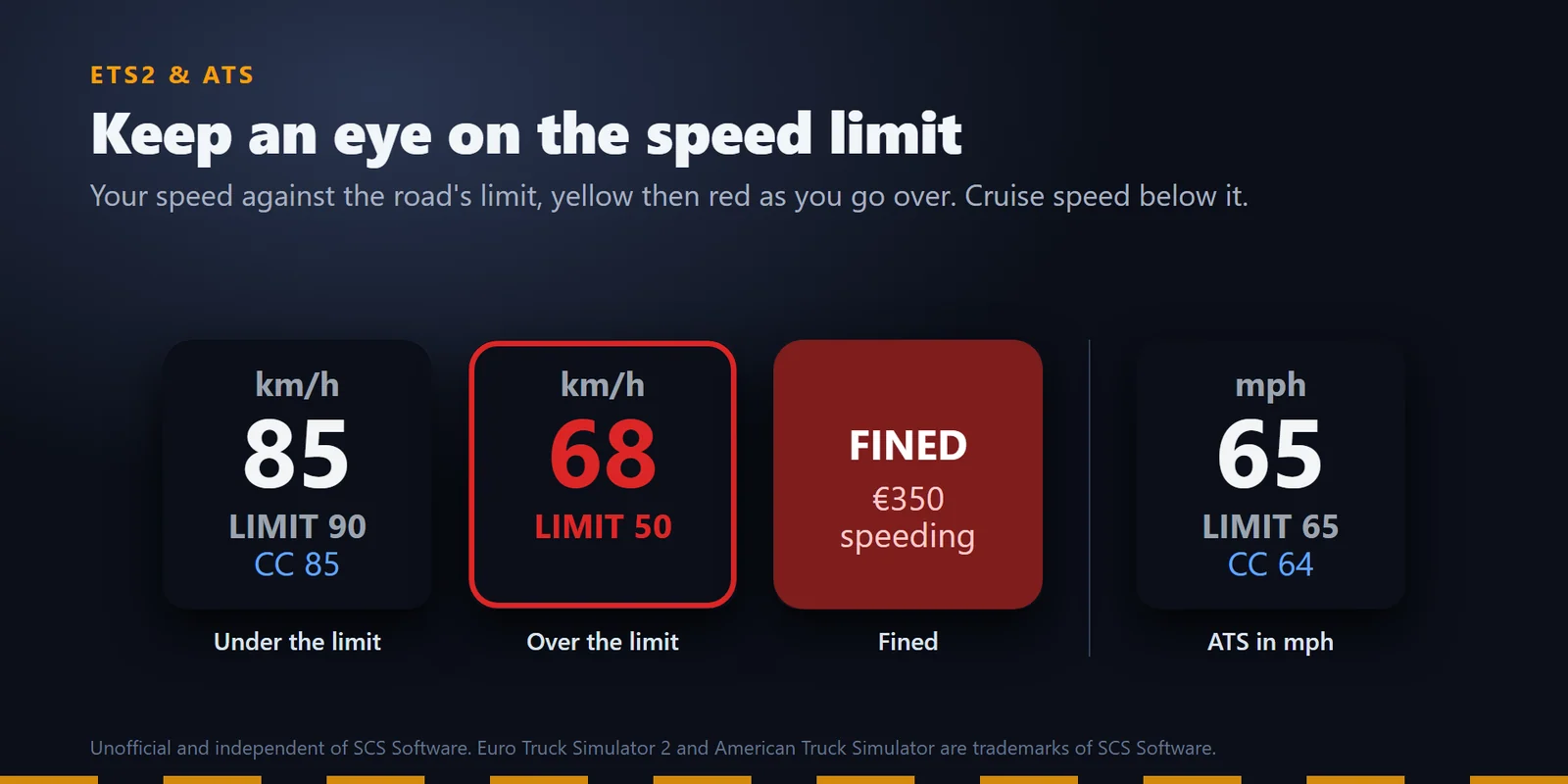
Your speed in km/h or mph against the road's limit, yellow then red as you go over, with your cruise speed below it.
Show ETS2 and ATS speed against the limit, fuel, gauges and delivery ETA on Stream Deck keys, and switch your truck.
One-time purchase on the Elgato Marketplace, shown there in your own currency.
Overview
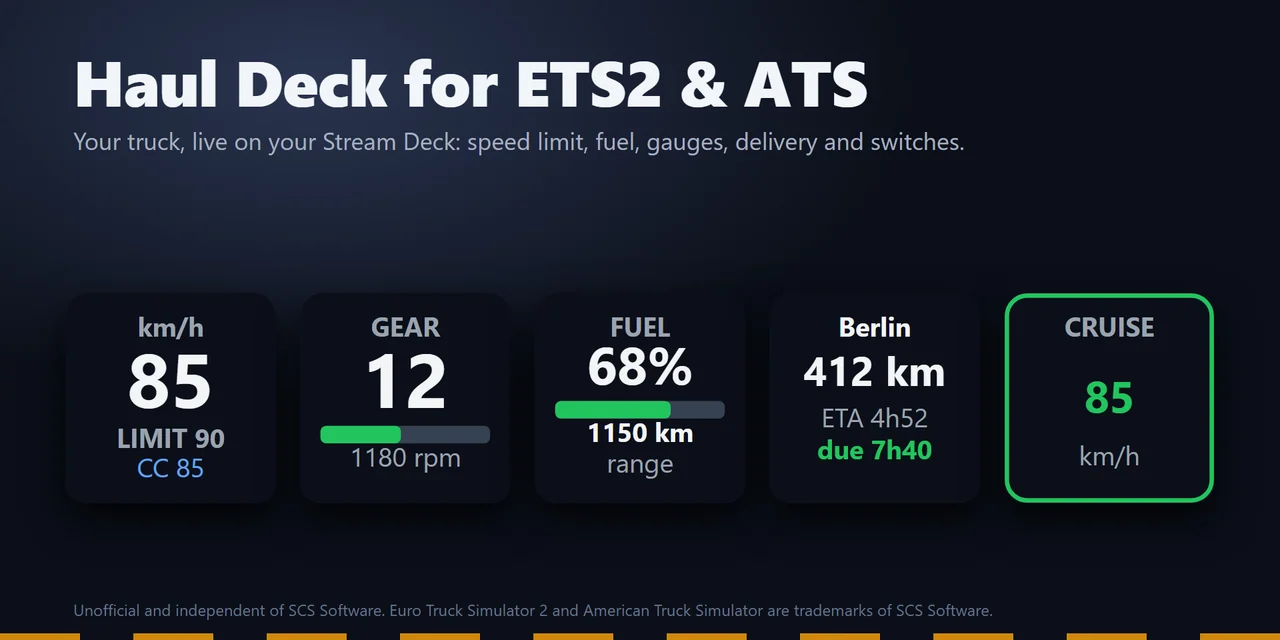
To see your speed against the speed limit, your fuel and your delivery's ETA from Euro Truck Simulator 2 or American Truck Simulator on a Stream Deck, add Haul Deck for ETS2 & ATS, drag its keys onto your Stream Deck and press Install in a key's settings.
Start the game and the keys show your truck live, while the cruise control, lights, wipers, engine, trailer and other switch keys press the game's own controls and light up with the truck's real state.
Features
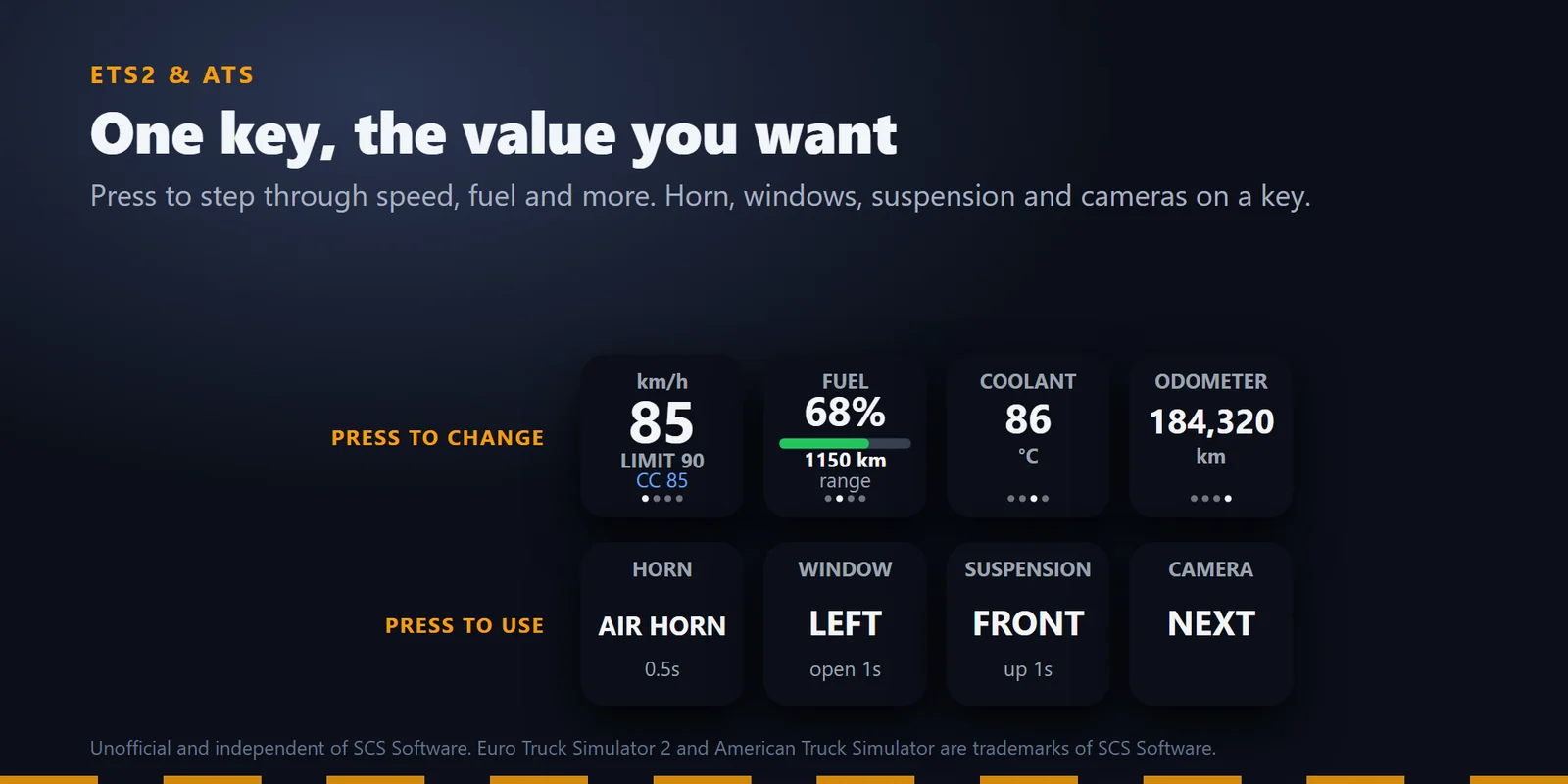
Your speed in km/h or mph against the road's limit, yellow then red as you go over, with your cruise speed below it.
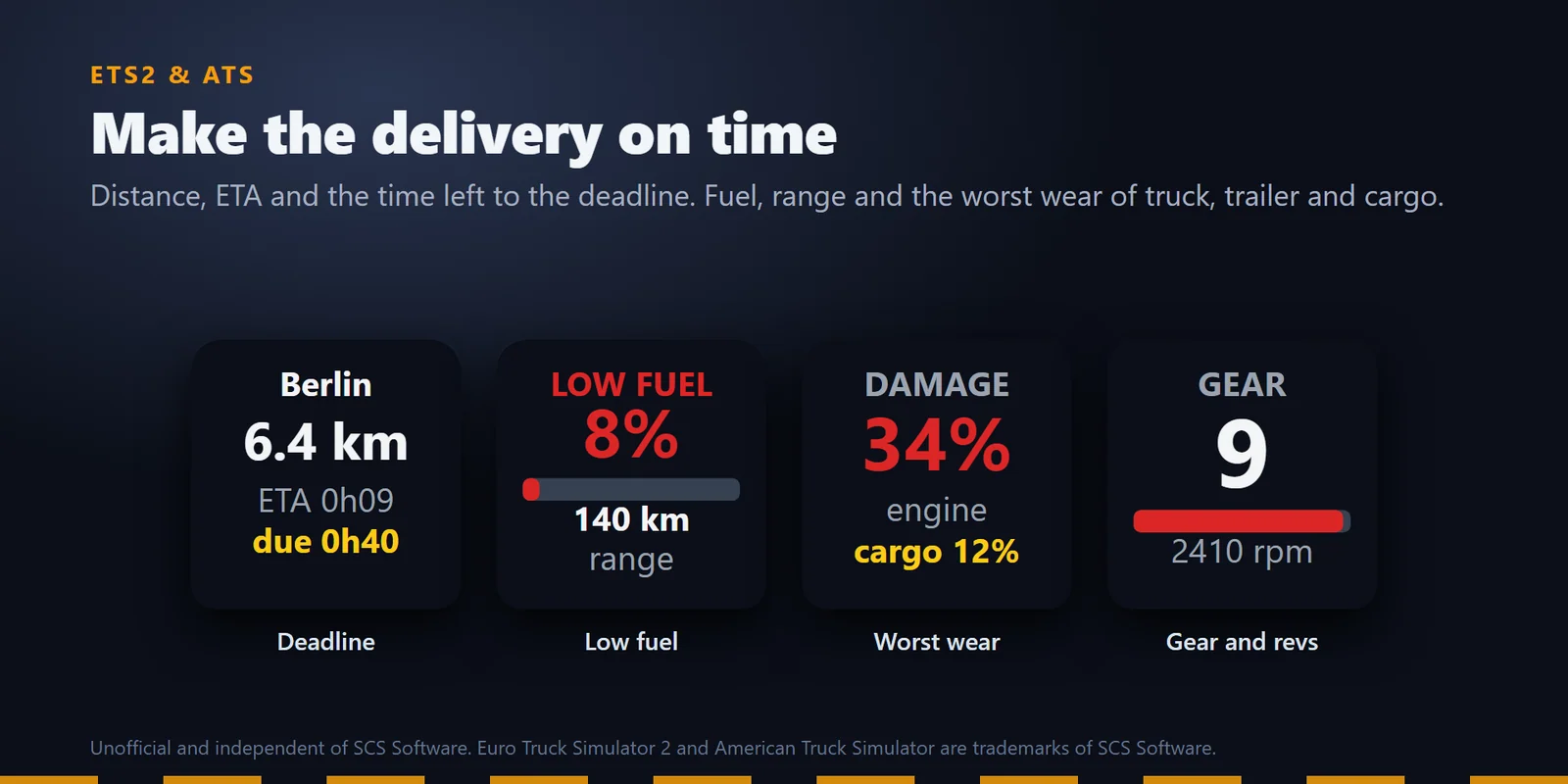
Destination, distance, ETA and the time left to the deadline, with LATE in red once you are past it.
Value Cycle steps through the ones you pick on each press, or by itself every 2, 3, 5 or 10 seconds.
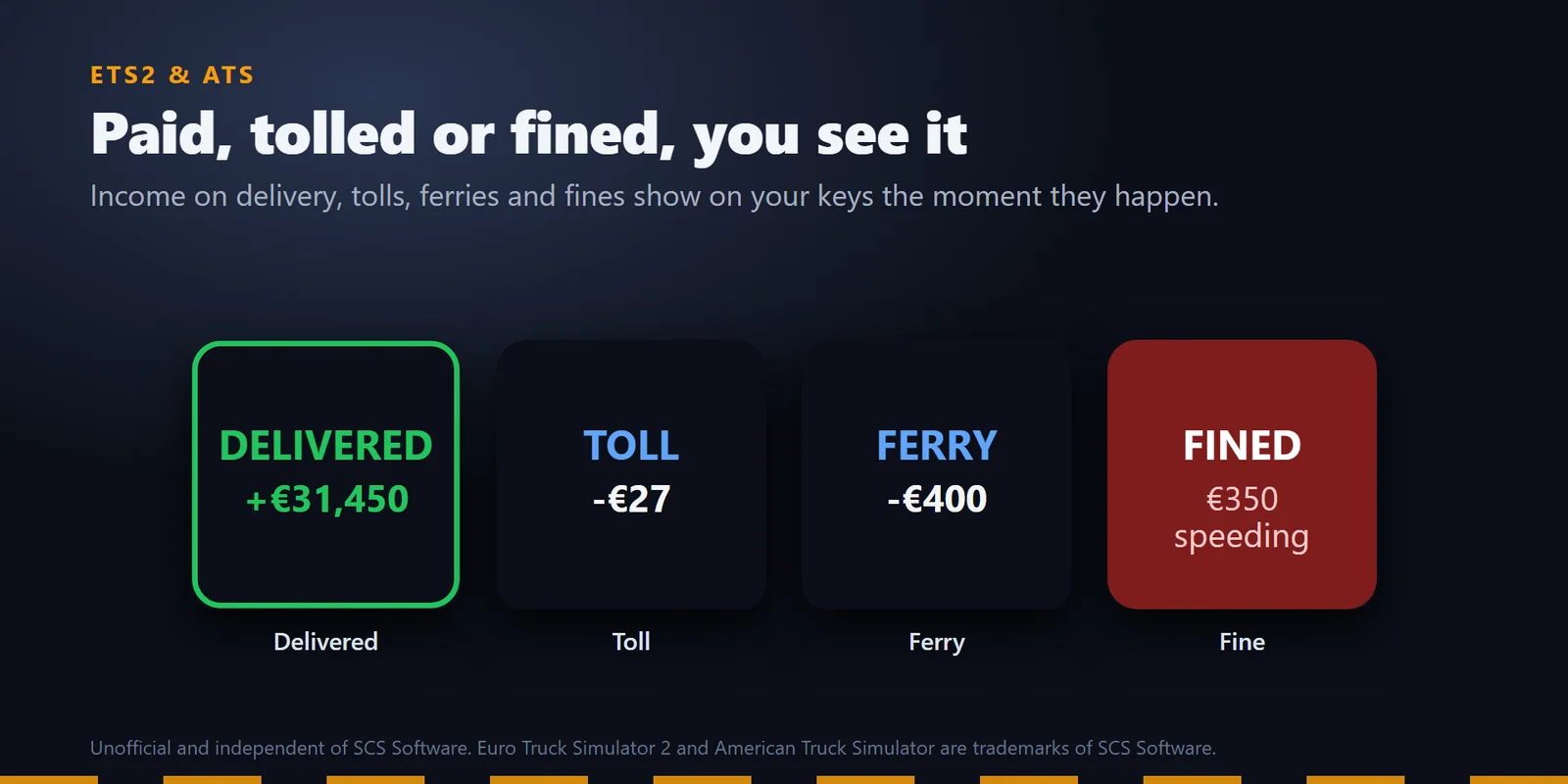
Income on delivery, tolls, ferries and fines with the offense show on your keys the moment they happen.
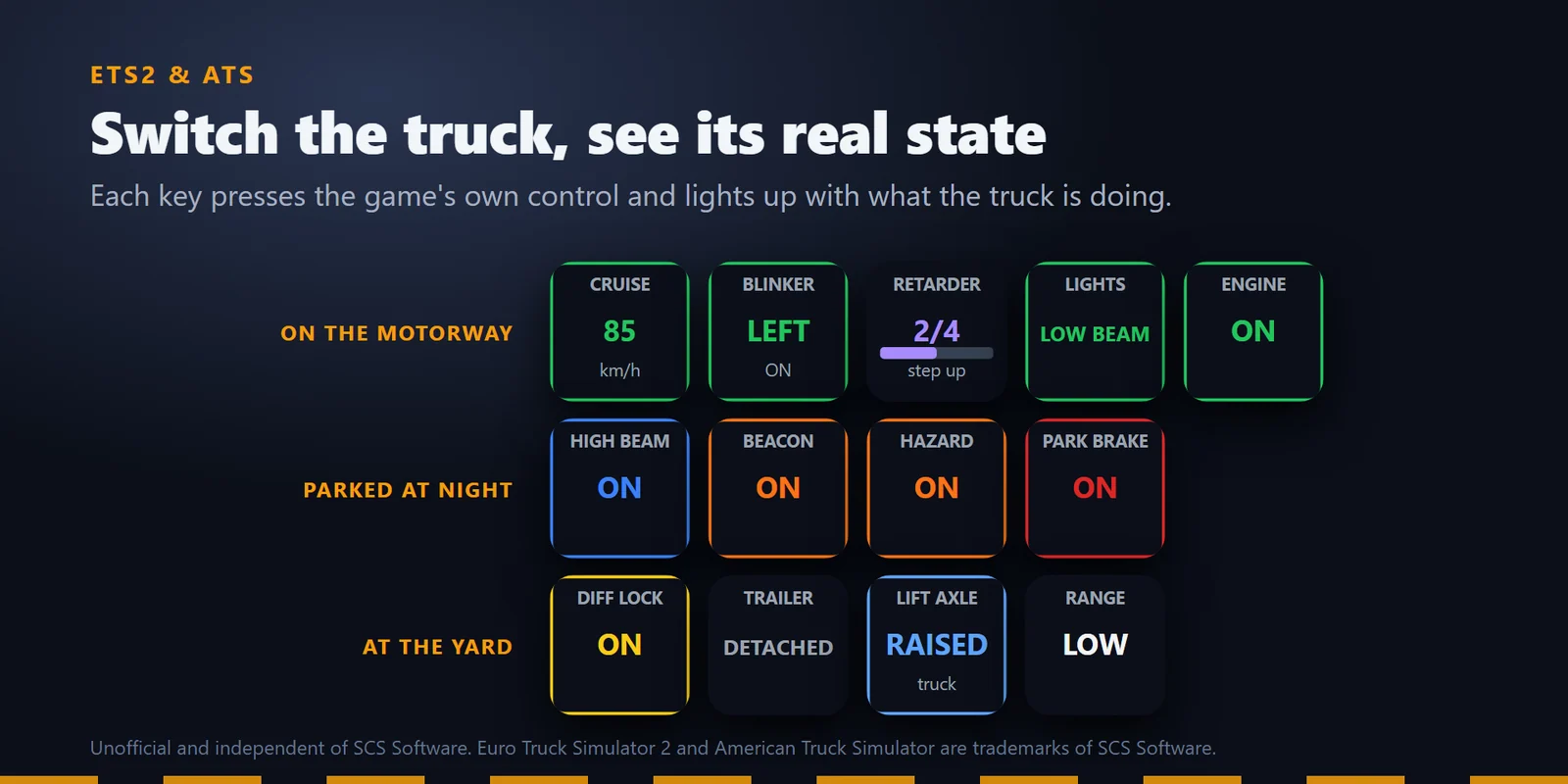
Switch the truck and see its real state: cruise control, parking brake, lights, high beam, beacon, blinkers, hazard lights, retarder, wipers, engine, differential lock, lift axle and trailer coupling keys light up with what the truck is doing.
Gear and RPM, fuel and range with LOW FUEL, the worst damage of truck, trailer or cargo, and the time until you have to rest, with REST NOW in red when it is due.
Air pressure, oil pressure, water temperature, AdBlue and battery voltage, each turning red when the game's own warning light comes on, plus the odometer.
Range and splitter keys show HIGH or LOW as the game reports it and press the game's own range and splitter buttons.
Sound the horn or the air horn, open the windows, raise or lower the air suspension and switch cameras from a key.
Set the cruise speed, the blinkers and the retarder level.
Classic, Neon, Ring, Bars or Solid, and give any key a color of your own. The values and their alert colors mean the same in every look.
Showcase fills every key with sample values marked SAMPLE and sends nothing to the game.
ETS2 shows km/h, km and liters, ATS shows mph, miles and US gallons. In English or Japanese.
The plugin talks to the game and the Stream Deck app alone.
Set up
Good to knowIf a key asks for an update, close the game and press Update in the key's settings.
FAQ
Short answers to what people ask before they add it.
Email contact
Install Haul Deck for ETS2 & ATS from the Elgato Marketplace, drag the Speed, Fuel & Range and Job keys onto your Stream Deck, and press Install in a key's settings: one click links it to ETS2 or ATS in your Steam libraries. Start ETS2 and the keys show your live speed against the speed limit, fuel and range, and the distance, ETA and time left of your delivery.
Yes. The Cruise Control, Lights, Blinker, Hazard Lights, Parking Brake, Retarder, Wipers, Engine, Differential Lock, Lift Axle and Trailer keys press the game's own controls and light up with the truck's real state. Horn, Window, Air Suspension and Camera keys press those controls too. On a Stream Deck +, the dials set the cruise speed, the blinkers and the retarder level.
Presses go straight to the game's controls. If a press seems ignored, give that control a keyboard key in the game's Controls settings: Haul Deck reads it from your profile and sends it while the game is in front.
Yes. By default the units follow the game you play: ETS2 shows km/h, km and liters, ATS shows mph, miles and US gallons. Each key can also be set to metric or US units by hand.
Yes. The Rest Time key shows the time until your driver has to rest and the game clock time it falls due, turns yellow within the last hour and shows REST NOW in red when the rest is due.
Yes. The Gauge key shows air pressure, oil pressure, water temperature, AdBlue, battery voltage or the odometer. Air pressure, oil pressure, water temperature, AdBlue and battery voltage turn red when the game's own warning light for them comes on. To keep several of them on one key, use Value Cycle.
Requirements
Works on Windows 11 with the Stream Deck app 6.9 or later and Euro Truck Simulator 2 or American Truck Simulator on PC from Steam.
A Stream Deck plugin sold on the Elgato Marketplace.
More for your Stream Deck
Works on Windows 11 with the Stream Deck app 6.9 or later and Euro Truck Simulator 2 or American Truck Simulator on PC from Steam.
Get it on the Elgato MarketplaceOne-time purchase on the Elgato Marketplace, shown there in your own currency.