Race Deck for Forza Horizon 6
A live dashboard, shift light and 0-100 timer on your Stream Deck
A live dashboard, shift light and 0-100 timer on your Stream Deck
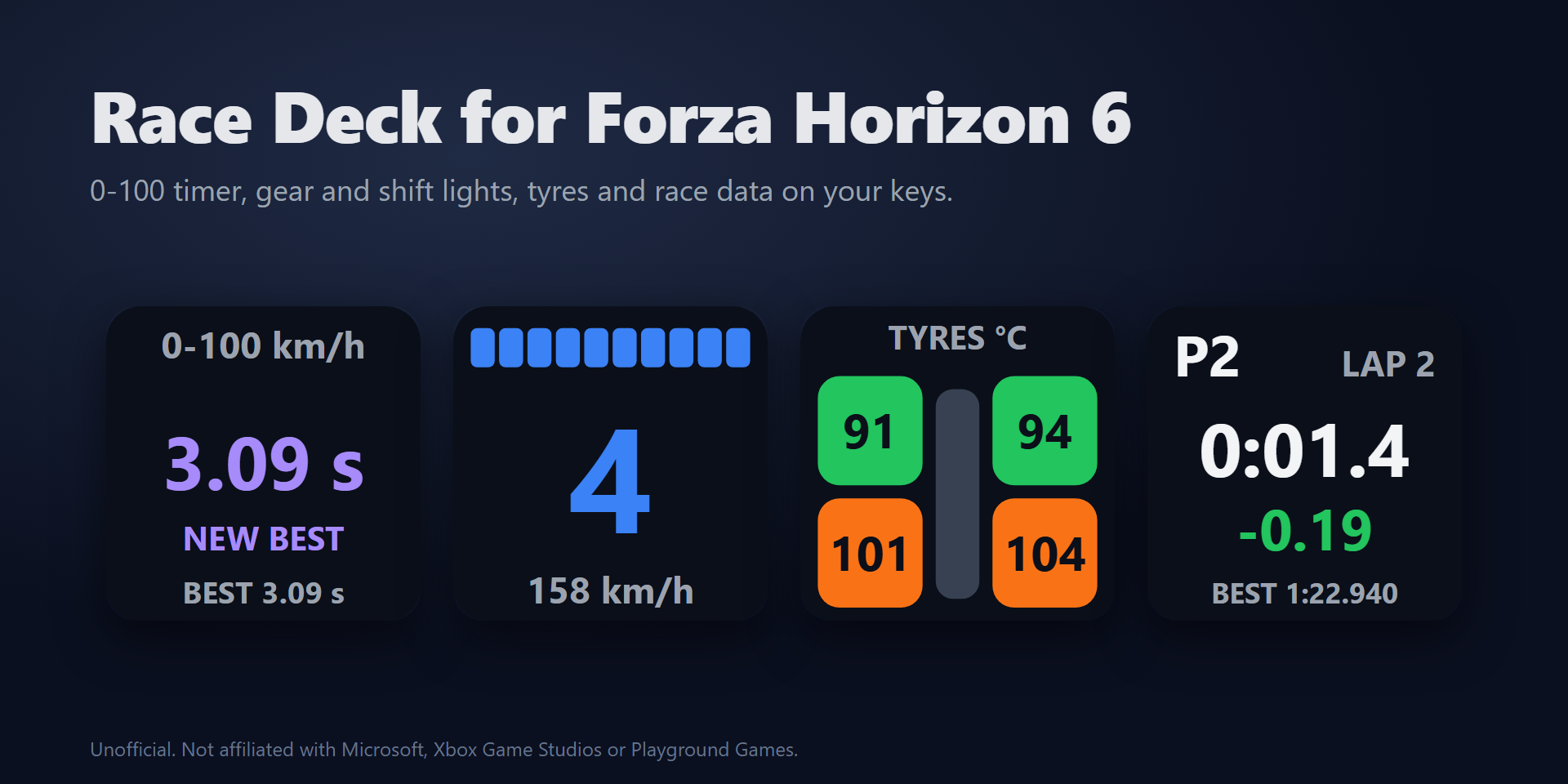
To show Forza Horizon 6 telemetry on a Stream Deck, add Race Deck for Forza Horizon 6, drag its Gear, Performance Timer, Tyres or Race keys onto your Stream Deck and turn on Data Out in the game with the IP address 127.0.0.1 and the port 20830. The keys then show your gear with a flashing shift light, time your 0-100 km/h and 0-60 mph runs with the best run of every car, and show tyre heat and grip while you drive.
Get it on the Elgato Marketplace
127.0.0.1 and Data Out IP Port to 20830 (the port shown in the key's settings). In Forza Motorsport also set Data Out Packet Format to Dash.Get Race Deck for Forza Horizon 6 on the Elgato Marketplace
Add Race Deck for Forza Horizon 6 and drag a Gear, Performance Timer, Readout, Tyres or Race key onto your Stream Deck. In the game open Settings > HUD & Gameplay > Data Out, turn Data Out on, set the IP address to 127.0.0.1 and the port to 20830 (the port shown in the key's settings), then drive. The keys follow your car while you drive.
Stop the car and the Performance Timer key shows READY. Drive off and it times the run on its own: 0-100 km/h, 0-60 mph, 400 m or the quarter mile with trap speed, 100-0 km/h or 60-0 mph braking distance, or top speed. A pause, a rewind, a menu or a car change during a run shows INVALID and nothing is saved. The last and best run are kept for every car, and a new best shows NEW BEST in purple.
Yes. The Gear key shows a big gear number with shift lights that flash at the shift point. The shift point learns from your engine, or you set it yourself as a share of the highest rpm. On a Stream Deck + the gear and a shift light bar appear on the touch strip, and turning the dial changes the number shown.
Yes, with Forza Motorsport (2023) on PC. In its Data Out settings also set Data Out Packet Format to Dash, so the gear, lap and tyre keys get their data. To send game keys to Forza Motorsport, add its program name in Game program in the key's settings.
Add a Game Control key, choose rewind, change view, horn, map, photo mode or a control you name yourself, and enter the key you assigned to that control in the game, for example F13. By default the key is sent only while the game is the active window.
The game sends Data Out only while you drive, so NO DATA is normal when paused, in menus and in replays. If it shows while you drive, open the key's settings: the Status line says what arrives and which IP address and port to enter in the game. More on the Support page.
No. Everything runs on your PC: no account, no analytics, nothing is sent online. The telemetry is read in memory, and only your timer runs are stored, in the Stream Deck app on this PC.