01
Run the whole farm from one deck
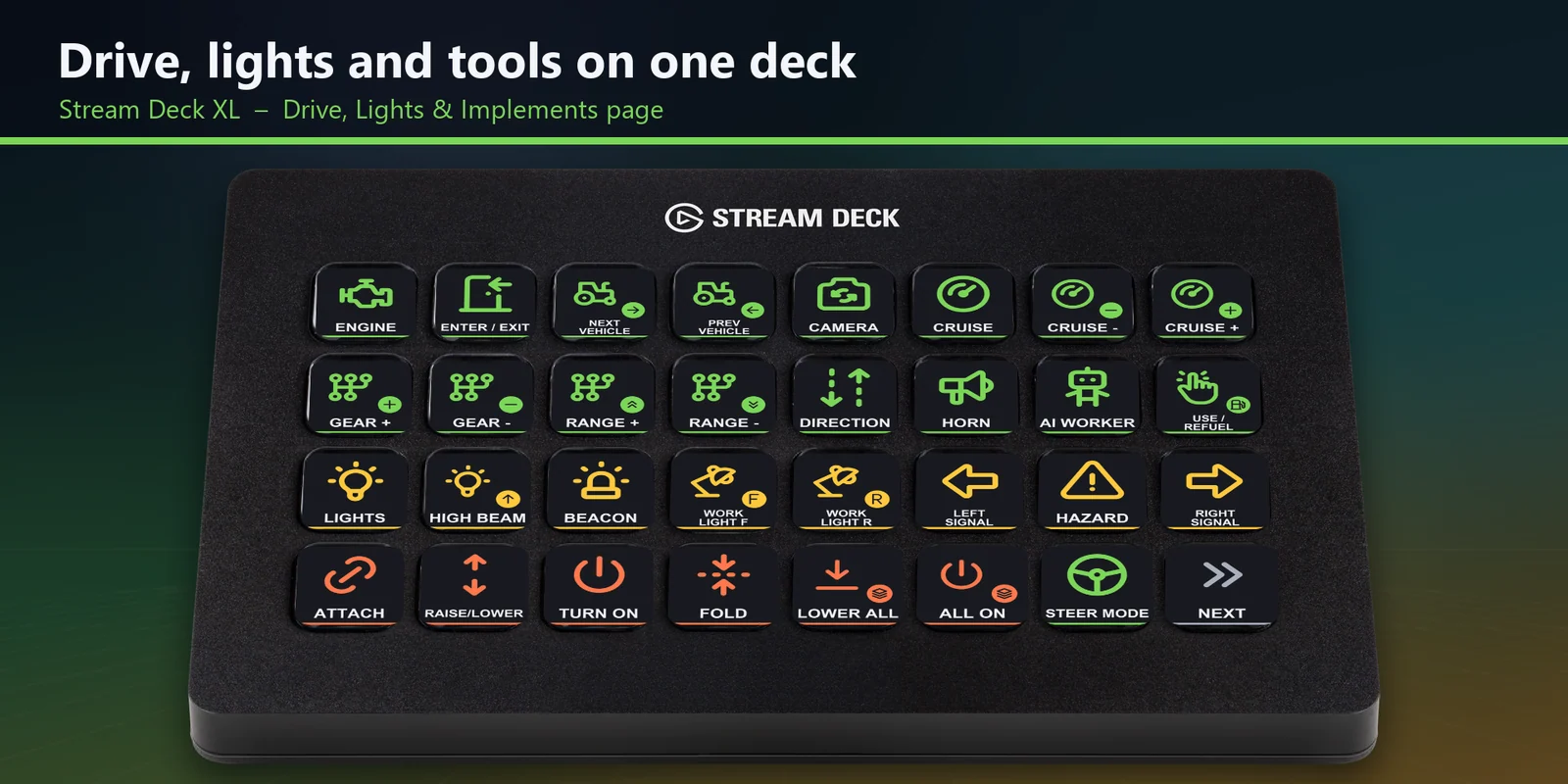
On a Stream Deck XL, driving, lights and implements share the first page, and tools, harvesting and the game menus the second.
Send FS25 engine, cruise, light, implement, unload and time controls from Stream Deck MK.2, XL, Neo or + keys.
One-time purchase on the Elgato Marketplace, shown there in your own currency.
Overview
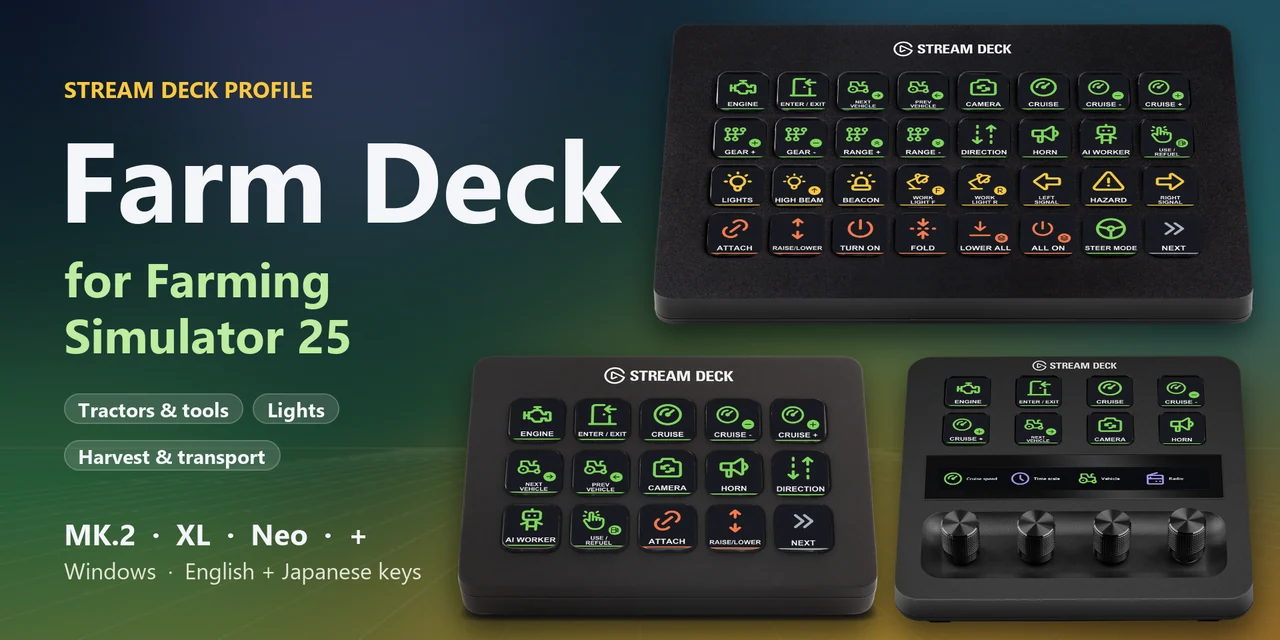
To drive, light and work your farm in Farming Simulator 25 from a Stream Deck MK.2, XL, Neo or + on Windows, open the Farm Deck for Farming Sim 25 profile for your device and keep the game window in front.
Each key of Farm Deck for Farming Sim 25 sends the game's default keyboard control for its label, from engine, cruise control and lights to attach, lower, fold, turn on, unload, minimap size and time scale.
Features
On a Stream Deck XL, driving, lights and implements share the first page, and tools, harvesting and the game menus the second.
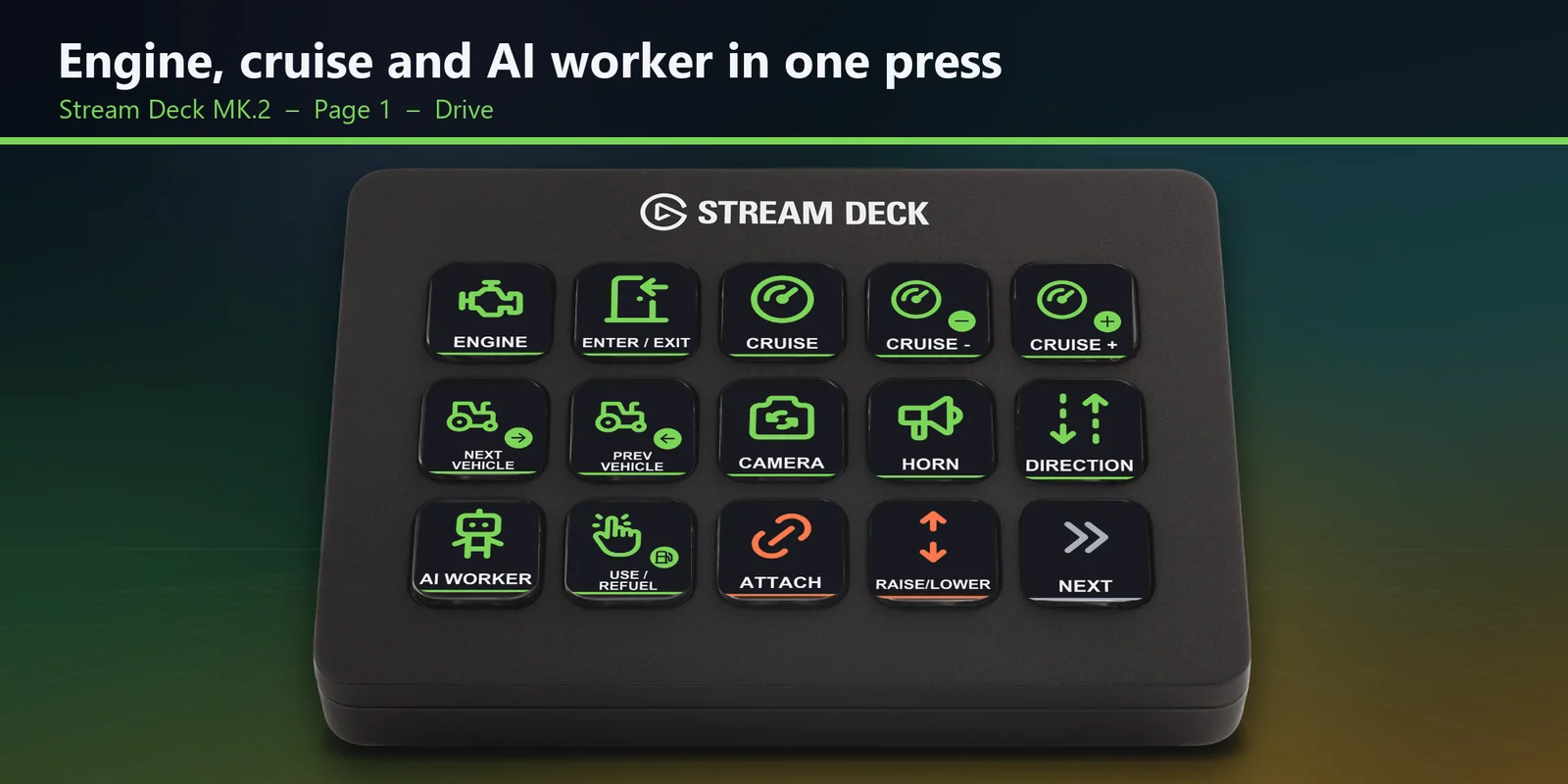
Engine, enter and exit, cruise control and cruise speed, next and previous vehicle, camera, horn, direction, AI worker and refuel are on the first MK.2 page.
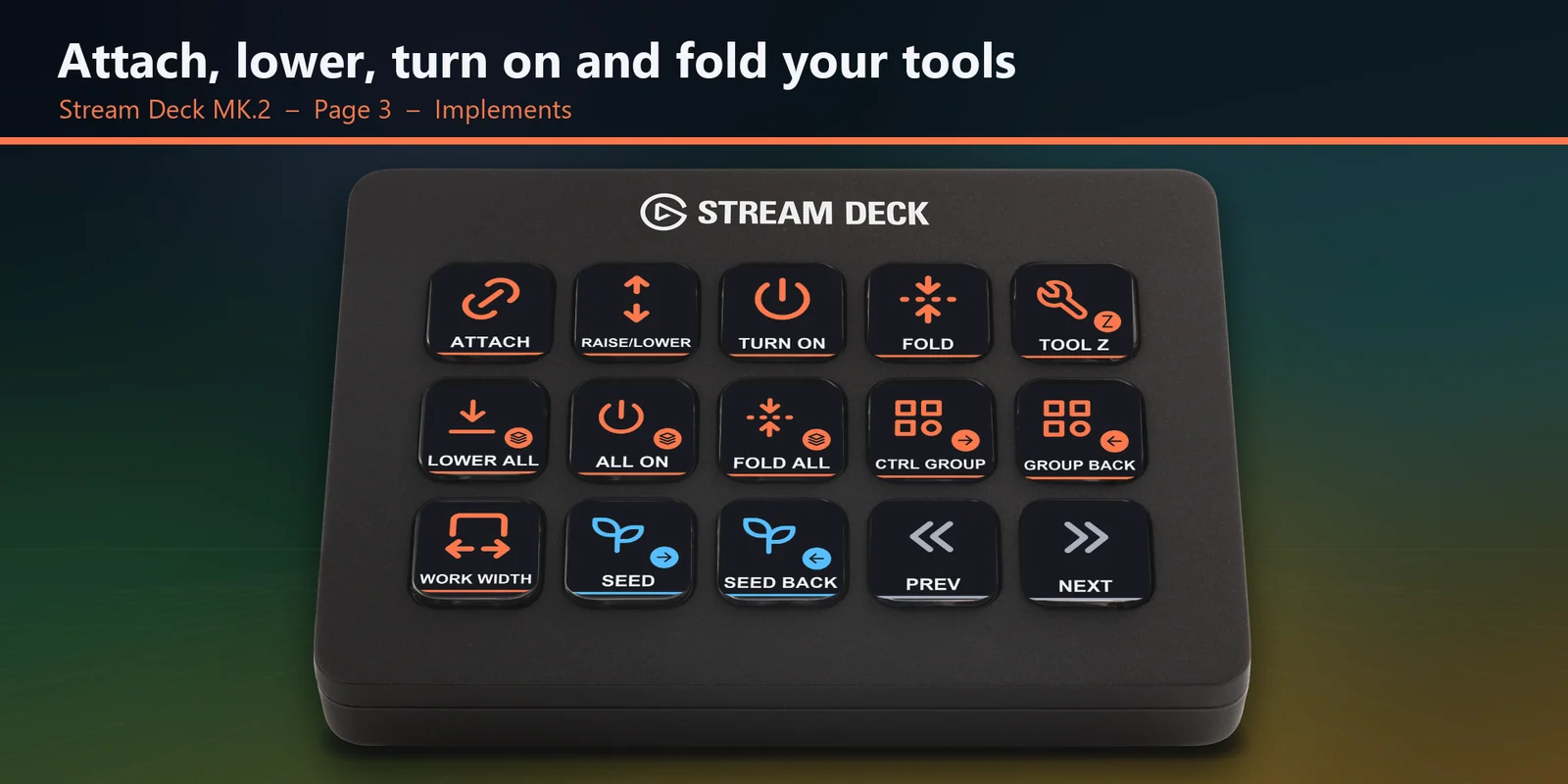
Attach and detach, raise and lower, turn on, fold and unfold, lower all, turn on all, fold all, control groups and work width.
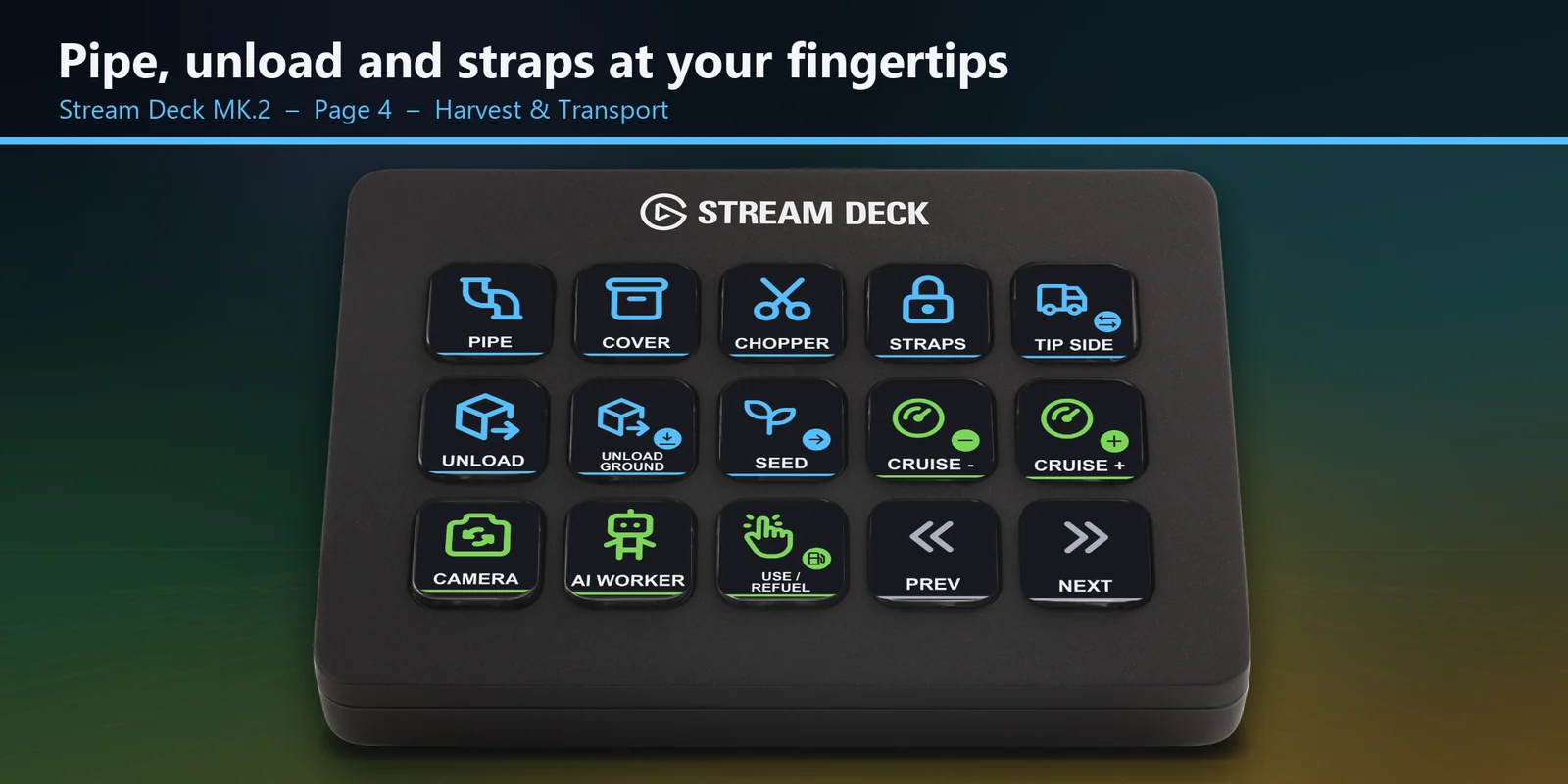
Pipe, cover, chopper, unload, unload to ground, tipping side, tension belts and seed selection.
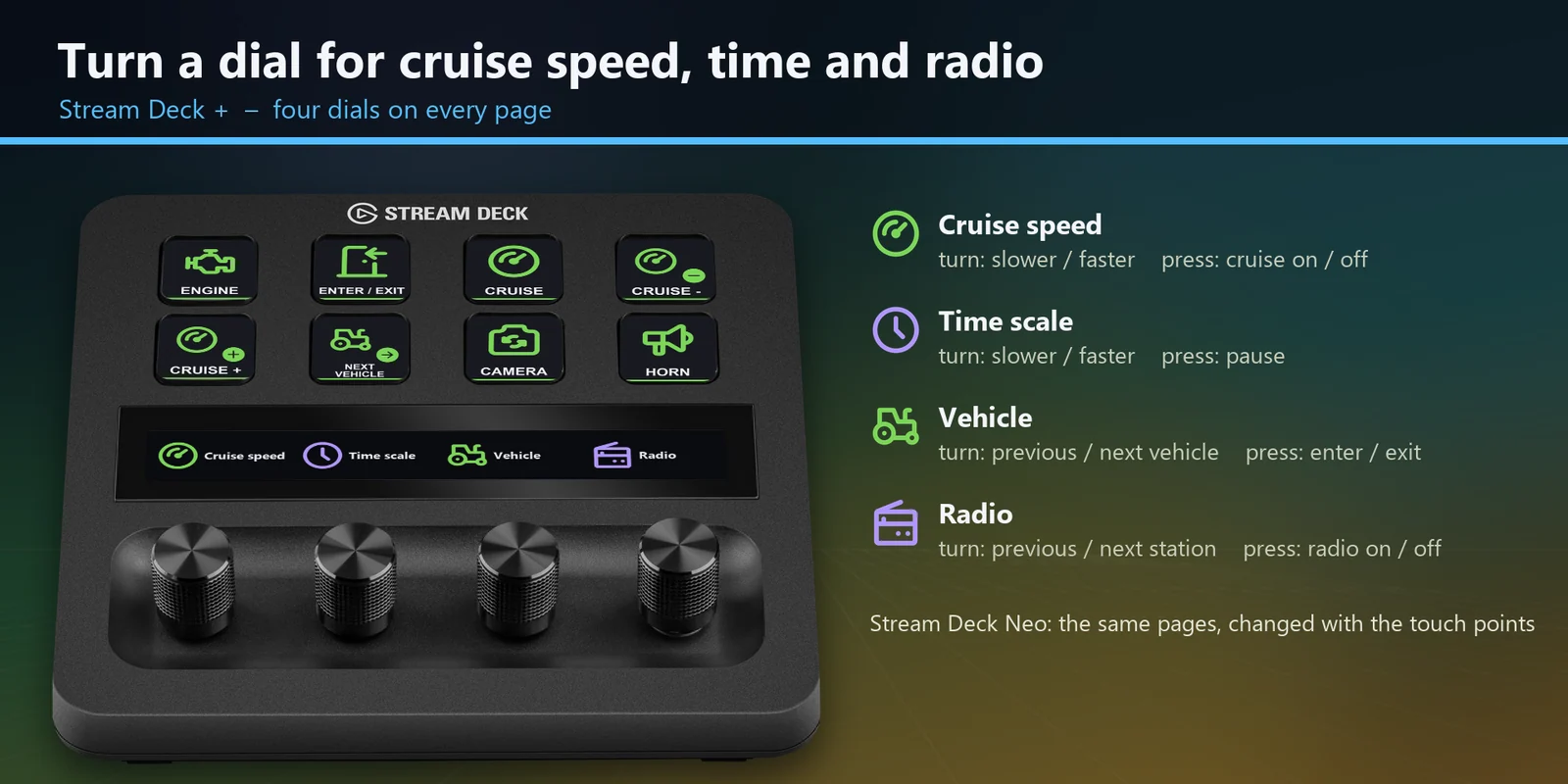
Cruise speed, time scale, vehicle and radio, each with a press action, and change pages on the Neo with its touch points.
Every profile comes as an English set and a Japanese set with the same keys.
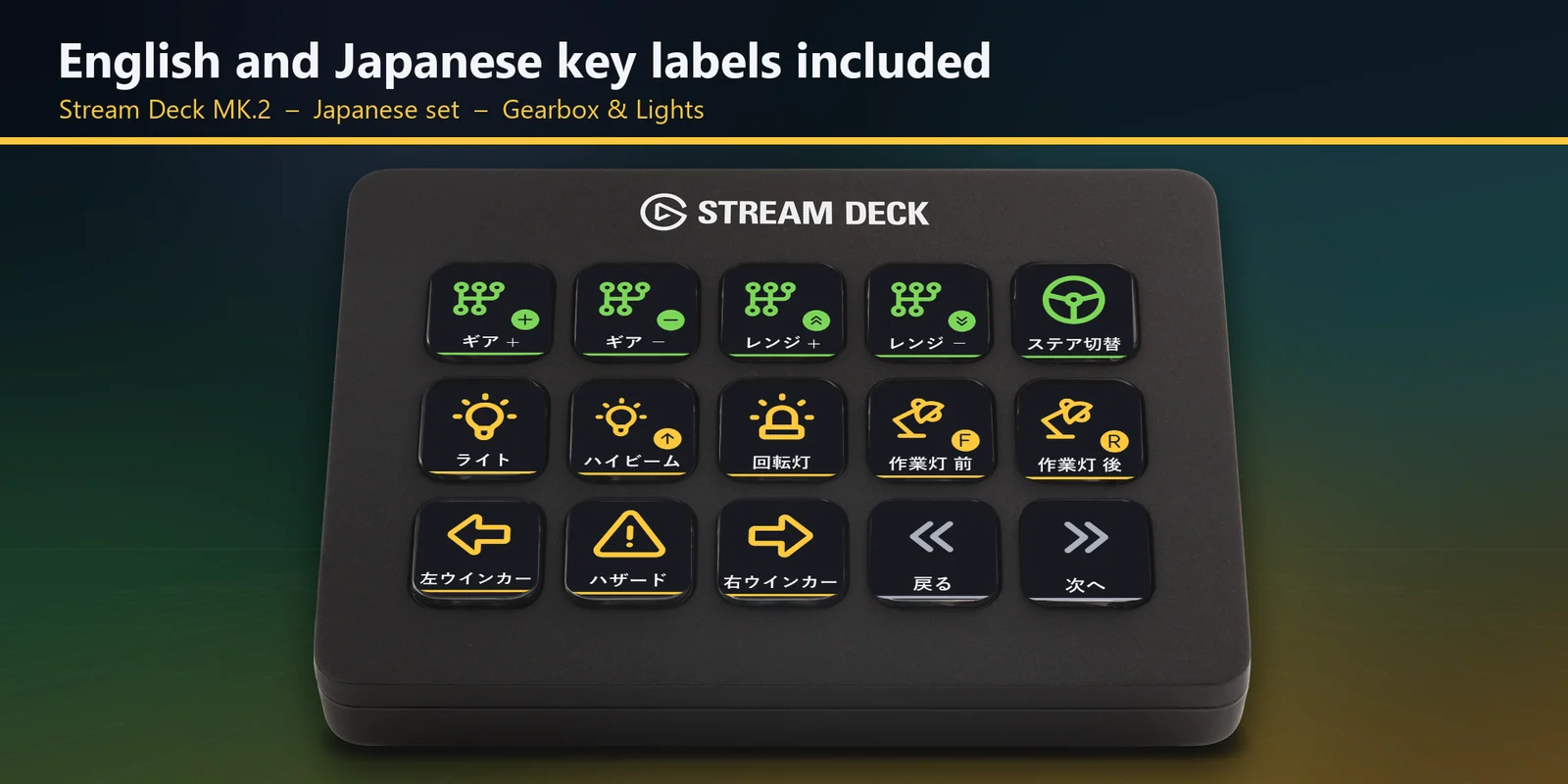
Lights, high beam, beacon, turn signals, hazards, work lights, gear and range keys on their own page.
Minimap size, shop, build mode, menu, pause, time scale, radio stations, chat, help and screenshot.
Set up
Good to knowEach key sends the default Farming Simulator 25 keyboard control for its label to the window in front.
FAQ
Short answers to what people ask before they add it.
Email contact
Open the Farm Deck for Farming Sim 25 profile for your Stream Deck MK.2, XL, Neo or +, start Farming Simulator 25 and keep the game window in front. Each key sends the game's default keyboard control for its label, such as engine, cruise control, lights, attach, lower, fold, turn on and unload.
The Stream Deck MK.2, XL, Neo and + on Windows. The MK.2 has five pages, the XL two, and the Neo and + eight keys a page; on the + the four dials set cruise speed, time scale, vehicle and radio.
No. A Stream Deck key sends one short press, so steering, throttle, brakes, front loader arms and other controls you hold down stay on your wheel, controller or keyboard. The keys cover the controls you tap.
Open that key in the Stream Deck app and set its Hotkey to the key you use in the game. The profile is made for the game's default keyboard controls.
It is made for US and Japanese keyboard layouts. On German or French layouts a few letters such as Y and Z are in other places, so edit those keys in the Stream Deck app if one does the wrong thing.
Requirements
For the Stream Deck MK.2, XL, Neo and + on Windows, with Farming Simulator 25 for Windows and its default keyboard controls.
A Stream Deck profile sold on the Elgato Marketplace.
More for your Stream Deck
For the Stream Deck MK.2, XL, Neo and + on Windows, with Farming Simulator 25 for Windows and its default keyboard controls.
Get it on the Elgato MarketplaceOne-time purchase on the Elgato Marketplace, shown there in your own currency.