Wear OS · Nixie Tube Watch FaceCathode
 US$1.99 · One-time purchase · Wear OS 4+
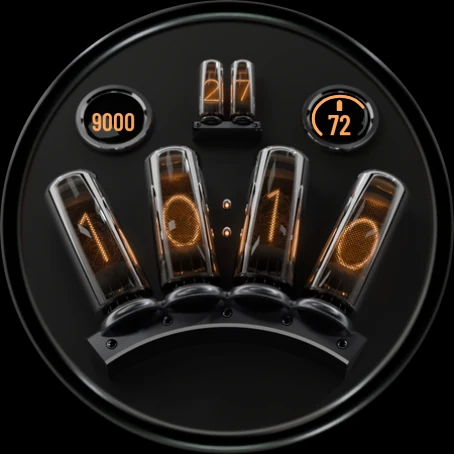
Four glass tubes on a black metal stand light up the hours and minutes. The lit digit glows in front and the unlit digits stay faintly visible behind it, the way nixie tubes look. Two small tubes on top show the day of the month, and the round windows on the left and right start with steps and battery. The time follows your 12 or 24-hour setting.
Tube color
Screen
Pick the tube color on the watch, in Customize. It sets the glow of every digit and the text in the windows. A value with a range, such as battery, draws a thin arc around its number.
GRAMSHIFT ART / Cathode
Cathode: Nixie Tube Watch Face
Give your Wear OS watch the warm glow of retro nixie tubes, with the time in large glowing digits you can read at a glance. Cathode is a digital nixie tube watch face: four glass tubes on a black metal stand light up the hours and minutes, two small tubes above them show the day of the month, a magic eye on the left shows your battery, and five small tubes below count your steps.
Pay once and it's yours: every tube color is included, and it installs straight onto your watch.
WHAT YOU GET
- Nixie tubes for the hours and minutes: the lit digit glows in front, and the unlit digits stay faintly visible behind it. It follows your watch's 12/24-hour setting, and an AM/PM tube lights up in 12-hour mode
- Two small tubes on top with the day of the month
- Tube colors: Neon, Amber, Ice, Rose. The color sets the glow of every digit and the text in the complication windows
- A magic eye tube for the battery: its green glow shows how much charge is left
- Five small nixie tubes for your steps, with a jewel lamp that lights when you reach your daily step goal
- Complication slots you can change, Left and Right, in the two round windows. They start empty, and a data source you pick takes the place of the magic eye or the AM/PM tube
- A value with a range, such as battery, draws a thin arc around the number in its window
- Always-on mode: the time and the date stay lit in dimmed tubes on a black screen, so you can check the time without waking the watch
HOW TO INSTALL
Buy it in Play Store on your phone and choose your watch in the install menu, or open Play Store on your watch. It can take a few minutes to arrive on the watch. Then touch and hold your current watch face, swipe to the end and tap + to add Cathode. On a Galaxy Watch you can also choose it in the Galaxy Wearable app on your phone, under Watch faces.
HOW TO CUSTOMIZE
- Touch and hold the watch face.
- Tap Customize (the gear or pencil icon).
- Swipe to Tube color or Complications and pick what you want.
COMPATIBILITY
Made with the Watch Face Format for watches on Wear OS 4 or later (for example Pixel Watch and Galaxy Watch4 or newer). The design is round: on a square screen it shows as a circle with black corners.
LIMITATIONS
- What each complication shows (steps, battery, heart rate, weather and so on) comes from your watch and the apps installed on it. If a data source is missing on your watch, choose another one in Customize.
- The complications are hidden in always-on mode.
- The date tubes show the day of the month only, not the weekday or the month.
- Text from complications, such as Steps, follows your watch's language.
- Wear OS 3 and older watches cannot install it.
If something does not work as expected, write to contact
US$1.99 · One-time purchase · Wear OS 4+The collection
Faces worth a second look, every time you check the time
Hearth and Lap Ring run here the way they do on the watch, at your current time. Arcline, Overdrive, Cathode, Reefline, Selenis, Segline, Flipwell, Tacline, Paddock, Trailmark and Fairweather are shown as they look on the watch.
Hearth
The look of a fine mechanical watch: a sunburst dial, polished hands and an open window onto a turning tourbillon.
Explore Digital · SportLap Ring
Big time you can read on a run, with a ring that fills as the seconds pass. Choose the color that suits you.
Explore Hybrid · Sport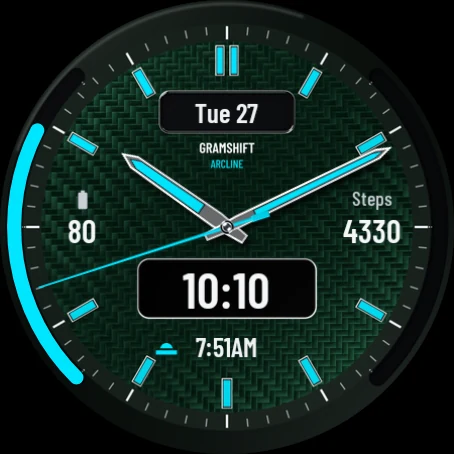
Arcline
Steel hands on a carbon-look dial, the digital time below the center, and two edge arcs that fill like gauges with your battery or goals.
Explore Digital · Car dashboard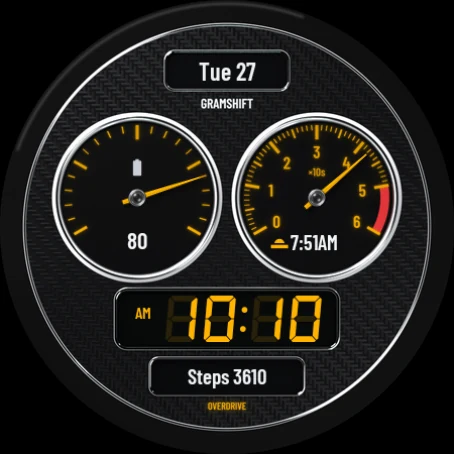
Overdrive
Two chrome-ringed gauges like a sports car’s instrument cluster: the seconds sweep into the red line and the time glows on a backlit LCD.
Explore Analog · Diver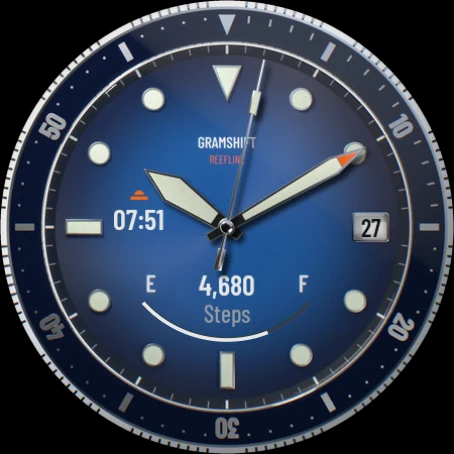
Reefline
The bold look of a classic dive watch: a minute-scale bezel, cream lume-style markers, a date window and a battery gauge that fills from E to F.
Explore Analog · Moon phase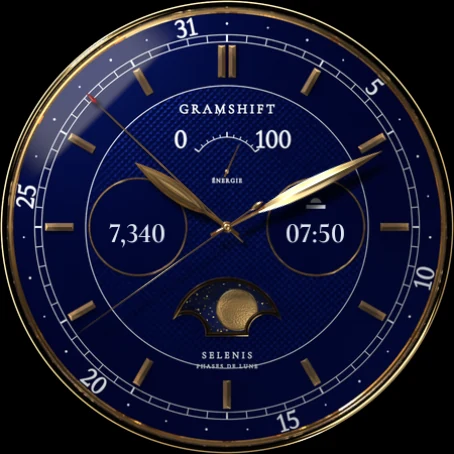
Selenis
A classic moon phase dress watch: a gold moon crosses a starry window, a pointer hand shows the date on the outer ring and a small gauge under 12 shows the battery.
Explore Digital · Retro LCD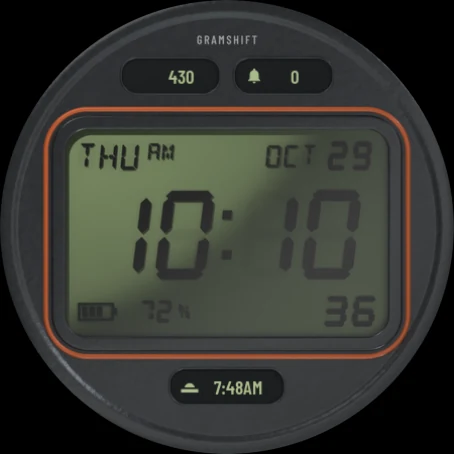
Segline
The look of a classic digital LCD watch: big segment digits with seconds, the weekday, the date and the battery, with the unlit segments faintly visible behind them.
Explore Digital · Flip clock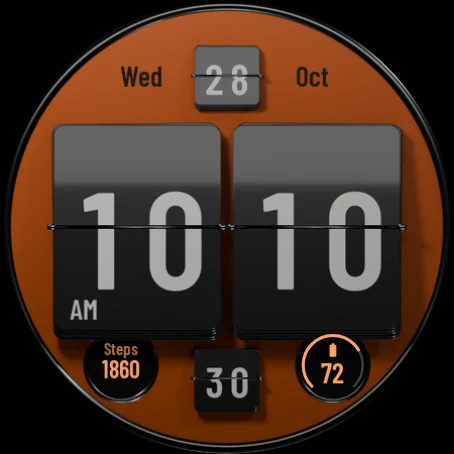
Flipwell
Big flip cards for the hours and minutes: the top half folds down every time a digit changes, just like a desk flip clock.
Explore Digital · Tactical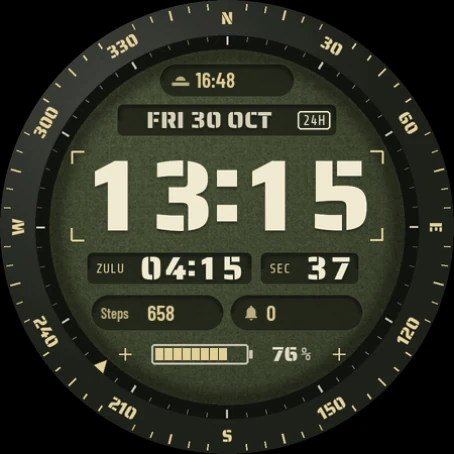
Tacline
Bold stencil digits on a ripstop dial inside a compass-style bezel, with 24-hour time and ZULU (UTC) time on one screen.
Explore Analog · Chronograph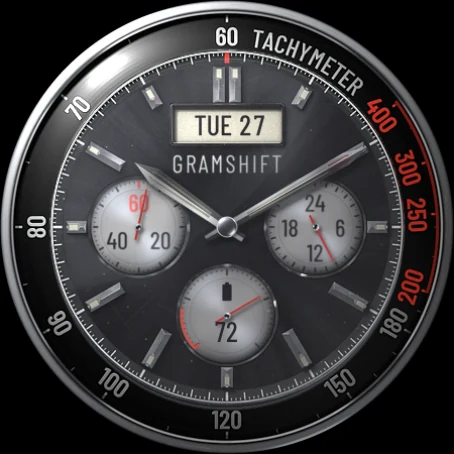
Paddock
A steel-look racing chronograph style face: a sunray dial, a dark tachymeter-style bezel and three small dials for running seconds, 24-hour time and battery.
Explore Analog · Field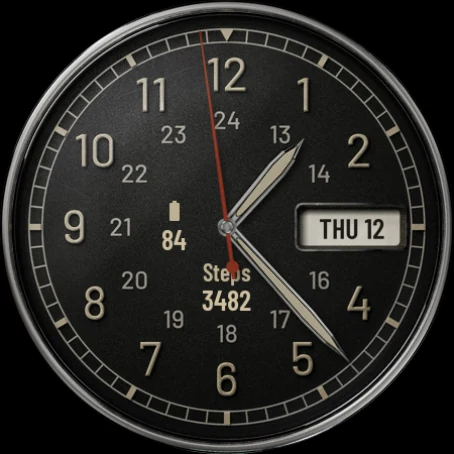
Trailmark
An easy-to-read field watch face: painted-look numerals on a matte dial, a smooth seconds hand, a day and date window and an inner 13-24 ring.
Explore Analog · Weather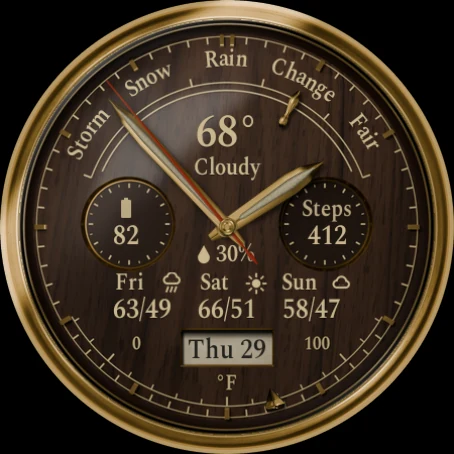
Fairweather
A brass and wood look weather dial: the temperature and conditions now, the next three days, and a needle that points along Storm, Snow, Rain, Change and Fair.
Explore