Stream Deck plugin for Windows
Stream Deck timer with an alarm, and a stopwatch
Countdown Alarm & Stopwatch puts a countdown timer with an alarm, and a stopwatch, on your Stream Deck keys: for cooking, tea, meetings, study and workouts.
Choose a ready-made time from 1 minute to 2 hours, or your own up to 23:59:59.
At zero it rings, shows a Windows notification and counts the overtime, like +15:00, until you press it. It keeps the right time through PC sleep, page changes and Stream Deck restarts. No other software to install.
- Every second on the key
- Rings until pressed
- Windows notification
- Right time after sleep
- Stream Deck + dial
- Stopwatch
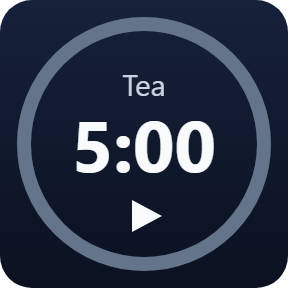
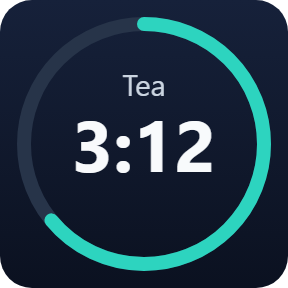
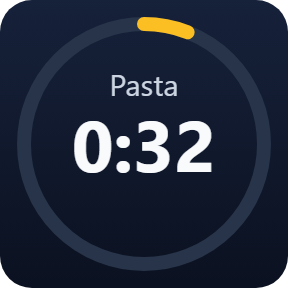
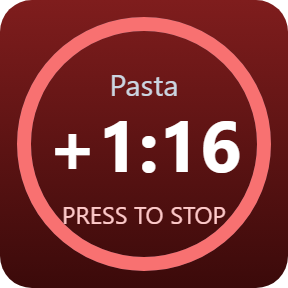
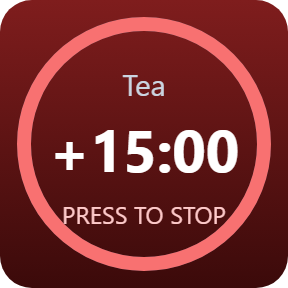
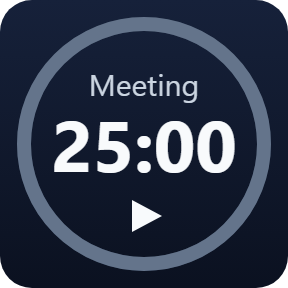
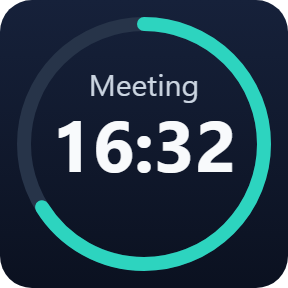
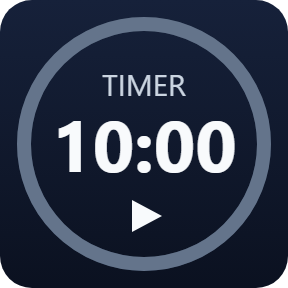
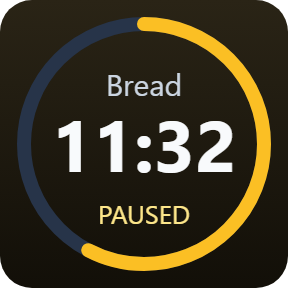
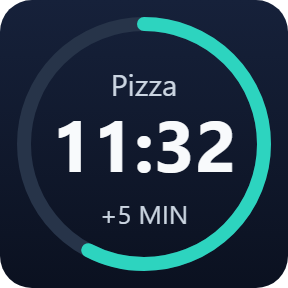
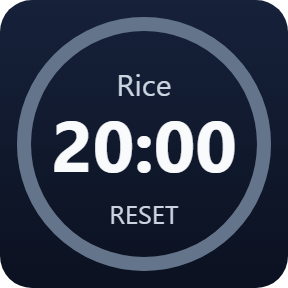
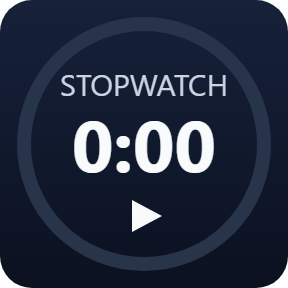
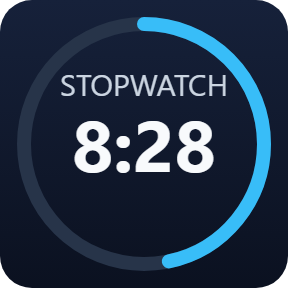
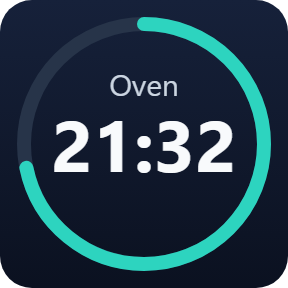
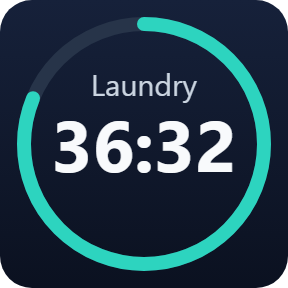
What one key does
Every second on the key
The time left shows on the key every second under a label such as Tea, Pasta or Meeting, with a ring that runs down and turns amber in the last minute.
Rings until you press it
At zero it rings until you press the key (30 minutes at most) or a set number of times from 1 to 99, shows a Windows notification and counts the overtime, like +1:16.
Right time after sleep
If time ran out while the PC slept, it gives the alarm you set one time when you are back, and the key shows how long ago it ended.
Press, pause, add time
Press to start, press again to pause, hold to reset. Or set a press while it runs to add 1 to 60 minutes.
Stream Deck + dial
On Stream Deck +, turn the dial to change the time 1 minute at a time, press it to start or pause, and hold it to reset.
Stopwatch
Press to start or stop, hold to go back to 0. It keeps counting through sleep and restarts.
A label on each timer
Give each key a label in its settings, such as Tea, Meeting or Laundry, so you can tell your timers apart at a glance. With no label, the key says TIMER.
You notice when time is up
In the last minute the ring turns amber. At zero the key turns red, rings, shows a Windows notification and counts the overtime until you press it. A ring from a key on another page stops with a press on any timer key.
It keeps the right time
A timer keeps going while its key is on another page, while the PC sleeps, and across Stream Deck app and Windows restarts. When the key shows again, it shows the right time.
If time ran out in the meantime, it gives the alarm and notification you set one time, the notification says how long ago it ended, and it does not ring again later.
Your timers and their settings stay on your PC. The only thing that goes online is the license key check.
Set up in 3 steps
- Open the plugin file you download after buying. The Stream Deck app installs it.
- In the Stream Deck app, drag Countdown Alarm or Stopwatch onto your Stream Deck and enter your license key once in its settings.
- Choose a time, a label and how it rings. Press the key to start, press again to pause, and hold it to reset.
Two places to buy
| Elgato Marketplace | Direct from GRAMSHIFT | |
|---|---|---|
| Amount | Same amount | Same amount, tax added at checkout |
| Checkout | Elgato Marketplace | Stripe (card) |
| New versions | Installed through the Stream Deck app | Download from your license key page |
| Use on | Your Elgato account | Up to 3 PCs per license key |
| Plugin display | English and Japanese | English and Japanese |
Requirements
- Windows 10 or later
- Stream Deck app 6.9 or later
- No other software to install
Questions
How do I put a countdown timer with an alarm on my Stream Deck?
Drag a Countdown Alarm key of Countdown Alarm & Stopwatch onto your Stream Deck and choose a time from 1 minute to 2 hours, or your own up to 23:59:59. Press the key to start. At zero it rings, shows a Windows notification and counts the overtime until you press it.
Does the timer stay right if my PC goes to sleep?
Yes. It keeps going through PC sleep, page changes and Stream Deck restarts. If time ran out while the PC slept, it gives the alarm you set one time when you are back, and the notification says how long ago it ended.
Can I use my own alarm sound?
Yes. Choose Chime, Bell, Beep, Digital or Soft, or your own WAV file, set a volume for each key, and try it with the Test sound button. The WAV file must be on a drive letter such as C: (a network drive mapped to a letter works).
Can I set the minutes with the Stream Deck + dial?
Yes. On Stream Deck +, turning the dial changes the time 1 minute at a time, a press starts or pauses, and holding it resets.
Is there a stopwatch too?
Yes. The Stopwatch key starts and stops with a press and goes back to 0 when you hold it. It keeps counting through sleep and restarts.
How many PCs can I use with one license key?
Up to 3 of your own PCs. If you replace a PC, write to us and we free up a place for the new one.
How do I get new versions if I buy direct?
Download the latest version from your thank-you page or the license key page you received. Your license key keeps working. If you cannot open your license key page, email us as the "Recover your license key" page explains.
What if I lose my license key?
Email contact@gramshift.com from the address you paid with, and include your order number, or the date and amount you paid. We check the purchase and reply with a link to your license key page.
Can I get a refund?
Yes, for a direct purchase. If the plugin does not work on your PC, email us within 14 days of purchase and we refund the full amount. The license key stops working after the refund.
Direct purchase: details, refunds and seller
- Price
- ¥800, the same amount as on the Elgato Marketplace. Tax for your country is added at checkout.
- Payment
- Handled by Stripe through Link, Stripe's checkout service. Link appears as the seller on your receipt and card statement, and your card number never reaches GRAMSHIFT.
- Delivery
- Your license key and download link appear right after payment, and the receipt arrives by email.
- Refunds
- If the plugin does not work on your PC, email us within 14 days of purchase for a full refund. You can also ask Link support. The license key stops working after a refund.
- License
- One key for your own use on up to 3 PCs.
- Countries
- The direct checkout is not offered in Ascension Island, China, Cuba, Iran, Kosovo, North Korea, Russia, Syria or Tristan da Cunha.
- Seller
- GRAMSHIFT, Tokyo, Japan. Contact: contact@gramshift.com
Limits
- Windows only: Windows 10 or later with Windows PowerShell, which is part of Windows.
- Notifications show Windows PowerShell as the sender. If notifications for Windows PowerShell are turned off in Windows, the settings page says so; Do not disturb (Focus) can hide them without a message.
- "Until pressed" rings for 30 minutes at most.
- If the PC clock is moved forward by hand, the timer counts it as time passed. A clock set back while Stream Deck is closed can make a timer up to 30 seconds off.
- The time shows on the keys and the Stream Deck + screen, not in a window on the PC screen. Not for Multi Actions.
- A timer whose key is deleted while it runs still rings at its end; a press on any timer key stops it.
- Your own WAV file must be on a drive letter such as C:; a network path that starts with two backslashes is not opened.
- The direct version checks its license key with our server when you activate it, each time the plugin starts, and about once a day while it runs. If it cannot reach the server, it keeps working for up to 44 days after the last successful check.
- If something does not work, email contact@gramshift.com and we will help.