Stream Deck plugin for Windows
The Recycle Bin and your free disk space on Stream Deck
Recycle Bin & Drive Space shows how many items are in the Windows Recycle Bin and how much space they take, right on a Stream Deck key. Press the key to open the Recycle Bin, hold it for 1 second to empty it.
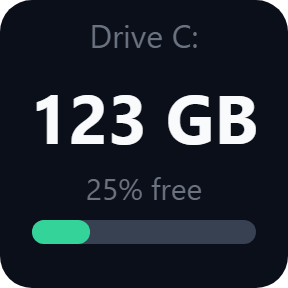
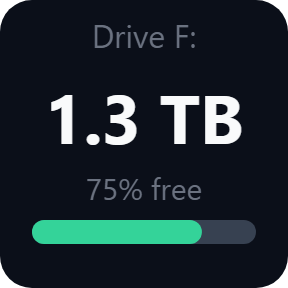
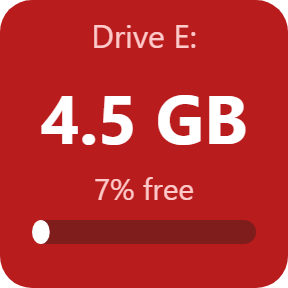
A Drive Space key shows the free space of any drive in GB or TB, as a percentage and as a bar, and turns red when space runs low. Press it to open the drive in File Explorer.
- Items and size
- Hold to empty
- Free space in GB and %
- Red when low
- English and Japanese
What it does
Recycle Bin
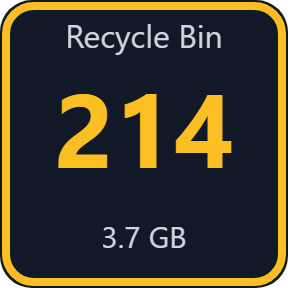
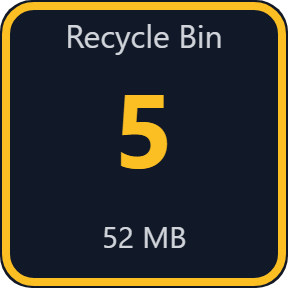
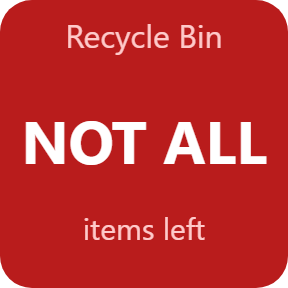
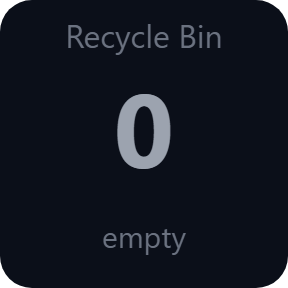
Shows the number of items and their total size, for the Recycle Bins of all drives. Gray when empty, an amber border when there is something in it.
Hold to empty
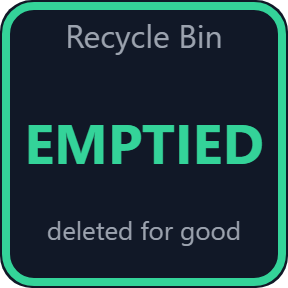
Press the key to open the Recycle Bin. Hold it for 1 second to empty the Recycle Bins of all drives. The key shows EMPTIED when it is done.
Windows asks first
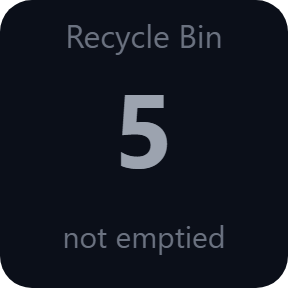
By default Windows shows its own confirmation before emptying, and the key says "not emptied" if you choose No. You can turn the question off, or set the hold to do nothing.
Drive Space
Shows the free space of any drive (internal, USB or network) in GB or TB, the free part in percent and as a bar, the same way File Explorer counts it.
Red when space runs low
Turns red below the limit you set, from 5 to 30% (10% by default). Press the key to open the drive in File Explorer.
USB drives come and go
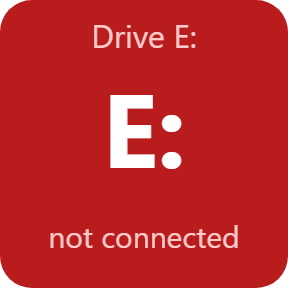
A USB drive that is pulled out is shown as not connected instead of an old number. Keys update every few seconds.
Read it at a glance
Gray when the Recycle Bin is empty, an amber border when there is something in it. A drive key turns red when its free space falls below your limit.
Runs on your PC, as you
Runs as your Windows user and never asks for administrator rights.
It reads only the item count and size of the Recycle Bin and the free space of your drives. It never opens or reads your files.
The only thing the direct version sends online is its license key check.
Set up in 3 steps
- Open the plugin file you download after buying. The Stream Deck app installs it.
- In the Stream Deck app, drag Recycle Bin or Drive Space onto a key. Select a Drive Space key and choose your drive under Drive.
- Enter your license key once in a key's settings. The keys show your Recycle Bin and free space right away.
Two places to buy
| Elgato Marketplace | Direct from GRAMSHIFT | |
|---|---|---|
| Amount | Same amount | Same amount, tax added at checkout |
| Checkout | Elgato Marketplace | Stripe (card) |
| New versions | Installed through the Stream Deck app | Download from your key page |
| Use on | Your Elgato account | Up to 3 PCs per license key |
| Plugin display | English and Japanese | English and Japanese |
Requirements
- Windows 10 or later
- Stream Deck app 6.9 or later
Questions
How do I empty the Recycle Bin with a Stream Deck key?
Drag the Recycle Bin action onto a key and hold the key for 1 second. Windows asks you first (you can turn that off), then the Recycle Bins of all drives are emptied and the key shows EMPTIED.
Can a Stream Deck key show how much disk space is left?
Yes. The Drive Space key shows the free space of the drive you choose in GB or TB, as a percentage and as a bar, and turns red below the limit you set.
Can I stop the key from emptying the Recycle Bin by accident?
Yes. A short press only opens the Recycle Bin. Windows asks before emptying unless you choose "do not ask", and you can set the 1 second hold to do nothing.
Does it work with USB and network drives?
Yes. Drive Space works with internal, USB and network drives. A USB drive that is pulled out is shown as not connected.
How many PCs can I use with one license key?
Up to 3 of your own PCs. If you replace a PC, write to us and we free up a place for the new one.
How do I get new versions if I buy direct?
Download the latest version from your thank-you page or the key page you received. Your license key keeps working. If you cannot open your key page, email us as the "Recover a lost key" page explains.
What if I lose my license key?
Email contact@gramshift.com from the address you paid with, and include your order number, or the date and amount you paid. We check the purchase and reply with a link to your key page.
Can I get a refund?
Yes, for a direct purchase. If the plugin does not work on your PC, email us within 14 days of purchase and we refund the full amount. The license key stops working after the refund.
Direct purchase: details, refunds and seller
- Price
- ¥680, the same amount as on the Elgato Marketplace. Tax for your country is added at checkout.
- Payment
- Handled by Stripe through Link, Stripe's checkout service. Link appears as the seller on your receipt and card statement, and your card number never reaches GRAMSHIFT.
- Delivery
- Your license key and download link appear right after payment, and the receipt arrives by email.
- Refunds
- If the plugin does not work on your PC, email us within 14 days of purchase for a full refund. You can also ask Link support. The license key stops working after a refund.
- License
- One key for your own use on up to 3 PCs.
- Countries
- The direct checkout is not offered in Ascension Island, China, Cuba, Iran, Kosovo, North Korea, Russia, Syria or Tristan da Cunha.
- Seller
- GRAMSHIFT, Tokyo, Japan. Contact: contact@gramshift.com
Limits
- Windows only.
- Emptying the Recycle Bin deletes the items for good. They cannot be restored, by this plugin or by Windows.
- Emptying covers the Recycle Bins of all drives at once.
- Items Windows cannot delete (in use, no permission) stay in the Recycle Bin, and the key says so.
- The direct version checks its license key with our server when you activate it, each time the plugin starts, and about once a day while it runs. If it cannot reach the server, it keeps working for up to 44 days after the last successful check.