

How to open a STEP file on Android, step by step
- Install Layeria from Google Play. It is free to download, with optional in-app purchases.
- Save the STEP file to your device. Download it from an email or a chat, or keep it in Google Drive.
- Open the Files app (Files by Google or your phone's own file manager), go to Downloads or the folder you saved to, and tap the .step or .stp file. If Android asks which app to use, choose Layeria.
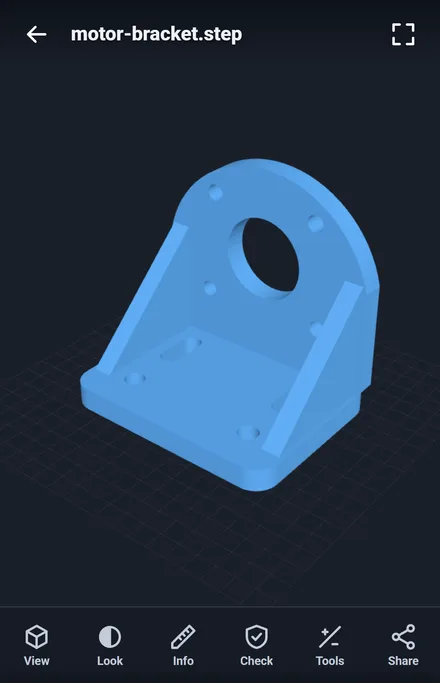
- The part opens in 3D. Drag with one finger to turn it, pinch to zoom, and drag with two fingers to move it.
Other ways in: in Google Drive or in a Gmail attachment, use Open with and choose Layeria, or start Layeria and tap Open a file. Recently opened files are listed on the first screen, with a small picture of each one, so you can open the same part again with one tap.
.stp or .step: the same file
STEP files come with either the .step or the .stp extension. They are the same format, and which one you get depends only on the CAD software that saved the file. Layeria opens both the same way, so there is no need to rename the file.
IGES files (.iges or .igs), another common CAD exchange format, also open in Layeria.
See the size, volume and surface area
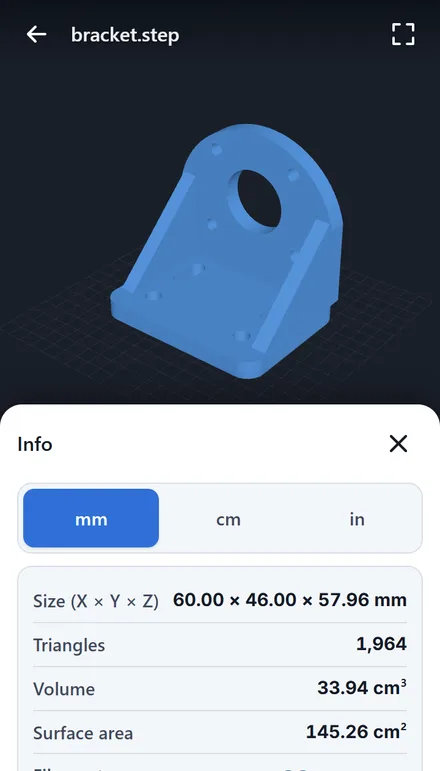
Open Info to see:
- Size (X × Y × Z) of the whole part, in mm, cm or inches
- Volume and surface area
- The number of triangles the part is drawn with
- Filament: an estimate of the weight and length to 3D print the part in PLA, PETG, ABS or TPU, at the infill you choose
Look at the part from different angles
Under View, switch to a front, rear, left, right, top, bottom or iso view, turn on an orthographic view, a floor grid or auto-rotate. If the part looks like it is lying on its side, Switch up axis (Z / Y) stands it up.
Under Look, choose the model color and the background, and show the part shaded, as a wireframe or both. Share sends a picture of the part, with its name and size, to another app.
Check the part before you 3D print it
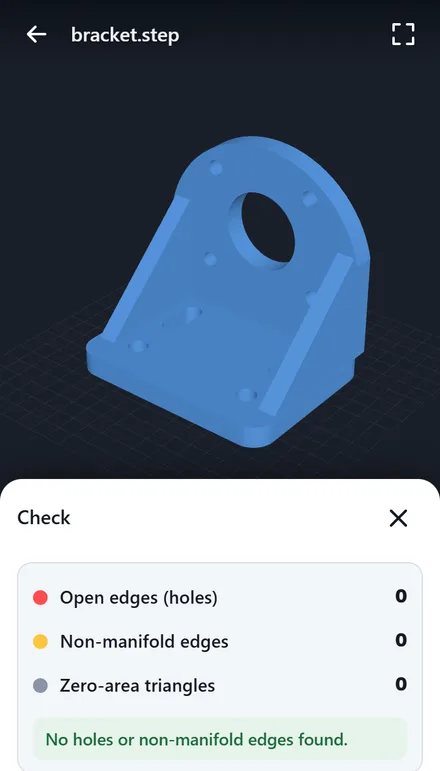
If you plan to print the part, open Check. It counts open edges (holes), non-manifold edges and zero-area triangles, and can mark the problem edges on the model in red and yellow.
Section cuts, distances and comparing parts
With Pro, a one-time purchase (not a subscription), open Tools for:
- Section: cut the part along X, Y or Z and slide the cut to look inside, for example to check a wall thickness or a hole
- Measure: tap two points to get the distance between them
- Compare: look at several files side by side
Pro also keeps an unlimited recent files list and removes ads.
On an Android tablet or a Chromebook
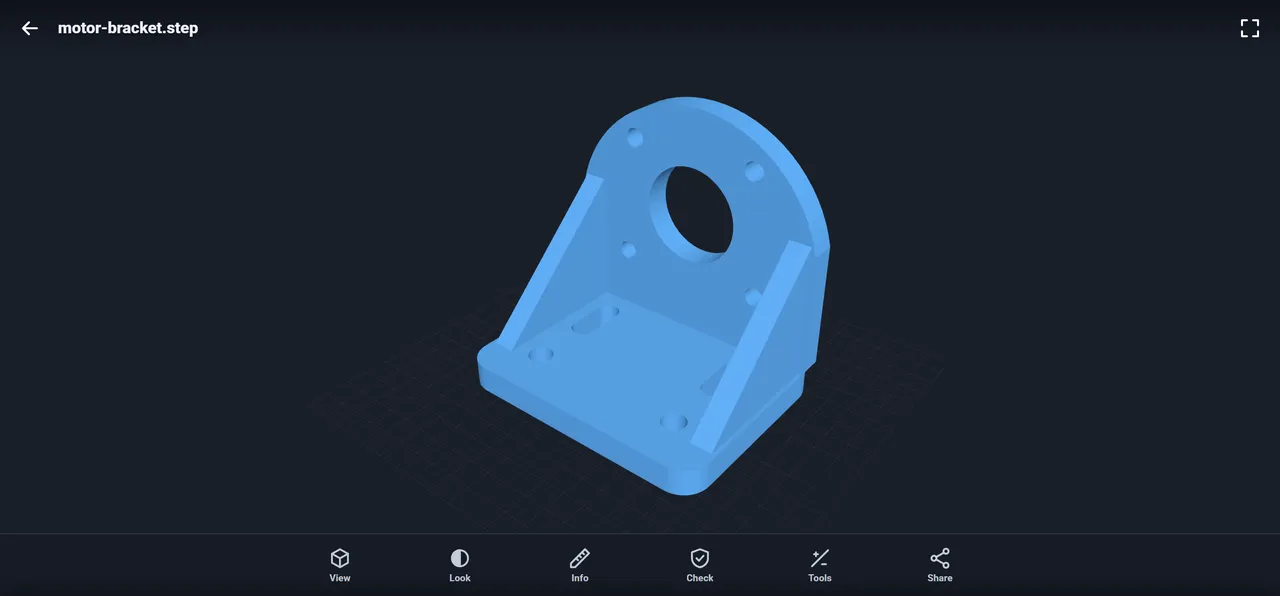
Layeria is the same app on Android phones, Android tablets and Chromebooks that have Google Play. Install it from Google Play and open files the same way. On a larger screen the part is shown bigger, as in the picture at the top of this page.
IGES, STL, 3MF and IFC open in the same app
In the same app you can also open:
- IGES (.iges, .igs) CAD files
- STL, 3MF, OBJ and PLY files for 3D printing
- IFC building models, with one storey at a time and the properties of any element you tap. See How to open an IFC file on Android.
What happens to your file
The files you open, your recent files list and its small pictures stay on your device. They are not sent to our servers, and there is no sign-up or login. A picture only leaves the app when you choose to share it.
Frequently asked questions
How do I open a STEP file on my Android phone?
Install Layeria from Google Play, then tap the .step or .stp file in the Files app and choose Layeria. You can also use Open with in Google Drive or Gmail, or tap Open a file inside Layeria. The part opens in 3D.
Is a .stp file the same as a .step file?
Yes. .stp and .step are two extensions for the same STEP format. Layeria opens both the same way, without renaming the file.
Can I view a STEP file without CAD software?
Yes. Layeria opens STEP files on your phone or tablet, so you can turn the part, zoom in and see its size without CAD software or a PC.
Can I see the size of a STEP part on my phone?
Yes. Info shows the X, Y and Z size in mm, cm or inches, with the volume and surface area. With Pro you can also measure between two points and cut sections along X, Y or Z.
Can I open IGES files too?
Yes. IGES files (.iges and .igs) open in Layeria the same way as STEP files.
Does it work on an Android tablet or a Chromebook?
Yes. Layeria is the same app on Android phones, Android tablets and Chromebooks with Google Play, and you open files the same way.
Is the STEP viewer free?
Layeria is free to download, with in-app purchases. Opening and viewing STEP files, the size, volume and surface area, and the print check are free, with a small banner ad. Pro, a one-time purchase, adds section cuts, two-point distances, comparing files side by side and an unlimited recent files list, and removes ads.
Is my STEP file uploaded anywhere?
No. The files you open stay on your device and are not sent to our servers. There is no sign-up or login.
Related
- STEP ファイルをスマホ(Android)で開く方法 (in Japanese)
- Layeria app page
- All GRAMSHIFT guides