
GRAMSHIFT ガイド
個人開発のアプリ・ゲーム制作スタジオ GRAMSHIFT が公開している解説記事の一覧です。 ゲームの遊び方や、制作の裏側にある知識を、開発者みずからまとめています。
🎮 ゲームの遊び方ガイド
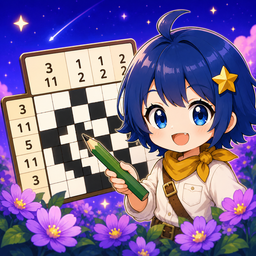
無料パズルゲームの選び方
数独・ノノグラム・麻雀ソリティア…気分と頭の使い方から、自分に合うパズルを選べる総合ガイド。作っている本人が正直に比較します。

四角に切れ(シカク)の解き方
盤を長方形に切り分ける論理パズルの基本と、実際に使う5つの手筋。あてずっぽうを強いる問題の見分け方まで。無料アプリ「シカクッキー」で今すぐ遊べます。
How to Solve Shikaku Puzzles (English)
Cut a grid into rectangles: the five techniques that do all the work, measured across 486 shipped levels, and how to spot a puzzle that forces you to guess. Free with the app «SHIKAcookie».
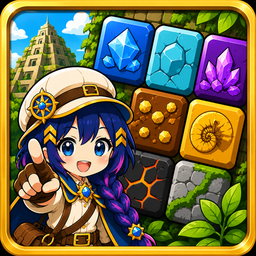
ブロックパズルの遊び方とコツ
9×9にピースを置いて行・列・3×3を埋めて消すパズルの基本と高得点のコツ。無料アプリ「Temple Quest」で今すぐ遊べます。
ノノグラムの遊び方とコツ
数字で絵を描くロジックパズルの基本ルール・解き方のコツ。無料アプリ「ピクトラ」で今すぐ遊べます。
ノノグラムアプリの選び方
無料ノノグラムアプリの「無料」の中身を見分ける5つの軸。広告の出方・論理だけで解けるか・ヒントの設計を開発者が整理しました。
ナンプレの遊び方とコツ
1〜9を行・列・ブロックで重ならないよう入れるロジックパズルの基本と解くコツ。先生が理由を教えてくれる無料アプリ「スドリア」で今すぐ遊べます。

麻雀ソリティアの遊び方とコツ
同じ絵柄の牌を2枚ずつ取っていく牌合わせパズルの基本と詰まないコツ。すべての盤面が必ず解ける無料アプリ「マジョリア」で今すぐ遊べます。
How to Solve Nonograms (English)
Read the clues, use the overlap method, and solve any Picross with logic — no guessing. Play free with the app «Pictora».
Block Puzzle Tips (English)
Keep the board open, plan all three pieces, and chain clears for a higher score on the 9×9 grid. Play free with the app «Temple Quest».

放置RPGの遊び方と���び方
自動で戦う・オフラインでも育つ・強化して先へ進む——放置RPGの仕組みと、選ぶときの見分け方。無料アプリ「永遠の進軍」で今すぐ遊べます。
What Is an Idle RPG? (English)
How the auto-battle, offline-reward, upgrade loop works — and how to pick one. Try it free with the app «Eternal March».

サバイバー系ゲームのコツ|レベルアップの3択で何を取るか
迷ったら「進化→持っている武器のレベル上げ→進化の相方」。武器を広げすぎると進化が遅れる理由を、実際のゲームで選び方3通りを比べた結果つきで。「おそうじサバイバー」で試せます。
Survivors-Like Tips: What to Pick on Level-Up (English)
Evolution first, then level what you own, then its paired passive. Why spreading across new weapons delays your first evolution, with three pick rules compared in a real game. Try it in «Cleanup Survivor».
※ 新しいゲームの公開にあわせて、遊び方ガイドを順番に増やしていきます。
🎨 プラモ調色ガイド

プラモの調色のやり方
写真の色を手持ちの塗料で再現するための、調色の基本と手順。
色が白っぽい・濁る原因と直し方
調色でありがちな失敗の原因と、リカバリーのコツ。
Why Your Model Paint Looks Washed Out or Muddy (English)
Five causes of chalky and muddy mixes — too much white, too many colours, too much complementary, the primer, and judging it wet — with the fix for each. Free with «Scale Model Paint Mixer».
「この色、何と何を混ぜる?」
見本の色から、手持ち塗料の配合を考える方法。
How to Mix Custom Paint Colors (English)
Mixing paint colors for miniatures & scale models without buying more paint.
How to Match a Paint Color From a Photo (English)
Read a color off box art, a reference photo or a real object, and rebuild it with the paints you already own. Free with the app «Choushoku».
🌿 水草・アクアリウムガイド

🌸 アロマ・精油ガイド

アロマの希釈計算のやり方
濃度から滴数を出す式、丸めたあとの実際の濃度、対象者別の上限、圧搾柑橘の光毒性の上限まで。無料アプリ「Dilutoria」で計算できます。
How Many Drops of Essential Oil for a 2% Dilution? (English)
The dilution formula, the real concentration after rounding, limits by who it is for, and the separate ceiling for phototoxic citrus oils. Calculate it free with «Dilutoria».
🧶 編み物ガイド

🪚 DIY木工ガイド

棚板のたわみ計算のやり方
載せ物はスパンの3乗、板の自重は4乗で効く。解説によって3乗と4乗が食い違う理由と、多くの解説が触れない長期のたわみ(MDFは3.25倍)まで実数つきで。無料アプリ「Takumia」で計算できます。
Shelf Sag Calculation: Span Cubed or Fourth Power? (English)
Applied load scales as the cube of the span, the board’s own weight as the fourth power — plus the long-term creep most guides skip (Eurocode 5 puts MDF at 3.25×). Calculate it free with «Takumia».
🎣 釣りガイド

🧵 刺繍ガイド

PESファイル(刺繍データ)をスマホで開く方法
スマホで開けない理由と3つの開き方、形式ごとに糸の色を持つかの対応表、DSTの色が違って見える理由、縫う前に寸法・糸番号・渡り糸を確かめる手順。無料アプリ「Stitchia」で開けます。
How to Open PES, DST & JEF Embroidery Files on Android (English)
Why Android can't open them by itself, and six reasons a design still won't open (ZIP downloads, .emb files, DST with no colors) with the fix for each. Open them free with «Stitchia».
屋根・大工ガイド

Stream Deck ガイド(Windows)

Stream Deck でモニターの入力(HDMI・DisplayPort・USB-C)を切り替える方法
HDMI・DisplayPort・USB-C の入力を Stream Deck のキーで切り替える手順。DDC/CI の仕組み、この PC へ戻る方法、切り替わらない時の確認点まで。プラグイン「Monitor Input Keys for Windows」で。
How to Switch Your Monitor's Input (HDMI, DisplayPort, USB-C) with a Stream Deck (English)
One key per input over DDC/CI, the control channel in your video cable: setup step by step, how to come back to this PC, and what to check. With «Monitor Input Keys for Windows».

Stream Deck でサブモニターを真っ黒にする方法(スリープタイマー付き)
ゲーム中に有機ELのサブモニターなど1枚だけを黒く覆う手順と、全画面オフ・スリープタイマーの使い方、キーの表示の意味。プラグイン「Screen Blackout for Windows」で。
How to Black Out a Second Monitor from a Stream Deck (Plus a Sleep Timer) (English)
Cover one screen with black while your game keeps the keyboard, turn every screen off, or set a sleep timer. With «Screen Blackout for Windows».
Stream Deck に CPU・メモリ・ディスク・ネットの使用率を表示する方法(Windows)
CPU・メモリ・ディスク・ネットを Stream Deck のキーに表示する手順と数字の意味。タスクマネージャーと CPU の値が違う理由も。プラグイン「System Monitor for Windows」で。
How to Show CPU, RAM, Disk and Network Usage on Stream Deck Keys (Windows) (English)
Put CPU, memory, disk and network on your keys, what each number means, and why CPU can differ from Task Manager. With «System Monitor for Windows».

F1 25 のテレメトリー設定:UDP テレメトリーをオンにする手順と、データが来ない時の確認点
F1 25 の「Telemetry Settings」で UDP テレメトリーをオンにする手順(PC・コンソール)と、データが来ない時に順に見る所。ERS・燃料・タイヤを Stream Deck に出すならプラグイン「Race Deck for F1 25」で。
F1 25 Telemetry Settings: How to Turn On UDP Telemetry and Fix "No Data" (English)
Each F1 25 telemetry setting for PC and console, and what to check in order when no data arrives. To keep ERS, fuel and tyres on your keys: «Race Deck for F1 25».
GRAMSHIFT の製品(ゲーム・アプリ)は 公式サイト からご覧いただけます。
GRAMSHIFT 公式サイトへ記事で紹介している Android アプリは、すべて Google Play で無料です。Stream Deck 用プラグインは Elgato Marketplace で入手できます。
Google Play でアプリ一覧を見る