01
Run the chart
Quick search, indicators, add alert, data window, go to date, interval box, text note, save / load layout, undo, redo, fullscreen and sessions.
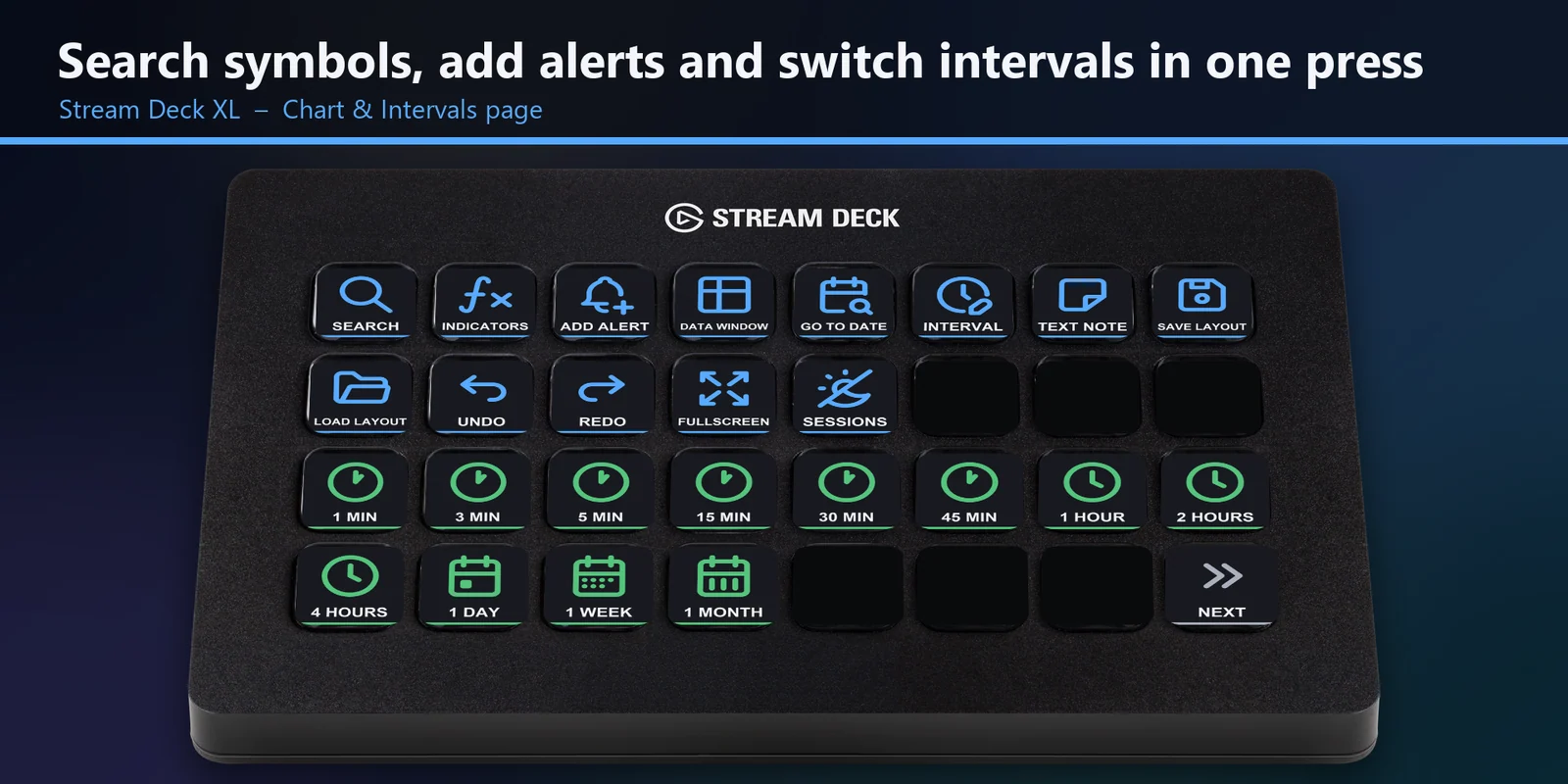

Search symbols, switch intervals, zoom and draw in TradingView from Stream Deck keys on Windows or macOS.
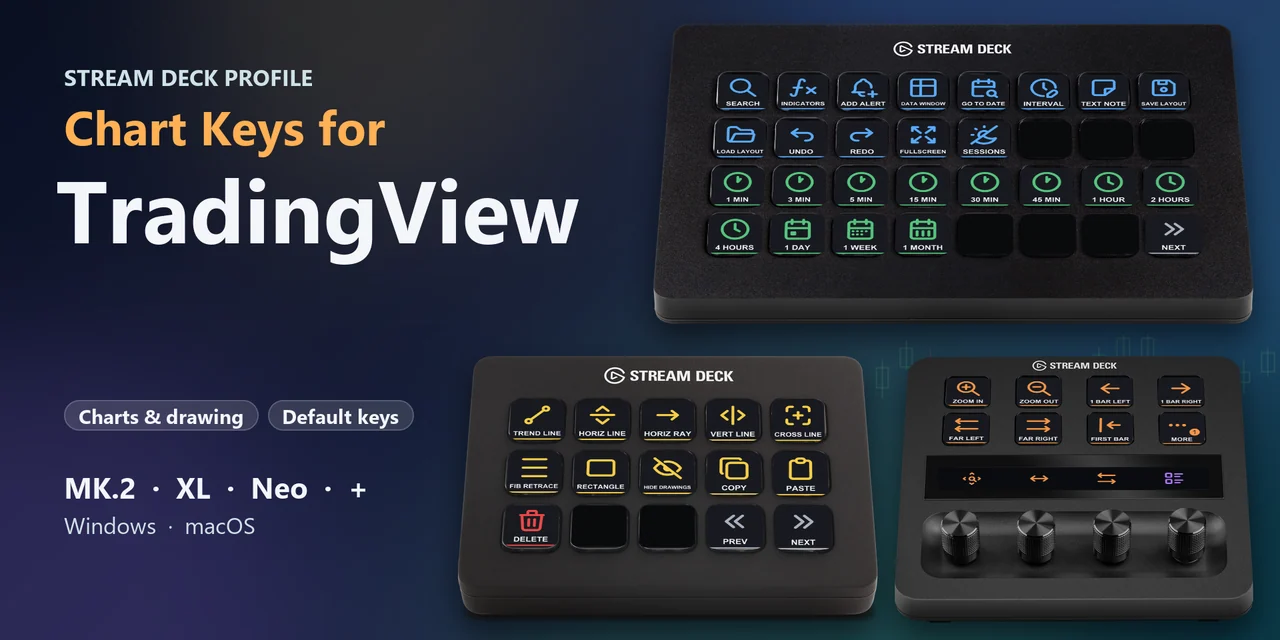
Overview
To work your TradingView charts from a Stream Deck MK.2, XL, Neo or +, open the Chart Keys for TradingView profile for your device and operating system, click the chart and press a labeled key.
Each key of Chart Keys for TradingView sends TradingView's own default keyboard shortcut, so you search symbols, add alerts, switch intervals, zoom and draw trend lines or Fib levels with one press, in your web browser or in the TradingView desktop app.
Features
Quick search, indicators, add alert, data window, go to date, interval box, text note, save / load layout, undo, redo, fullscreen and sessions.
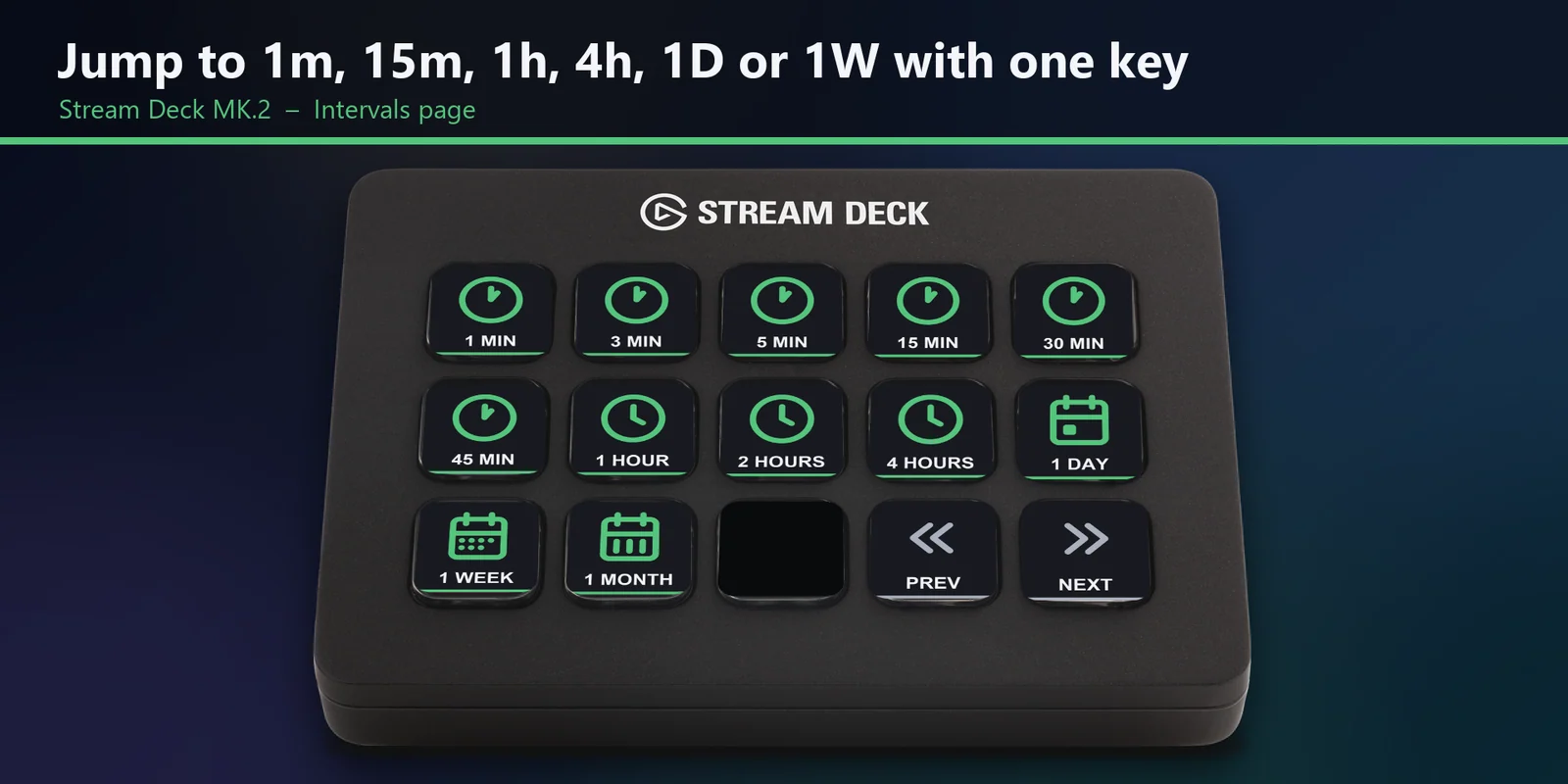
1, 3, 5, 15, 30 and 45 minutes, 1, 2 and 4 hours, 1 day, 1 week and 1 month.
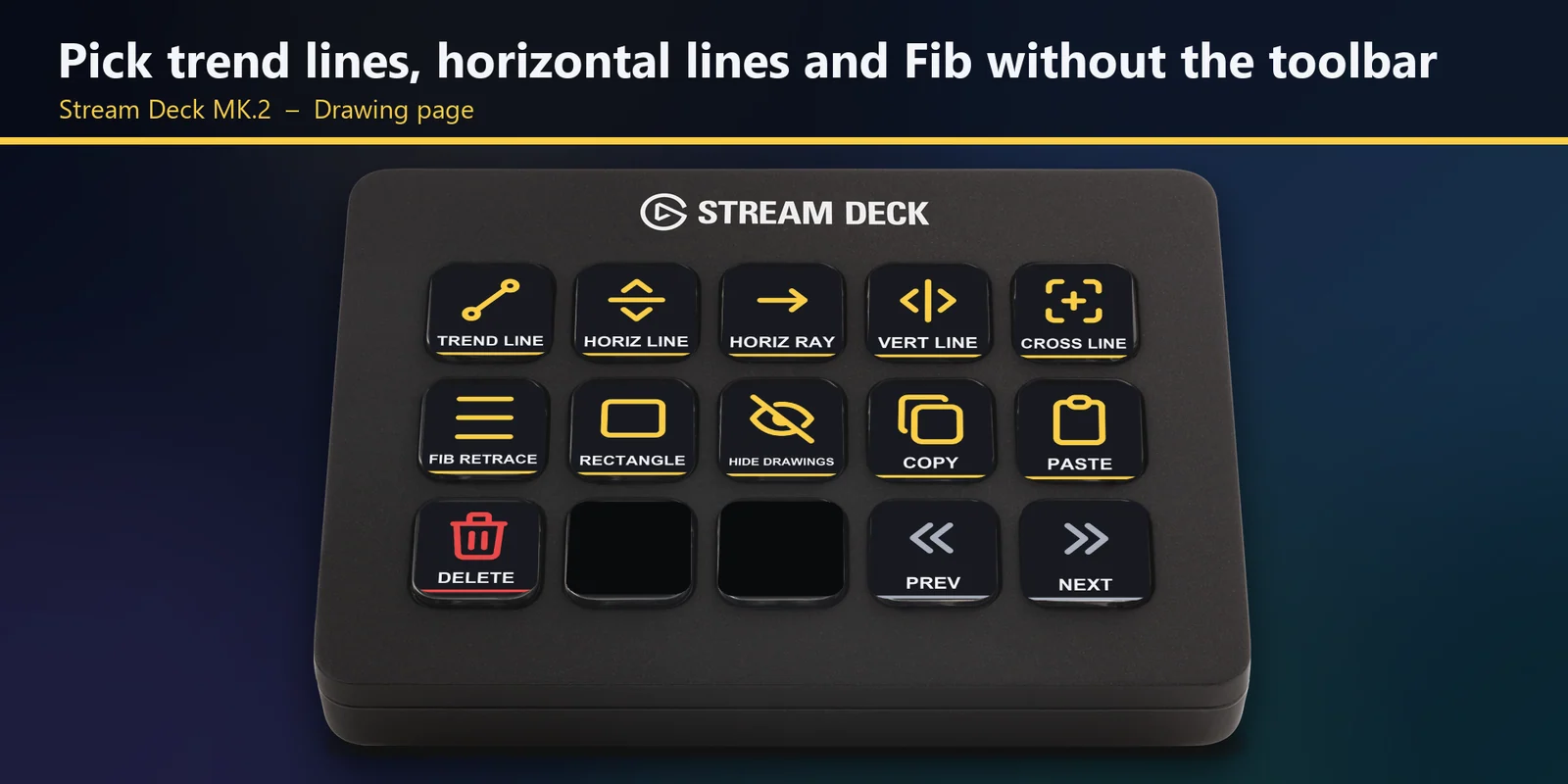
Trend line, horizontal line and ray, vertical line, cross line, Fib retracement and rectangle, plus hide drawings, copy, paste and delete.
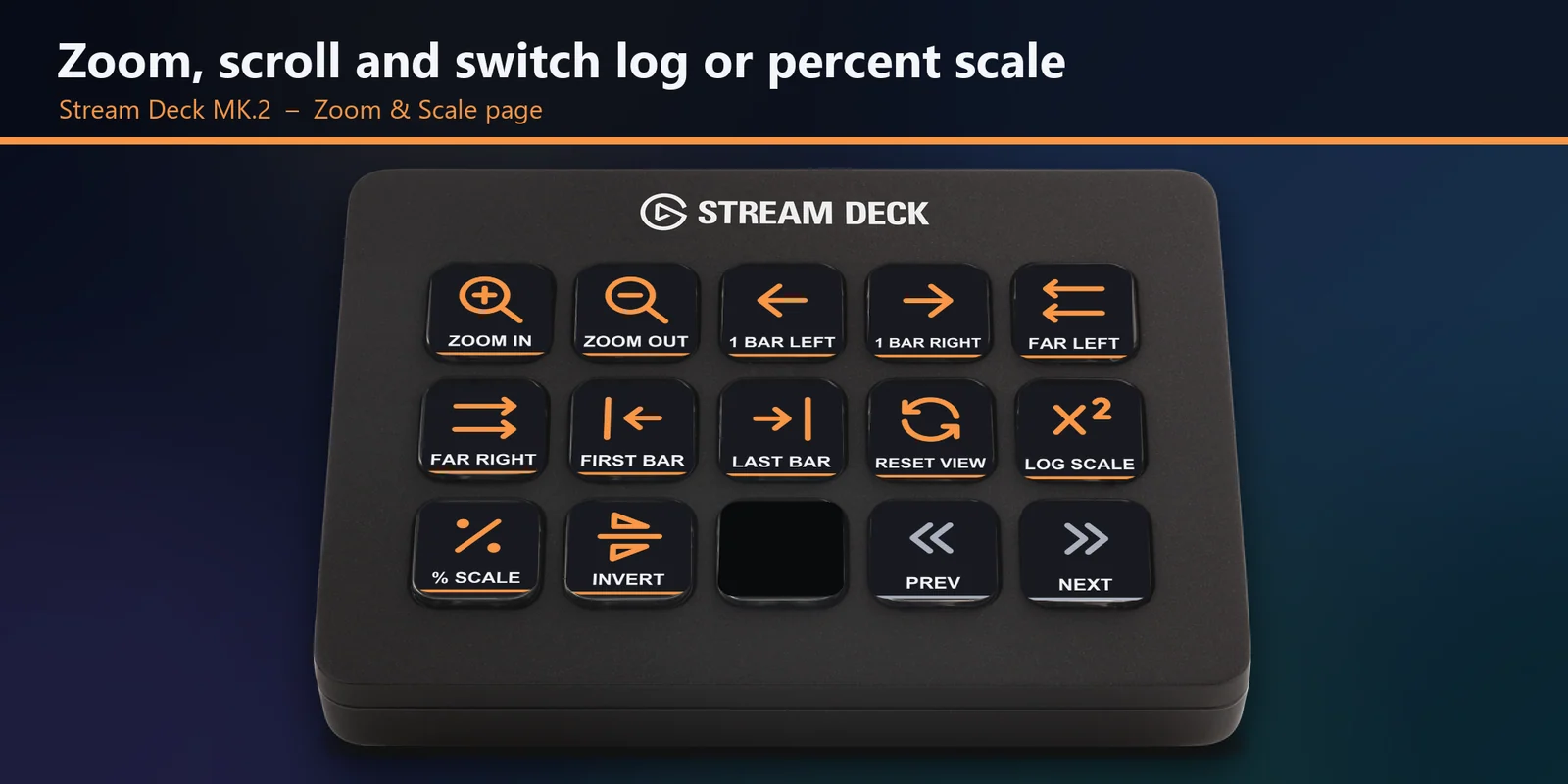
Zoom in / out, scroll by one bar or far, first / last bar, reset view, and log, percent and inverted scale.
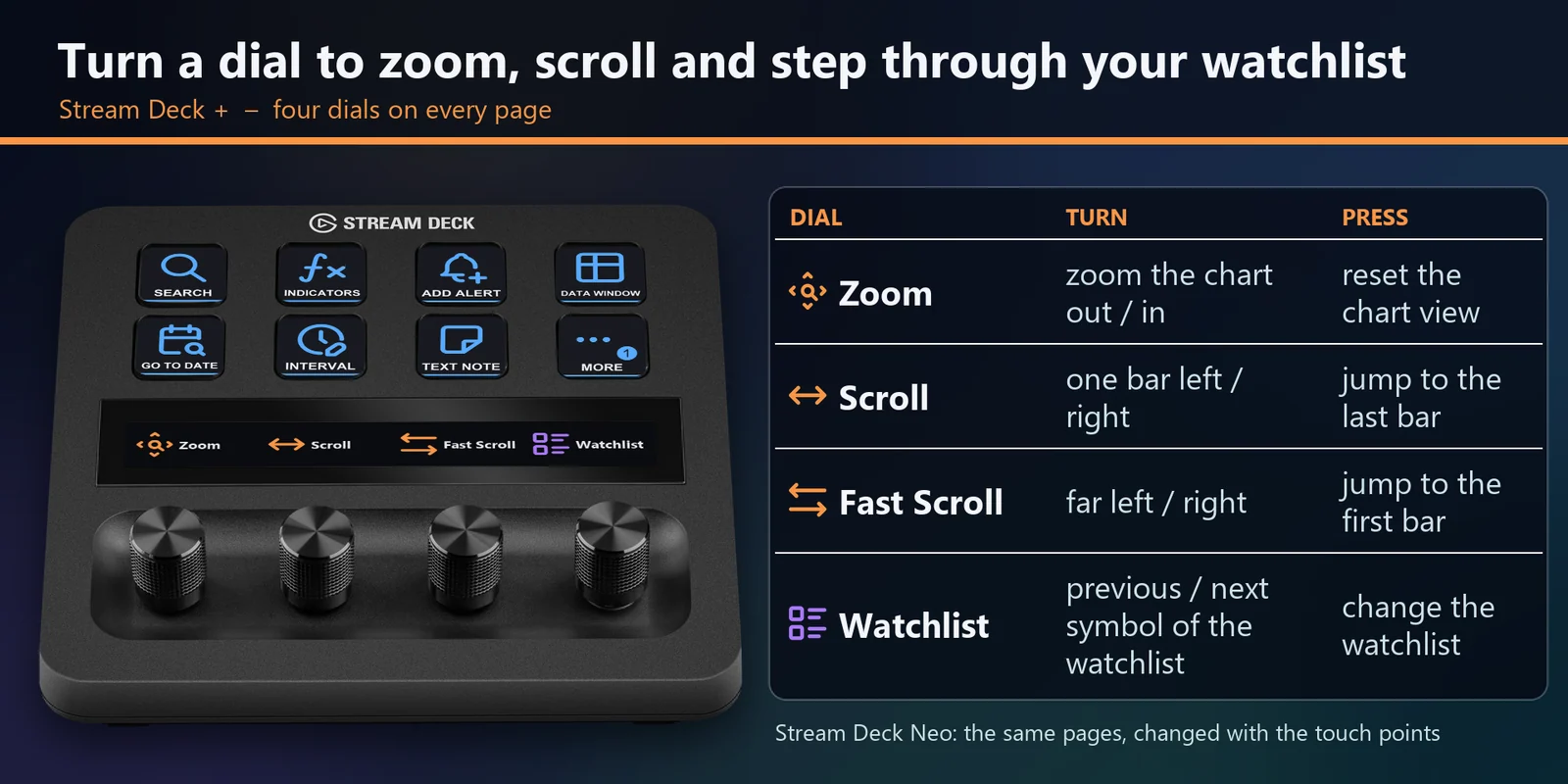
Zoom, scroll, fast scroll and the watchlist.
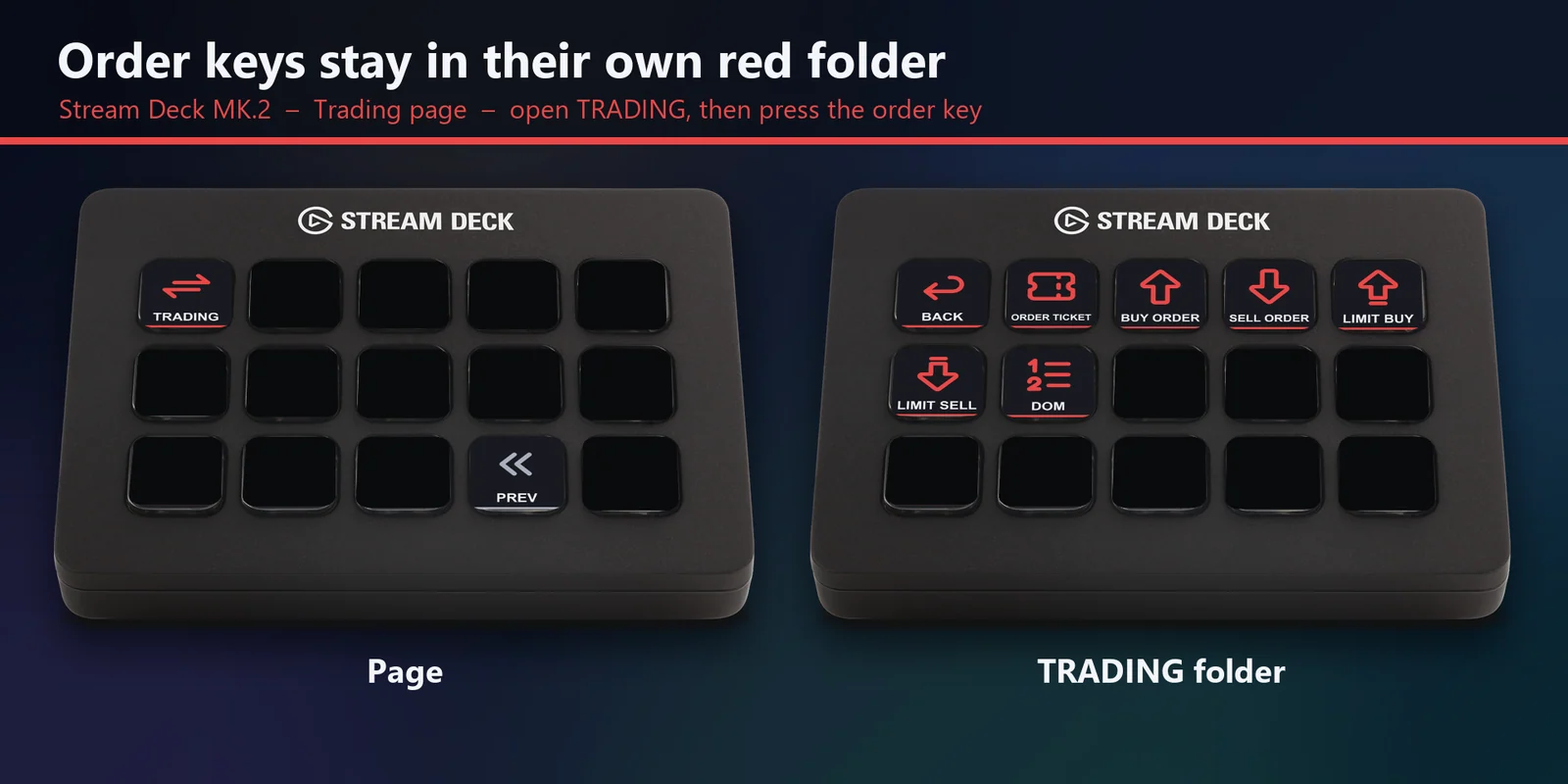
Order ticket, buy, sell, limit buy, limit sell and DOM sit in their own red TRADING folder, so you open the folder before any order key can be pressed.
Add to watchlist, next / previous symbol, change watchlist, Bar Replay play and step, and save or copy the chart image.
The keys send TradingView's own default shortcuts, so nothing is imported into TradingView.
Set up
Good to knowEach key sends a default TradingView keyboard shortcut to the window in front; an interval key types the interval into TradingView's interval box and presses Enter.
Coming soon: Elgato Marketplace
FAQ
Short answers to what people ask before they add it.
Email contact
Open the Chart Keys for TradingView profile for your Stream Deck MK.2, XL, Neo or + and your operating system, click the chart in TradingView and press a key. Each key sends TradingView's default keyboard shortcut for its label, such as Quick Search, Add Alert, an interval or a Fib retracement.
Yes. The Intervals page has a key for 1, 3, 5, 15, 30 and 45 minutes, 1, 2 and 4 hours, 1 day, 1 week and 1 month, and each changes the chart's interval with one press.
Yes. The keys send TradingView's own default shortcuts, so they work in TradingView in your web browser and in the TradingView desktop app, on Windows and macOS.
The order keys sit in their own red TRADING folder, so you open the folder before any order key can be pressed. They work with a connected broker or Paper Trading, and TradingView shows its own order confirmation as you have set it up.
Click the chart first so it has the keyboard focus; keys do not work while you type in a text box. Alert, layout, note, drawing and watchlist keys work when you are signed in to TradingView, and the replay keys work while Bar Replay is on. If you changed a shortcut in TradingView, change that key's Hotkey in the Stream Deck app.
Requirements
For the Stream Deck MK.2, XL, Neo and + on Windows and macOS with the Stream Deck app, and TradingView in a web browser or the TradingView desktop app with its default shortcuts.
A Stream Deck profile sold on the Elgato Marketplace.
More for your Stream Deck
For the Stream Deck MK.2, XL, Neo and + on Windows and macOS with the Stream Deck app, and TradingView in a web browser or the TradingView desktop app with its default shortcuts.
Coming soon: Elgato Marketplace