How-to · LidFit - clean blinks for edited eyes
VRChat eyelids not closing or eyes showing through when you blink? Fix it for edited eyes
Free trial available
When an avatar with edited eyes (half-closed or enlarged) blinks, the lids can stop short or the eye shows through. Add LidFit to the avatar and upload: open eyes keep your edit, while blinks, eye-close and winks use the original clean closed eye.
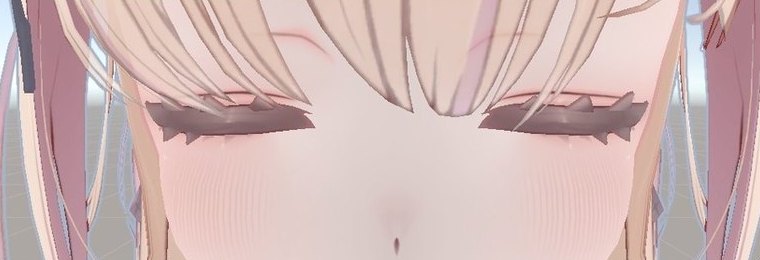
What LidFit - clean blinks for edited eyes does
Fixes expression eye-close too
Beyond auto blink, it corrects eye-close, wink and smile-eye keys without renaming them.
Finds your current eye edits
They are listed; untick any key you want to keep as is.
Compare before and after
Switch in the scene and drag how closed the eye is before uploading.
Original data stays
The fix goes only into the uploaded avatar; remove the component and it is back to normal.
What it looks like
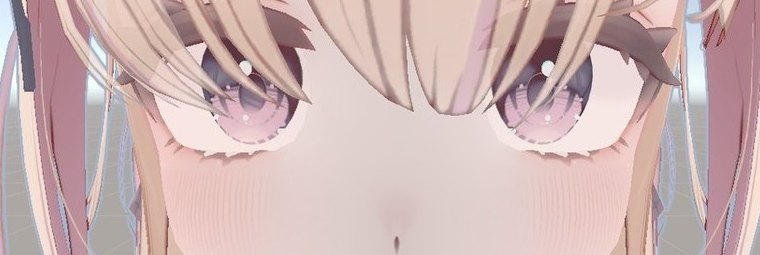
Avatar: Yumeka (Arka_X)
FAQ
My half-closed eye edit stops the blink from closing. Can it be fixed?
Yes. The edit stays when the eyes are open, and blinking uses the original clean closed eye.
Do I need to set it up again if I change the eye shape later?
No. Upload as usual and it adapts to the current eye shape.
Can I check it on my avatar before buying?
The free trial shows the list and the after-fix preview in the scene.
Which avatars does it work with?
Avatars with Eye Look enabled and Eyelids set to Blendshapes. The free trial lets you check your avatar's list first.
LidFit - clean blinks for edited eyes
Try the free trial on your own avatar first.
Get LidFit - clean blinks for edited eyes¥1,000Header photo: Chermiti Mohamed on Pexels