How-to · WalkLoco - change your walk
Change your VRChat walk animation Skip, ice skate, sneak or march
Free trial available
Give a VRChat avatar a custom walk animation: WalkLoco adds one Modular Avatar component that turns walking and running into skip, ice skate, sneak or march, switchable from the in-game menu, and uploads to both PC and Quest (Android).
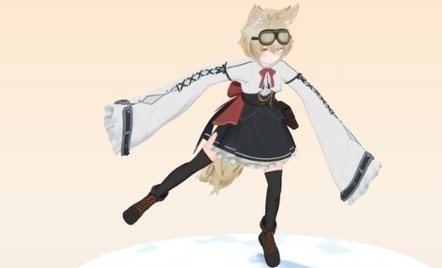
What WalkLoco - change your walk does
Pick a walk from the menu
The Expression menu lets you turn it on or off and choose one of four walks.
Standing still stays as is
Standing and jumping keep the avatar's own motion. Forward, sideways and diagonal use the chosen walk; walking backward plays it in reverse.
No per-avatar presets
Step timing and foot height are measured for each avatar.
Emotes and sitting come first
Emotes, AFK and chairs take over, then the walk comes back.
What it looks like
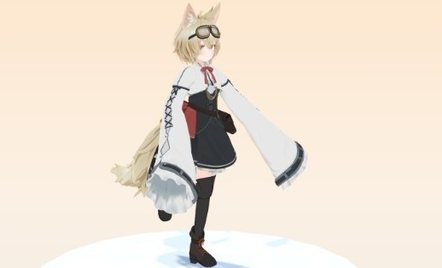
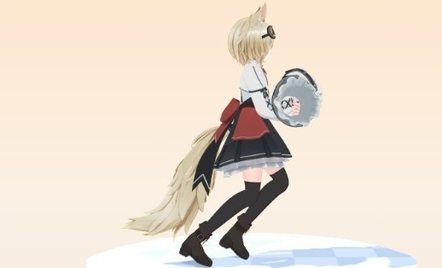
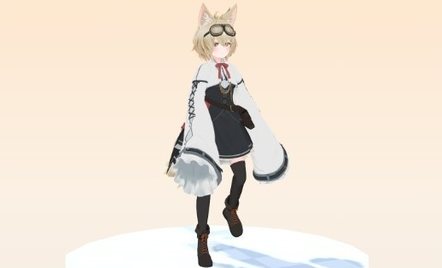
Avatar: RadDollV3 (三丁目の魔界)
FAQ
How do I change my walk animation in VRChat?
Add a gimmick that replaces the movement animations. With WalkLoco you add one component, upload, and choose from four walks in the menu.
Does it work on Quest?
It uploads to both PC and Quest (Android).
Can I try it on my avatar before buying?
The free trial lets you play all four walks on your avatar in the scene.
Which avatars does it work with?
Humanoid avatars with Modular Avatar 1.18 or later (before 2.0). No per-avatar preset list is needed.
WalkLoco - change your walk
Try the free trial on your own avatar first.
Get WalkLoco - change your walk¥800Header photo: Dario Rawert on Pexels