Not in the trial: Scene preview of the trail only (with a "Trial" label in the Scene view). Nothing is added to uploaded avatars.
This tool uses Modular Avatar (free, the standard tool for avatar edits). If Modular Avatar is not in your VCC yet, press the button below first. You only do this once; after that, VCC installs it together with the tool.
For ALCOM or manual setup: https://vpm.nadena.dev/vpm.json
URL for ALCOM or manual setup
https://gramshift.com/vpm-shop/free/index.json
Buying in your region
Checkout is not offered in your region. Free items (such as trials) are still available on this page.
Estimate: the ECB rate of 2026-11-23 plus the Stripe conversion fee (about 4%). Checkout shows the exact amount, or you can choose to pay in Japanese yen.
Prices include Japanese tax. In some countries, local tax may be added at checkout; you see the total before you pay. Right after payment you get an "Add to VCC" button and a zip download. Add it to VCC (the free official app from VRChat) or ALCOM (a free app that does the same), and new versions install with one click.
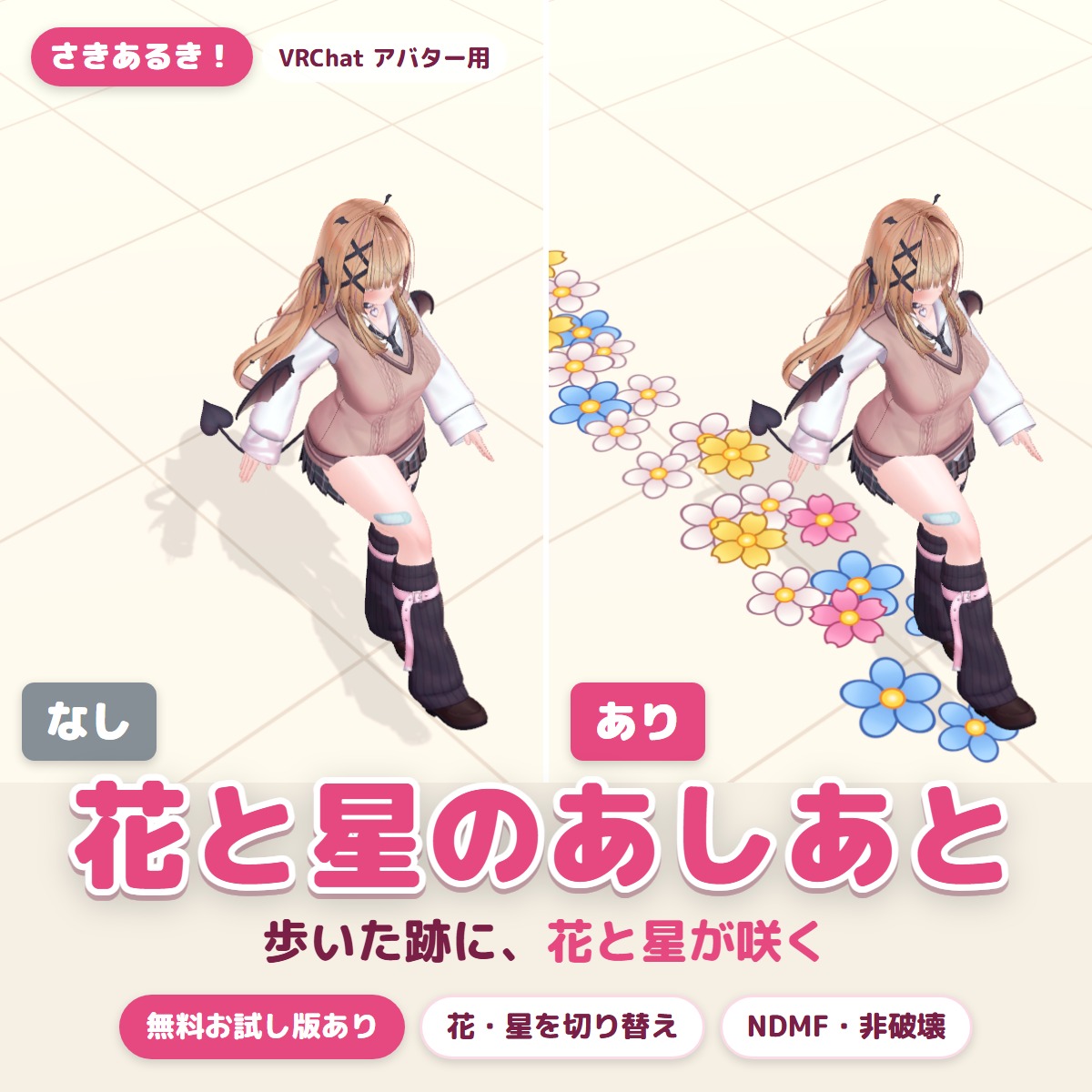
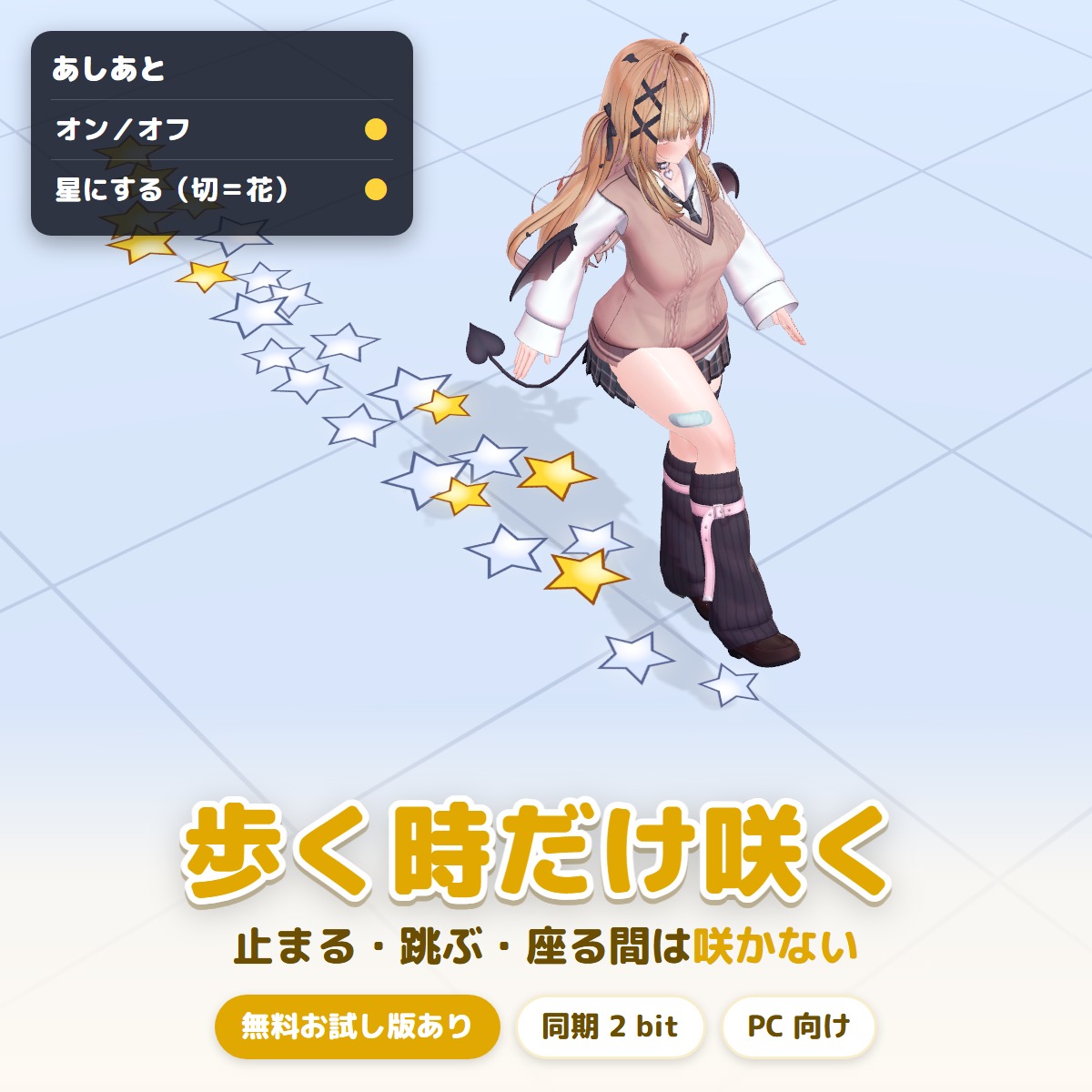
A VRChat avatar gimmick: when you walk, flowers or stars bloom at your feet and stay along the path you walked, then fade away.
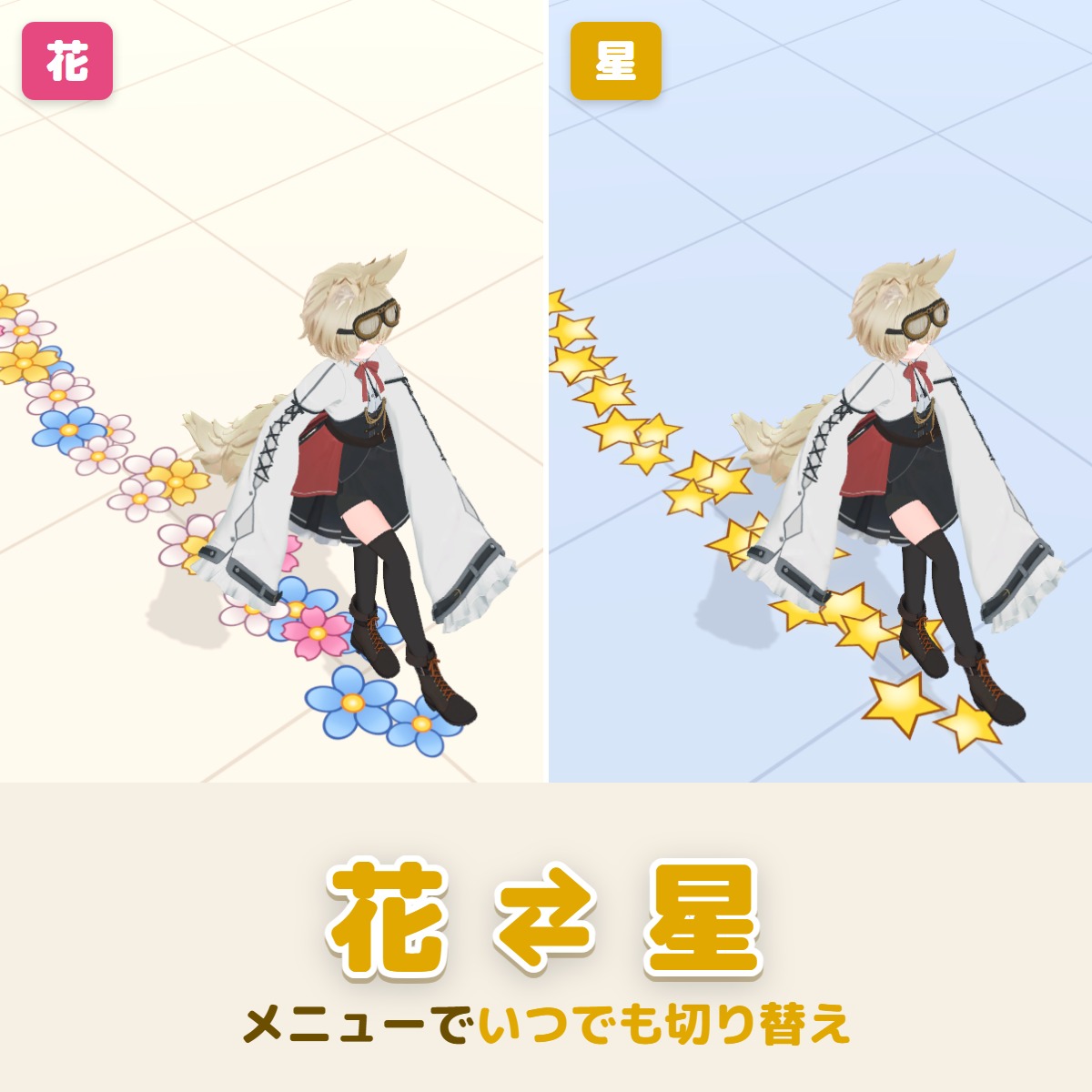
Sakiaruki! (StepBloom) is a VRChat avatar gimmick: when you walk, flowers or stars bloom at your feet and stay along the path you walked, then fade away after a few seconds. With "あしあと" (Steps) in the Expressions menu you can turn it on/off and switch flowers / stars, and people around you see the same trail. Add one component with Modular Avatar, non-destructively. Check the look on your avatar in the scene with the free trial before buying.
What it does (full version, 300 yen)
Flowers or stars bloom under each foot while you walk; the faster you go, the longer the trail
They bloom on the floor even when you lift your feet (never floating in the air)
Nothing blooms while you stand still, jump, sit or are AFK
Menu: "オン/オフ" (On / off), "星にする" (Stars; off = flowers). Your choice is saved. Synced parameters: 2 bits
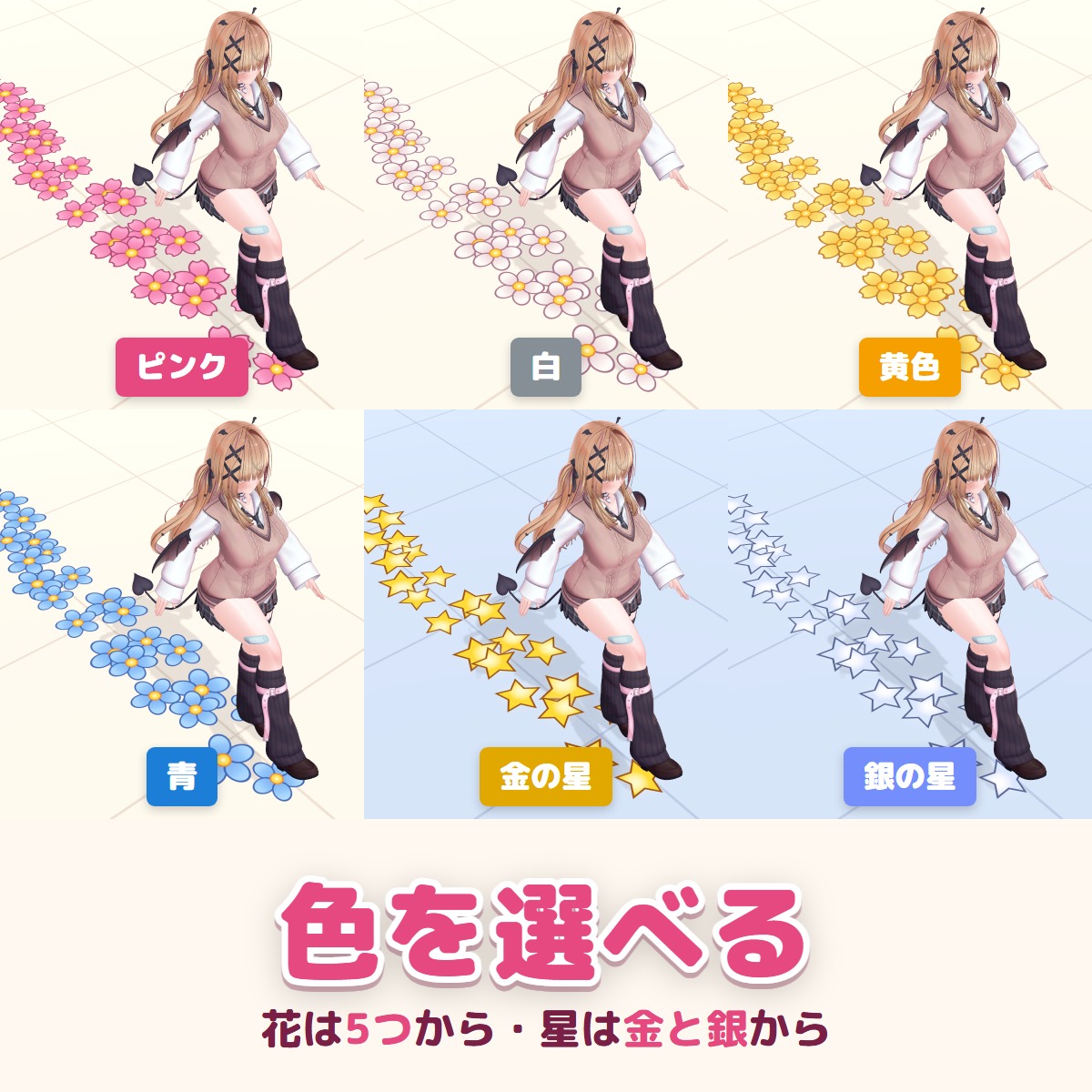
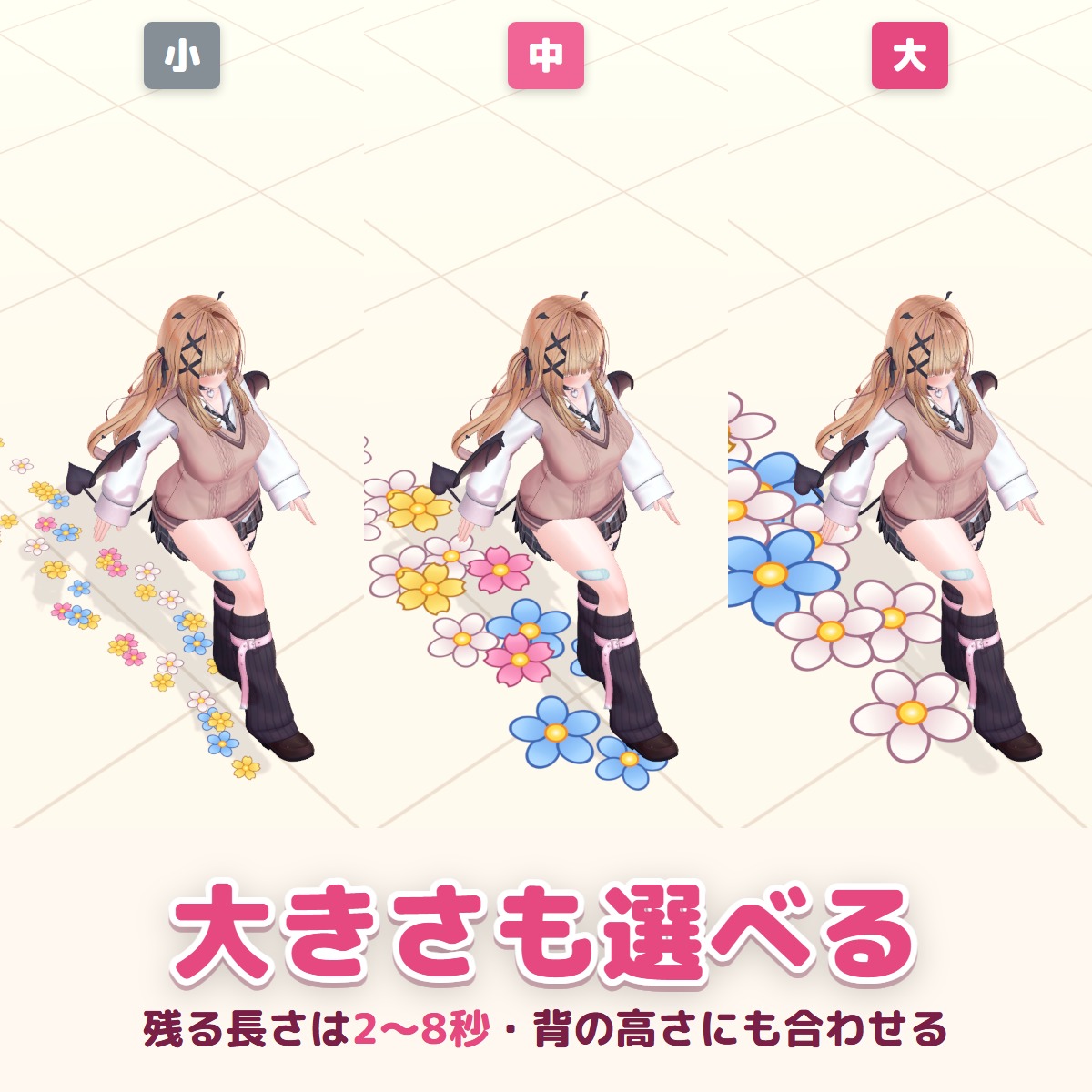
Options: flowers or stars first, flower color (mixed, pink, white, yellow, blue), star color (gold & silver, gold, silver), size (0.5-2.5), how long they stay (2-8 s)
Size, amount and height follow your avatar's height
Foot bones are found automatically and shown in the fields; if wrong or not found (a notice appears), pick them in the "Left foot" / "Right foot" fields
Preview the trail in the scene before uploading (not saved). Japanese / English UI
Trial (free): the scene preview only; nothing is added to the uploaded avatar. When you add the full version in VCC, the trial is removed automatically. Parts you set up with the trial keep working
How to use
1. Add this tool in VCC (or ALCOM) (Modular Avatar and NDMF are added with it) 2. Add "Add Component → GRAMSHIFT → StepBloom" to the top of your avatar (the object with the VRC Avatar Descriptor), or right-click it in the Hierarchy → GRAMSHIFT → StepBloom 3. Pick flowers or stars, the color and the size, and check the look with the trail preview in the scene 4. Upload for PC as usual and use "あしあと" (Steps) in the Expressions menu
Before you use it
Check that your avatar's terms allow adding animations, menus and particles
PC Performance Rank: Particle System +2, Total Particles +300, Material +2. PC only; for Android (Quest) uploads only the 2 synced bits are added (to match the PC version), no flowers / stars or menu
If something does not work, feel free to contact the shop (with any message shown). The most-requested features go into the next version.
Partly AI-assisted
Requirements
Unity
2022.3
VRChat SDK - Avatars
3.10.5 or later
NDMF
1.14.0 or later
Modular Avatar
1.18.0 or later, below 2.0.0
Update history
Version 1.0.0Free trial
First release
Version 1.0.0Full version
First release
Reviews
No reviews yet.
Only people who bought this item here can review it (from the Library after buying).
Questions and answers
No published questions yet.
Ask a question about this item
Payment, refunds and contact
Payment
Handled by Stripe through Link, Stripe's checkout service. Link is the name shown on your receipt and card statement, and your card number never reaches GRAMSHIFT.
Delivery
Right after payment, the page shows your download (Unity tools also get a link to add to VCC and ALCOM). The receipt arrives by email.
Refunds
If something does not work, just email contact@gramshift.com. As these are digital items, we do not accept returns for a change of mind, but if a tool does not work in your setup and you contact us within 14 days of purchase, we refund the full amount. After a refund, the item can no longer be downloaded.
Countries
Checkout is not offered in Ascension Island, China, Cuba, Iran, Kosovo, North Korea, Russia, Syria or Tristan da Cunha.