01
Every second on the key
The time left shows on the key with a ring that runs down and turns amber in the last minute, under a label such as Tea, Pasta or Meeting.
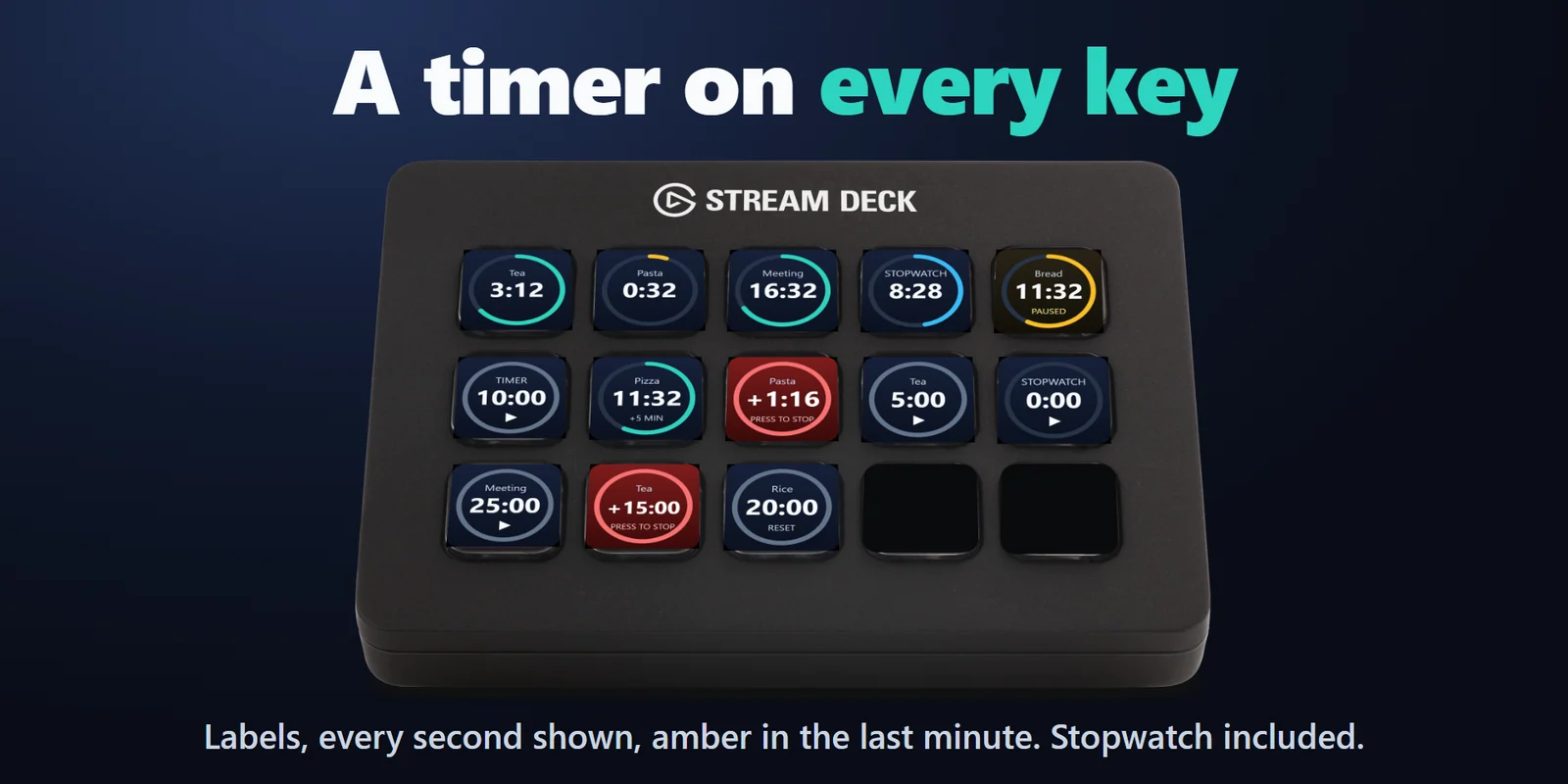
Start a tea, cooking or meeting countdown in one press; it rings at zero and counts overtime until you press it.
One-time purchase on the Elgato Marketplace, shown there in your own currency.
Overview
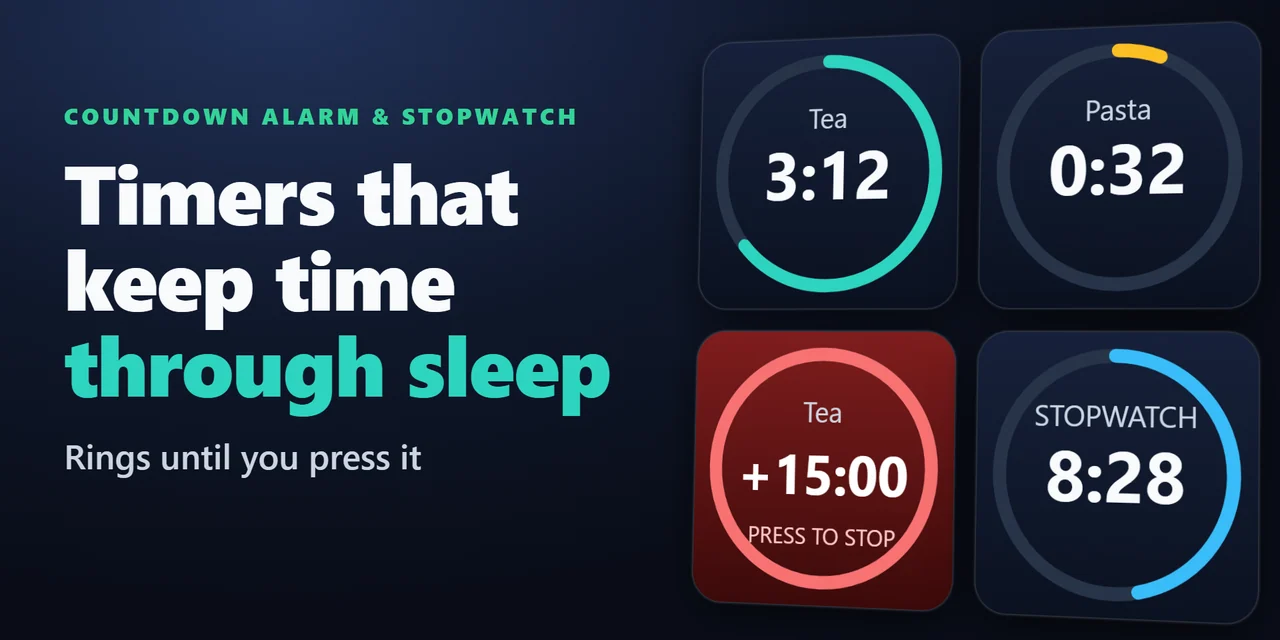
To put a countdown timer with an alarm on a Stream Deck, add Countdown Alarm & Stopwatch, drag its Countdown key onto your Stream Deck and pick a time from 1 minute to 2 hours or your own up to 23:59:59: one press starts it, and every second shows on the key.
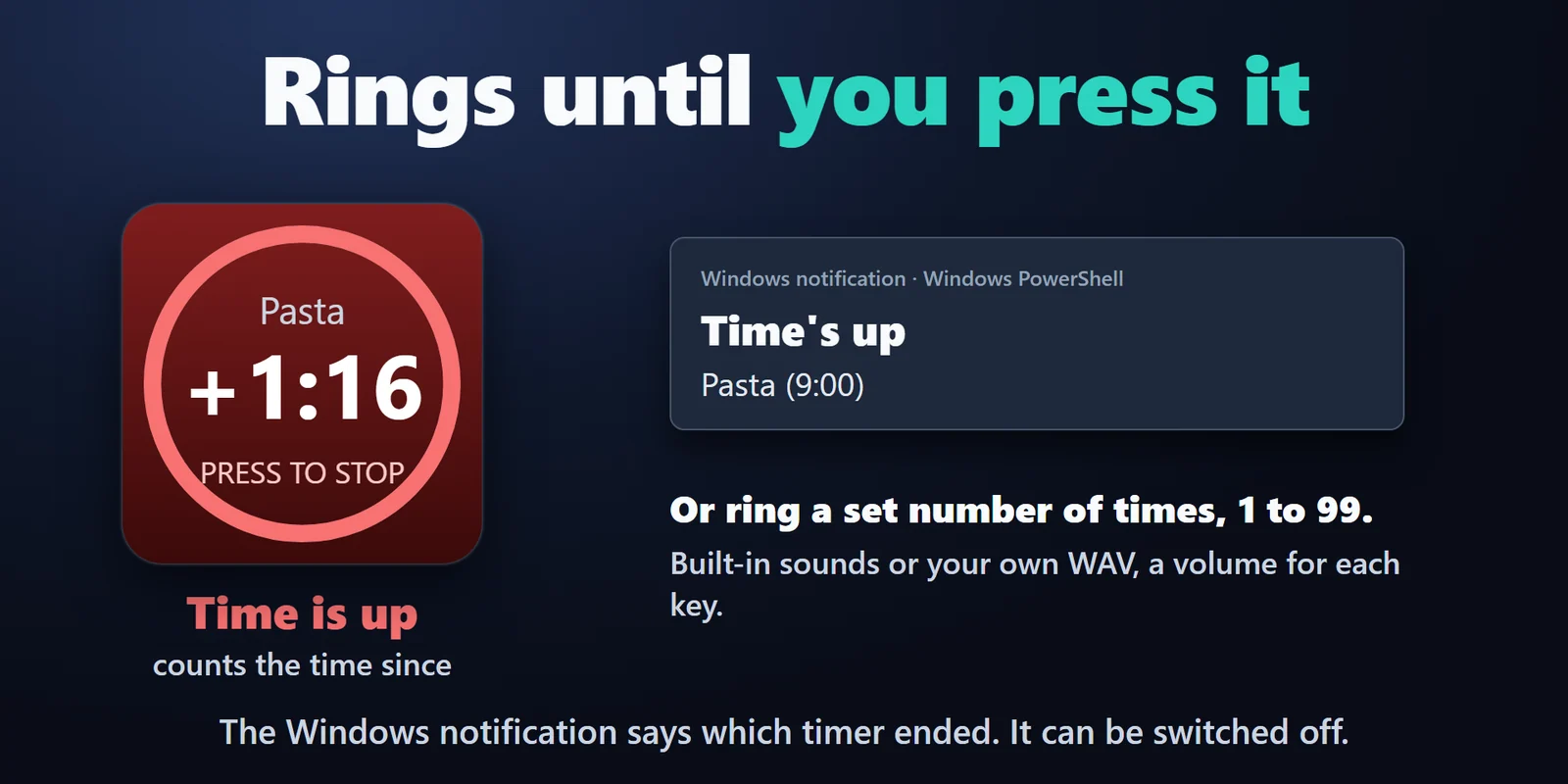
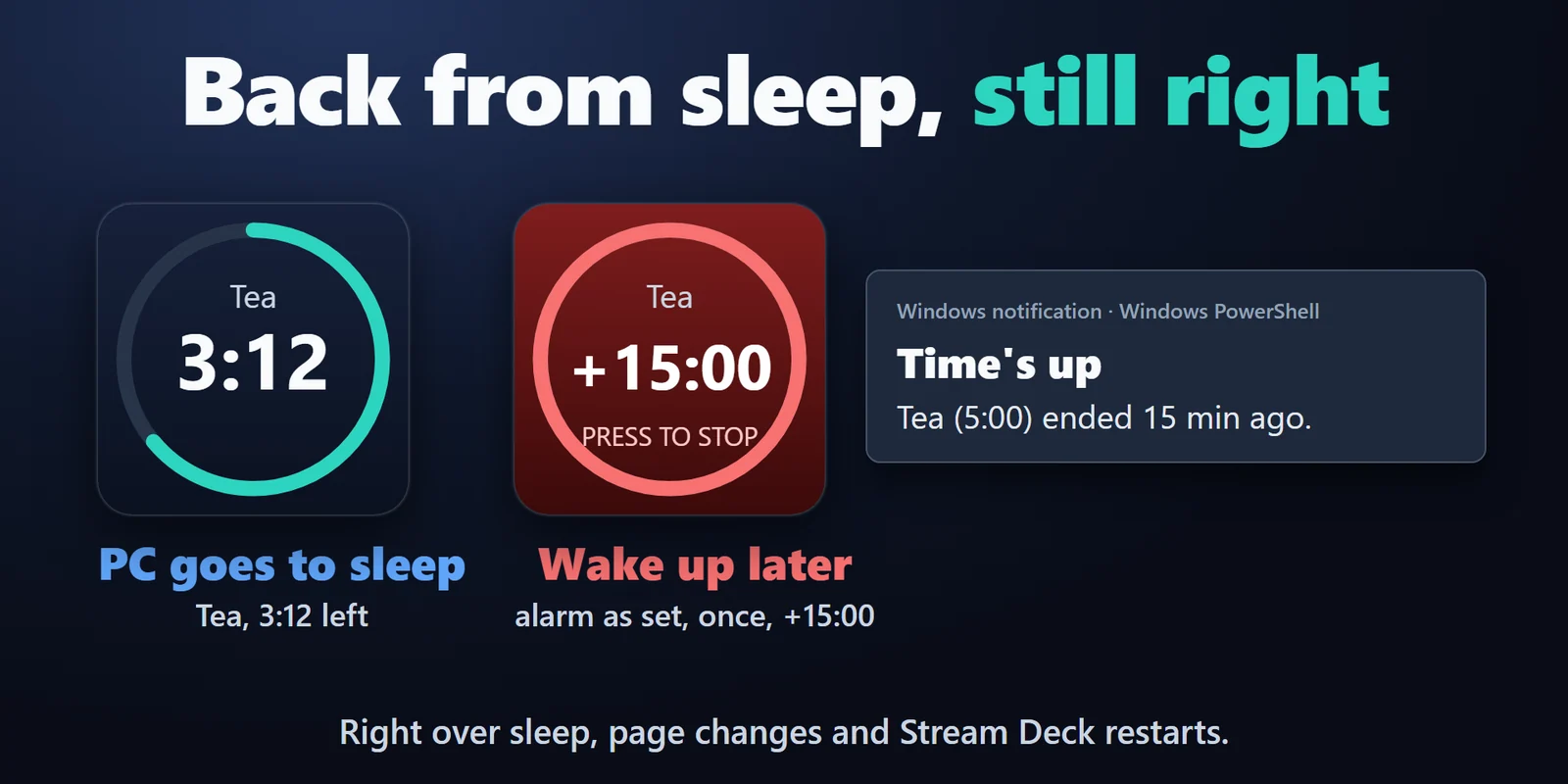
At zero it rings, shows a Windows notification and counts the overtime, like +15:00, until you press it, and it keeps the right time through PC sleep, page changes and Stream Deck restarts.
Features
The time left shows on the key with a ring that runs down and turns amber in the last minute, under a label such as Tea, Pasta or Meeting.
It rings until you press the key, or a set number of times from 1 to 99, with a Windows notification and the overtime counting up.
The timer keeps counting through PC sleep, page changes and Stream Deck restarts. If it ended while the PC slept, you get the alarm one time when you are back, and the key shows how long ago.
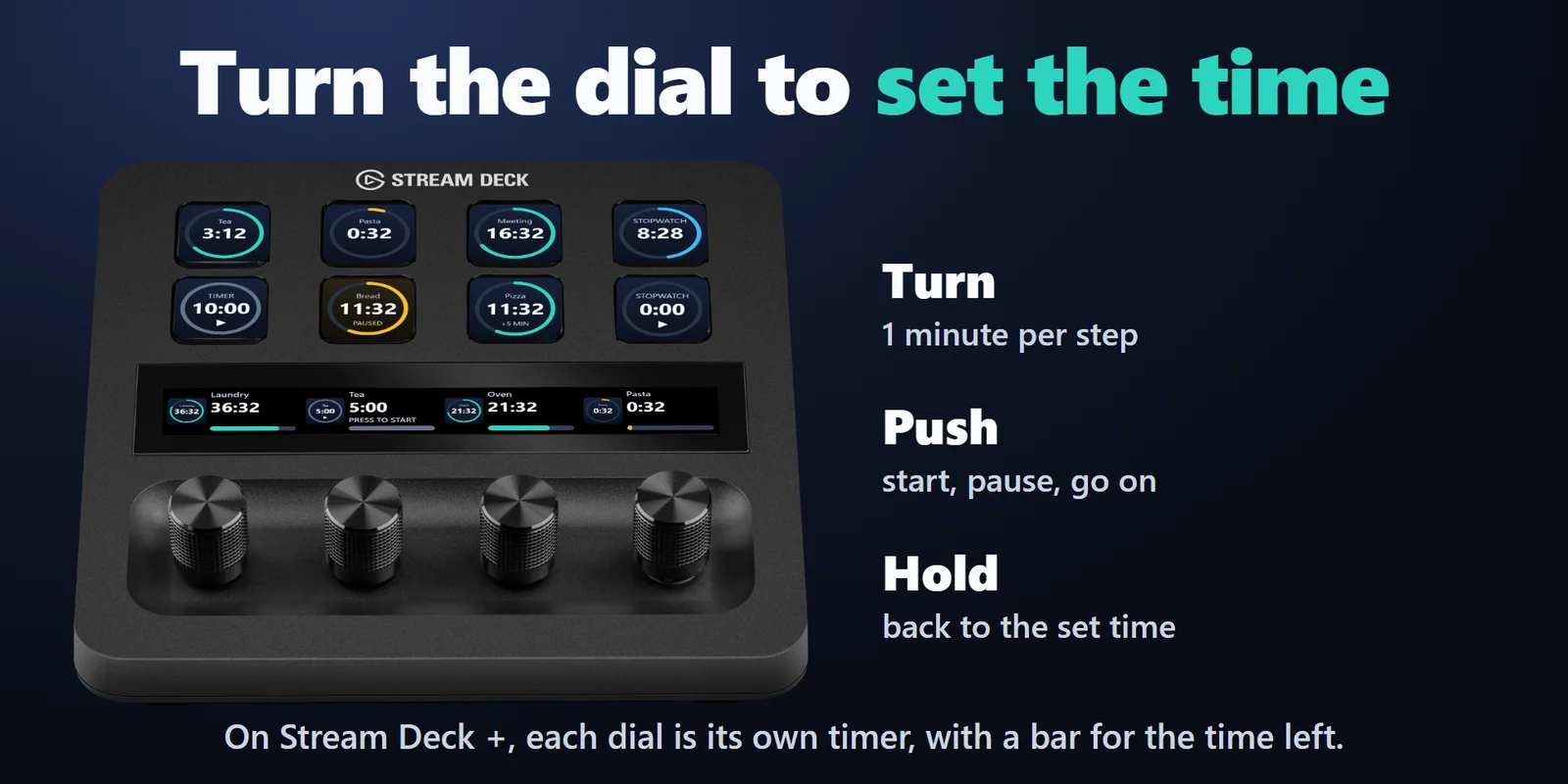
Turn it to change the time 1 minute at a time, press to start or pause, hold to reset.
Press to start, press again to pause, hold to reset. A press can also add 1 to 60 minutes while it runs.
Built-in sounds or your own WAV file, a volume for each key, and a Test sound button.
Press to start or stop, hold to go back to 0. It keeps counting over sleep and restarts.
A ring from a key on another page stops with a press on any timer key.
In English and Japanese, with unusable numbers marked in red so the timer waits until they are fixed.
Set up
FAQ
Short answers to what people ask before they add it.
Email contact
Add Countdown Alarm & Stopwatch, drag its Countdown key onto your Stream Deck and choose a time from 1 minute to 2 hours, or your own up to 23:59:59. Press the key to start; at zero it rings, shows a Windows notification and counts the overtime until you press it.
Yes. It keeps counting through PC sleep, page changes and Stream Deck restarts. If time ran out while the PC slept, it gives the alarm you set one time when you are back, and the notification says how long ago it ended.
Yes. Pick a built-in sound or your own WAV file, set a volume for each key and use the Test sound button. The WAV file needs to be on a drive letter such as C: (a network drive mapped to a letter works).
Yes. On Stream Deck +, turn the dial to change the time 1 minute at a time, press it to start or pause, and hold it to reset.
Yes. The Stopwatch key starts or stops with a press and goes back to 0 when you hold it. It keeps counting over sleep and restarts.
Requirements
Works on Windows 10 or later with Windows PowerShell (part of Windows) and the Stream Deck app 6.9 or later, on any Stream Deck, with dial control on Stream Deck +.
A Stream Deck plugin sold on the Elgato Marketplace.
More for your Stream Deck
Works on Windows 10 or later with Windows PowerShell (part of Windows) and the Stream Deck app 6.9 or later, on any Stream Deck, with dial control on Stream Deck +.
Get it on the Elgato MarketplaceOne-time purchase on the Elgato Marketplace, shown there in your own currency.