01
Press, drag, paste
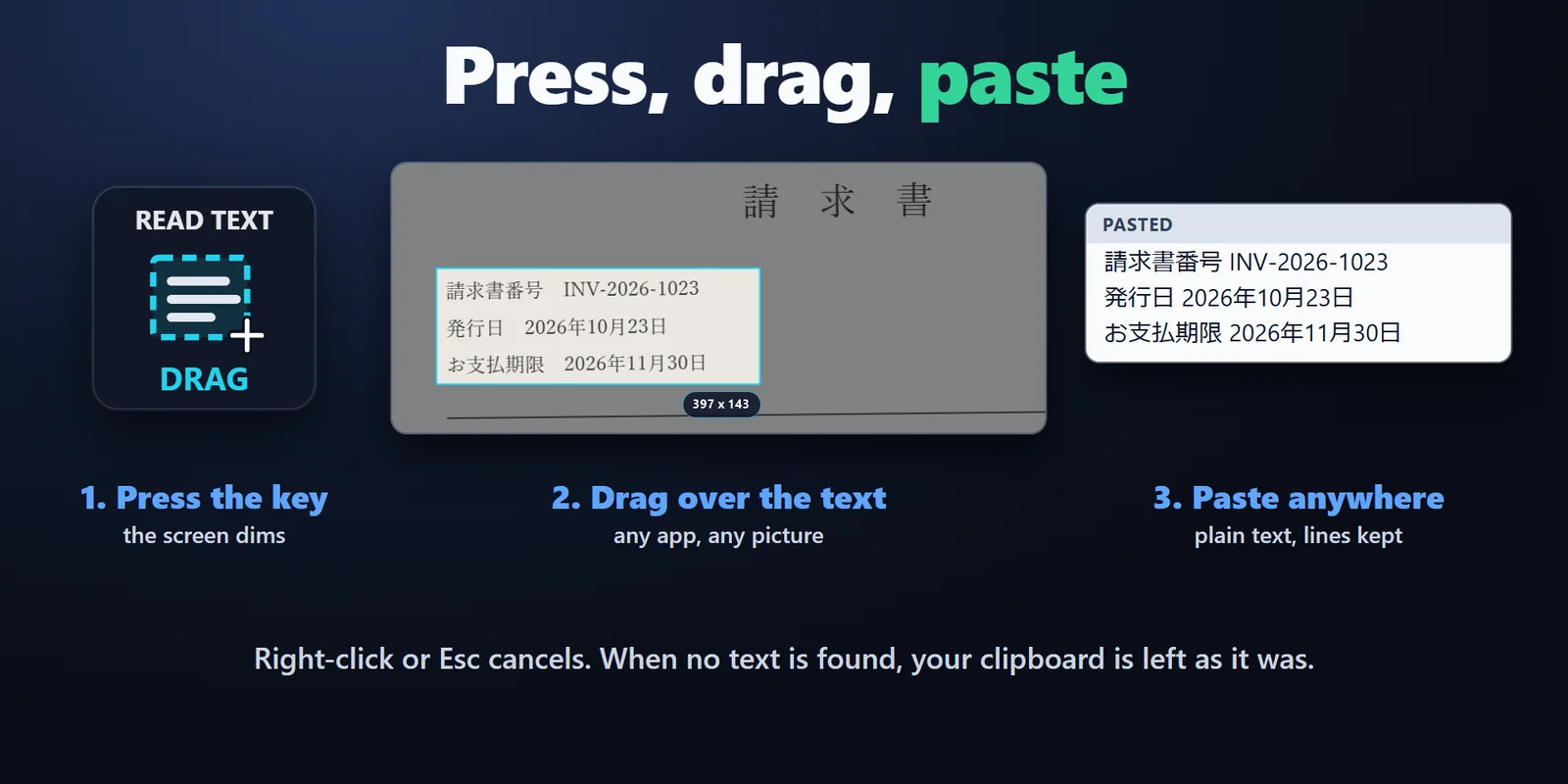
Press the key and the screen dims. Drag over the text, let go, and paste it anywhere. The selection shows its size as you drag.
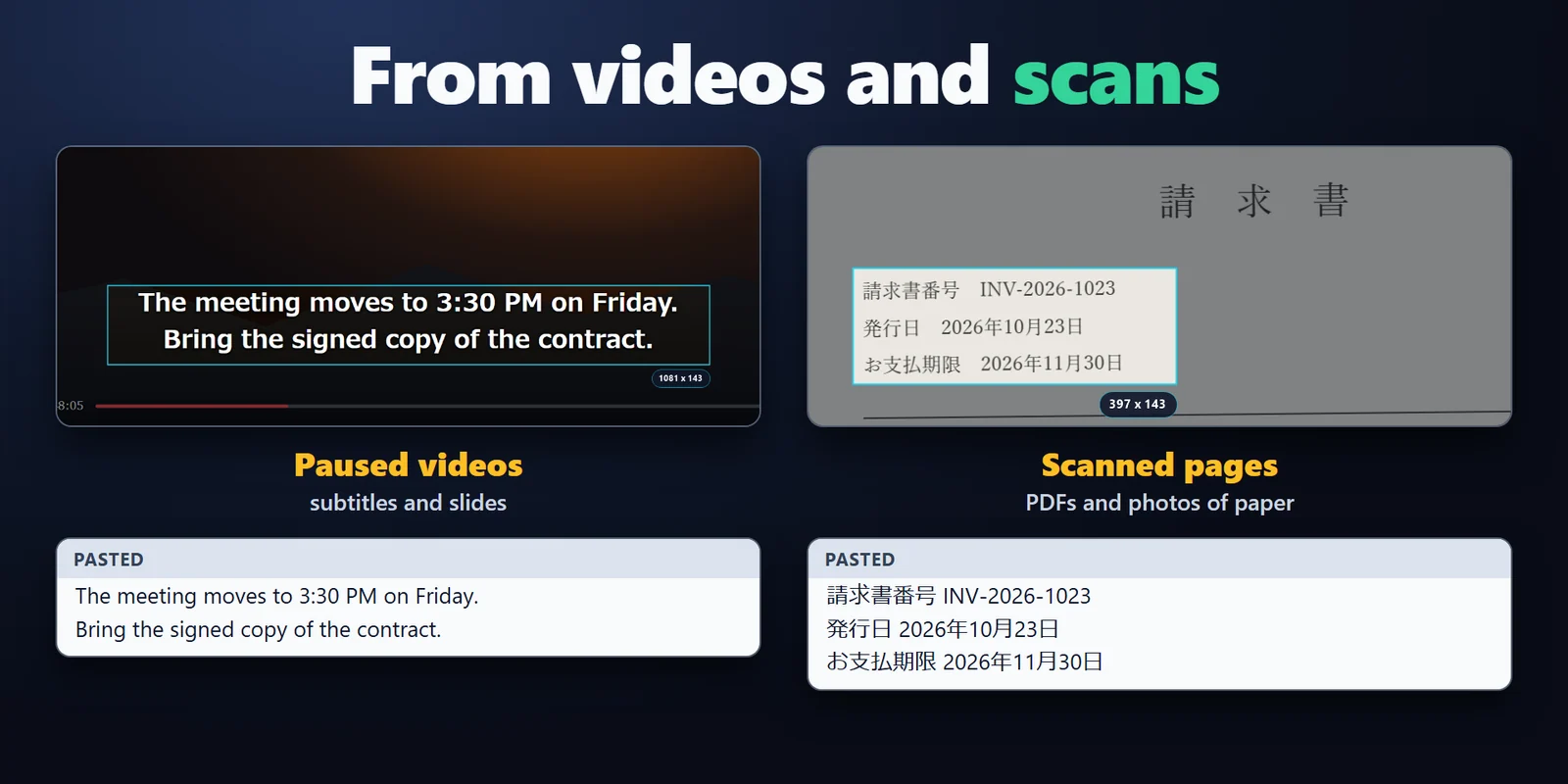
Read the words in pictures, paused videos, scans and error boxes, and paste them anywhere as plain text.
One-time purchase on the Elgato Marketplace, shown there in your own currency.
Overview
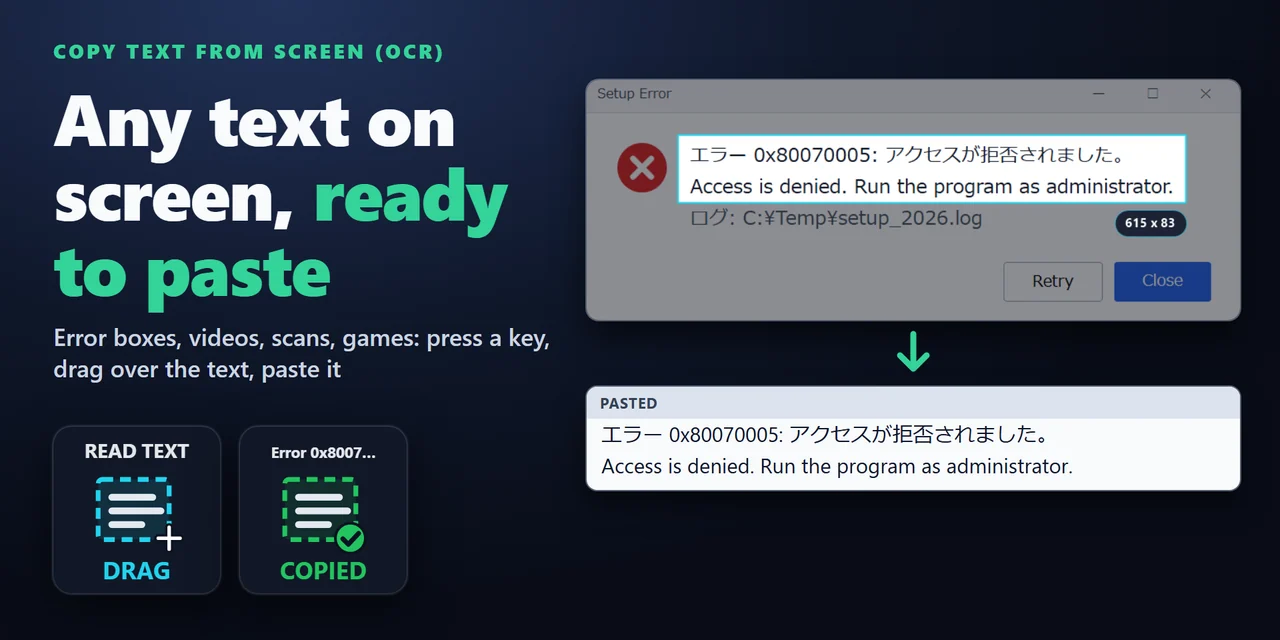
To copy text from the screen with a Stream Deck on Windows, add Copy Text from Screen (OCR) and press its Read Text from Area key: drag over the text you can see, let go, and paste it anywhere with Ctrl+V.
It reads (OCR) the text in pictures, paused videos, scanned PDFs, error messages, games and remote desktops, Japanese and English together, and a Read Fixed Area key reads the same spot again with each press.
Features
Press the key and the screen dims. Drag over the text, let go, and paste it anywhere. The selection shows its size as you drag.
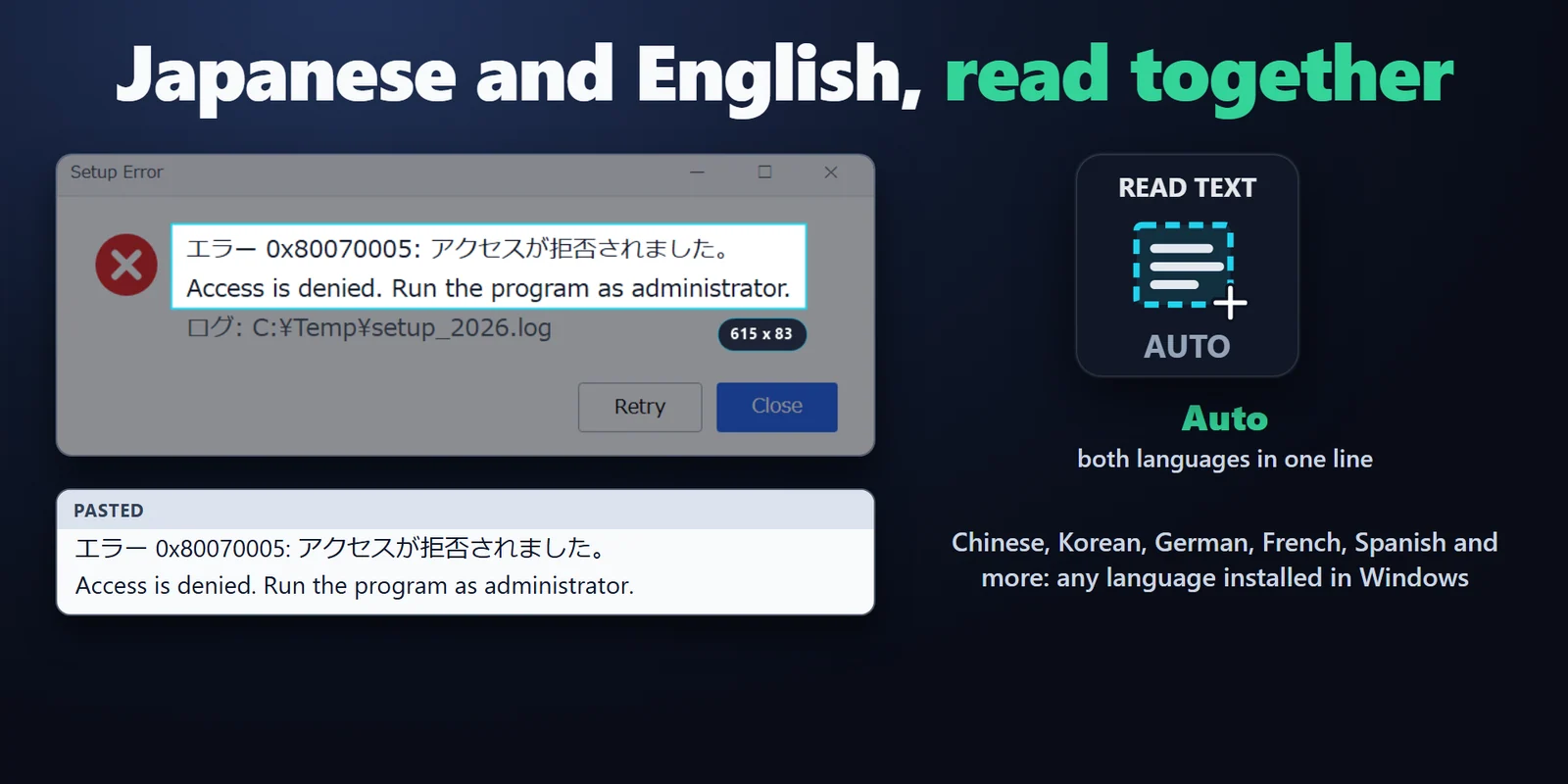
Auto reads both in one pass, including English words and numbers inside a Japanese line. Or pick one text recognition language installed in Windows.
Read Fixed Area keeps an area such as a subtitle line, a game's chat box or a field in a remote app, and every press reads it again. Hold the key for 0.6 seconds to pick a new area.
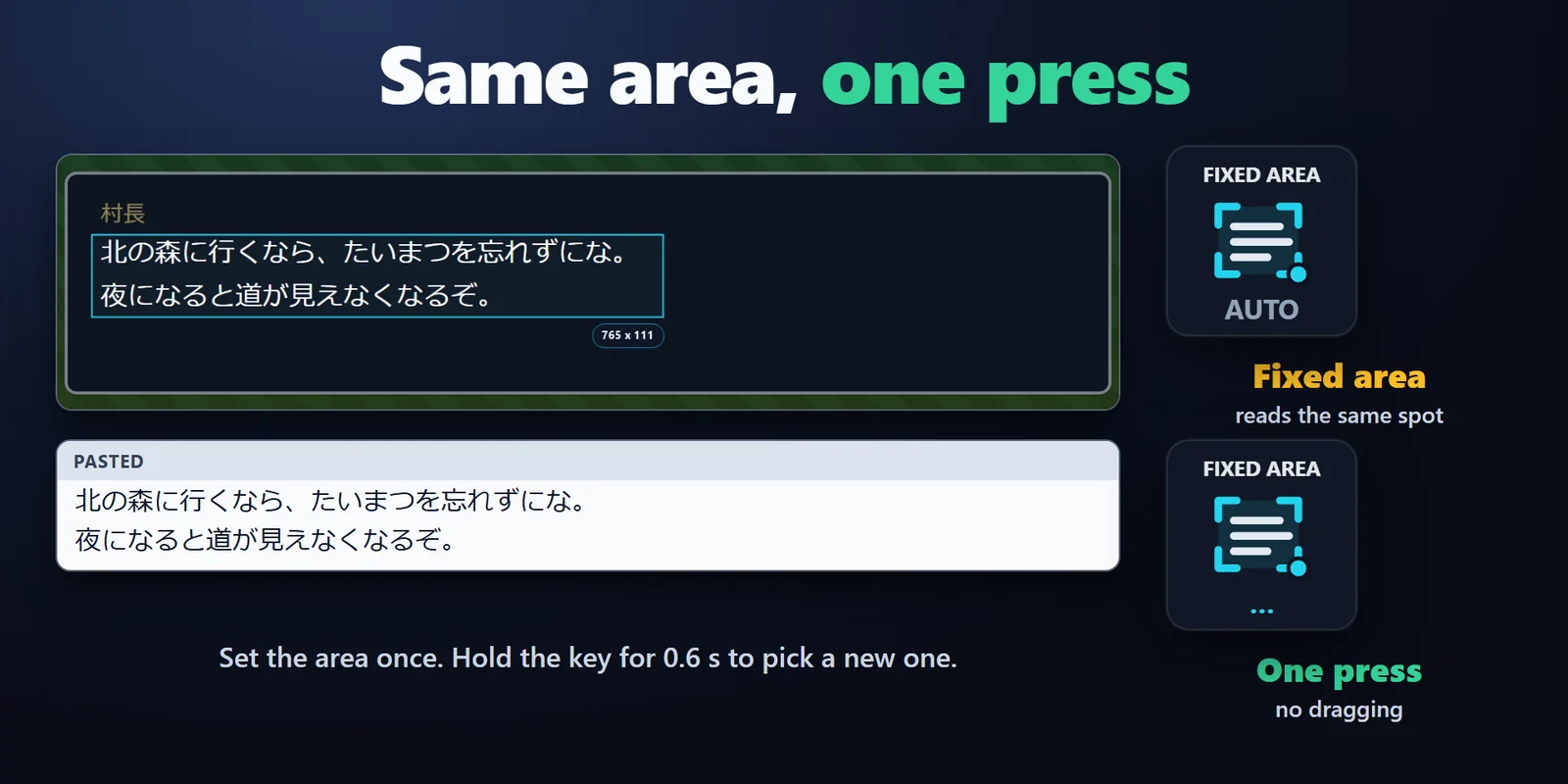
Copy the words in images, paused videos, scanned PDFs, error messages, games and remote desktops, as plain text on your clipboard.
Classic, Neon, Ring, Bars or Solid. The key shows DRAG, reading, COPIED with the first words, NO TEXT or CANCELLED, in English or Japanese.
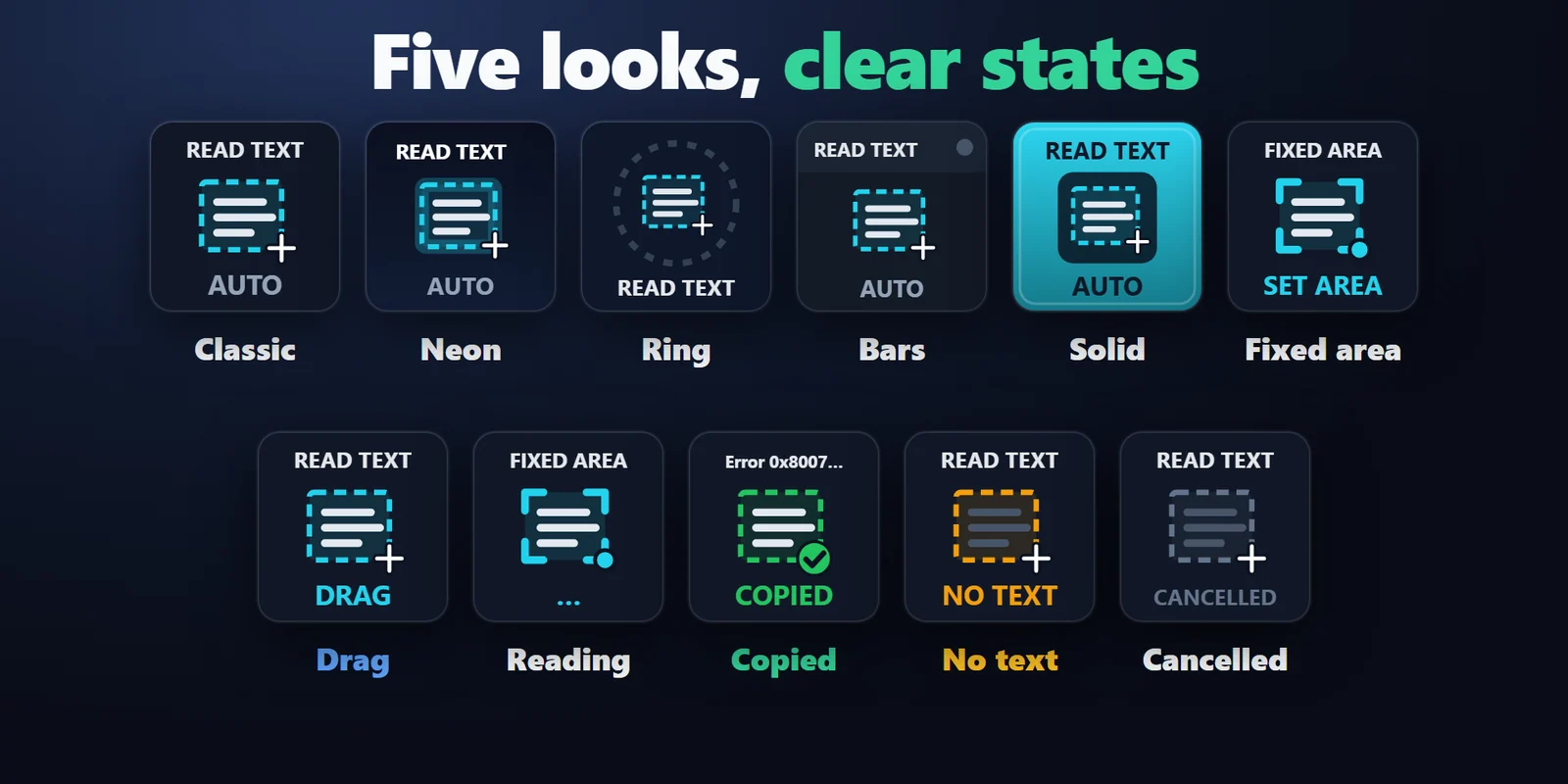
It changes only when text is found, and a right-click, Esc or a second press of the key cancels the selection.
Keep the lines as they are on the screen, or join them into one paragraph for text that wraps in a narrow column.
Turn on Also open in Google Translate to see the text in the language you choose right away.
Text is read on your PC and goes to your clipboard, with no account and no telemetry, and no pictures of the screen are saved.
Set up
FAQ
Short answers to what people ask before they add it.
Email contact
Add Copy Text from Screen (OCR) and drag Read Text from Area onto a key. Press it, drag over the text in any app or picture, let go, and paste with Ctrl+V.
Press the Read Text from Area key, drag over the text in the picture or the paused video, and paste with Ctrl+V.
Yes. Drag over the message box and the code, for example 0x80070005, is copied as text, ready to paste into a search.
Yes. Auto reads Japanese and English together, including English words and numbers inside a Japanese line, when Windows has the Japanese language added. To add it on an English Windows, open Settings > Time & language > Language & region.
Yes. Read Fixed Area keeps its area, so one press copies the subtitle line, chat box or field you set. Hold the key for 0.6 seconds to pick a new one.
Text is read on your PC and goes to your clipboard, and no picture of the screen is saved. Only Also open in Google Translate opens the text in your browser, and it is off until you turn it on.
Requirements
Works on Windows 10 or later with the Stream Deck app 6.9 or later and a text recognition language installed in Windows (Japanese and English Windows have one). It uses Windows PowerShell and the text recognition that are part of Windows, so there is no other app to install.
A Stream Deck plugin sold on the Elgato Marketplace.
More for your Stream Deck
Works on Windows 10 or later with the Stream Deck app 6.9 or later and a text recognition language installed in Windows (Japanese and English Windows have one). It uses Windows PowerShell and the text recognition that are part of Windows, so there is no other app to install.
Get it on the Elgato MarketplaceOne-time purchase on the Elgato Marketplace, shown there in your own currency.