01
Notes in words
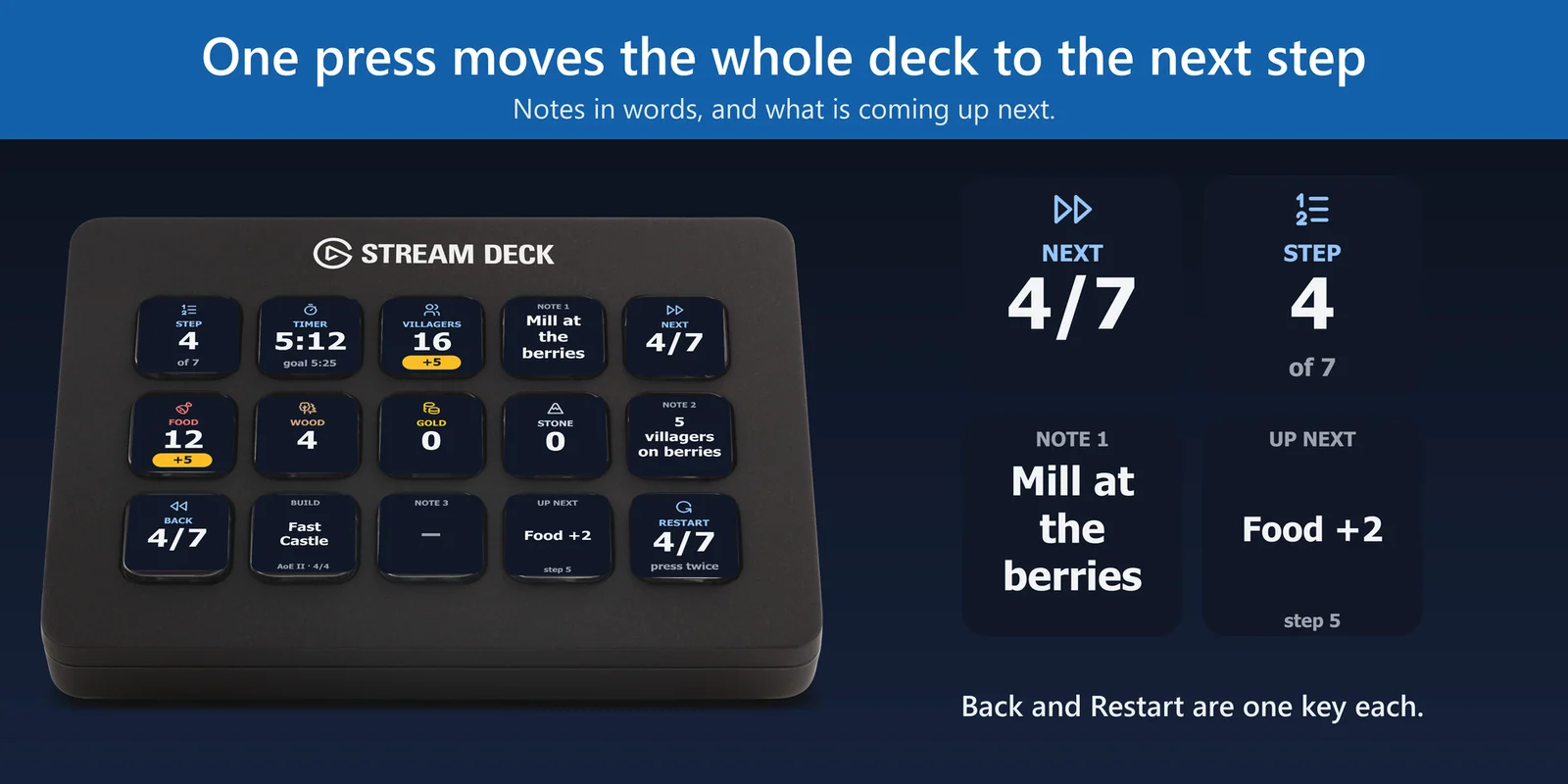
Note keys show the notes of the step, such as "Lure the boar". A long note is split into pages, so it stays readable on a key.
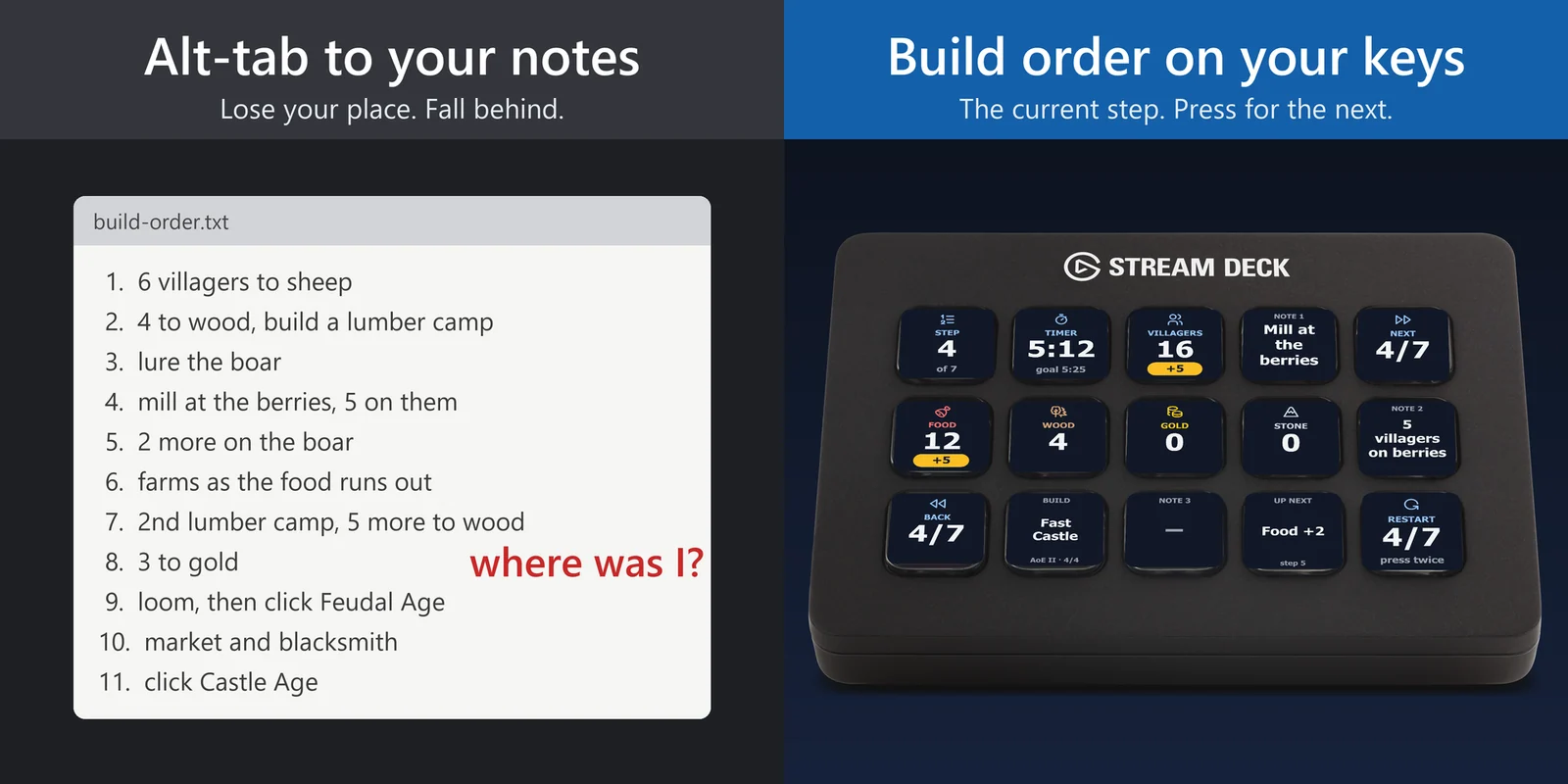
See the villagers for each resource, the notes and the goal time of each build order step, and move on in one press.
One-time purchase direct from GRAMSHIFT, plus any tax at checkout. One license key for up to 3 computers; the plugin goes online to check its license key.
Overview
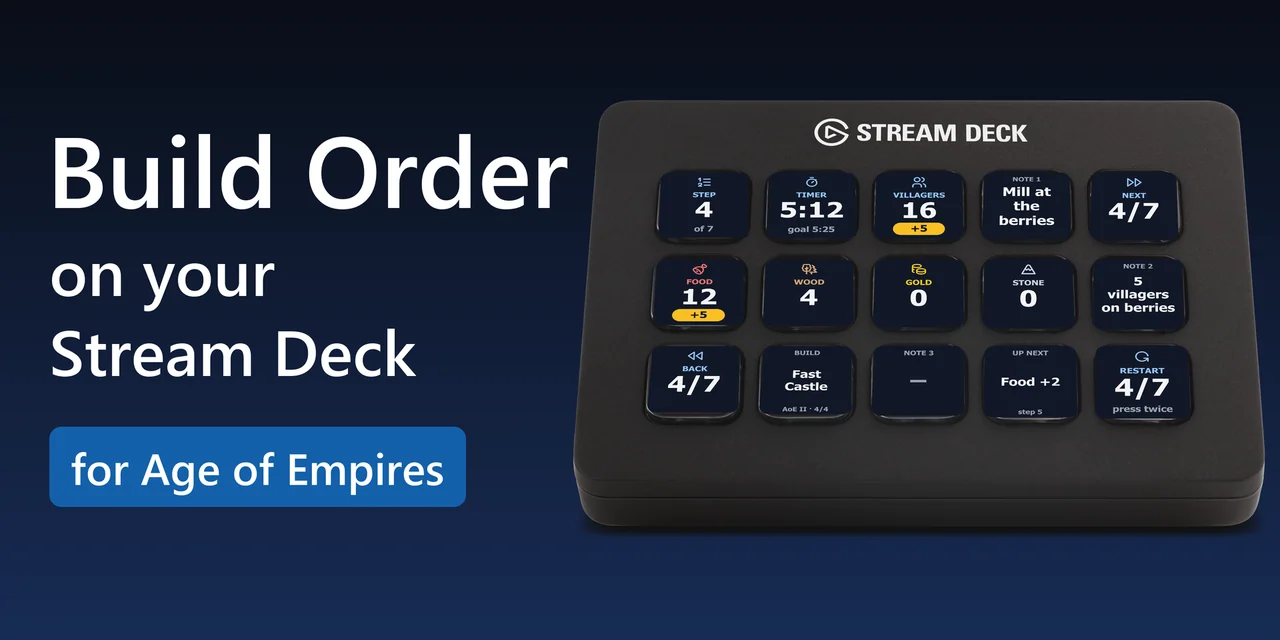
To follow an Age of Empires build order without leaving the game, add Build Order Deck for Age of Empires to your Stream Deck: the keys show how many villagers go on food, wood, gold and stone in the current step, the notes of the step and what changes next, and one press goes to the next step.
Start with Scouts, Archers or Fast Castle, or paste a build order in the RTS Overlay format for Age of Empires II: Definitive Edition, Age of Empires IV or Age of Mythology, and a Timer key shows the goal time of each step next to your own time.
Features
Note keys show the notes of the step, such as "Lure the boar". A long note is split into pages, so it stays readable on a key.
Resource keys show how many villagers go on food, wood, gold and stone in the current step, one key for each. A yellow band shows what changed from the step before.
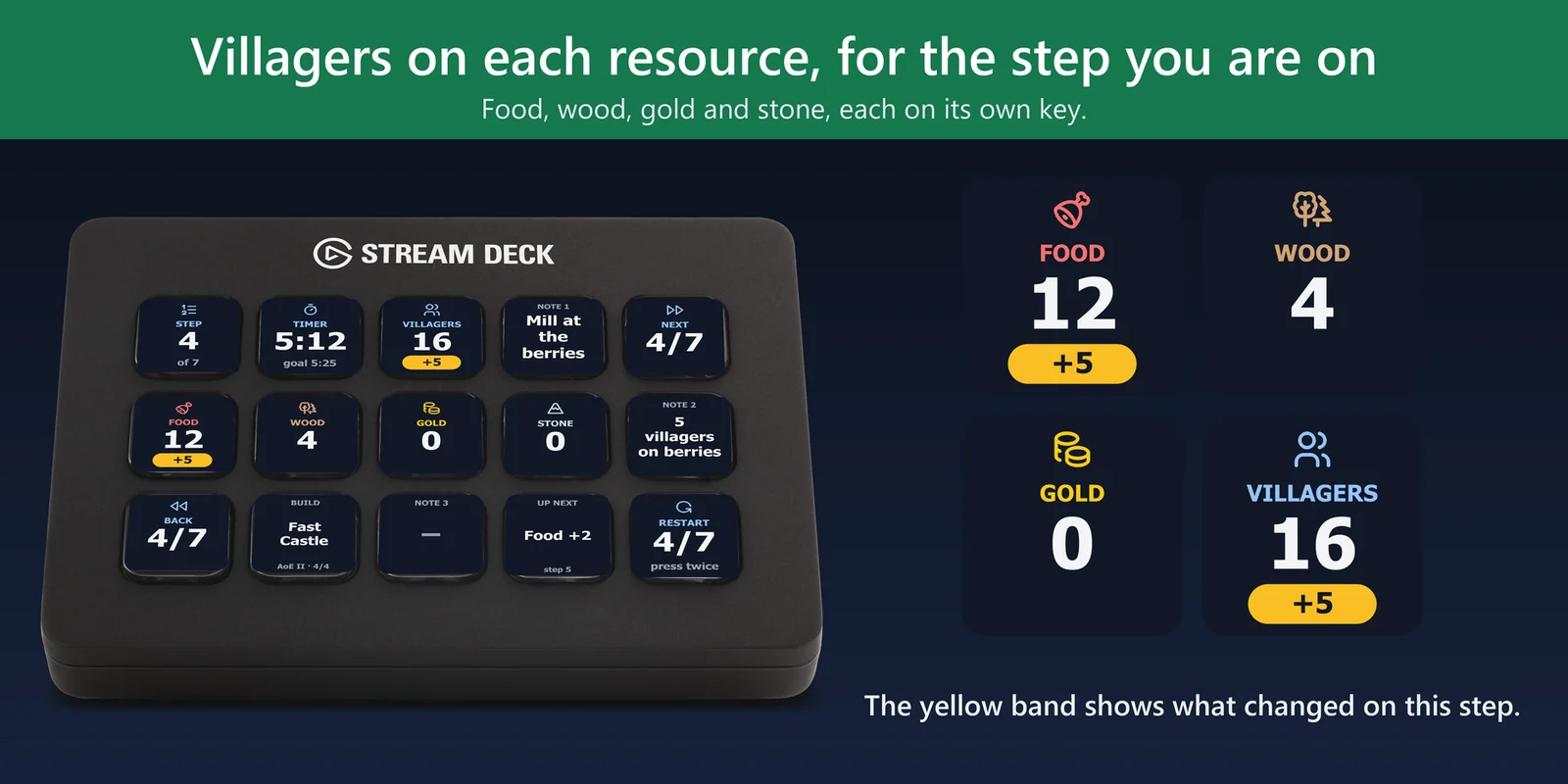
The Step key shows where you are in the build (4 of 7). Next and Back keys move one step, and Restart goes back to the first step when you press it twice.
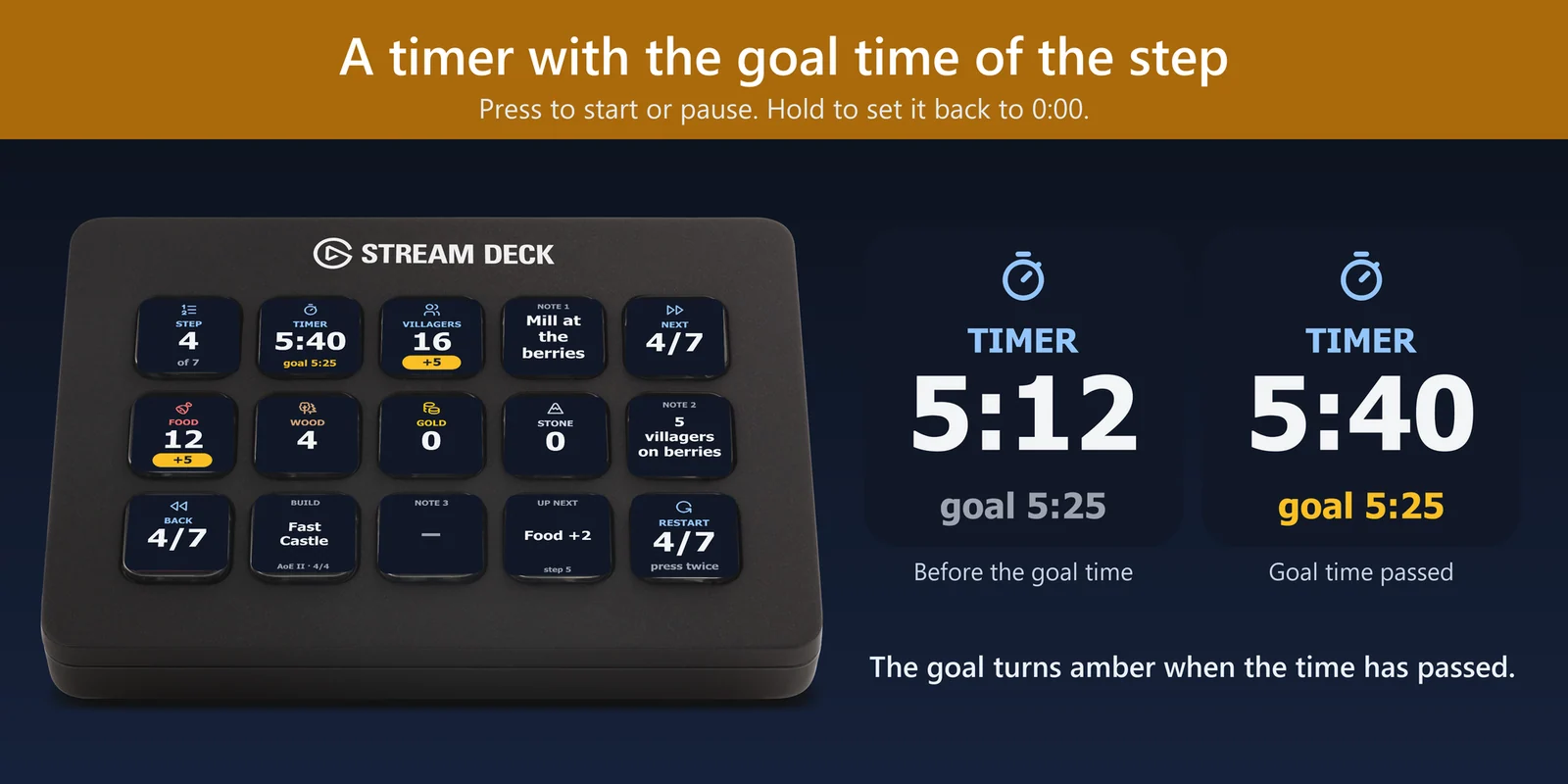
Press the Timer key to start or pause, hold it to go back to 0:00. It shows the goal time of the step next to your own time; with Auto-advance, the keys move to the next step when the timer reaches its time.
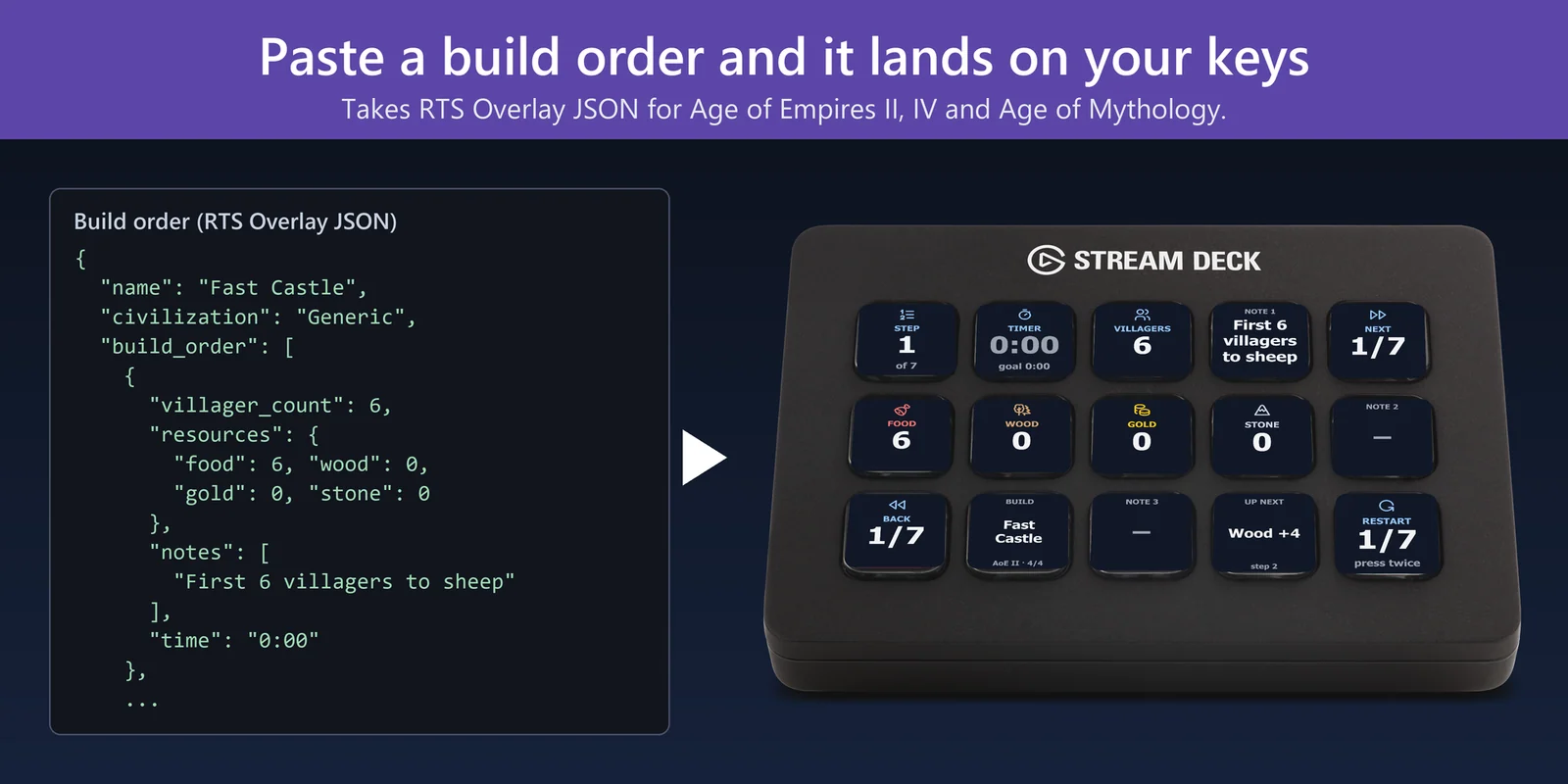
Copy a build order in the RTS Overlay format and paste the JSON into the settings of the Build key. The plugin says what to fix if it cannot read one. Keep several builds and press the Build key to switch.
The Up Next key shows what the next step changes, such as Food +2, so you can get ready before you press Next.
Build orders for Age of Empires II: Definitive Edition, Age of Empires IV and Age of Mythology. The Villagers key shows the villager count of the step (workers in Age of Mythology), or the population.
Scouts, Archers and Fast Castle come with the plugin, with a ready-made profile for the 15-key Stream Deck. On other models, drag the keys you want onto any page.
The step and the timer are kept when the Stream Deck app or the PC restarts. The key texts are in Japanese when the Stream Deck app is, and in English otherwise.
The plugin runs on your PC and leaves the game and its files alone. Your builds stay on your PC; the only thing the plugin sends online is its license key check.
Set up
Good to knowThe plugin works beside the game: it does not read the game or press keys in it.
FAQ
Short answers to what people ask before they add it.
Email contact
Put the keys of Build Order Deck for Age of Empires on your Stream Deck. The villagers for each resource, the notes and the step stay in front of you while the game keeps the whole screen, and one press goes to the next step.
Start with the builds that come with the plugin: Scouts, Archers and Fast Castle. To add more, copy a build order in the RTS Overlay format and paste the JSON into the settings of the Build key.
Yes. The plugin reads which game a build order is for and shows the population or workers where the game uses them.
Yes. Write it in the same format and paste it into the settings of the Build key. The plugin says what to fix if it cannot read it.
No. The plugin leaves the game and its files alone: you press Next as you play, or turn on Auto-advance and the keys follow the timer.
Build Order Deck for Age of Empires is sold on gramshift.com. One license key works on up to 3 of your own PCs, and new versions download from your license key page.
Requirements
Works on Windows 10 or 11 with the Stream Deck app 6.9 or later and any Stream Deck with keys (the plugin does not use dials), with build orders for Age of Empires II: Definitive Edition, Age of Empires IV and Age of Mythology.
A Stream Deck plugin sold directly by GRAMSHIFT.
More for your Stream Deck
Works on Windows 10 or 11 with the Stream Deck app 6.9 or later and any Stream Deck with keys (the plugin does not use dials), with build orders for Age of Empires II: Definitive Edition, Age of Empires IV and Age of Mythology.
Buy from GRAMSHIFTOne-time purchase direct from GRAMSHIFT, plus any tax at checkout. One license key for up to 3 computers; the plugin goes online to check its license key.