01
Your party at a glance
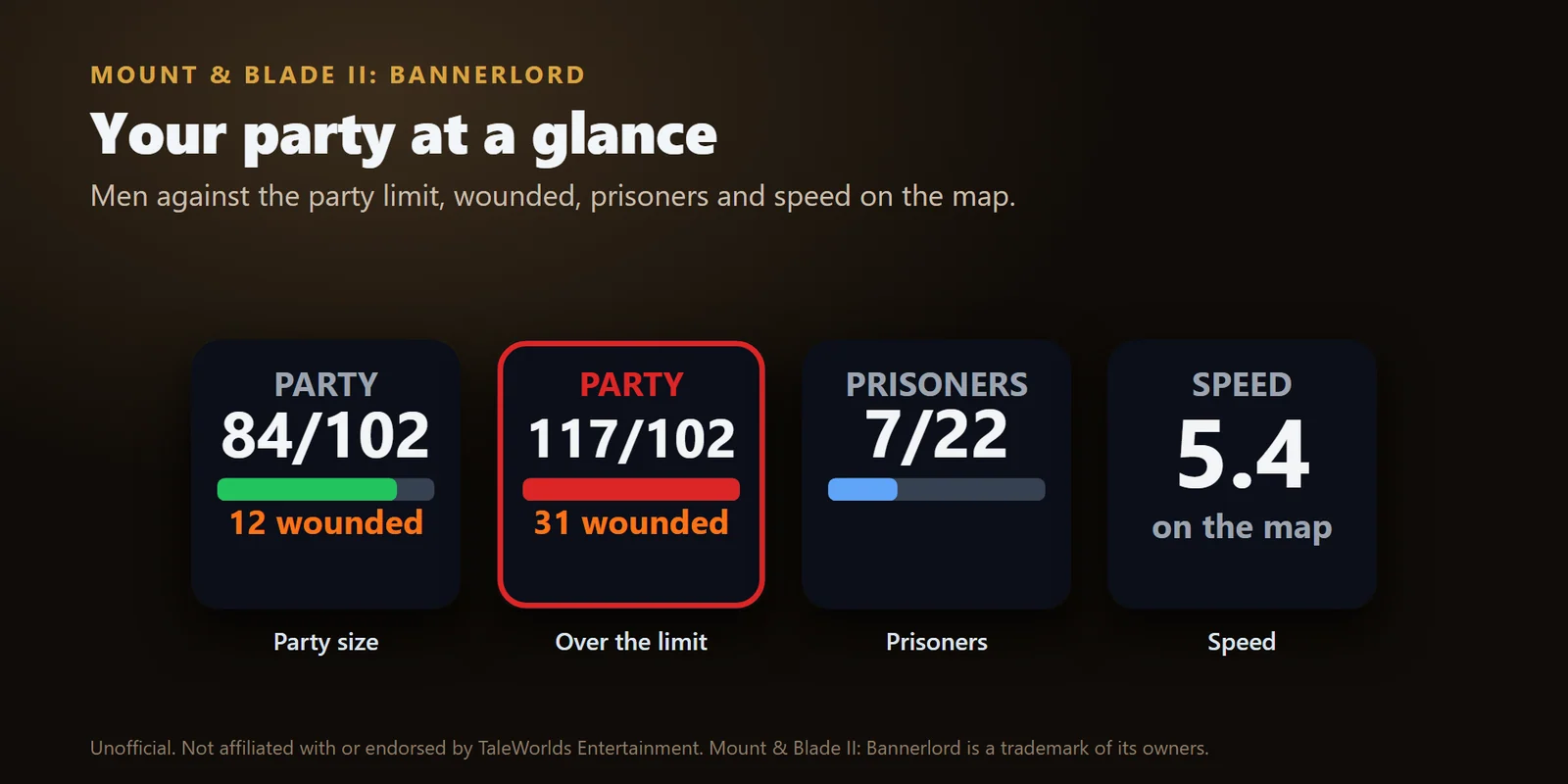
Men against the party limit, wounded, prisoners or speed on the map, in red when you are over the limit.
Party size, food, morale, gold, renown and troops in battle from Mount & Blade II: Bannerlord on Stream Deck keys.
One-time purchase on the Elgato Marketplace, shown there in your own currency.
Or buy direct from GRAMSHIFT: same amount as on the Elgato Marketplace, plus any tax at checkout. One license key for up to 3 computers. The direct copy goes online to check its license key.
Overview
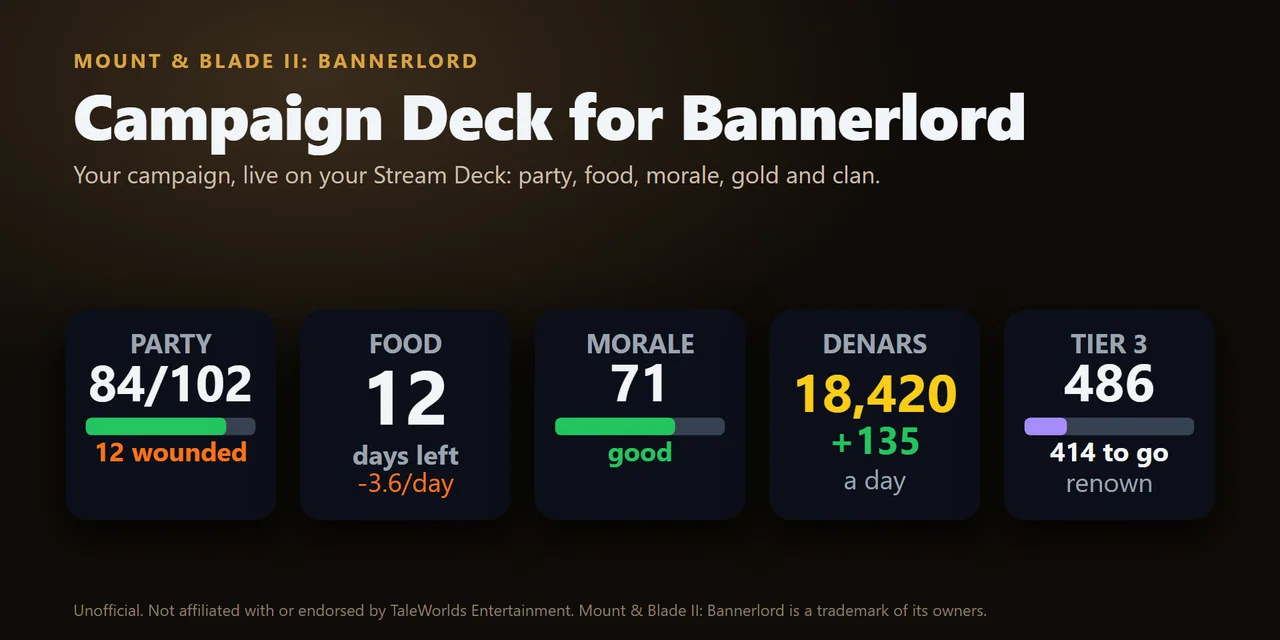
To show your Mount & Blade II: Bannerlord campaign on a Stream Deck, install Campaign Deck for Bannerlord, a plugin that puts party size against the limit, days of food, morale, gold, renown to the next clan tier and, in battle, the troops alive on each side on your keys and Stream Deck + dials.
The keys update as you play and turn yellow then red while there is still time to act on food and morale, and every key can also send a game key, so your Stream Deck doubles as a Bannerlord button box.
Features
Men against the party limit, wounded, prisoners or speed on the map, in red when you are over the limit.
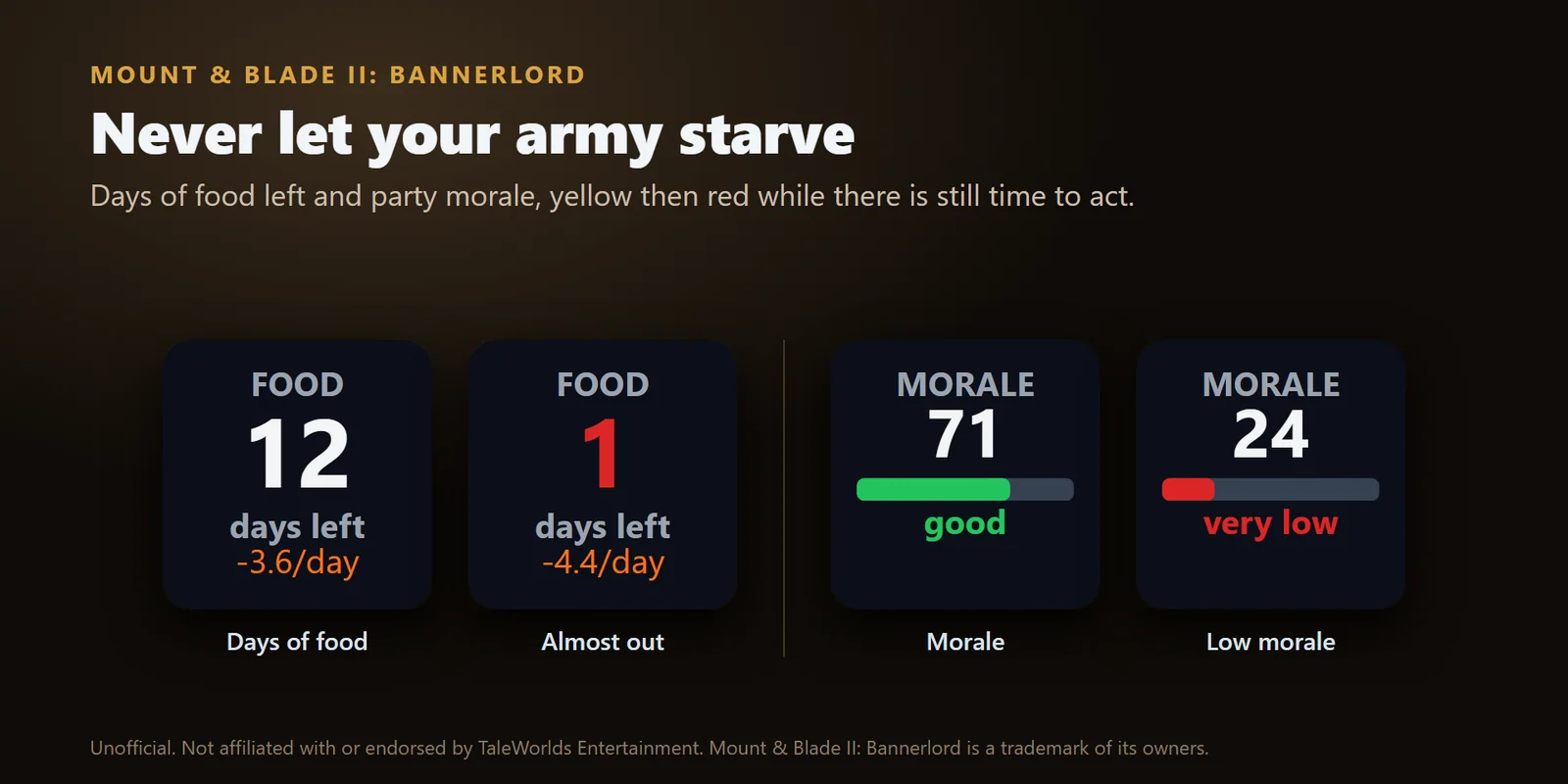
Days of food left with the daily change, and party morale, yellow then red as they drop.
Denars with the change a day, the renown still to earn for the next clan tier, or your influence.
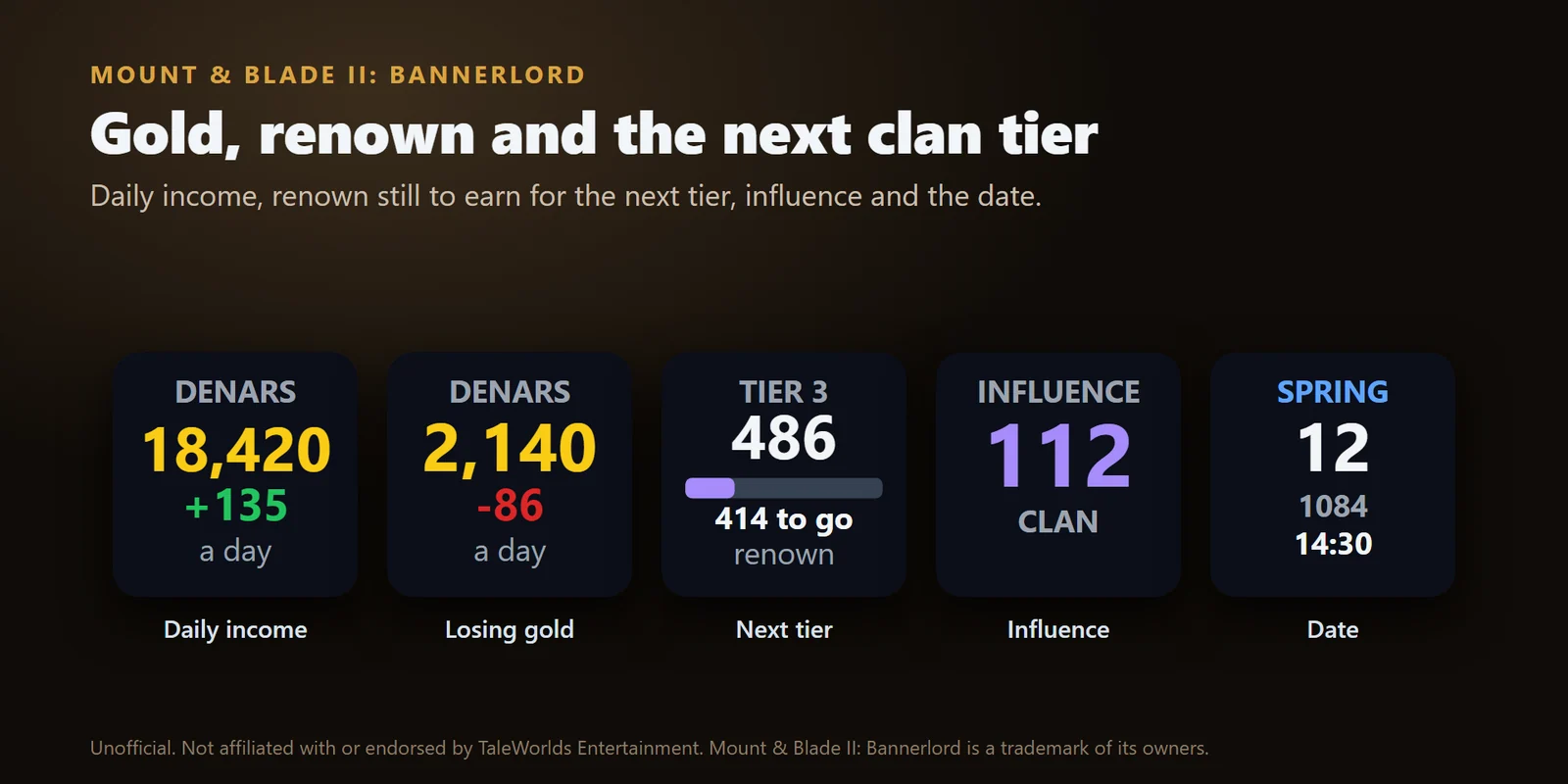
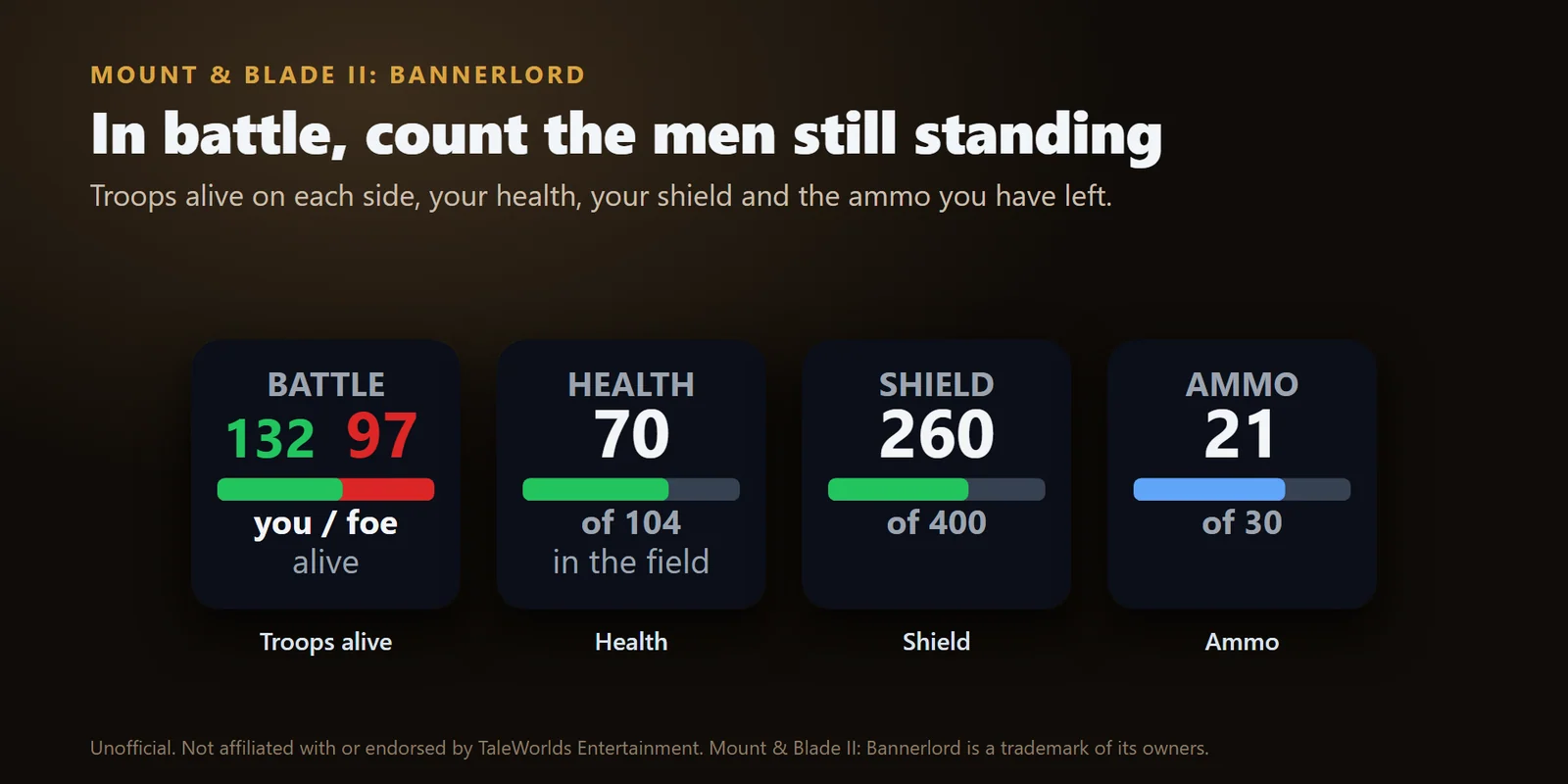
In battle, the troops alive on each side, plus your hero's health and your shield or ammo.
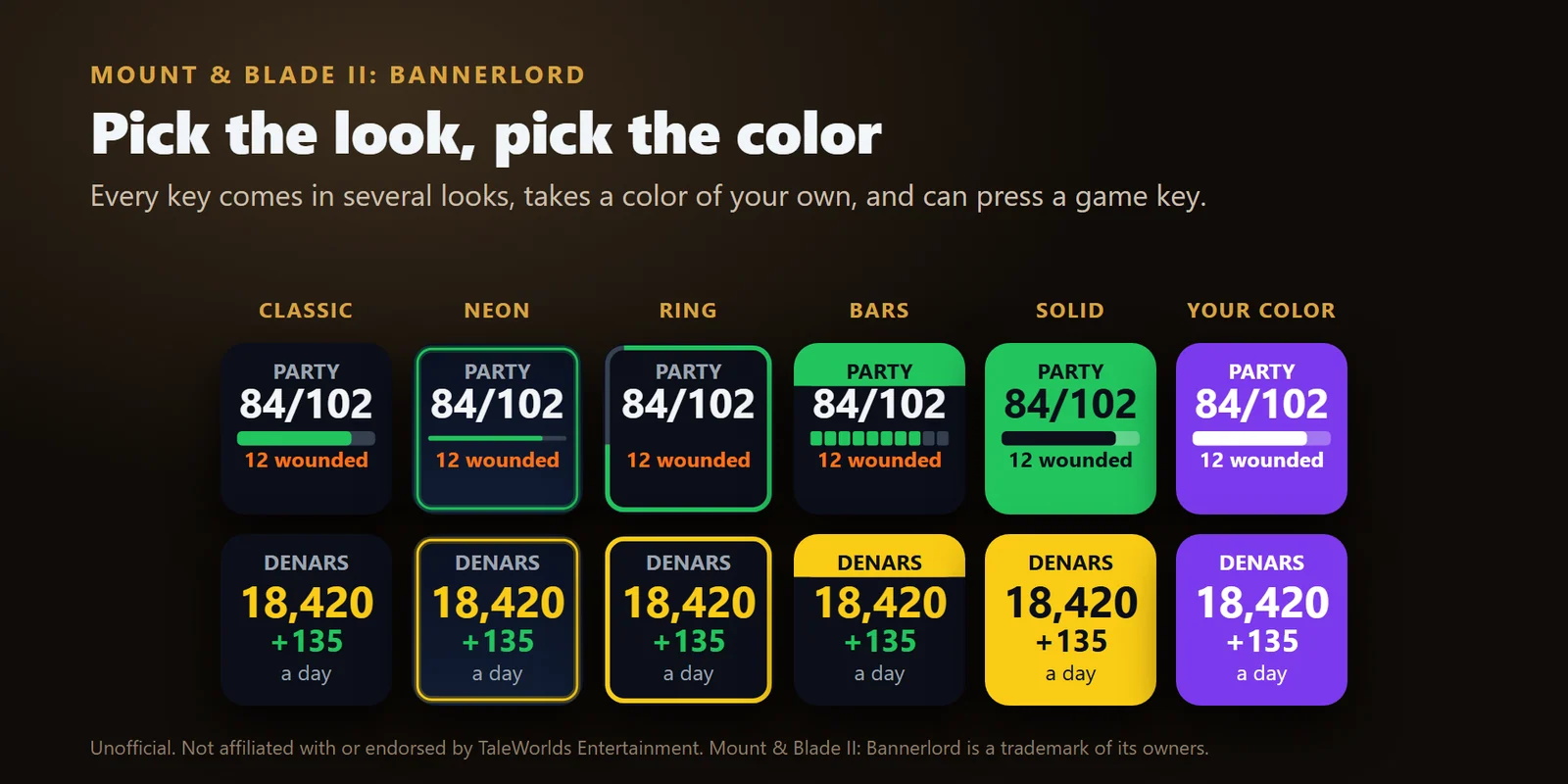
Classic, Neon, Ring, Bars, Solid or your own color, in English or Japanese.
The season, day, year and hour of your campaign.
Each press sends one game key you pick, such as P for the party screen or I for the inventory.
Every value works on Stream Deck keys and on Stream Deck + dials.
The game PC can send its values to it over your home network.
Set up
Good to knowUsing a Stream Deck on a Mac or another PC? Set Receive from to This PC and the network, press Save for the game PC, copy that folder into the Modules folder of the game on the game PC and tick it under Mods. Your campaign data stays on your PC and goes only to the one computer you set up.
FAQ
Short answers to what people ask before they add it.
Email contact
Install Campaign Deck for Bannerlord, drag the Party, Food and Morale keys onto your Stream Deck, and press Install in a key's settings. Tick Campaign Deck for Stream Deck under Mods in the Bannerlord launcher and start your campaign: the keys show your men against the party limit, the days your food lasts and your party morale.
Yes. The Food key shows how many days your food lasts and the daily change, turns yellow at 5 days or fewer and red at 2 days or fewer, and shows STARVING when the food is gone.
Put the Clan key on your Stream Deck. It shows your clan tier, your renown and the renown still to earn for the next tier, with a bar, and can show your influence instead.
Yes. Every key sends a game key you choose when you press it, such as P for the party screen or I for the inventory, and by default only while the game is the active window.
Yes. In a battle the Battle key shows the troops still alive on your side and the enemy side with a bar of the balance, and the Hero key shows your health, shield or ammo.
Yes. The game runs on a Windows PC and sends its values over your home network to the Stream Deck on your Mac or on another PC, so the keys and dials show your campaign there. Key presses reach the game only from a Stream Deck on the Windows PC that runs it.
Requirements
For Windows 10 or 11 or macOS 12 or later with the Stream Deck app 6.9 or later, and Mount & Blade II: Bannerlord v1.3.15, v1.4.5 to v1.4.8 or the v1.5.1 to v1.5.6 beta on Steam, the Epic Games Store or GOG, running on a Windows PC.
A Stream Deck plugin sold on the Elgato Marketplace.
More for your Stream Deck
For Windows 10 or 11 or macOS 12 or later with the Stream Deck app 6.9 or later, and Mount & Blade II: Bannerlord v1.3.15, v1.4.5 to v1.4.8 or the v1.5.1 to v1.5.6 beta on Steam, the Epic Games Store or GOG, running on a Windows PC.
Get it on the Elgato MarketplaceOne-time purchase on the Elgato Marketplace, shown there in your own currency.