01
See every key at once
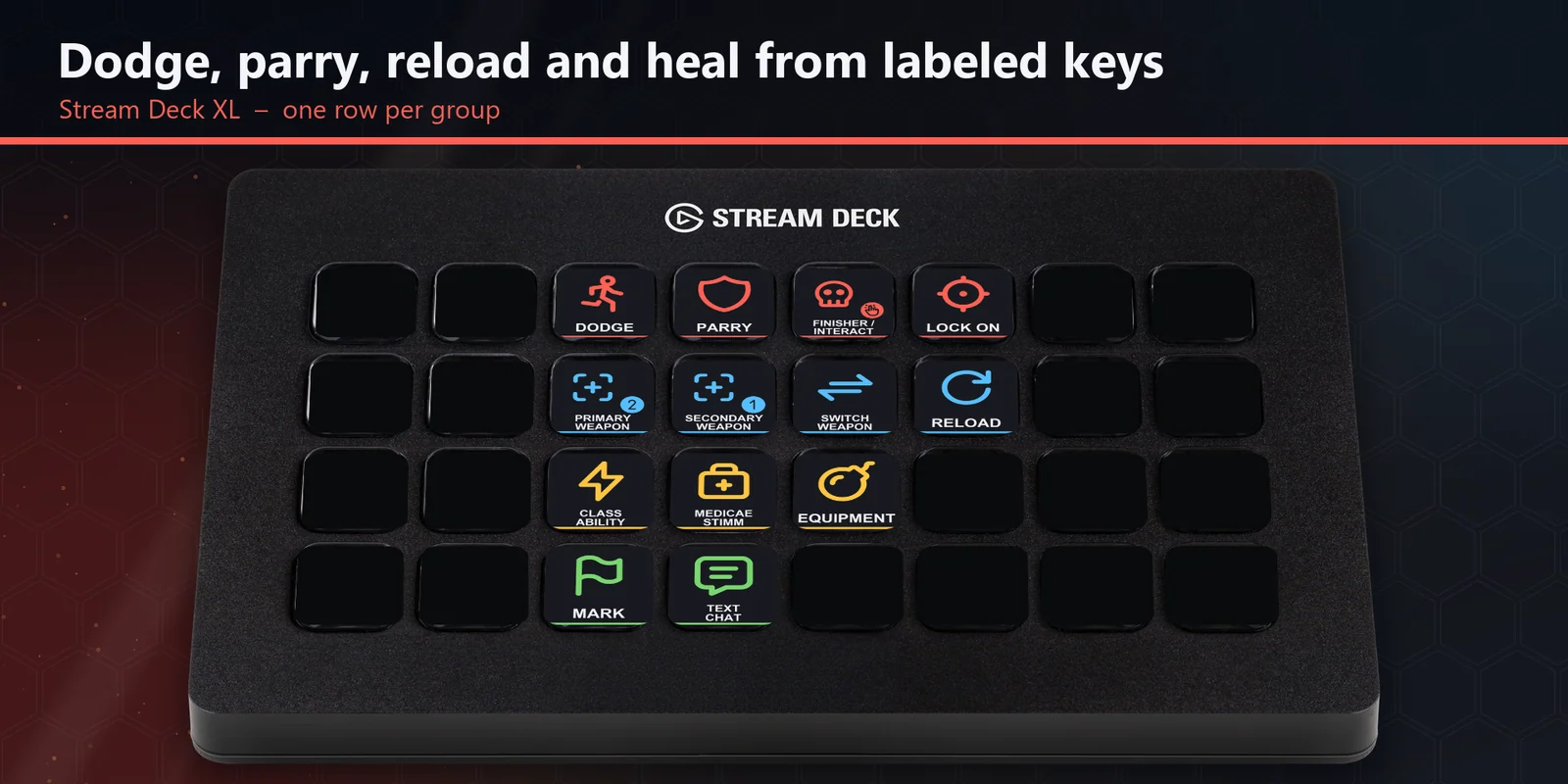
On a Stream Deck XL, combat, weapons, abilities and gear, and team each have their own row and color.
Dodge, parry, lock on, swap and reload weapons, class ability and stimm in Space Marine 2, one Stream Deck key each.
One-time purchase direct from GRAMSHIFT, plus any tax at checkout. A download link appears right after payment, and the receipt arrives by email.
Overview
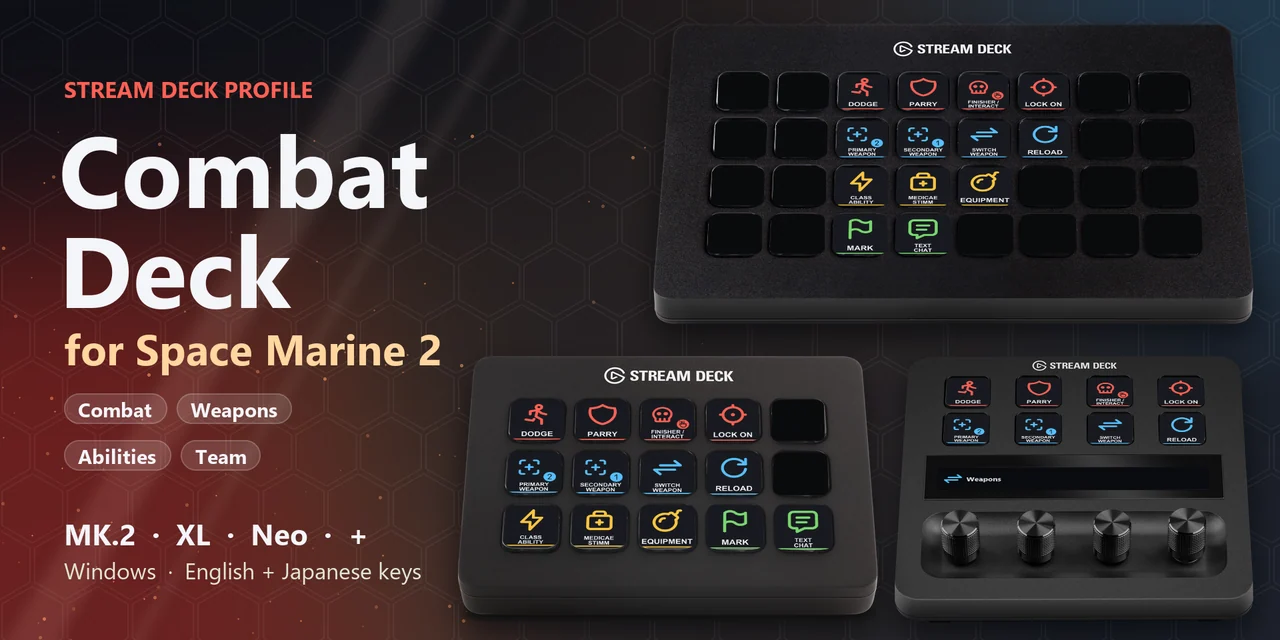
To dodge, parry, lock on, swap and reload weapons, use your class ability, heal with a medicae stimm or mark a target in Warhammer 40,000: Space Marine 2 from a Stream Deck on Windows, open the Combat Deck for Space Marine 2 profile for your device and keep the game window in front.
Each key of Combat Deck for Space Marine 2 sends the keyboard key the game uses out of the box, so there is nothing to set up inside the game and no mods, with English or Japanese labels.
Features
On a Stream Deck XL, combat, weapons, abilities and gear, and team each have their own row and color.
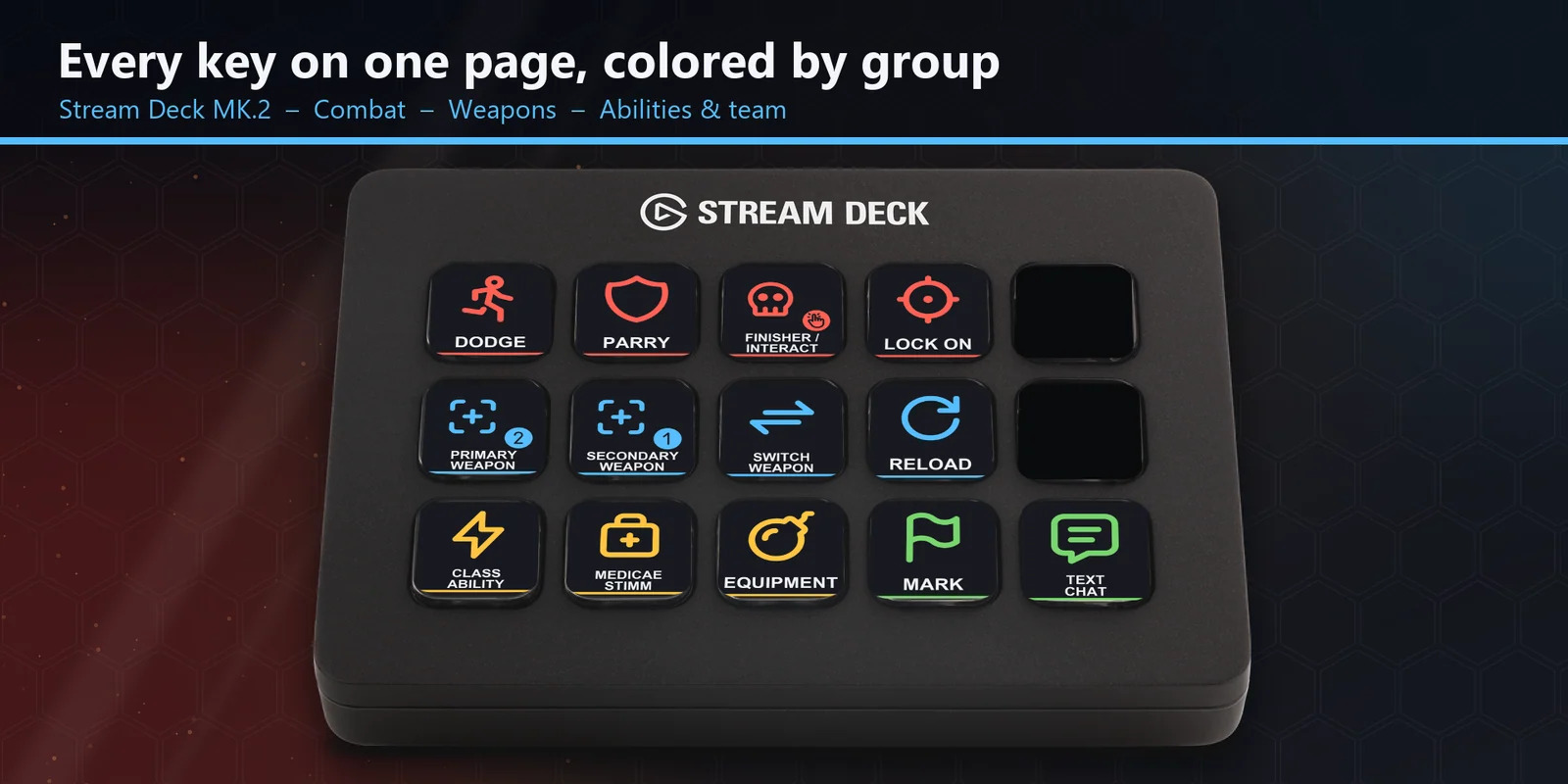
On a Stream Deck MK.2, dodge, parry, finisher / interact, lock on, your weapons, reload, class ability, stimm, equipment, mark and text chat share one page.
On a Stream Deck +, turn the Weapons dial left for your secondary weapon and right for your primary weapon, and press it to reload.
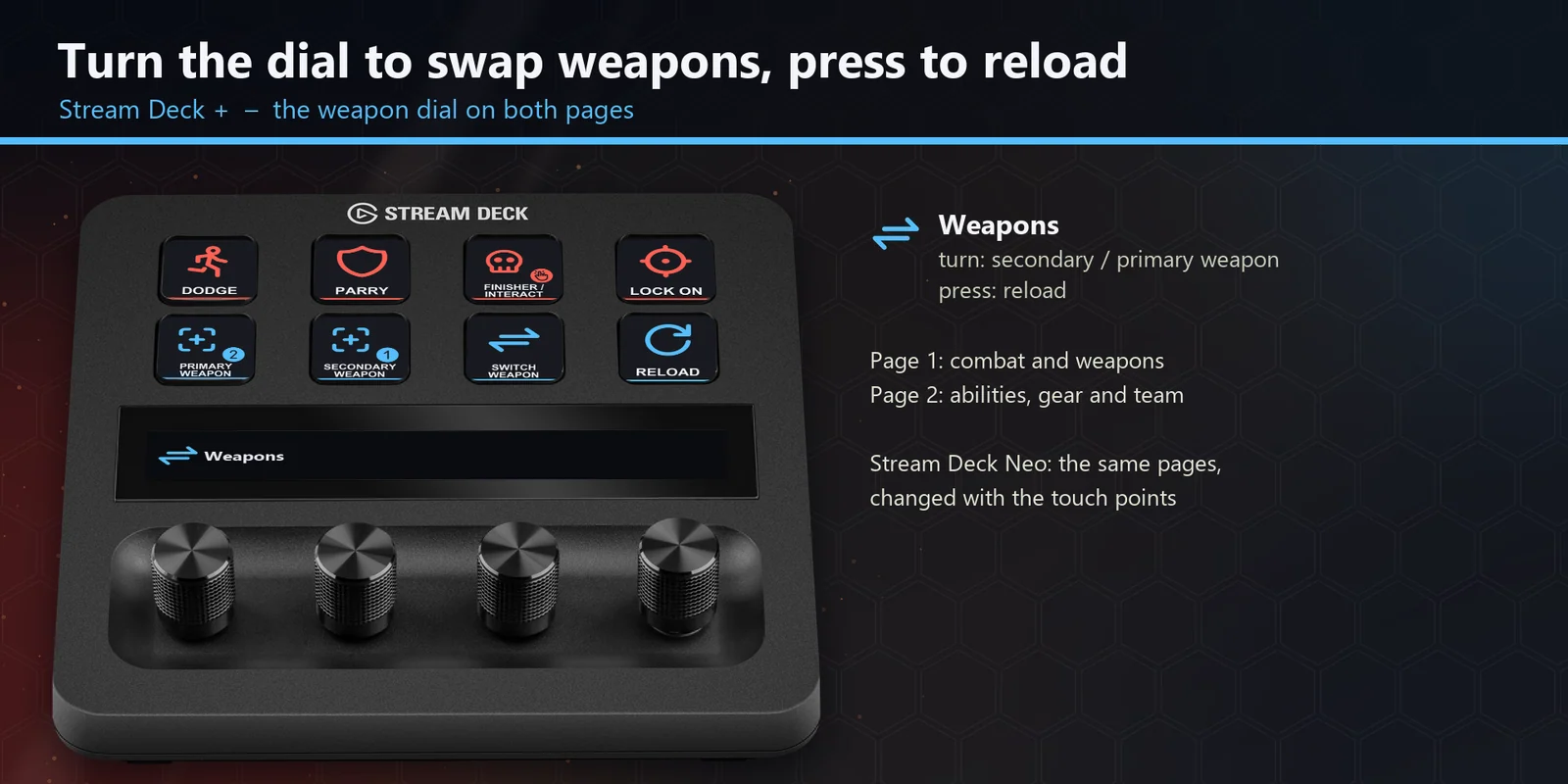
Every profile comes as an English set and a Japanese set with the same keys.
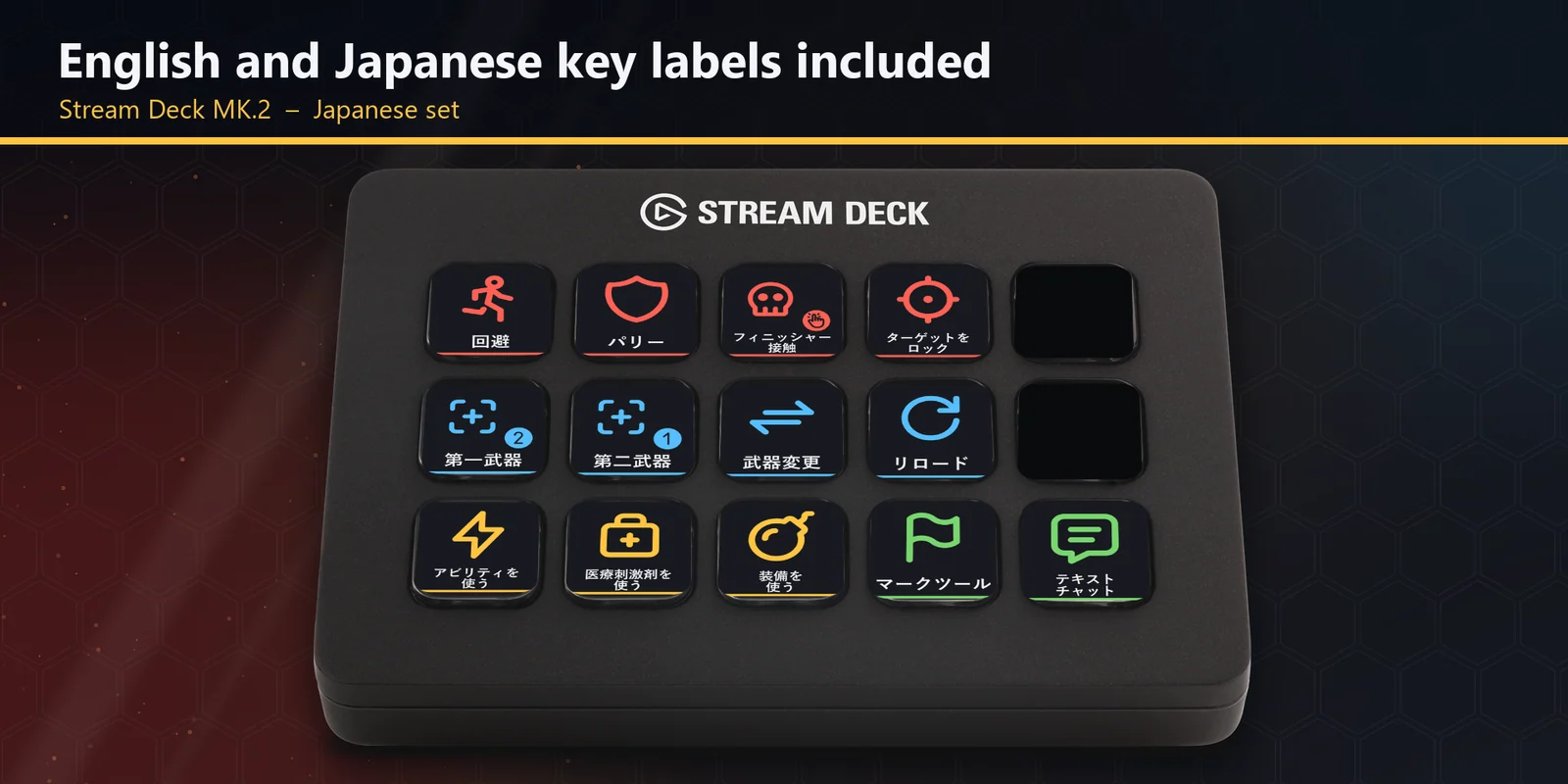
Class ability, medicae stimm and equipment each sit on their own key.
Mark a target or open text chat in one press.
Set up
Good to knowEach key sends the game's key for its label to the window in front. The MK.2 and XL hold every key on one page, one row per group; the Neo and + split the keys into the Combat & weapons and Abilities & team pages, and the + adds a Weapons dial.
FAQ
Short answers to what people ask before they add it.
Email contact
Open the Combat Deck for Space Marine 2 profile for your Stream Deck MK.2, XL, Neo or +, start the game and keep its window in front. Each key sends the game's key for its label, such as dodge, parry, lock on, reload, class ability or medicae stimm.
The Stream Deck MK.2, XL, Neo and + on Windows, with English or Japanese labels. On the + the Weapons dial swaps between your secondary and primary weapon and reloads when pressed.
No. The keys match the game's default key bindings, and no mods are needed. If you changed a key in the game, open that key in the Stream Deck app and set its Hotkey to the key you use.
Warhammer 40,000: Space Marine 2 for Windows PC from Steam or the Xbox app / PC Game Pass, with its default keyboard and mouse controls.
Moving, sprinting, aiming, shooting, melee and blocking, which you hold or aim. The Stream Deck keys cover the actions you tap.
The keys go to the window in front, so keep the game window in front. If another app uses the same key as a shortcut across Windows, change that app's shortcut.
Requirements
For the Stream Deck MK.2, XL, Neo and + on Windows, with Warhammer 40,000: Space Marine 2 for Windows PC (Steam, or the Xbox app / PC Game Pass) and its default keyboard and mouse controls.
A Stream Deck profile sold directly by GRAMSHIFT.
More for your Stream Deck

For the Stream Deck MK.2, XL, Neo and + on Windows, with Warhammer 40,000: Space Marine 2 for Windows PC (Steam, or the Xbox app / PC Game Pass) and its default keyboard and mouse controls.
Buy from GRAMSHIFTOne-time purchase direct from GRAMSHIFT, plus any tax at checkout. A download link appears right after payment, and the receipt arrives by email.