01
Scans at a glance
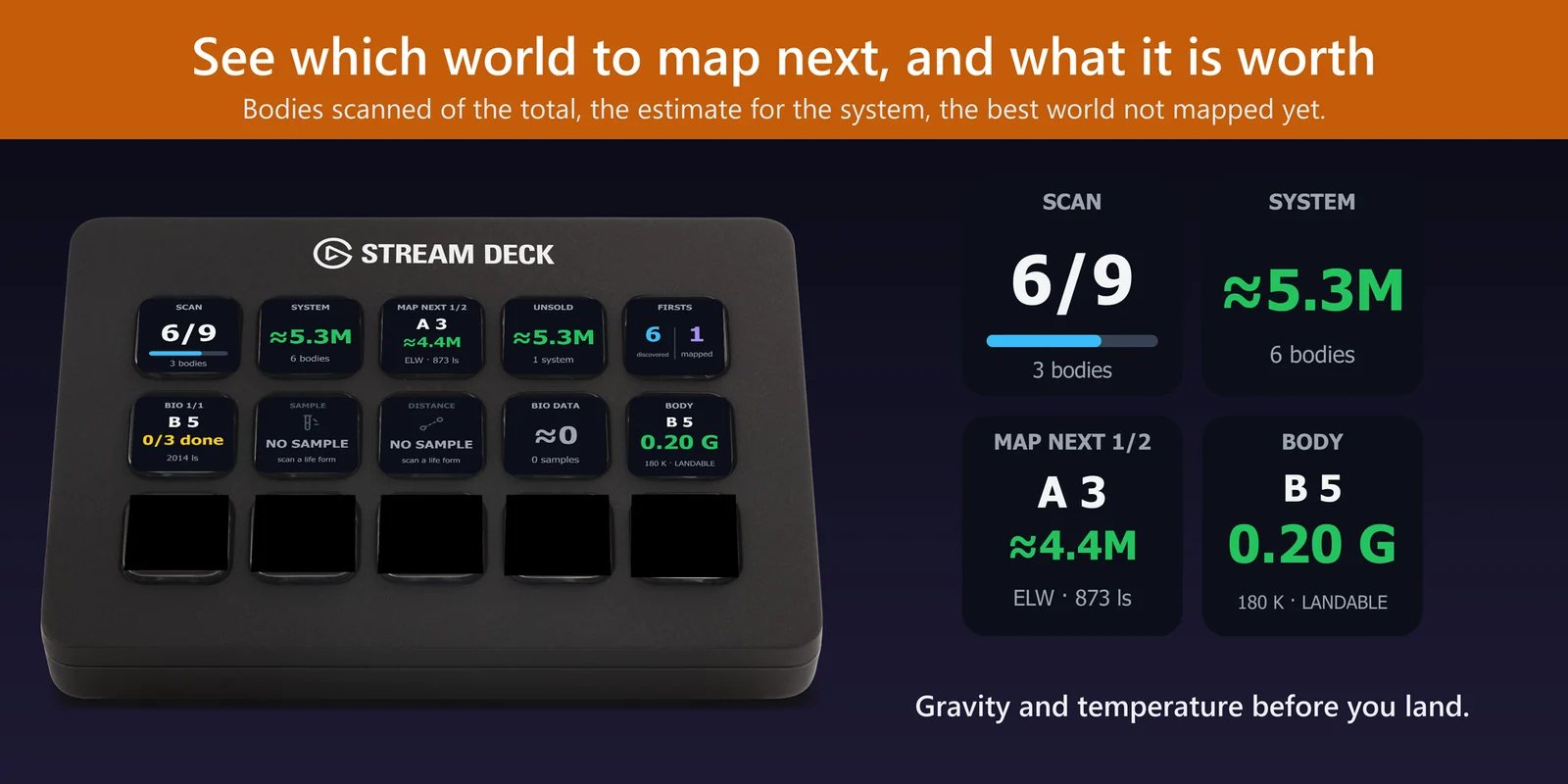
The System Scan key shows the bodies scanned of the total and how many are left, and System Value shows the estimate for the scans of this system.
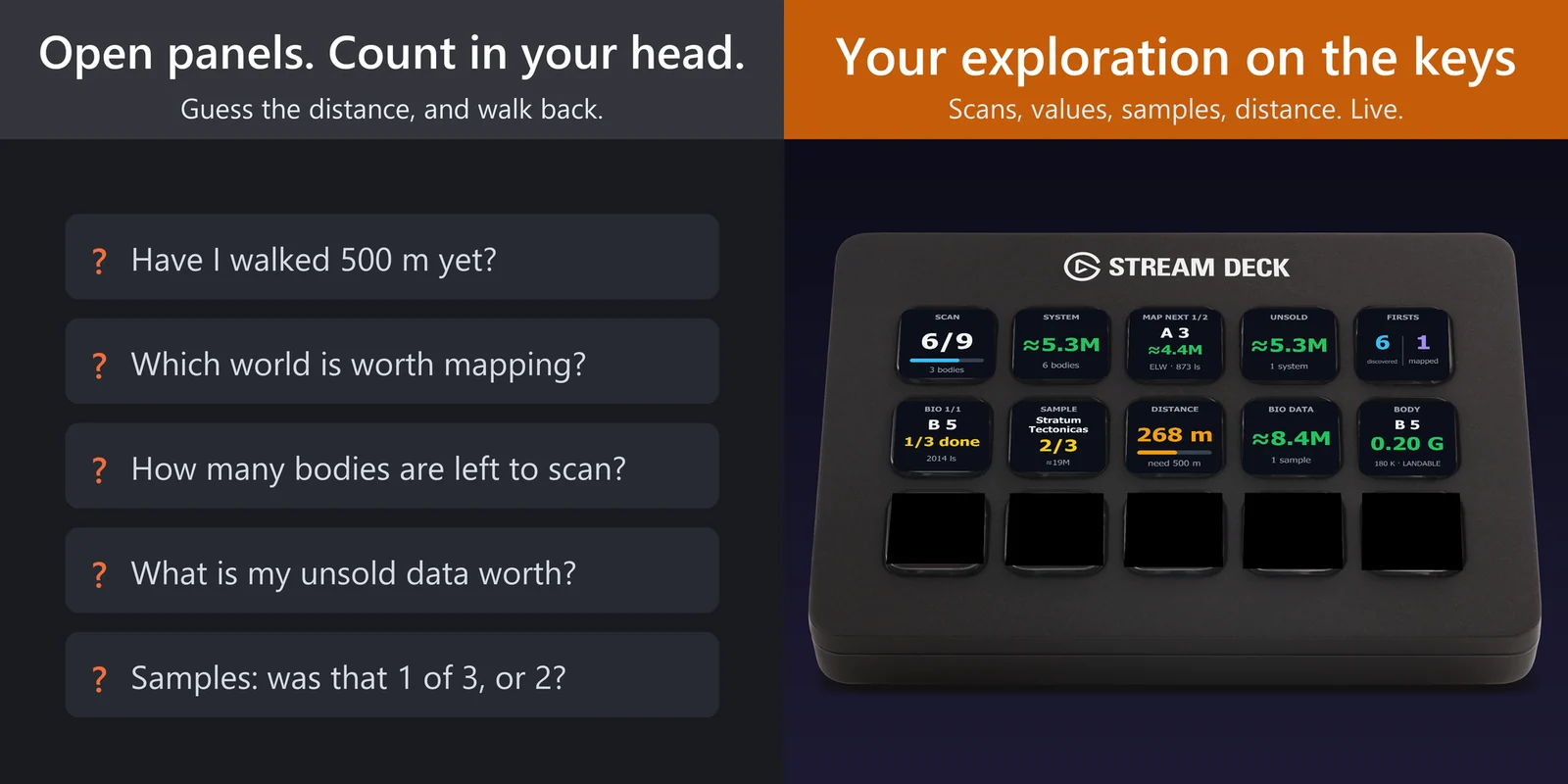
See bodies scanned, the world to map next, what your data is worth, and how far to walk to the next exobiology sample.
One-time purchase direct from GRAMSHIFT, plus any tax at checkout. One license key for up to 3 computers; the plugin goes online to check its license key.
Overview
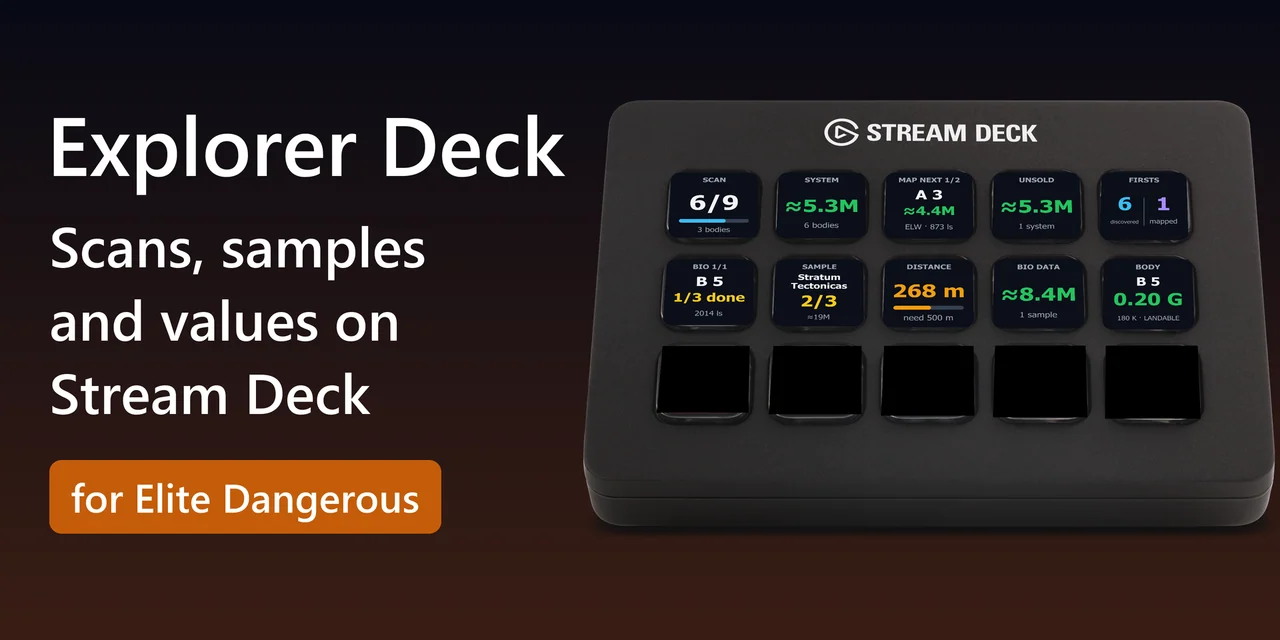
To know when you are far enough for the next exobiology sample in Elite Dangerous, add Explorer Deck for Elite Dangerous to your Stream Deck: a key shows the distance from your last sample next to the distance that life form needs, and turns green once you are far enough.
Other keys show the bodies scanned in the system, the world to map next and what it is worth, the samples you have of each species, and the estimate of the data you have not sold yet. The plugin reads the journal the game writes on your PC and is display only.
Features
The System Scan key shows the bodies scanned of the total and how many are left, and System Value shows the estimate for the scans of this system.
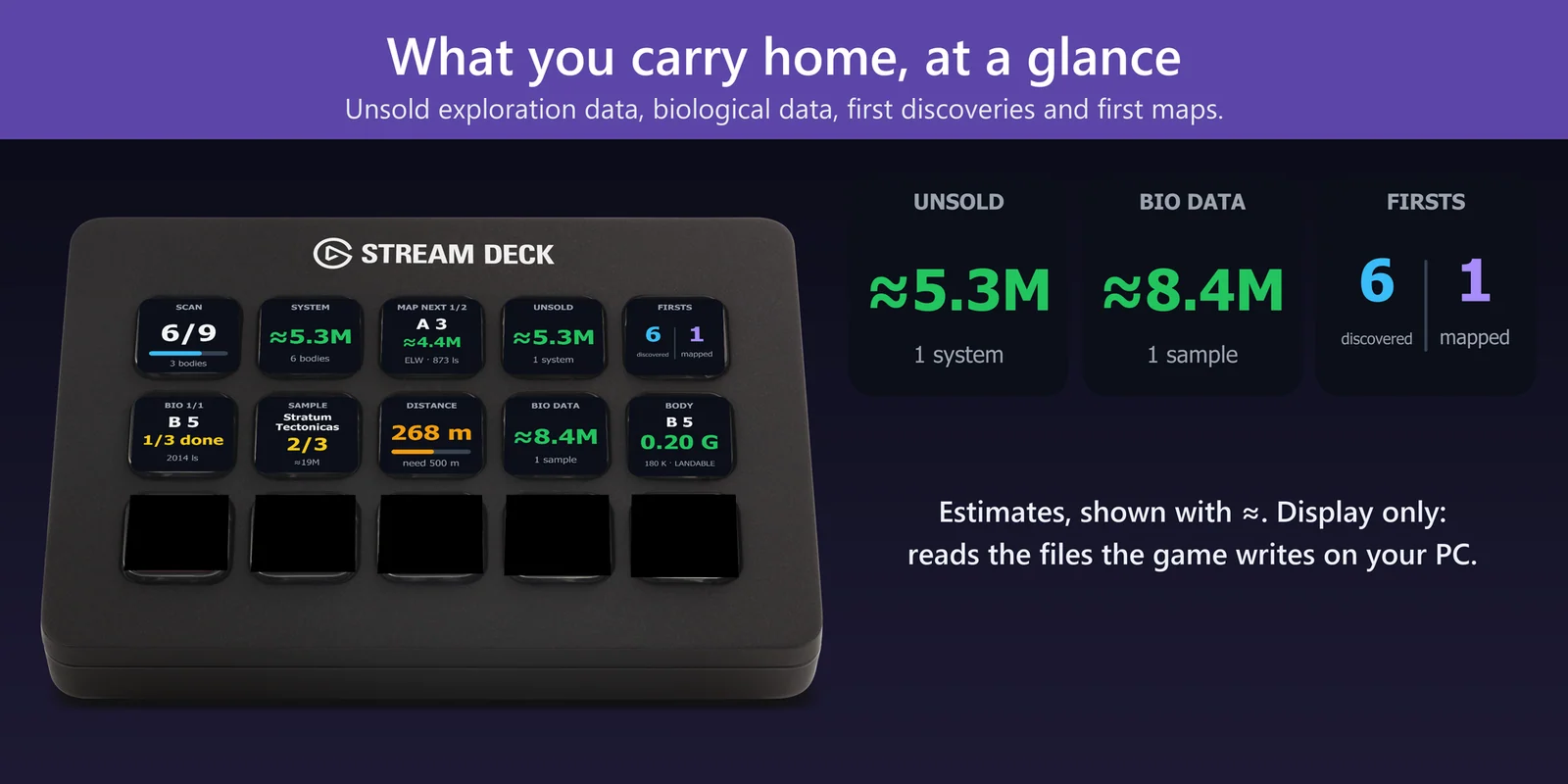
The Sample Distance key shows how far you are from your last sample and the distance that life form needs (268 m, need 500 m). It turns green and says GO once you are far enough.
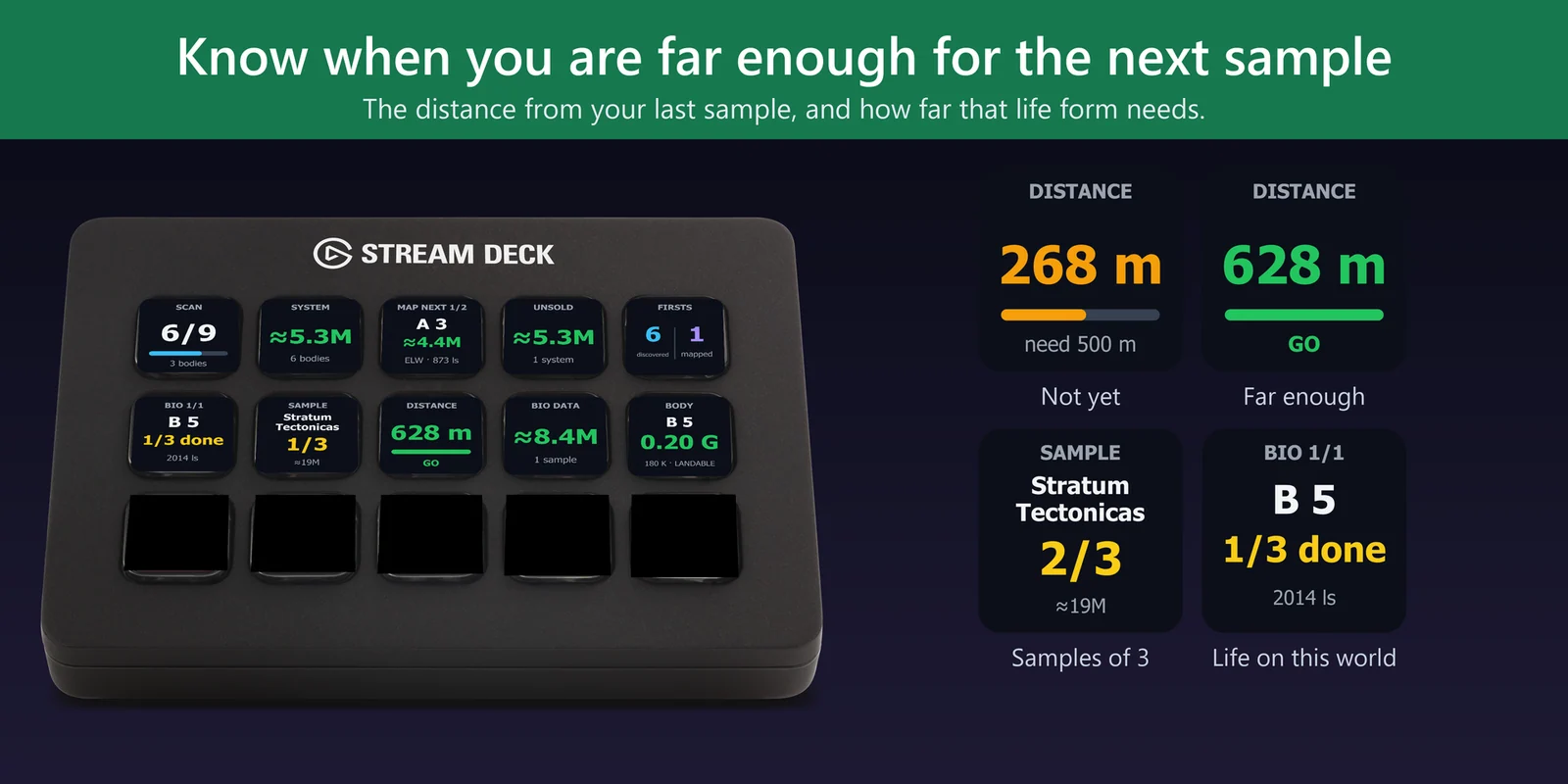
The Map Next key shows the most valuable world you have not mapped yet, with its estimate, type and distance. Press for the next one; you choose the lowest value and the longest distance worth the trip.
Unsold Data shows the estimate of the exploration data you have not sold yet, Bio Data the estimate of your biological samples, and Firsts how many bodies you were first to discover and first to map.
The key texts are in Japanese when the Stream Deck app is, and in English otherwise.
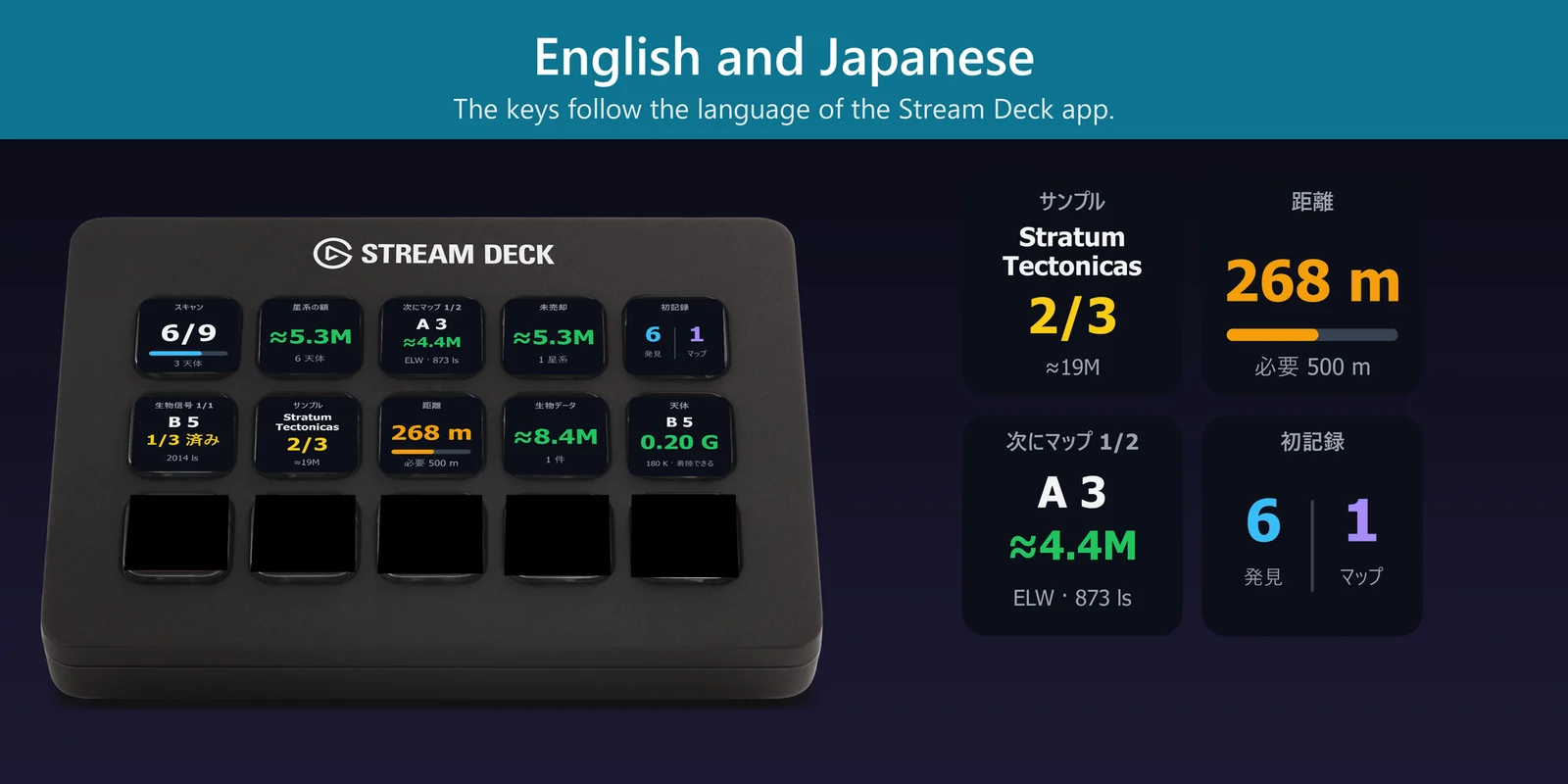
The Sample Progress key shows the species you are sampling, how many of its 3 samples you have, and the estimate of what it sells for.
The Bio Signals key shows the worlds in the system with biological signals, how many species you have finished on each, and how far each world is. Press for the next world.
The Body key shows the gravity and temperature of the world you are at and whether you can land. Gravity above the limit you set shows in red.
The plugin reads the journal files the game writes on your PC. It presses no keys in the game and writes nothing to it.
Your exploration data stays on your PC; the only thing the plugin sends online is its license key check.
Set up
Good to knowValues are estimates, shown with ≈. The game pays the exact amount when you sell.
FAQ
Short answers to what people ask before they add it.
Email contact
Put the Sample Distance key of Explorer Deck for Elite Dangerous on your Stream Deck. It shows the distance from your last sample next to the distance that life form needs, and turns green with GO once you are far enough.
The Map Next key shows the most valuable world in the system that you have not mapped yet, with its estimate and distance. Press it for the next one. In its settings you choose the lowest value and the longest distance worth the trip.
Yes. Unsold Data shows the estimate for the exploration data you carry, and Bio Data the estimate for your biological samples. The numbers are estimates, shown with ≈.
The scan, value, mapping, body and firsts keys work with the PC version of Elite Dangerous. The biology keys need Elite Dangerous: Odyssey, where you sample on foot.
No. The plugin is display only: it reads the journal files the game writes on your PC, presses no keys in the game and writes nothing to it.
Explorer Deck for Elite Dangerous is sold on gramshift.com. One license key works on up to 3 of your own PCs, and new versions download from your license key page.
Requirements
Works on Windows 10 or 11 with the Stream Deck app 6.9 or later and any Stream Deck with keys (the plugin does not use dials), with the PC version of Elite Dangerous. The biology keys need Elite Dangerous: Odyssey.
A Stream Deck plugin sold directly by GRAMSHIFT.
More for your Stream Deck
Works on Windows 10 or 11 with the Stream Deck app 6.9 or later and any Stream Deck with keys (the plugin does not use dials), with the PC version of Elite Dangerous. The biology keys need Elite Dangerous: Odyssey.
Buy from GRAMSHIFTOne-time purchase direct from GRAMSHIFT, plus any tax at checkout. One license key for up to 3 computers; the plugin goes online to check its license key.