01
Trips left for your ship
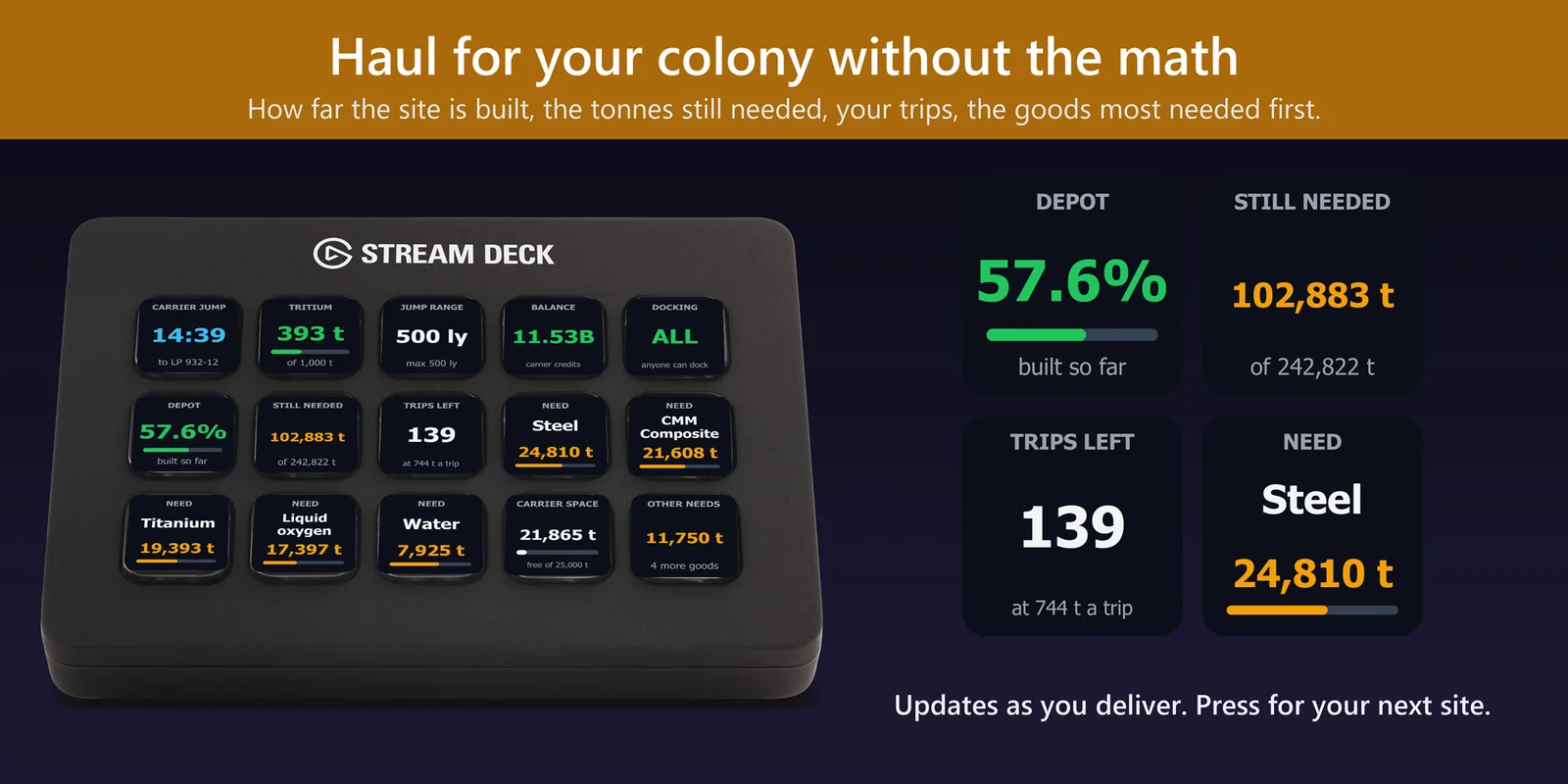
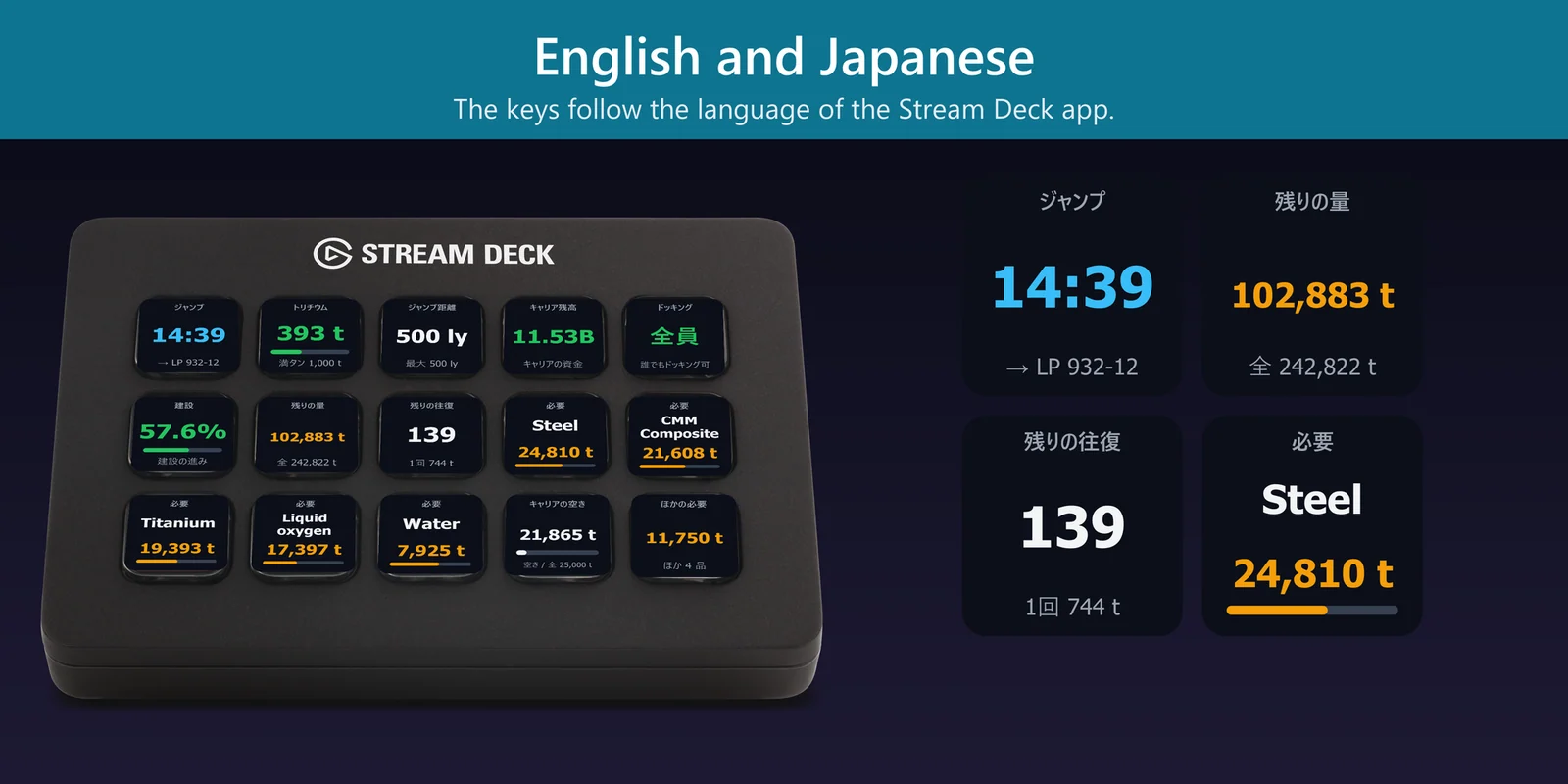
The Trips Left key divides the tonnes still needed by the cargo hold of the ship you flew last (139 trips at 744 t a trip), or by the tonnes you enter.
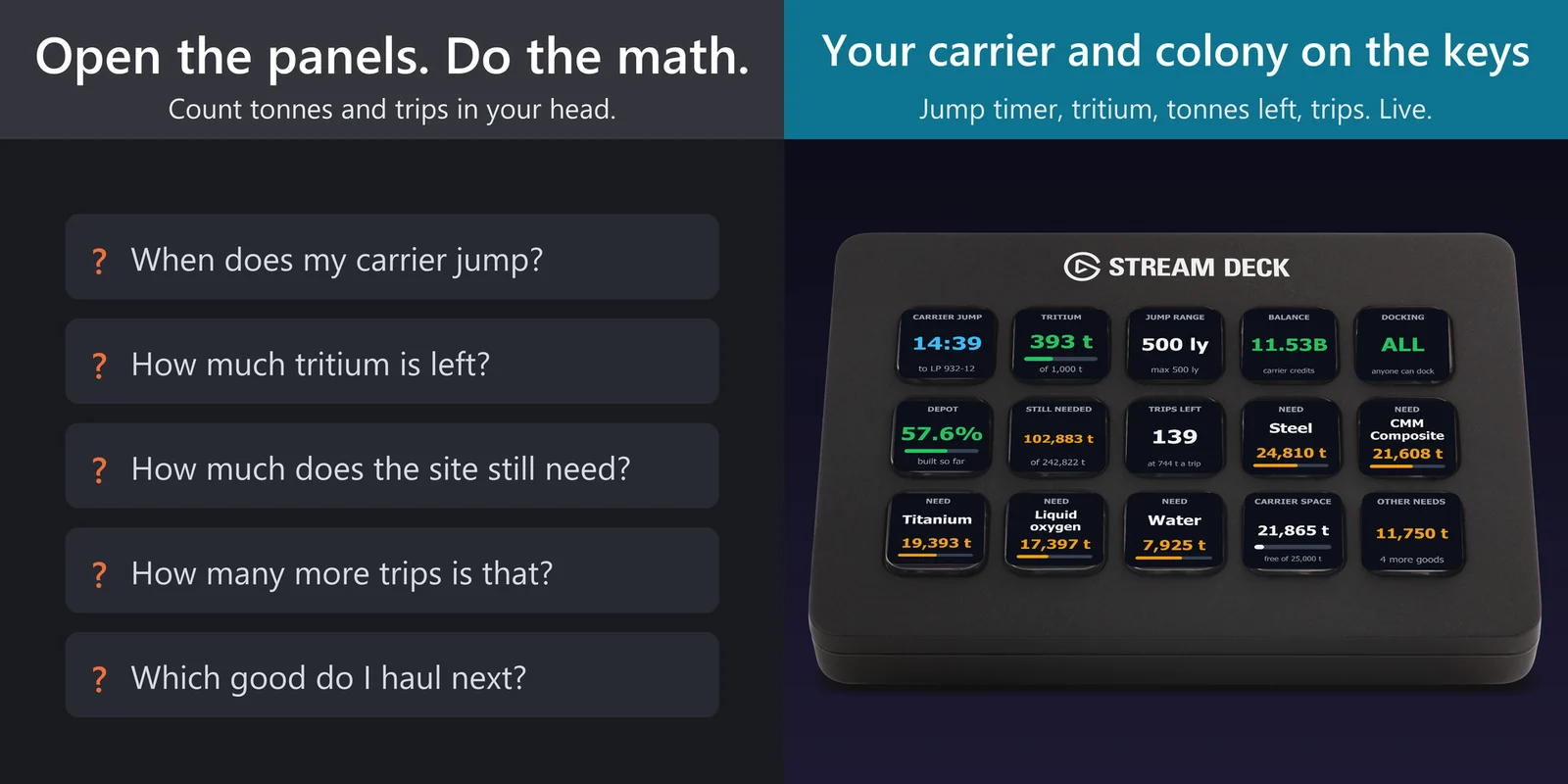

See your fleet carrier's jump countdown and tritium, and the tonnes and trips your construction site still needs.
One-time purchase direct from GRAMSHIFT, plus any tax at checkout. One license key for up to 3 computers; the plugin goes online to check its license key.
Overview
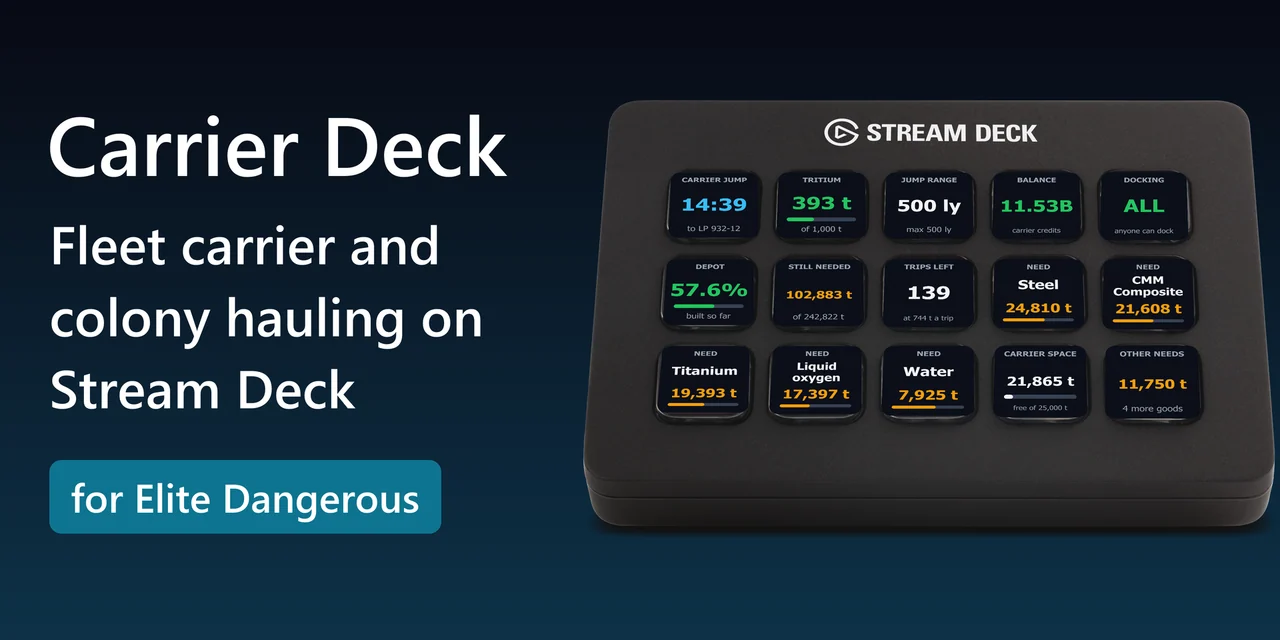
To see when your fleet carrier jumps and how much your colonisation construction site still needs in Elite Dangerous, add Carrier Deck for Elite Dangerous to your Stream Deck: the Carrier Jump key counts down to the jump, and the Still Needed key shows the tonnes the site still needs.
Other keys show the tritium in the tank, the carrier's balance and docking access, how far the site is built, how many trips are left for your ship and the goods most needed first, all read from the journal the game writes on your PC for display only. On a Stream Deck + the dials turn through the values.
Features
The Trips Left key divides the tonnes still needed by the cargo hold of the ship you flew last (139 trips at 744 t a trip), or by the tonnes you enter.
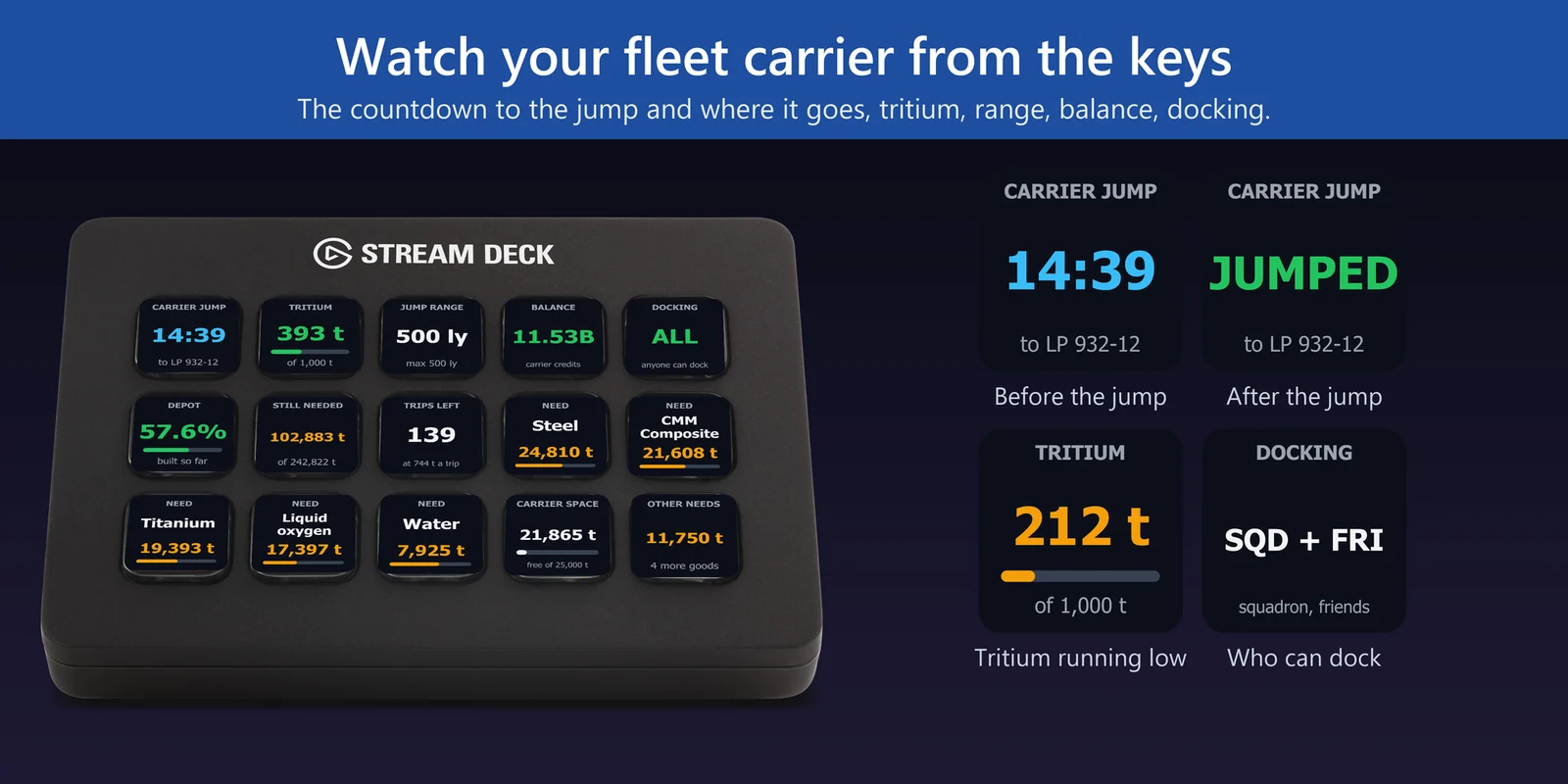
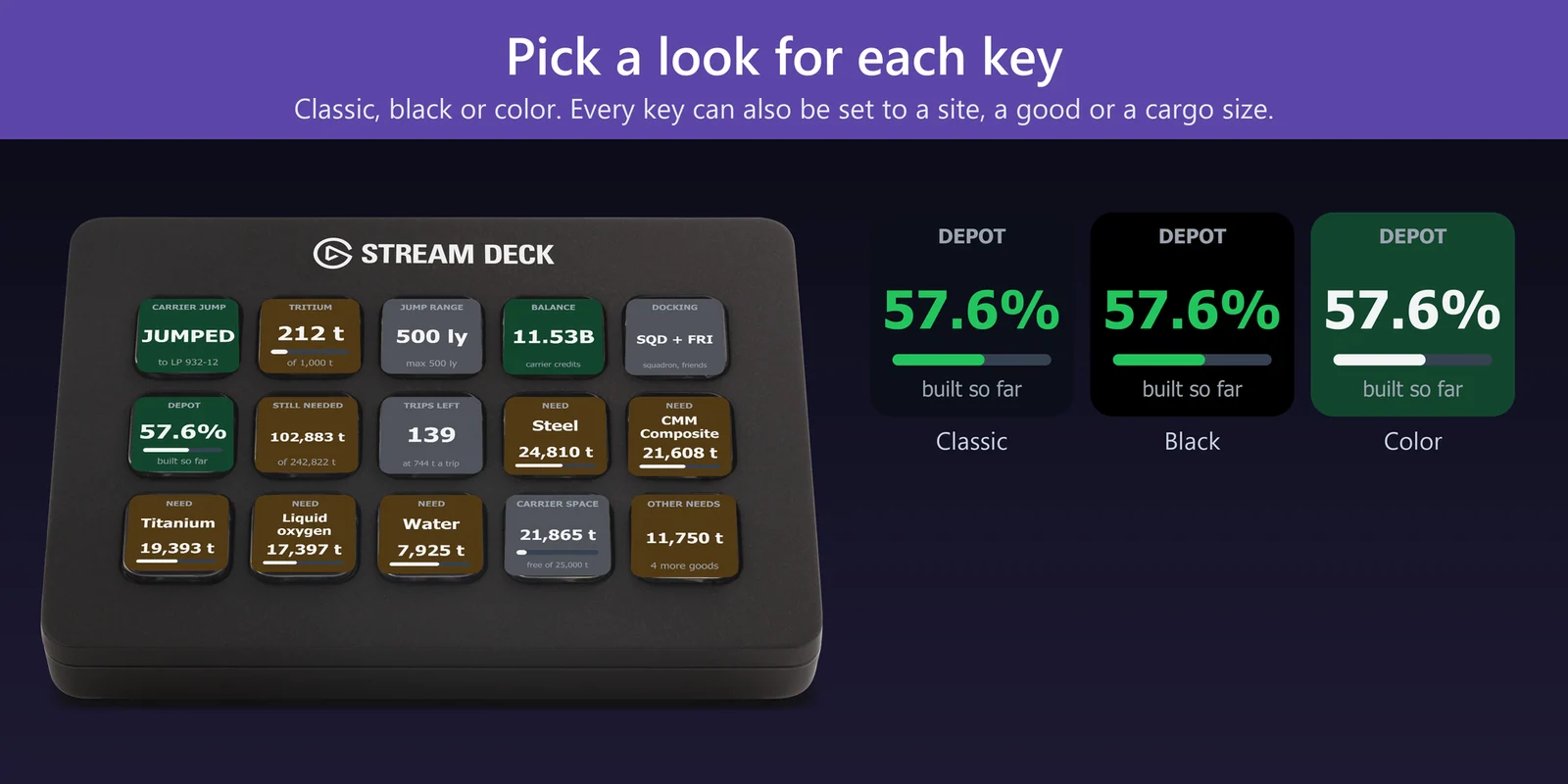
The Carrier Jump key counts down to your carrier's jump and shows the system it jumps to (14:39, LP 932-12). It says JUMPED once the carrier has arrived.
The Construction Progress key shows how far your construction site is built with a bar, and Still Needed the tonnes the site still needs out of the total (102,883 t of 242,822 t).
Each key can be Classic, Black, or Color, where the whole key takes the color of its state.
The plugin reads the journal files the game writes on your PC, and your data stays on your PC. The key texts are in English or Japanese, following the Stream Deck app.
The Tritium key shows the tritium in the tank out of 1,000 t with a bar that turns amber below a quarter and red below a tenth, and Jump Range how far the carrier can jump now.
Carrier Balance shows the balance and the credits you can use, Docking Access who can dock, and Carrier Space the cargo space left out of the total.
Put several Need keys and they show the goods the site still needs, the most needed first (Steel 24,810 t). Other Needs adds up the rest. Press for the next goods, or set a key to one good.
A press on a site key shows your next construction site, and each key can be set to one site, your own fleet carrier or your squadron's carrier.
Every action also works on a dial. Turning it shows the next value, one value per click; pushing it goes back to the value you set it up as.
Set up
Good to knowThe game writes the carrier's numbers when you open the carrier management screen, and the site's numbers while you are docked at it. The keys show the last numbers the game wrote.
FAQ
Short answers to what people ask before they add it.
Email contact
Put the Carrier Jump key of Carrier Deck for Elite Dangerous on your Stream Deck. When you set a jump in the game, it counts down to the jump and shows the system the carrier jumps to. It says JUMPED once the carrier has arrived.
Dock at the construction site once. The Construction Progress key shows how far the site is built, Still Needed the tonnes left, and the Need keys the goods still needed, the most needed first. They update each time the game writes the site's numbers, for example as you deliver.
The Trips Left key divides the tonnes still needed by the cargo hold of the ship you flew last. To plan with another ship, enter its cargo hold in the key's settings.
Yes. By default the keys show your own fleet carrier, or your squadron's carrier when you have no carrier of your own. In each key's settings you can choose your own carrier or the squadron carrier.
Yes. Put any action on a dial: turning it shows the next value, one value per click. Pushing the dial or tapping the touch strip goes back to the value you set it up as.
Carrier Deck for Elite Dangerous is sold on gramshift.com. One license key works on up to 3 of your own PCs, and new versions download from your license key page.
Requirements
Works on Windows 10 or 11 with the Stream Deck app 6.9 or later and any Stream Deck with keys, including the dials of Stream Deck + and + XL, with the PC version of Elite Dangerous. The key actions also work on Virtual Stream Deck.
A Stream Deck plugin sold directly by GRAMSHIFT.
More for your Stream Deck


Works on Windows 10 or 11 with the Stream Deck app 6.9 or later and any Stream Deck with keys, including the dials of Stream Deck + and + XL, with the PC version of Elite Dangerous. The key actions also work on Virtual Stream Deck.
Buy from GRAMSHIFTOne-time purchase direct from GRAMSHIFT, plus any tax at checkout. One license key for up to 3 computers; the plugin goes online to check its license key.