01
See your whole park at once on a Stream Deck XL
Time, camera, editing and menu keys sit together on the first page.
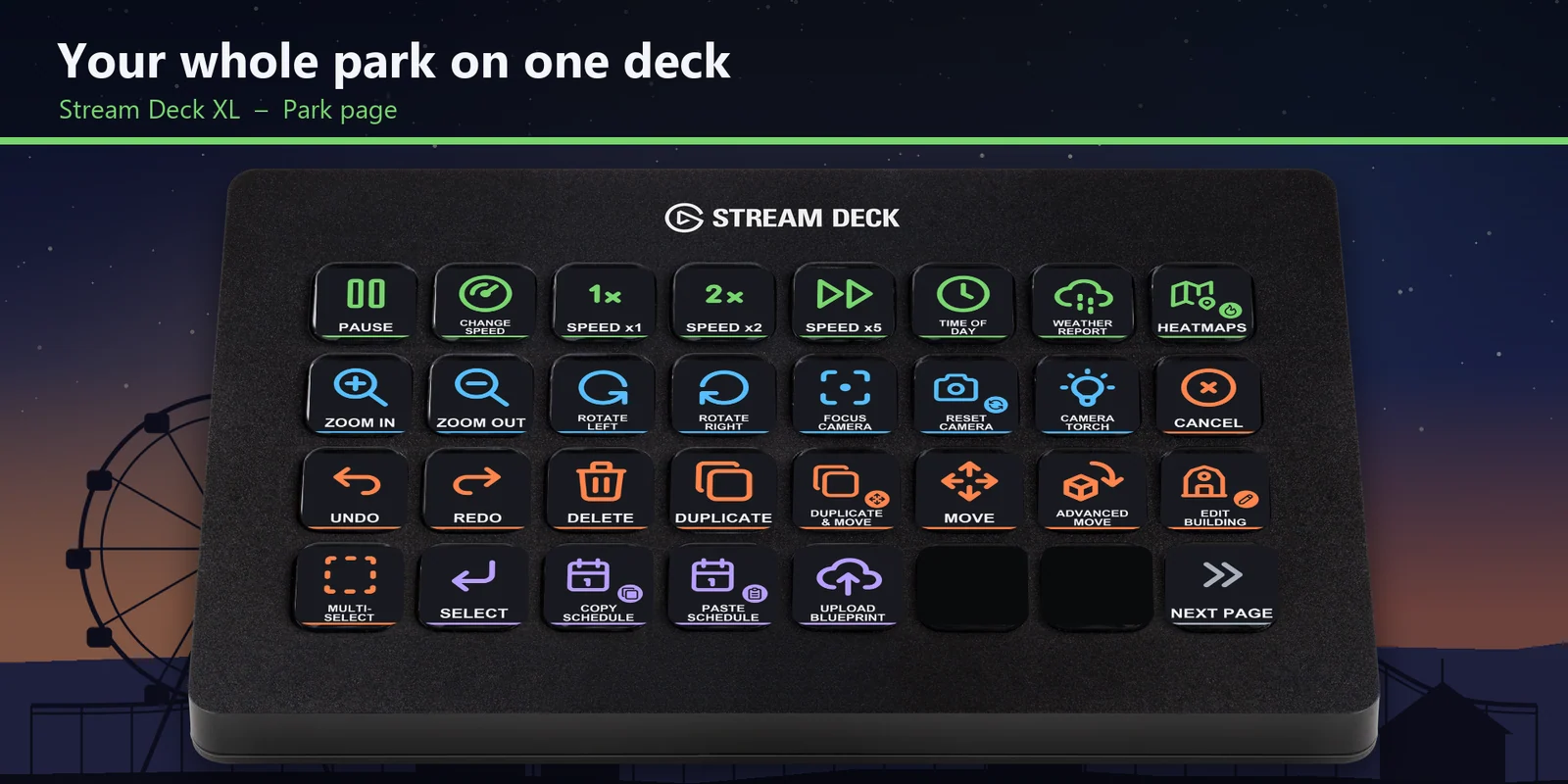
Pause, change park speed, zoom and turn the camera, rotate and snap objects and raise paths with one press.
One-time purchase direct from GRAMSHIFT, plus any tax at checkout. A download link appears right after payment, and the receipt arrives by email.
Overview
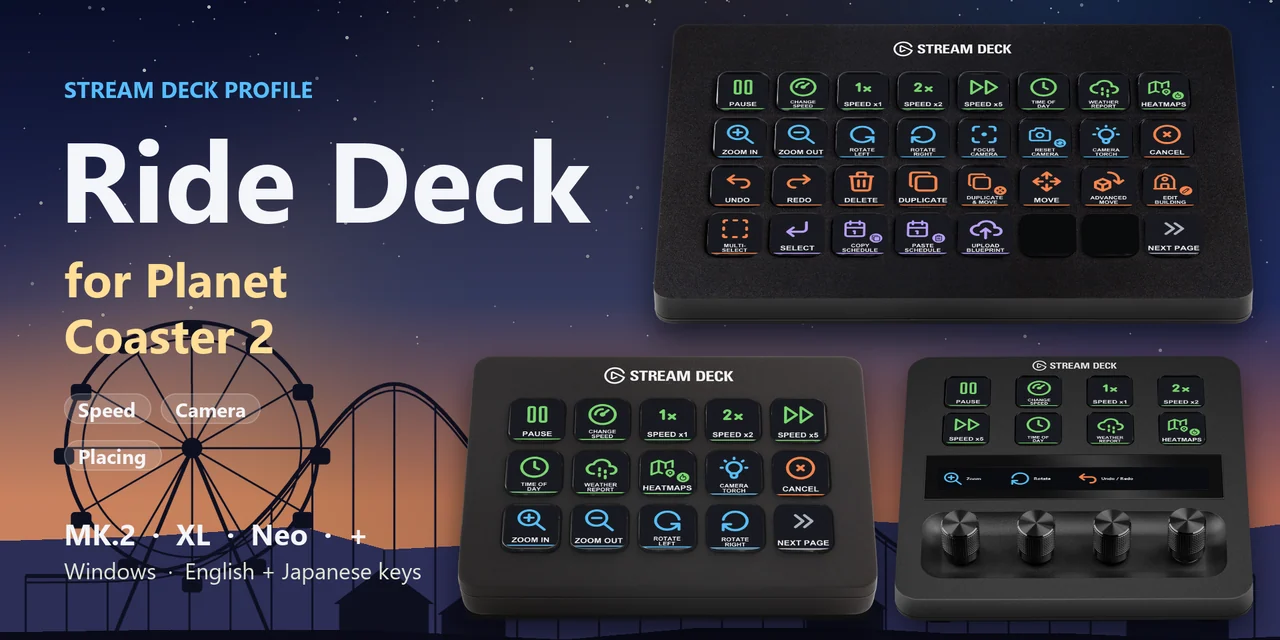
To use a Stream Deck with Planet Coaster 2 on Windows, download Ride Deck for Planet Coaster 2, open the file for your Stream Deck and keep the game window in front.
Each key of Ride Deck for Planet Coaster 2 sends one of the game's own default hotkeys, so you can pause, change speed, move the camera, edit, place objects and shape paths with one press, and nothing is added to the game.
Features
Time, camera, editing and menu keys sit together on the first page.
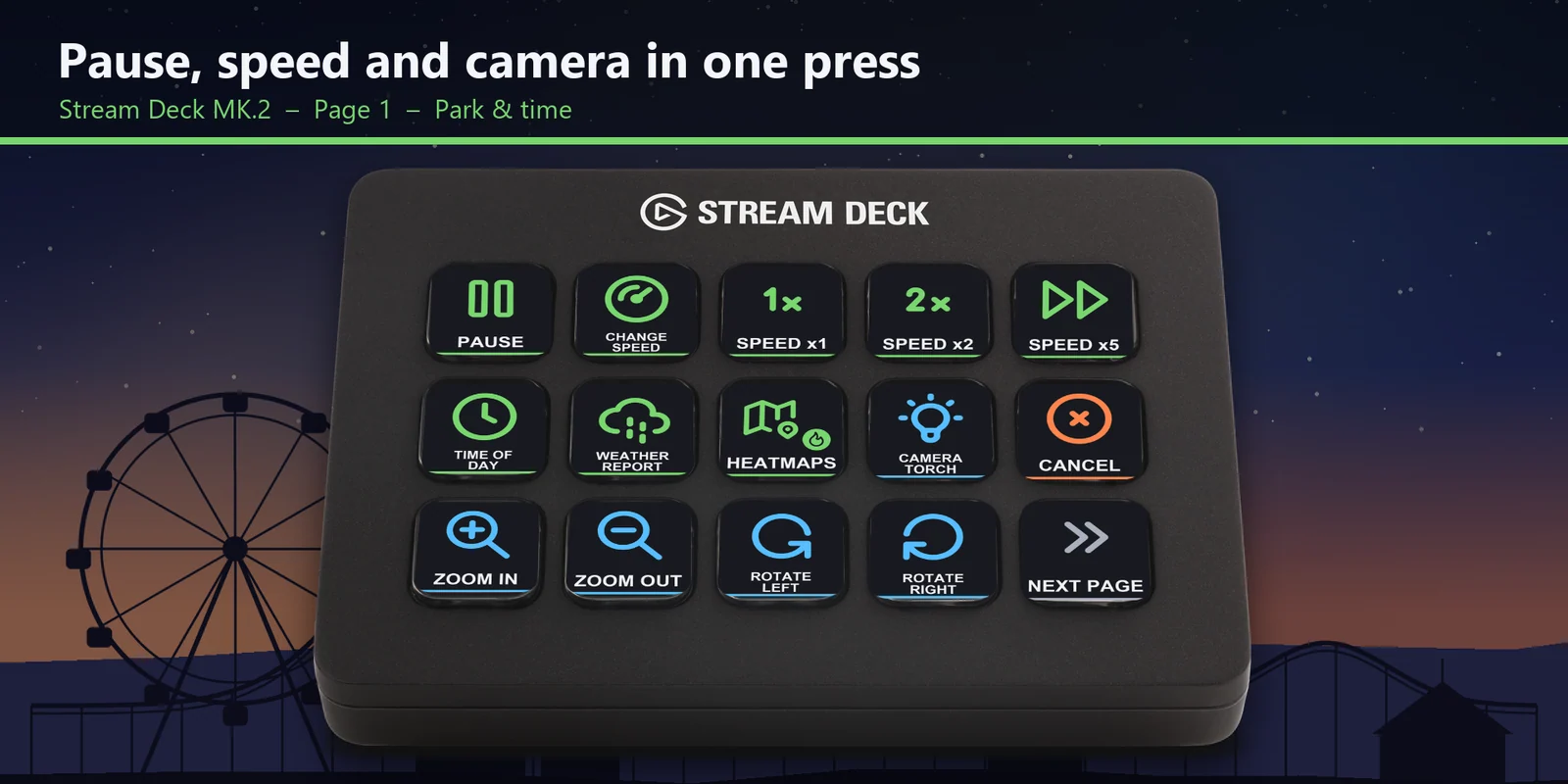
Pause, Change speed, Speed x1, x2 and x5, Time of day, Weather report, Heatmaps and the camera keys are on the first page.
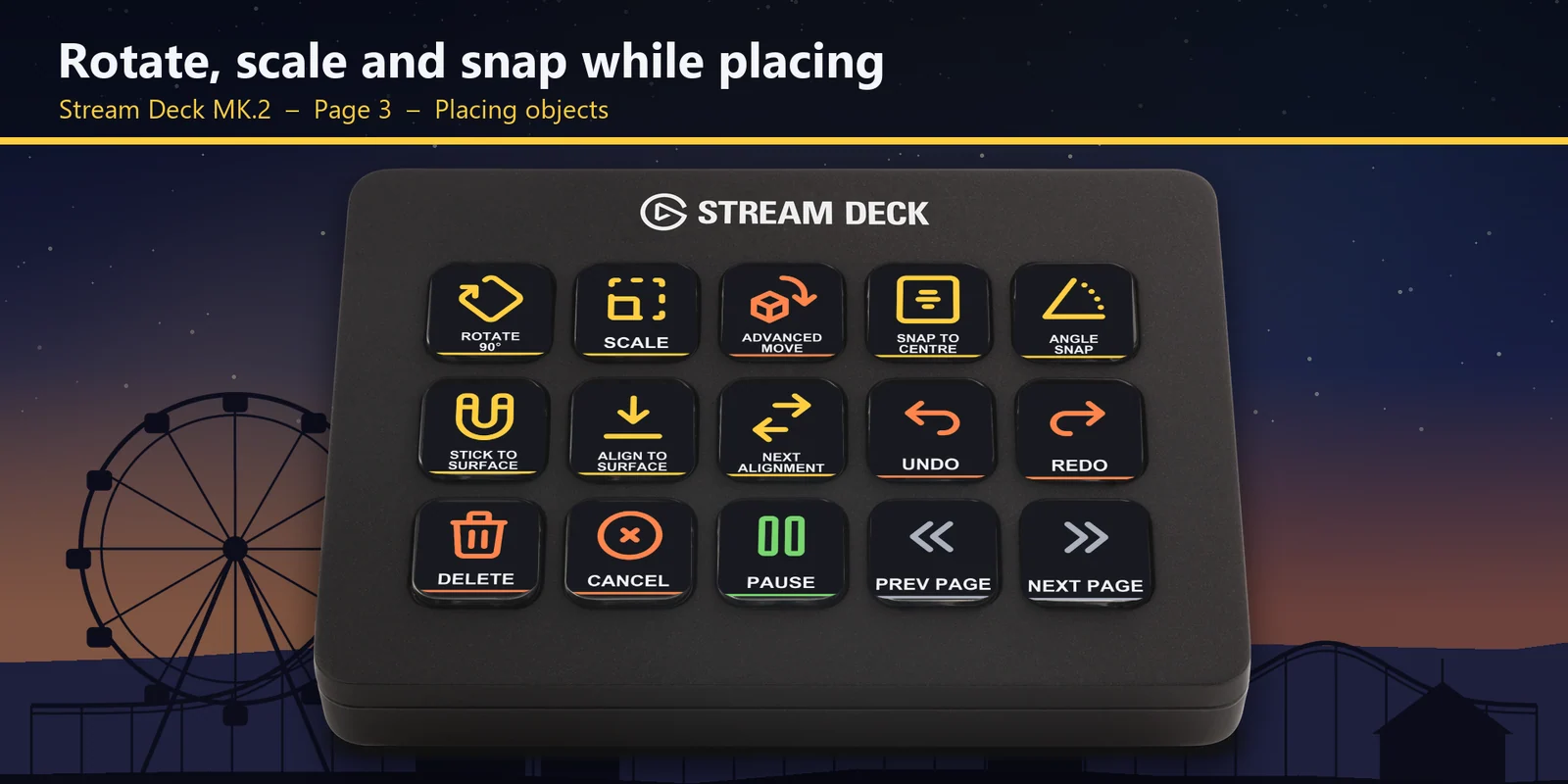
Rotate 90°, Scale, Snap to centre, Angle snap, Stick to surface, Align to surface and Next alignment have their own page.
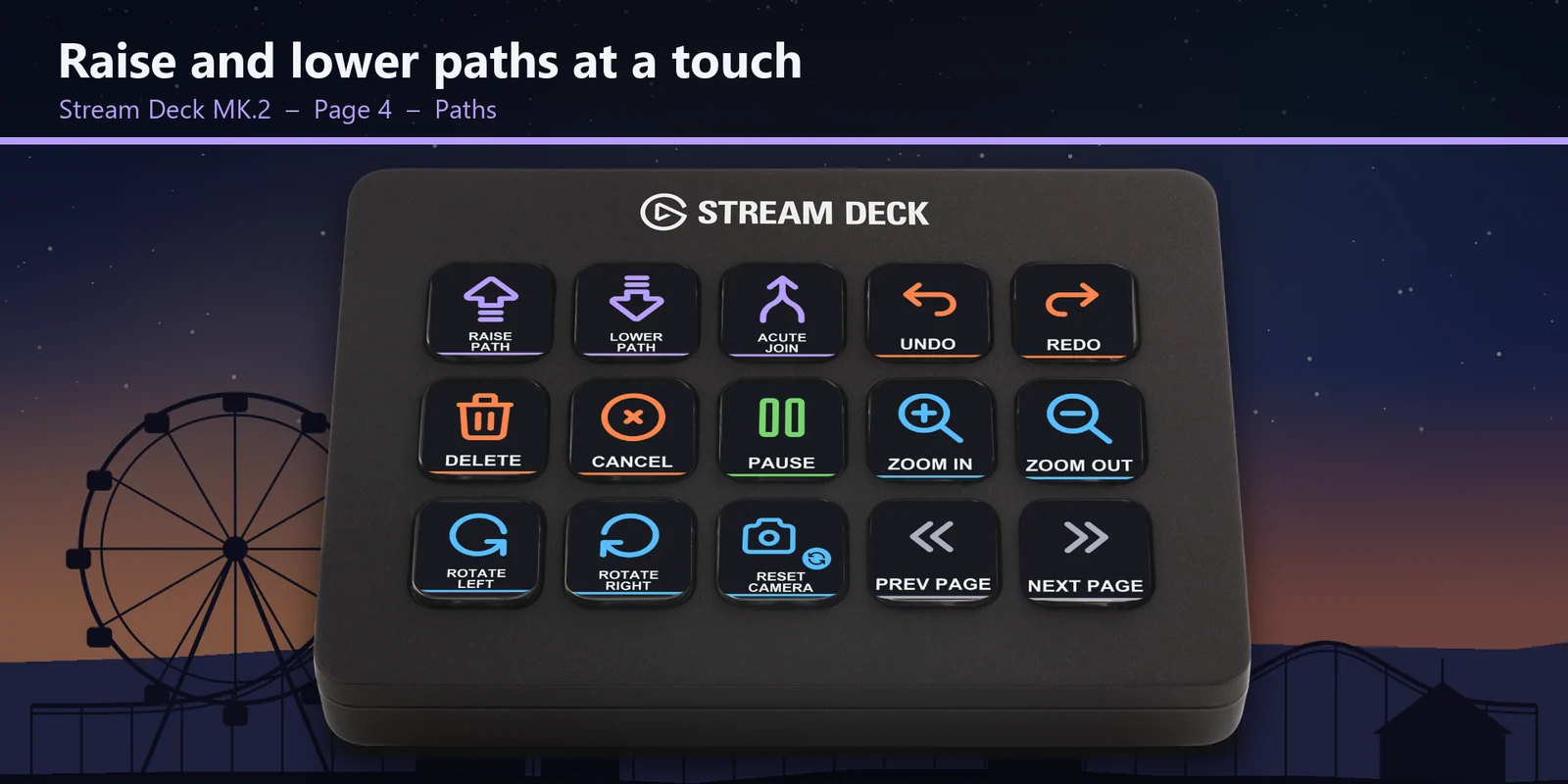
Raise path, Lower path and Acute join sit next to Undo, Redo and the camera keys.
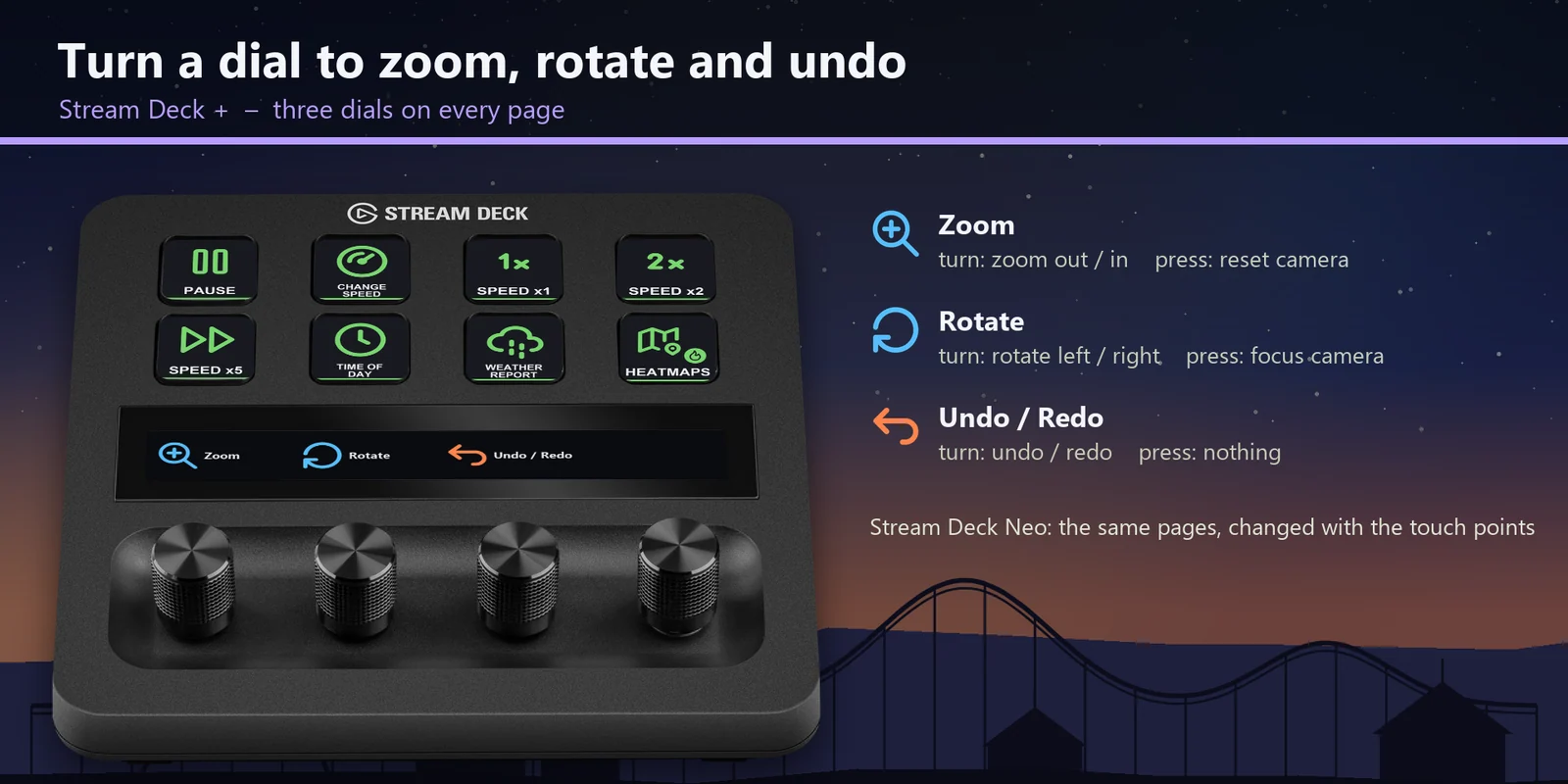
Zoom, rotate the camera and step through Undo and Redo; on the Stream Deck + XL and Galleon 100 SD the dials zoom and rotate.
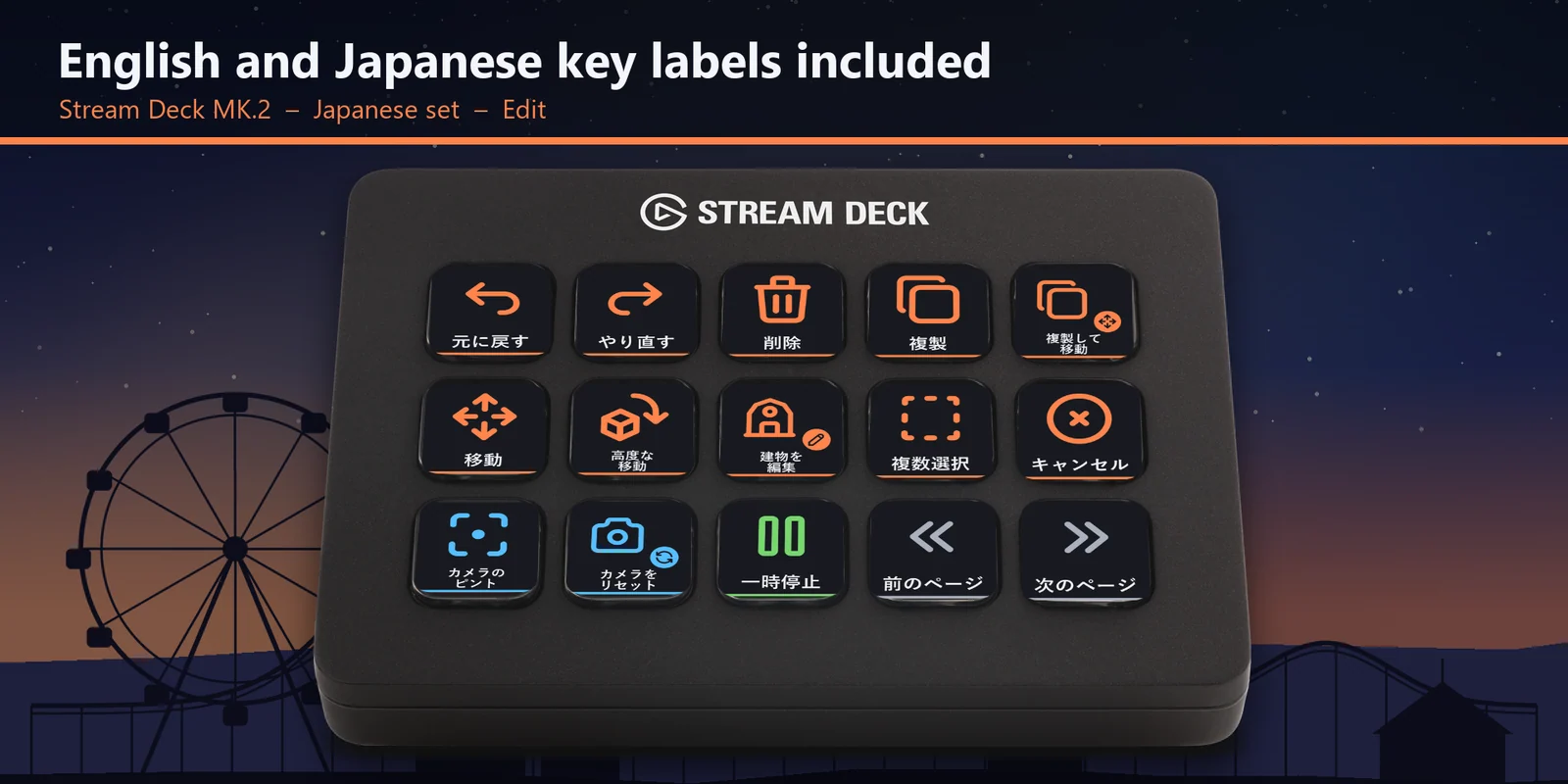
The Japanese key labels come with the same keys as the English set.
Undo, Redo, Delete, Duplicate, Move, Advanced move, Edit building and Multi-select are on labeled keys.
The keys use the hotkeys the game already has, so nothing is added to the game and your saves stay as they are.
Key list
These are the game's default PC hotkeys, and each key sends the one in its row. Keys for one mode work while you are in that mode.
| Action | Default key |
|---|---|
| Pause Simulation | Space |
| Change Simulation Speed | 0 |
| Game speed x1 | 1 |
| Game speed x2 | 2 |
| Game speed x5 | 3 |
| Show Time Of Day Popup | N |
| Show Weather Report | K |
| Show Heatmaps | Ctrl + H |
| Action | Default key |
|---|---|
| Zoom Camera In | Page Up |
| Zoom Camera Out | Page Down |
| Rotate Camera Left | Q |
| Rotate Camera Right | E |
| Focus Camera | H |
| Reset Camera | Home |
| Camera Torch | L |
| Action | Default key |
|---|---|
| Undo | Ctrl + Z |
| Redo | Ctrl + Y |
| Delete Selected Object | Delete |
| Duplicate Object / Building | Ctrl + D |
| Duplicate and Advanced Move / Rotate | Ctrl + X |
| Move Selection | M |
| Advanced Move / Rotate / Scale Selection | X |
| Edit Building | R |
| Open Multi-Select | I |
| Cancel Placement, Close Browser, Deselect Object, Open Options Menu | Esc |
| Action | Default key |
|---|---|
| Rotate 90-degrees | Z |
| Scale object | C |
| Snap Attachment / Decoration to Wall Piece Centre | F |
| Toggle Angle Snap On / Off | P |
| Toggle Stick to Surface On / Off | B |
| Toggle Align to Surface On / Off | V |
| Next Alignment Option | Tab |
| Action | Default key |
|---|---|
| Raise Path (without placing) | U |
| Lower Path (without placing) | J |
| Acute Angle Join | Z |
| Action | Default key |
|---|---|
| Select | Enter |
| Copy (Staff Schedule) | C |
| Paste (Staff Schedule) | V |
| Upload Blueprint (Browser) | U |
Set up
Good to knowEach key sends the game's default hotkey to the window in front, so a letter can do a different job on the placing and path pages, just as it does in the game.
FAQ
Short answers to what people ask before they add it.
Email contact
Download Ride Deck for Planet Coaster 2, open the file for your Stream Deck, start the game and keep its window in front. Each key then sends the game's default hotkey for its label, such as Pause, Speed x5, Zoom in or Raise path.
The keys use the game's default PC hotkeys: Space pauses, 1, 2 and 3 set speed x1, x2 and x5, Page Up and Page Down zoom, Q and E turn the camera, Ctrl + Z and Ctrl + Y undo and redo, and U and J raise and lower paths. The key table on this page lists every one.
Yes. It works with the Steam version and the Xbox app (PC Game Pass) version on Windows, which use the same default hotkeys.
The Stream Deck MK.2, XL, Neo, +, + XL and Corsair Galleon 100 SD, with English or Japanese key labels. On the Stream Deck + the three dials zoom, turn the camera and undo or redo.
In Planet Coaster 2 one letter can do different jobs in different modes; Z rotates an object while placing and makes an acute join on paths. Each page holds one mode, so every key does what its label says.
Open that key in the Stream Deck app and set its Hotkey to the key you use in the game. The profile is made for the game's default hotkeys.
Requirements
For the Stream Deck MK.2, XL, Neo, +, + XL and Corsair Galleon 100 SD with the Stream Deck app, and Planet Coaster 2 on Windows (Steam, or the Xbox app with PC Game Pass) with its default keyboard hotkeys.
A Stream Deck profile sold directly by GRAMSHIFT.
More for your Stream Deck
For the Stream Deck MK.2, XL, Neo, +, + XL and Corsair Galleon 100 SD with the Stream Deck app, and Planet Coaster 2 on Windows (Steam, or the Xbox app with PC Game Pass) with its default keyboard hotkeys.
Buy from GRAMSHIFTOne-time purchase direct from GRAMSHIFT, plus any tax at checkout. A download link appears right after payment, and the receipt arrives by email.