01
Departure, arrival and runway at a glance
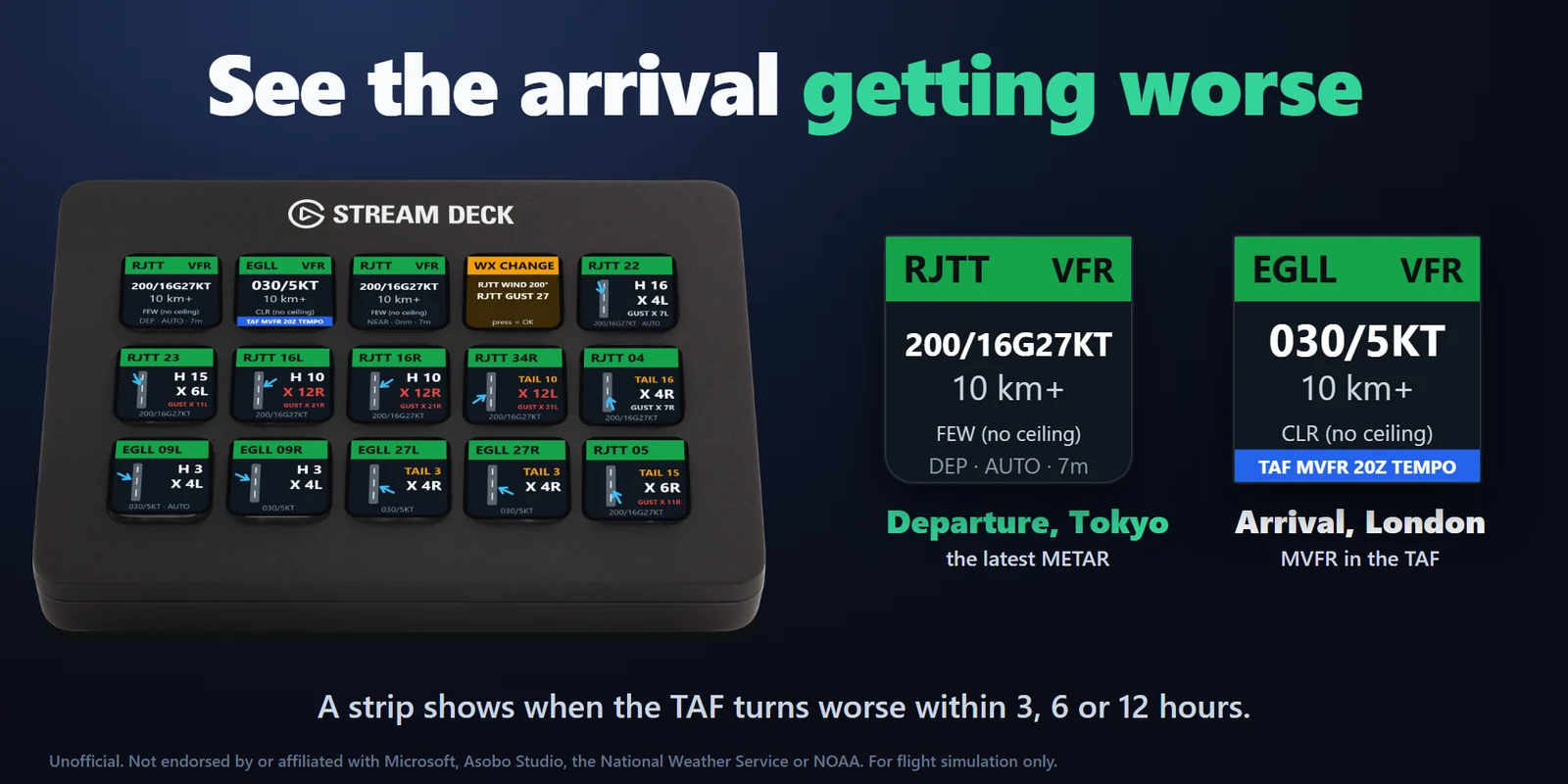
Each key shows the airport code, the wind direction and speed with gusts in knots, the visibility and the ceiling in feet, so the weather of the whole flight sits on your Stream Deck.
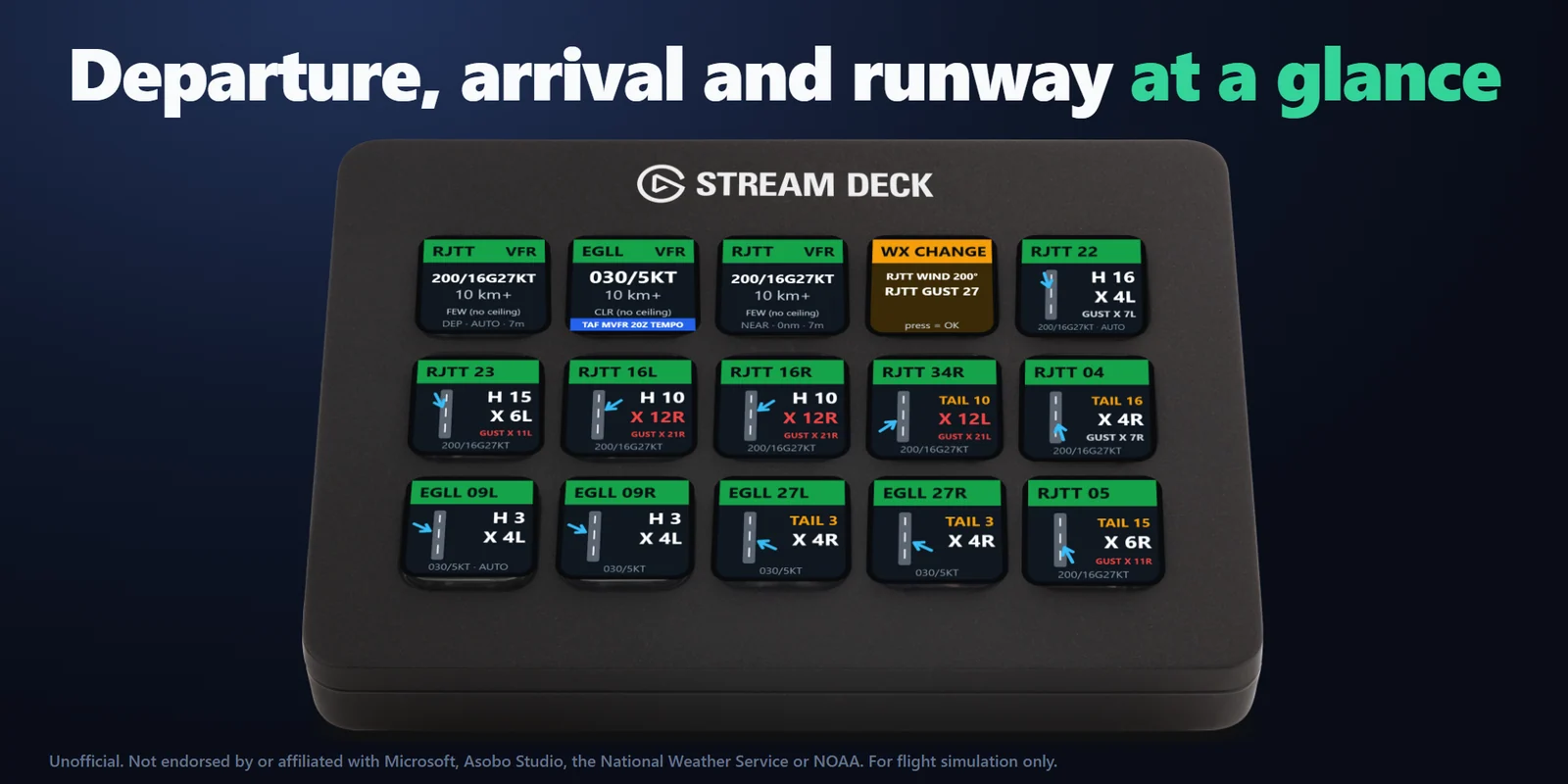

Show METAR wind, visibility, ceiling and VFR/IFR color for departure and arrival, plus runway crosswind, in MSFS 2024.
One-time purchase direct from GRAMSHIFT, plus any tax at checkout. One license key for up to 3 computers; the plugin goes online to check its license key.
Overview
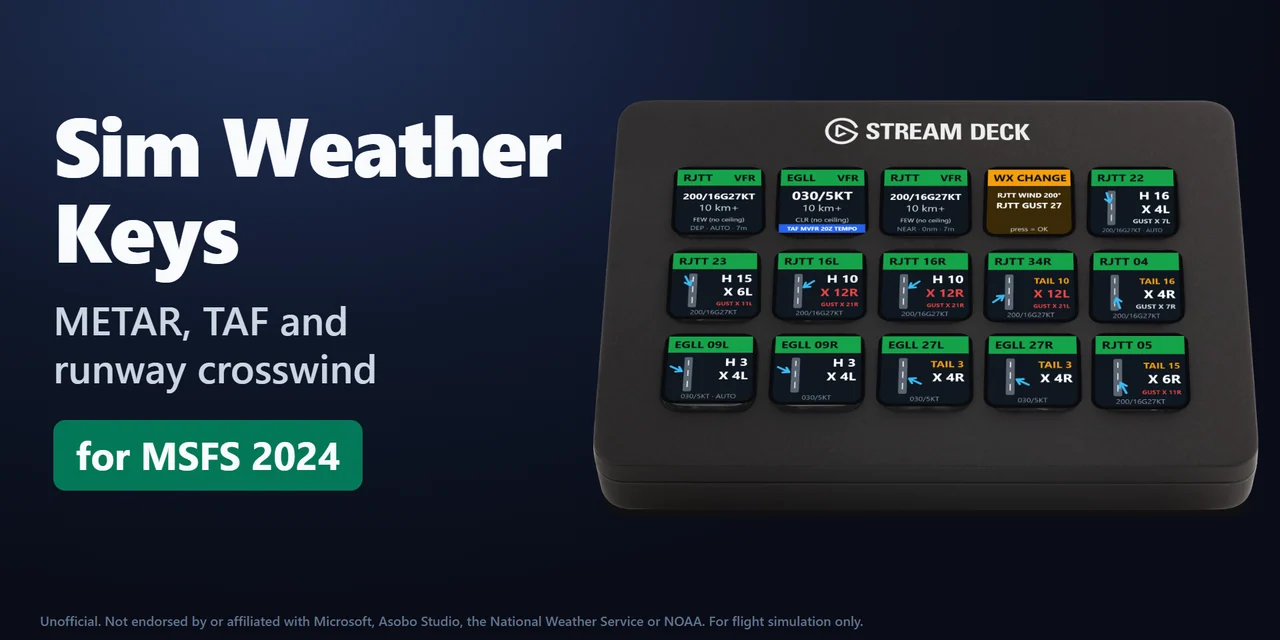
To see the real-world weather for your Microsoft Flight Simulator 2024 flight on a Stream Deck, install Sim Weather Keys for MSFS 2024, a Windows plugin whose keys show the latest METAR for your departure and arrival airports and the wind on your runway.
Type the airport codes once and the keys show the wind with gusts, the visibility and the ceiling under a VFR, MVFR, IFR or LIFR color band, mark the arrival when its forecast (TAF) gets worse, light up when the weather changes and pick the nearest airport while MSFS 2024 runs on the same PC.
Features
Each key shows the airport code, the wind direction and speed with gusts in knots, the visibility and the ceiling in feet, so the weather of the whole flight sits on your Stream Deck.
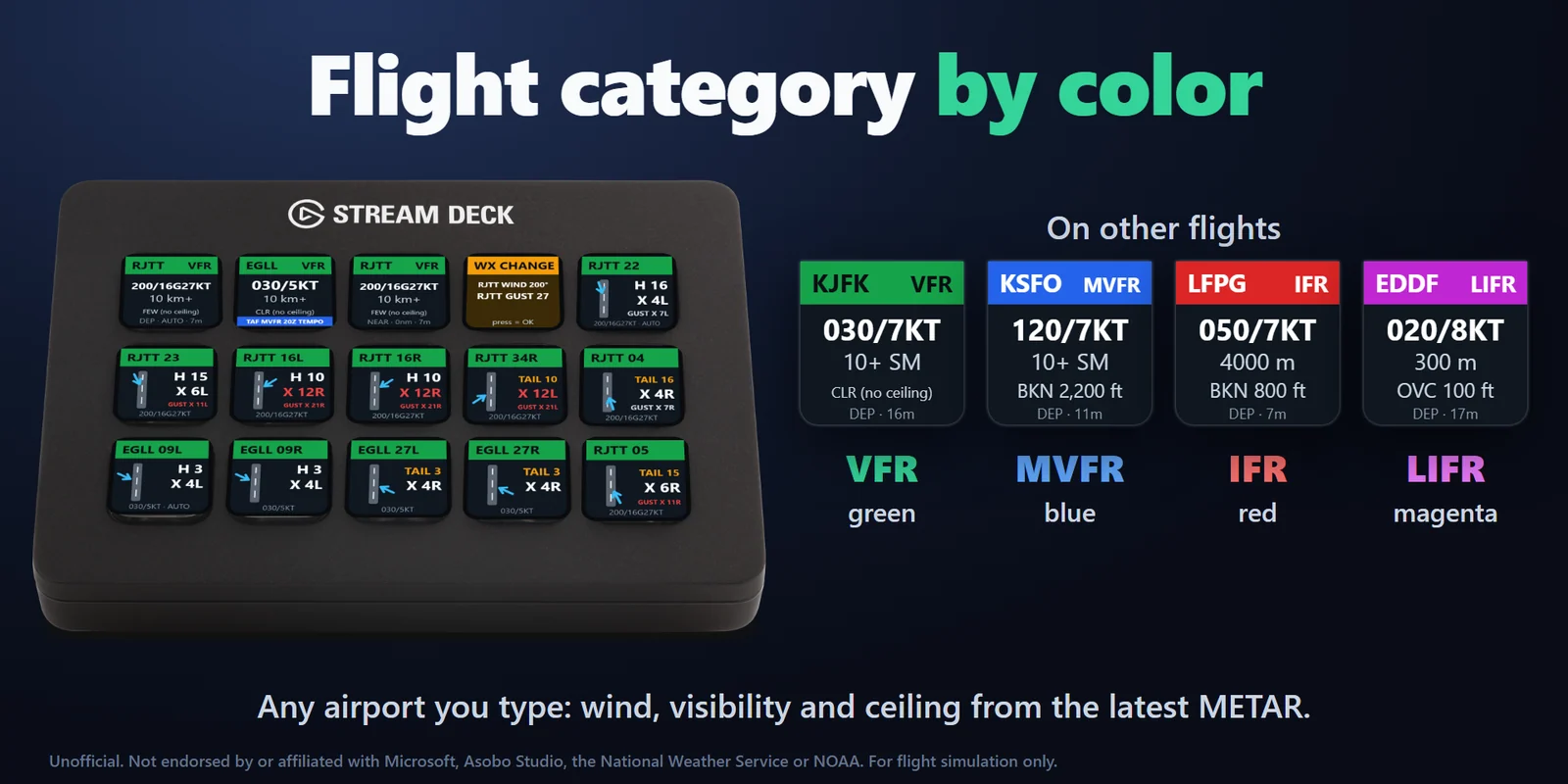
A band on each key turns green for VFR, blue for MVFR, red for IFR and magenta for LIFR, for any airport you type.
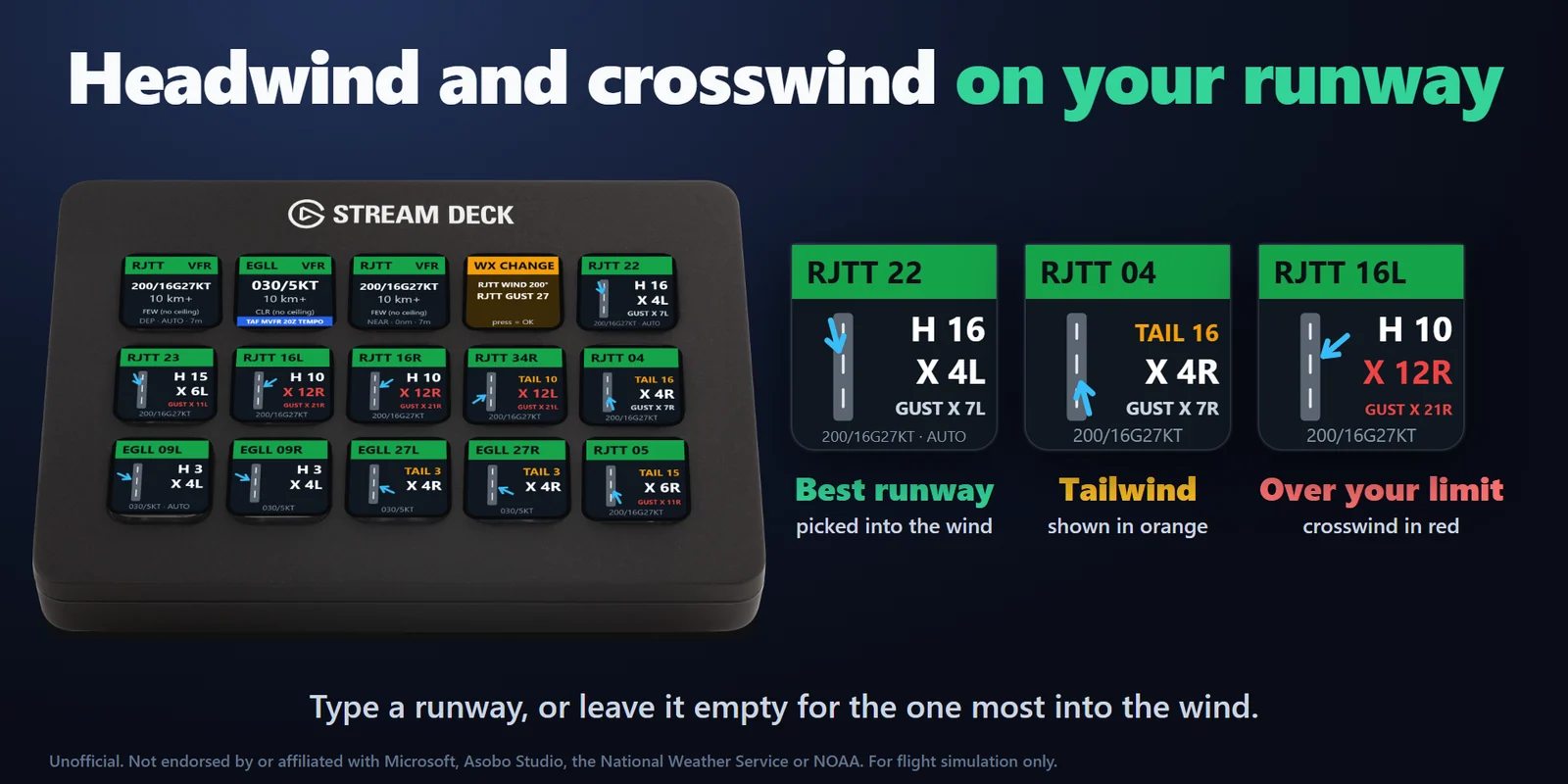
Runway Wind shows the headwind (H) or tailwind (TAIL, in orange) and the crosswind from the left or right with the gust crosswind, and the crosswind turns red above the limit you set from 1 to 60 kt.
A strip at the bottom of the Arrival Weather key shows when the forecast (TAF) turns worse within the next 3, 6 or 12 hours, with the worse category, the time in UTC and TEMPO or PROB when it is only temporary or possible.
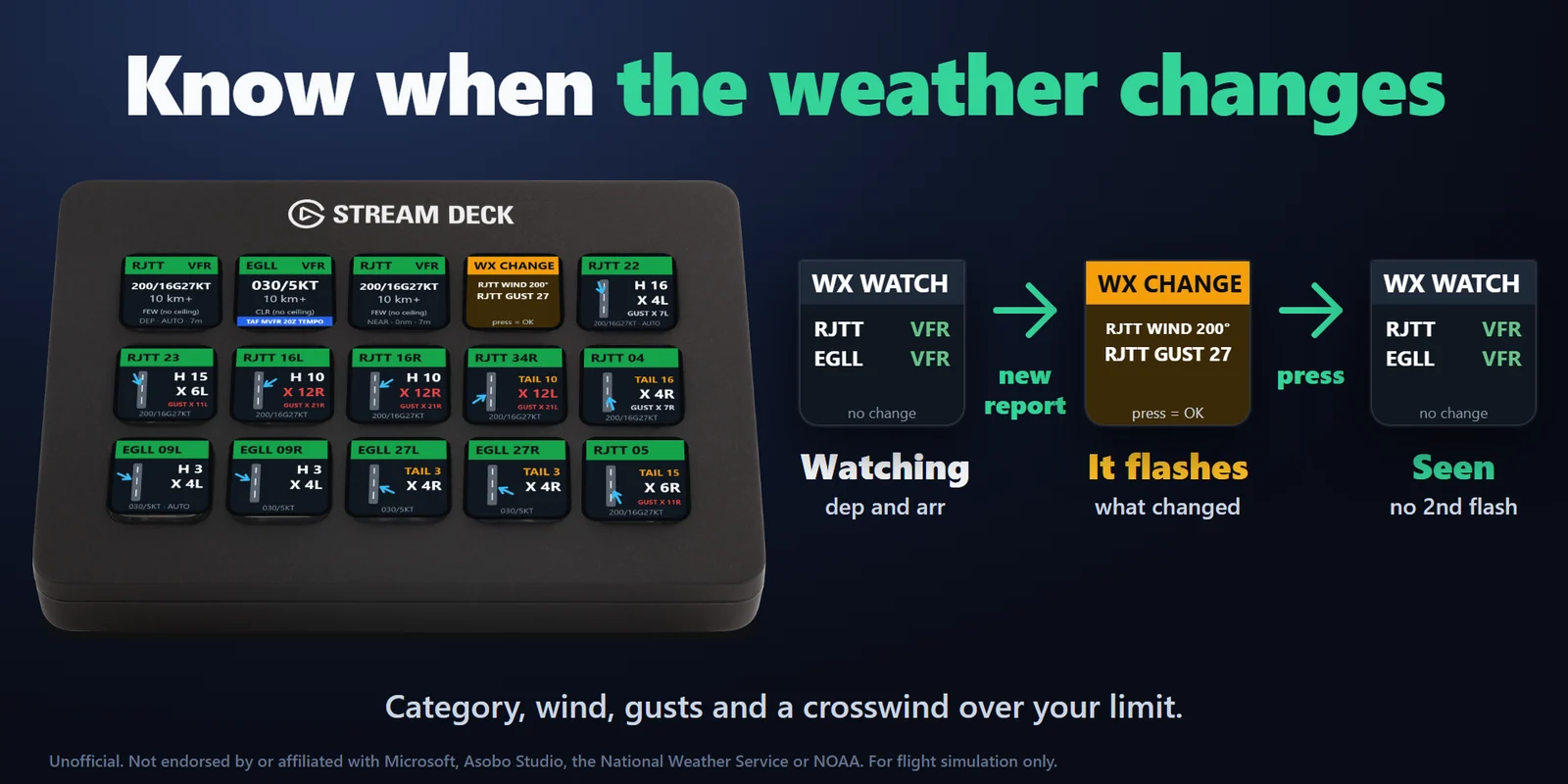
Weather Change Alert flashes when the flight category changes, the wind turns 30 degrees or more or its speed changes by 10 kt or more, gusts appear or get 10 kt stronger, or the crosswind goes over your limit. Press it to mark the change as seen.
Put Runway Wind on a dial and the touch strip shows the runway, the headwind and the crosswind with a bar against your limit. Turn to step through the airport's runways; push or tap to go back to your runway.
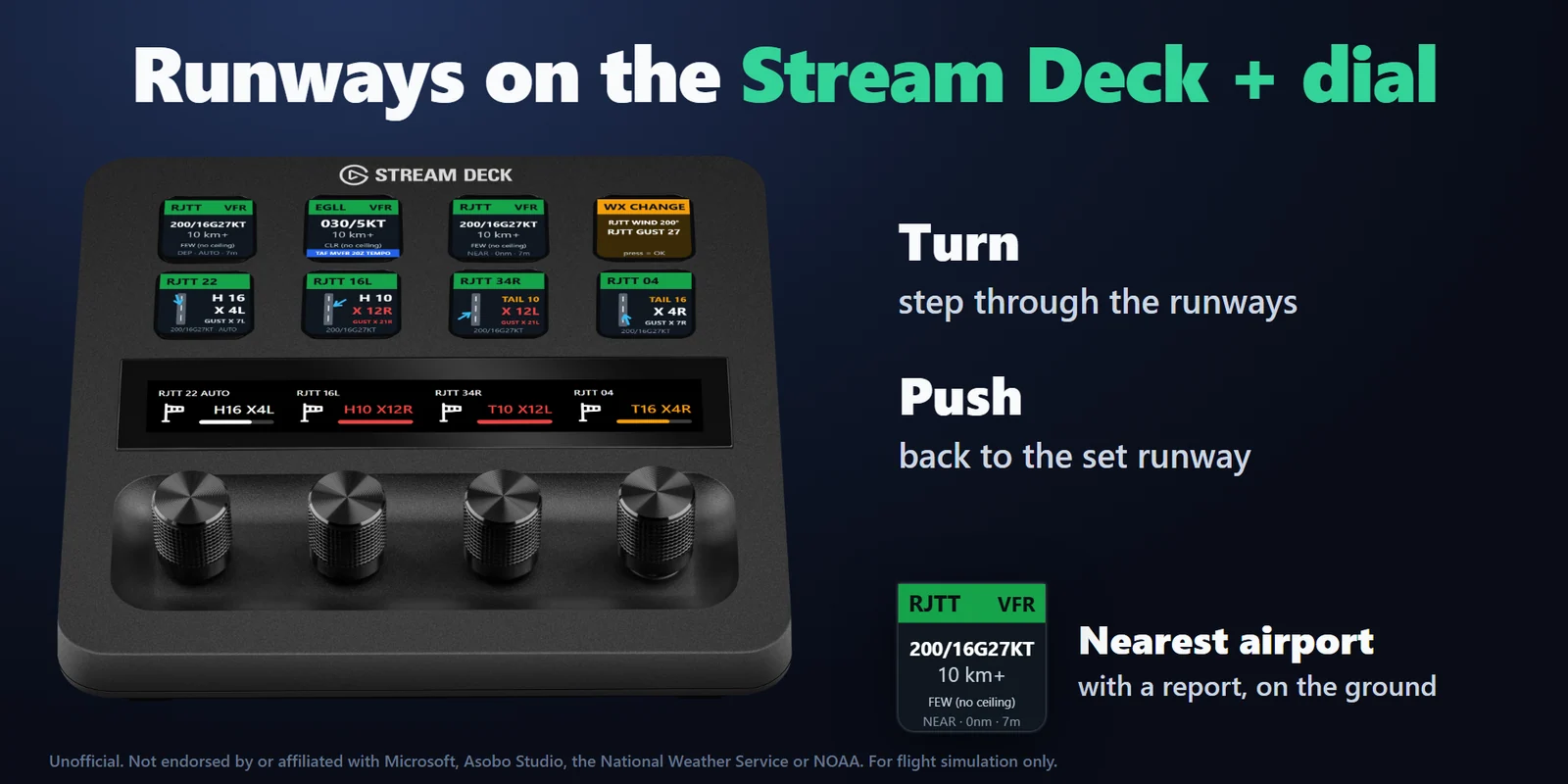
Start a flight in MSFS 2024 on the same PC and the Nearest Airport Weather key finds the closest airport with a current report within 100 nm and shows its weather and distance. Leave the departure empty and it takes that airport too.
Pick the runway yourself (34R) or a heading in three digits, or let the key use the runway most into the wind; show the visibility in statute miles or meters; and switch to a color-blind safe set of colors.
Set up
Good to knowThe keys work with a typed code before you start the sim, so you can check the weather before you fly. Nothing goes in the sim or the Community folder, and the Status line at the top of each key's settings says what the key works with now.
FAQ
Short answers to what people ask before they add it.
Email contact
Drag Departure Weather and Arrival Weather onto your Stream Deck and type the two airport codes in a key's settings. The keys show the wind with gusts, the visibility, the ceiling and the flight category color from the latest report, and update by themselves.
Add the Runway Wind key. It picks the runway most into the wind by itself, or uses the runway or three-digit heading you type, and shows the headwind or tailwind and the crosswind from the left or right with the gust crosswind. Set your crosswind limit and the number turns red above it.
The keys show the real-world reports (METAR and TAF) from the Aviation Weather Center of the US National Weather Service. With live weather on, the sim's weather follows the real world, though it may not match it exactly.
Typed airport codes work before you start the sim. For the nearest airport, MSFS 2024 runs on the same PC; the plugin reads the aircraft position through SimConnect, which the sim opens for programs on that PC. Nothing goes in the Community folder.
No. Weather requests carry only airport codes, and your aircraft position stays on your PC. The keys only show the weather: they press no keys in the sim and change nothing in it.
Sim Weather Keys is sold on gramshift.com. One license key works on up to 3 of your own PCs, and new versions download from your license key page.
Requirements
For Stream Deck keys on Windows 10 or later with the Stream Deck app 6.9 or later and an internet connection, dials on Stream Deck +, and Microsoft Flight Simulator 2024 on the same PC for the nearest airport.
A Stream Deck plugin sold directly by GRAMSHIFT.
More for your Stream Deck



For Stream Deck keys on Windows 10 or later with the Stream Deck app 6.9 or later and an internet connection, dials on Stream Deck +, and Microsoft Flight Simulator 2024 on the same PC for the nearest airport.
Buy from GRAMSHIFTOne-time purchase direct from GRAMSHIFT, plus any tax at checkout. One license key for up to 3 computers; the plugin goes online to check its license key.